
Yi Zhongbiao Bid Document Writing Assistant
Paste the following prompt into your AI chat to install this skill:
Please follow https://skillhub.cn/install/skillhub.md and install @user_ba095919/biaoshu-writer-insight.
About this skill
The Problem
In bid preparation, tender documents often mix eligibility, scoring, disqualification clauses, and commercial terms, making it easy to miss key requirements. Drafting a bid also requires repeated requirement extraction, outline planning, and template filling. Pre-bid compliance checks need item-by-item comparison, and multiple bid files may need duplicate-content detection. This skill connects those tasks to an App Key-driven backend workflow, reducing manual sorting and missed clauses.
How It Works
- Tender interpretation: accepts
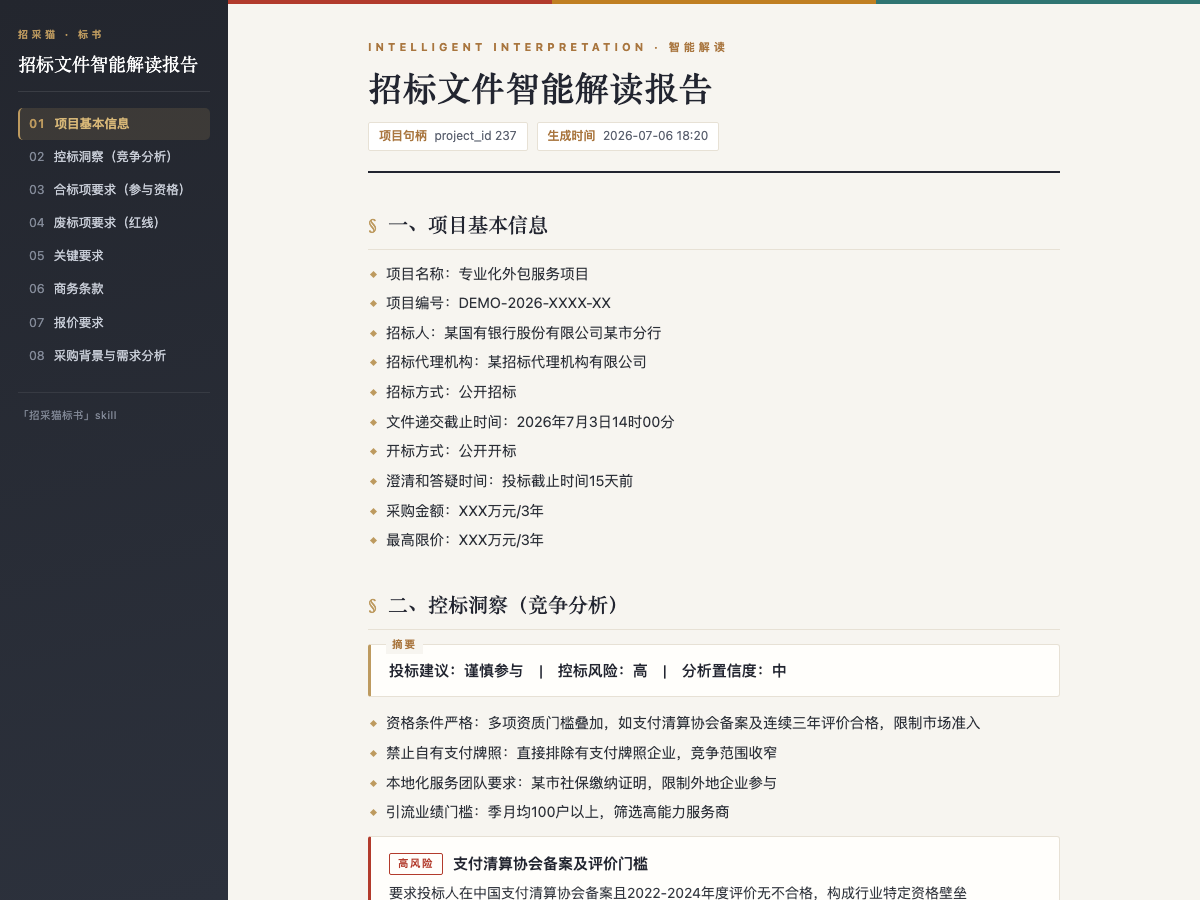
.pdf/.doc/.docxtender files up to50 MB, and outputs project information, compliance items, disqualification red lines, scoring criteria, key requirements, commercial terms, pricing requirements, procurement context, and bid-control insights. It can export HTML/Word reports. - Bid document generation: based on an interpreted project and selected package, it generates a
.docxbid file up to500pages, with a table of contents, sections, formal templates, and bookmarks for items to be filled. - Compliance review: after the tender has been interpreted, it checks one or more
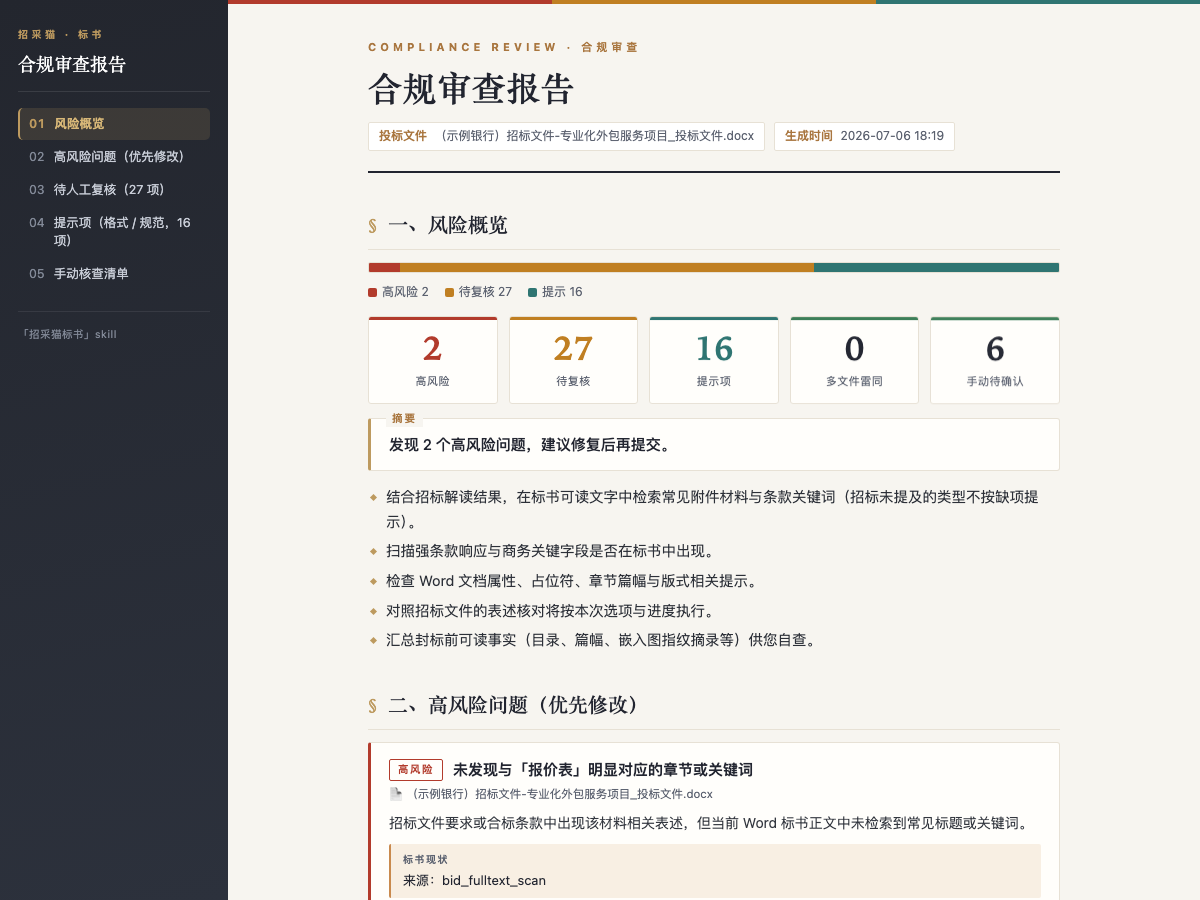
.doc/.docxbid files, each up to1024 MB, and outputs high-risk, to-review, and advisory issues, plus duplicate-content detection across multiple files.
The typical flow is: provide the file or upload it, state the requirement, let the assistant call the Bailian bid platform open API in the background, and receive the absolute paths of the interpretation report, bid document, or compliance report.
Boundaries
Interpretation, package selection, and compliance review are not listed as point-consuming, while bid generation consumes points. API/Skill calls require a balance greater than 0 before submission. Bid generation may take over 10 minutes, with progress updates during the run. If semantic review returns partial results for multiple files, treat them as partial results rather than a complete review. The skill does not replace legal or bidding-agent advice; material qualification and bid-control decisions still need human confirmation.
Screenshots
Use Cases
- After receiving a tender file, extract disqualification red lines and scoring criteria to decide whether to bid.
- From an interpreted project, select a package and generate an 80-page bid draft with TOC and to-fill bookmarks.
- Before submission, review multiple bid files for duplication, formatting, and red-line issues, then export a report.
- With only a procurement notice snippet, get key bid cautions and guidance on what file to provide for custom review.
Best For
- Sales directors making go/no-go decisions who need red lines, bid-control signals, and participation advice.
- Solution consultants drafting technical bids who need tender requirements converted into an outline and fillable draft.
- Bid administrators who must check multiple bid files for duplication, formatting, and clause risks before submission.
- Pre-sales operations staff who need to summarize procurement notice snippets and guide users to provide files for review.
Related Skills
Generates a fixed-structure A-share tech daily across five tracks, screening 24-hour news and selecting leader and growth stocks.

Convert teaching schedules from talent development plan PDFs into structured Excel files, with cross-page tables, merged cells, multi-semester course splitting, major metadata extraction, and batch output.

Turn post-meeting text into bilingual minutes, preserving structure and consistent terminology.
Interprets tender files, generates bid docs, and checks compliance via the Bailian API.