
Lamb Bid Document Intelligent Writing
Paste the following prompt into your AI chat to install this skill:
Install @user_ba095919/biaoshu-writer-build into your AI assistant according to https://skillhub.cn/install/skillhub.md.
About this skill
Problem Addressed
The slow part of bidding is often not drafting the main body, but deciding whether to bid, which clauses may cause rejection, and how to organize the response. This skill turns tender document interpretation, bid document generation, and compliance review into one workflow for engineers, pre-sales, and bid specialists working with .pdf, .doc, and .docx tender files. It does not replace commercial judgment; it surfaces qualification clauses, scoring criteria, pricing rules, and formatting redlines.
How It Works and Limits
The skill calls the Bailian® Tender Open API with an App Key using an asynchronous submit-poll-retrieve model. Core capabilities include:
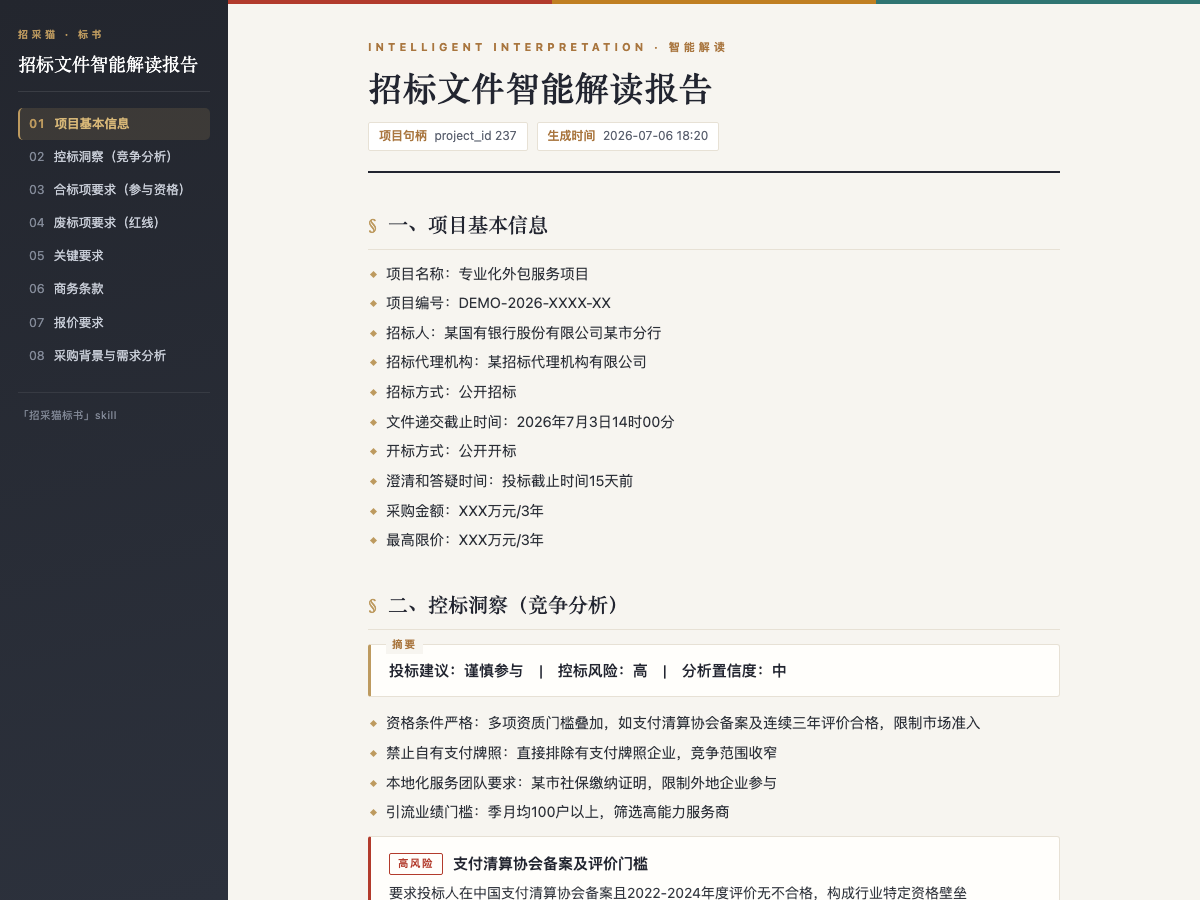
- Interpretation: accepts tender files up to 50 MB and returns project information, qualification items, rejection redlines, scoring standards, key requirements, commercial terms, pricing requirements, procurement context, and control-bid insights, exportable as HTML or Word reports.
- Bid generation: creates a .docx bid document from an interpreted project and selected package, with a table of contents, sections, and “to-fill” bookmarks; total_pages is capped at 500.
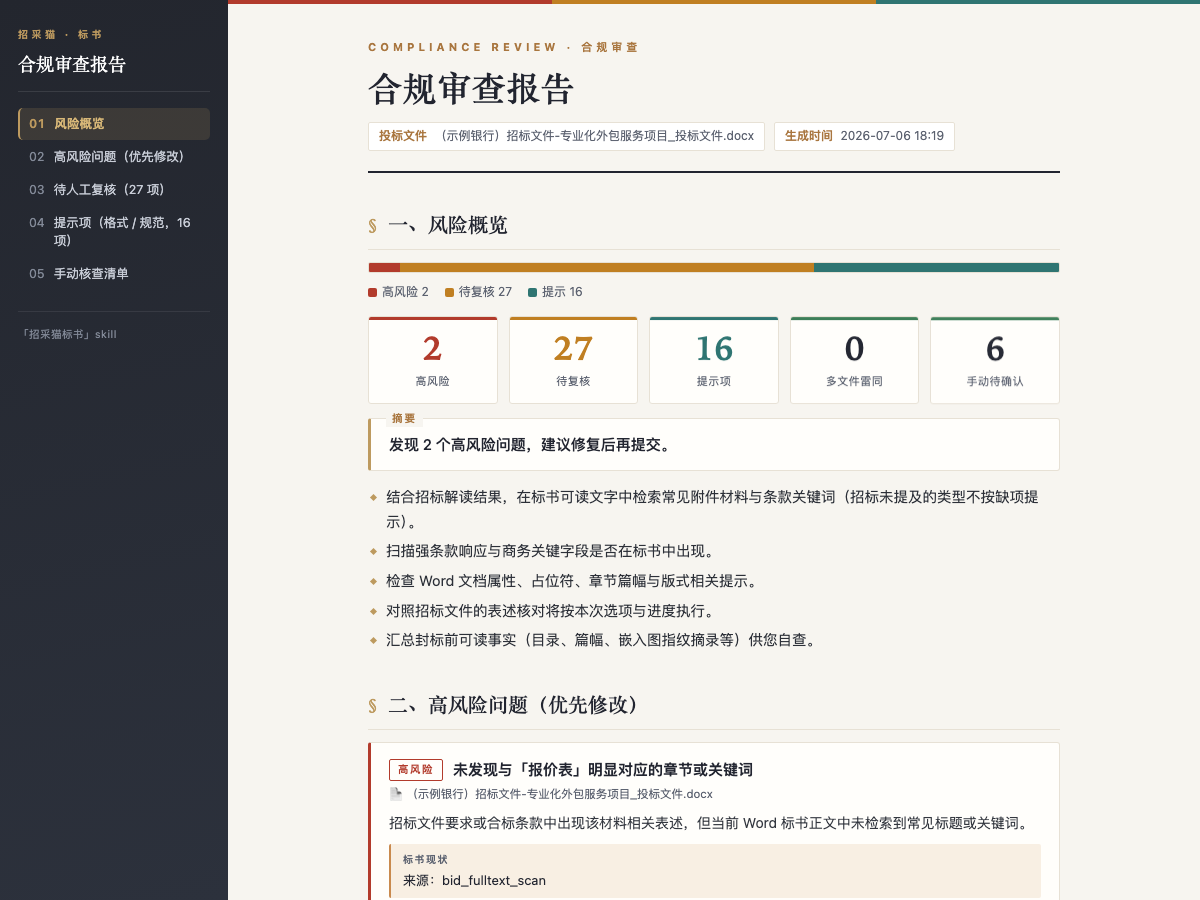
- Compliance review: checks one or more .doc / .docx bid files, classifies risks, and provides evidence, remediation suggestions, semantic review status, scope, and duplicate detection across multiple files.
Note: a trial account is activated automatically, while production use requires an App Key from the official site. Bid generation consumes credits and may take more than 10 minutes. Interpretation, package extraction, and compliance review do not consume credits by themselves, but API/Skill submissions still require a balance greater than 0. If only partial semantic results are returned, treat them as partial results, not a complete review.
Screenshots
Use Cases
- Pre-sales receives a tender file under 50 MB and needs bid/no-bid signals, redlines, and scoring.
- A bid coordinator selects a package and needs a DOCX draft with to-fill fields.
- Legal or bid owners check multiple bid files for format, redlines, and duplication.
- A user pastes only a notice fragment and needs general points before uploading the full file.
Best For
- Pre-sales engineers who review multiple tenders weekly for qualification and scoring
- Bid coordinators who need DOCX drafts with to-fill fields before submission
- Legal or bid owners who check multiple bid files for risk and duplication
- Procurement consultants who first assess notice fragments and then complete files
Related Skills

A multi-platform writing workflow for WeChat that emphasizes information gain, scannability, SEO/GEO, and localization to produce verifiable, high-signal blog posts.
Search YiQiXiu electronic album templates for brochures, product manuals, magazines, mobile albums, portfolios, and meeting materials, returning preview links and page views.
Generate structured company strategic planning reports from policy, industry, competitor, and internal data, with Markdown and DOCX output.

Rewrites MD, PDF, or TXT material into a mobile-friendly WeChat article with title candidates, outline, and self-check.