
ChanBiao AI Bidding Response Writer
Paste the following prompt into your AI chat to install this skill:
Please install @user_ba095919/biaoshu-writer-med according to https://skillhub.cn/install/skillhub.md.
About this skill
The Problem
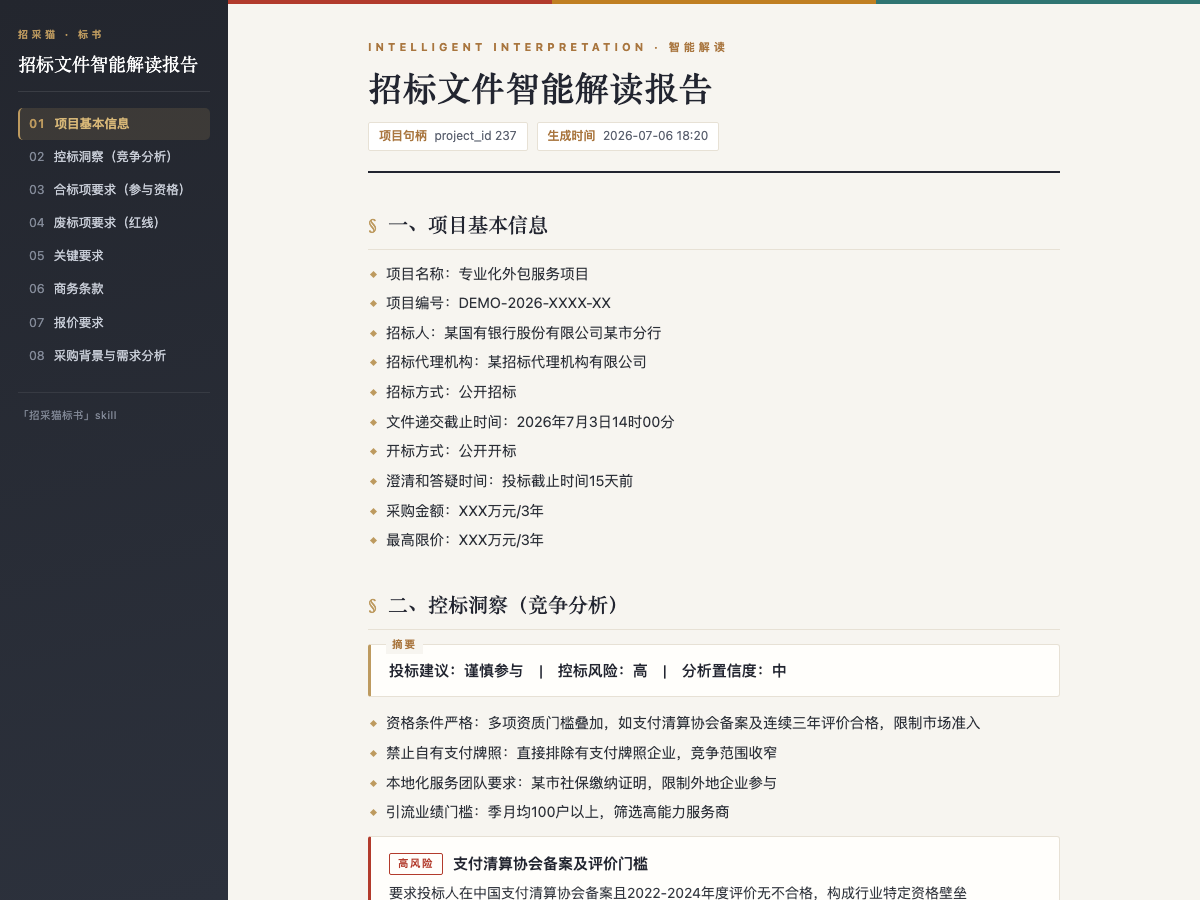
Tender documents often mix qualification requirements, disqualification risks, scoring rules, commercial terms, and subtle control signals. Manual review can miss items, bid writing depends on templates, package understanding, and prior experience, and pre-submission compliance checks require line-by-line comparison between the tender and the bid documents.
This skill connects the Bailian® Bidding Writer assistant into a conversational workflow. It works around one tender file and one or more bid files to produce interpretation, draft creation, and compliance review results that can be checked and reused.
How It Works
- Interpretation: upload or provide a local/cloud path to a
tender.pdf,tender.doc, ortender.docxfile up to50 MB. The output covers project information, compliance items, disqualification risks, scoring criteria, commercial terms, and control-risk signals, with exportable HTML or Word reports. - Bid drafting: based on the interpreted project and selected package, it generates a
.docxbid file. It supports target page count, withtotal_pagesup to500, and creates an outline, body content, and formatted sections while leaving uncertain fields as placeholders. - Compliance review: checks one or more
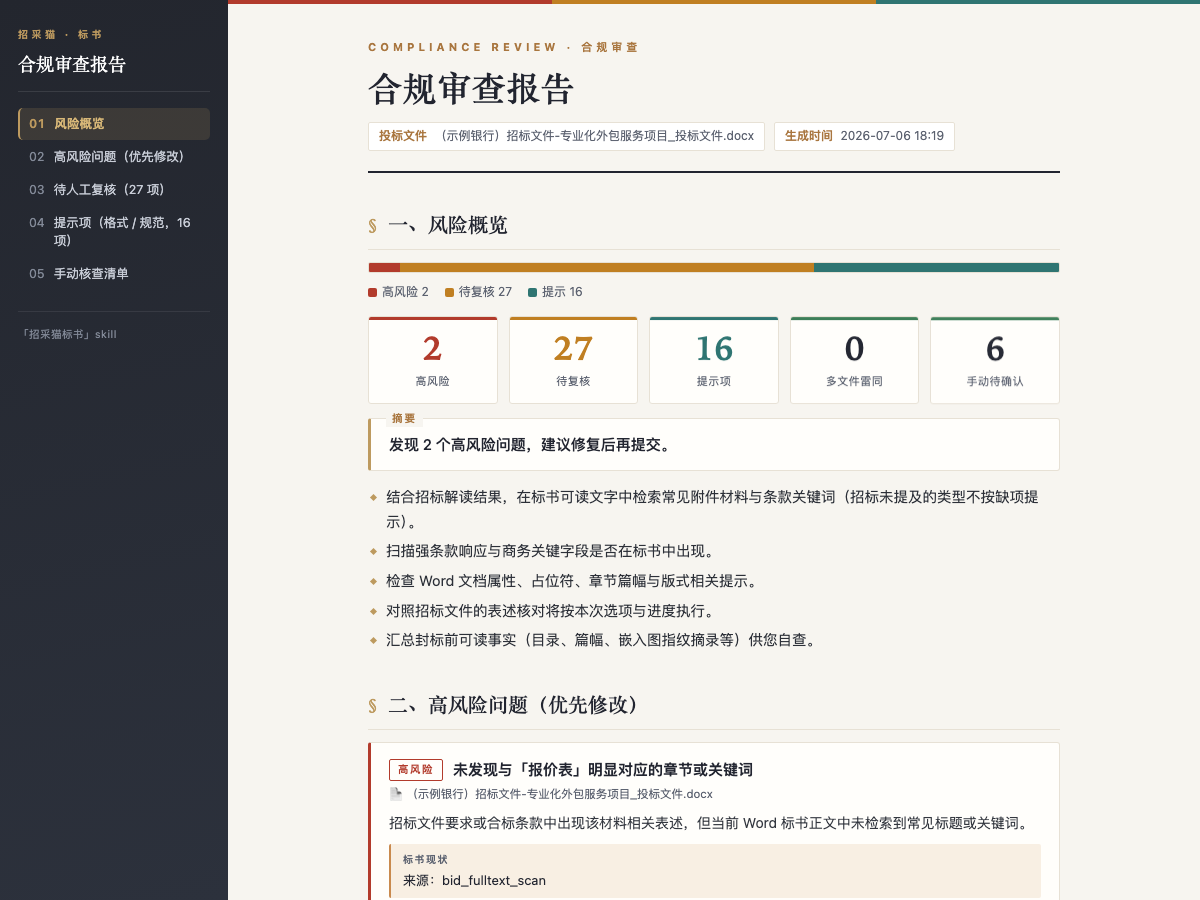
.doc/.docxbid files and returns graded findings as high risk, needs review, or notices. Each finding includes tender basis, bid evidence, and remediation advice; multiple files can also be checked for similarity. - Credits and outputs: interpretation, package extraction, and compliance review do not consume credits, while bid drafting does. Every generated artifact should be reported with its absolute file path for later reuse.
It is useful when the user already has tender or bid file paths. Drafting can take a long time, and partial semantic-review results should not be described as complete reviews.
Screenshots
Use Cases
- Review a tender PDF under 50 MB to list disqualification risks, scoring rules, and participation advice.
- Draft an editable 80-page docx bid from the interpreted project and selected package.
- Check two vendor bid docx files for formatting red lines and similarity before submission.
- Answer quick questions on blind bid formatting and disqualification causes, then proceed with file interpretation.
Best For
- Bid managers who need tender thresholds and control signals summarized for decision notes.
- Bid writers who need an editable docx draft aligned to the interpreted project structure.
- Compliance reviewers who need line-by-line checks for disqualification red lines.
- Pre-sales consultants who need quick blind-bid rules before producing a full interpretation.
Related Skills

Analyzes bidding documents, extracts key requirements and risks, and generates a structured WPS report.

Amazon US A9 Listing optimization workflow that uses Fast and Full tiers to combine PDP data, reviews, and trademark checks into copy-ready title, bullets, and backend search terms.

Scans a reimbursement folder, extracts ride, hotel, high-speed rail, and flight details, calculates allowances and discounts, and outputs a deduplicated report.

Stress-test product logic by challenging assumptions, demanding evidence, and pruning the idea to a minimal verifiable core.