
AI Bid Document Generator
Paste the following prompt into your AI chat to install this skill:
Please install @user_ba095919/biaoshu-writer-service according to https://skillhub.cn/install/skillhub.md.
About this skill
Problem
The hard part of bidding is not formatting, but keeping bid documents consistent with qualification rules, scoring criteria, disqualification risks, commercial terms, and hidden-bid format. Manual line-by-line review can miss eligibility requirements, pricing constraints, or duplicated text across files, leaving little time before submission.
How It Works
The skill uses an App Key to call the Bailian bid-document API and splits bid preparation into a closed loop:
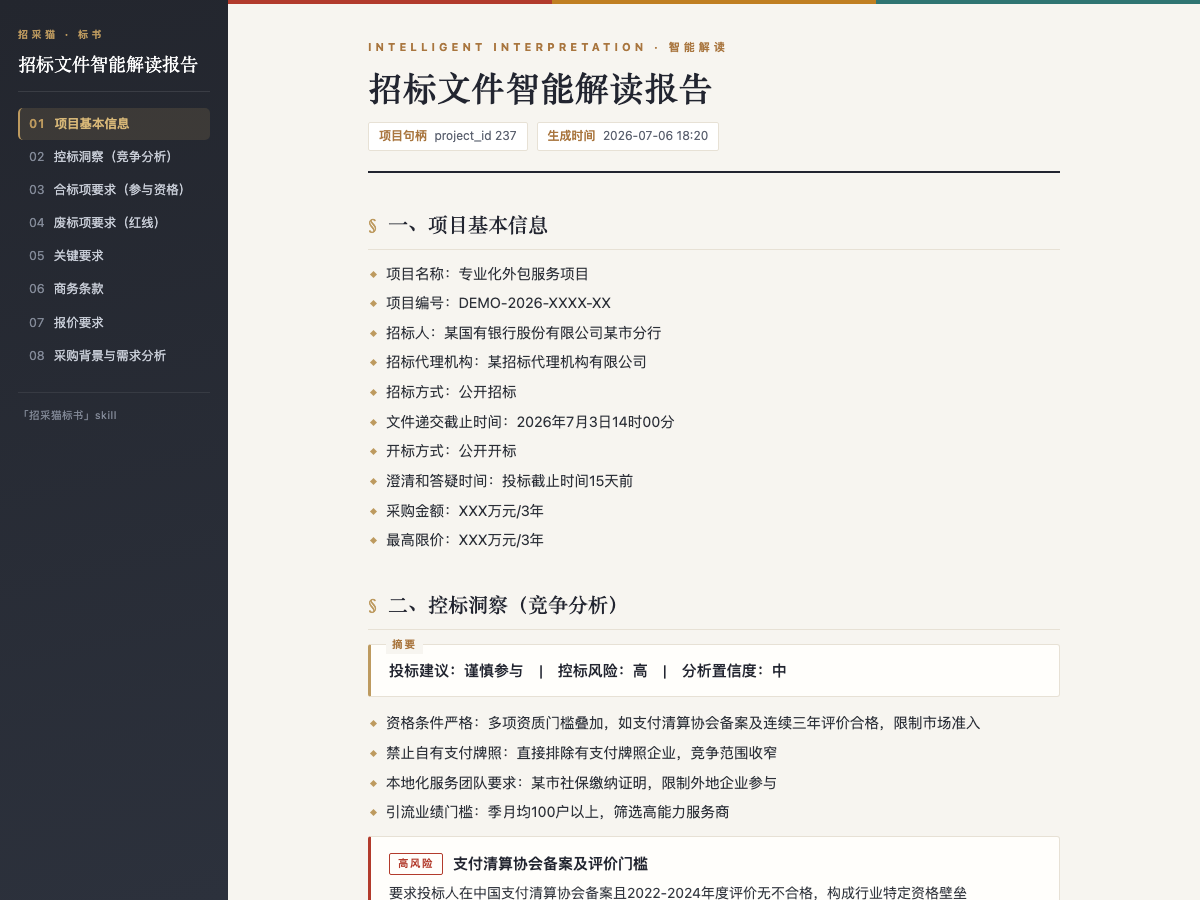
- Interpretation: accepts
.pdf,.doc, or.docxtender documents and outputs eight dimensions, including project information, compliance items, disqualification red lines, scoring criteria, commercial terms, pricing requirements, and background, plus bid-control insights. - Draft generation: creates a
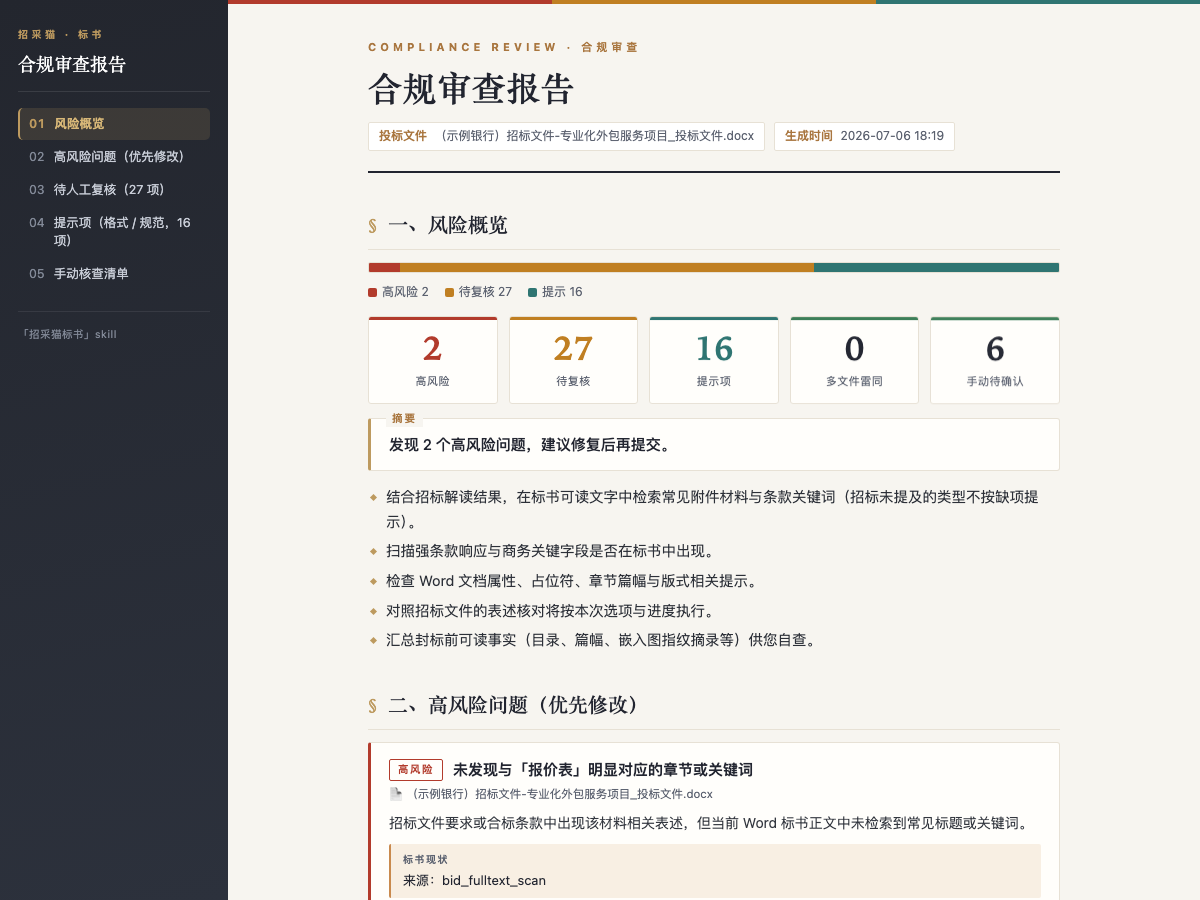
.docxbid document from the interpreted project, supports package selection, target page count, and auto-fills standard templates, leaving uncertain fields as placeholders. - Compliance review: checks one or more bid documents against the interpreted tender file and returns a three-level issue list, high risk, needs review, and notice, each with tender basis, evidence, and remediation advice.
Files can be provided by local path or downloadable URL, and results are produced as offline HTML reports or Word files.
Boundaries
Interpretation and review do not consume credits, while bid generation does and may take more than 10 minutes. All API entries require a positive balance before submission. It fits document parsing, draft generation, and risk checking in bidding workflows, but does not replace legal review or the platform's official credit policy.
Screenshots
Use Cases
- After receiving a tender file under 50 MB, extract disqualification red lines, scoring criteria, and bid-control risk before deciding to bid.
- Generate an 80-page bid document from an interpreted project, select the package automatically, and keep unfilled items for business input.
- Run a pre-submission compliance review against one or more bid files to check formatting, red-line items, and duplicate text.
- When only a procurement notice is available, get key hidden-bid, pricing, and disqualification points before requesting the full file.
Best For
- Bid managers who need to quickly assess whether a tender is worth pursuing and summarize disqualification risks and scoring criteria.
- Business specialists who need to draft a bid document from an interpreted project and locate unfilled commercial items.
- Pre-sales engineers who need to map procurement requirements to technical responses and check hidden-bid format and scoring alignment.
- Delivery or bidding managers who need a pre-submission compliance review across multiple bid files to reduce formatting, eligibility, and duplication risks.
Related Skills

Analyzes bidding documents, extracts key requirements and risks, and generates a structured WPS report.

Amazon US A9 Listing optimization workflow that uses Fast and Full tiers to combine PDP data, reviews, and trademark checks into copy-ready title, bullets, and backend search terms.

Scans a reimbursement folder, extracts ride, hotel, high-speed rail, and flight details, calculates allowances and discounts, and outputs a deduplicated report.

Stress-test product logic by challenging assumptions, demanding evidence, and pruning the idea to a minimal verifiable core.