DeepSeek Harness Plugins
Plugins that extend DeepSeek Harness (DSH) with vision, workflows, memory, web tools and more.
Registers all stool CLI capabilities as DSH tools, enabling the Agent to automate server management, log search, database queries, and CI/CD deployment.
DeepSeek peak/off-peak pricing panel that displays the current tier and per-model output cost in real time, polls account balance with tiered color alerts, and pulses the top-up button when the balance is critically low.
Long-running commands auto-promote to background after a timeout with proactive completion notifications, preventing slow builds or downloads from blocking the conversation.
A Codex-style command history rail for DSH sessions, displaying every user command as compact bars with hover summaries, click-to-jump, and position highlighting.
One-time Full access switch for DeepSeek Harness that skips per-session permission confirmations and adds a persistent GUI toggle to remember your choice.
Codex-style text annotation for chat: select any text, add a quote with a comment, and view it as an expandable comment pill after sending.
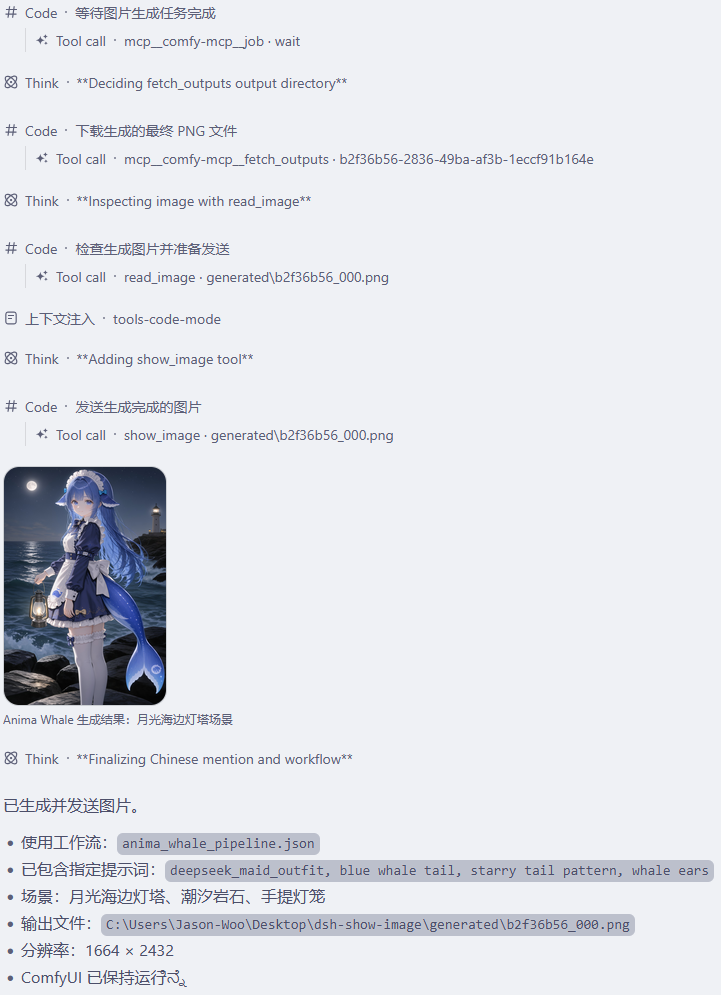
Registers a show_image tool that renders workspace images as a gallery with lightbox preview in the DSH WebUI chat, keeping image bytes out of the model context.
Prices the current session on the actual route and every alternative in the table, with time-of-use support and a cross-route cost comparison.

Adds a model extension settings page to DeepSeek Harness for configuring reasoning effort, input modality, and compatibility, with strict host version validation.
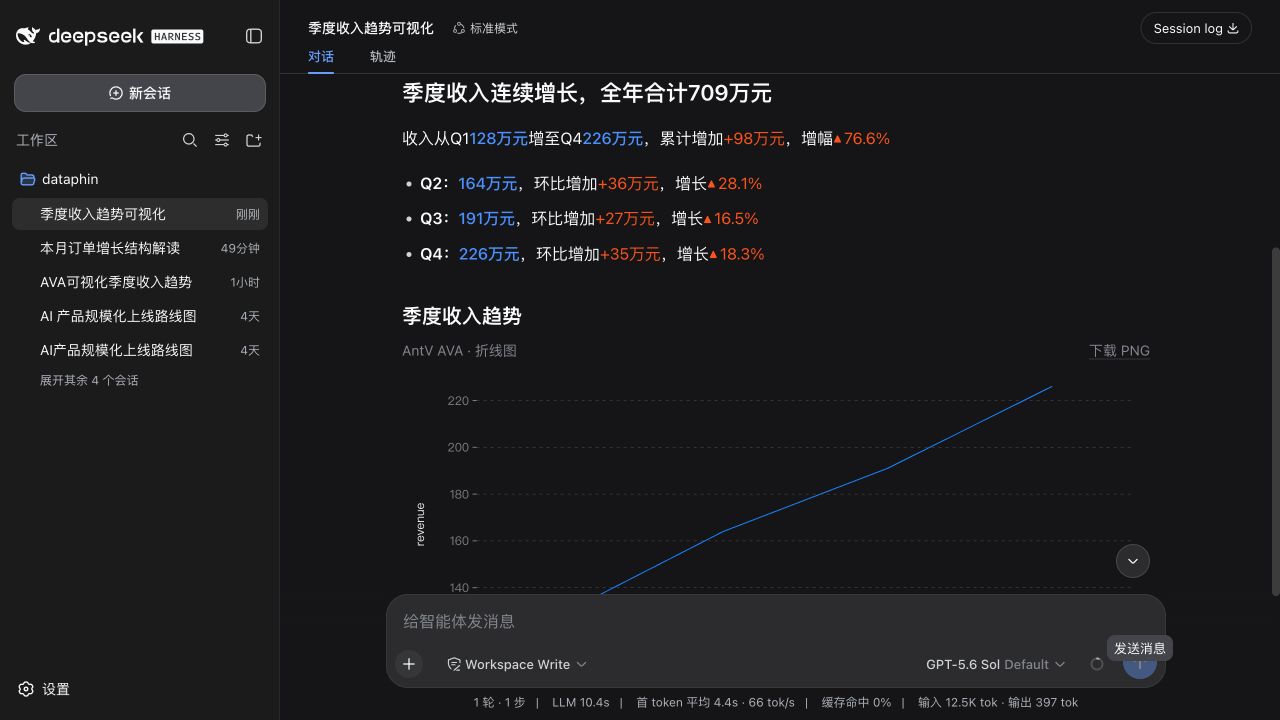
Automatically renders data-heavy answers as streaming narrative text, AntV charts, or a natural combination, with live theme adaptation and semantic data expression.
Voice chat plugin for DeepSeek Harness: tap the mic to speak, get AI replies read aloud via TTS, with multiple ASR/TTS engines, single-channel playback, and hotkey control.
A DeepSeek Harness session enhancer: one-click workspace opening, model provider display in the menu header, and selected-text insertion into the chat input as a Markdown code block.