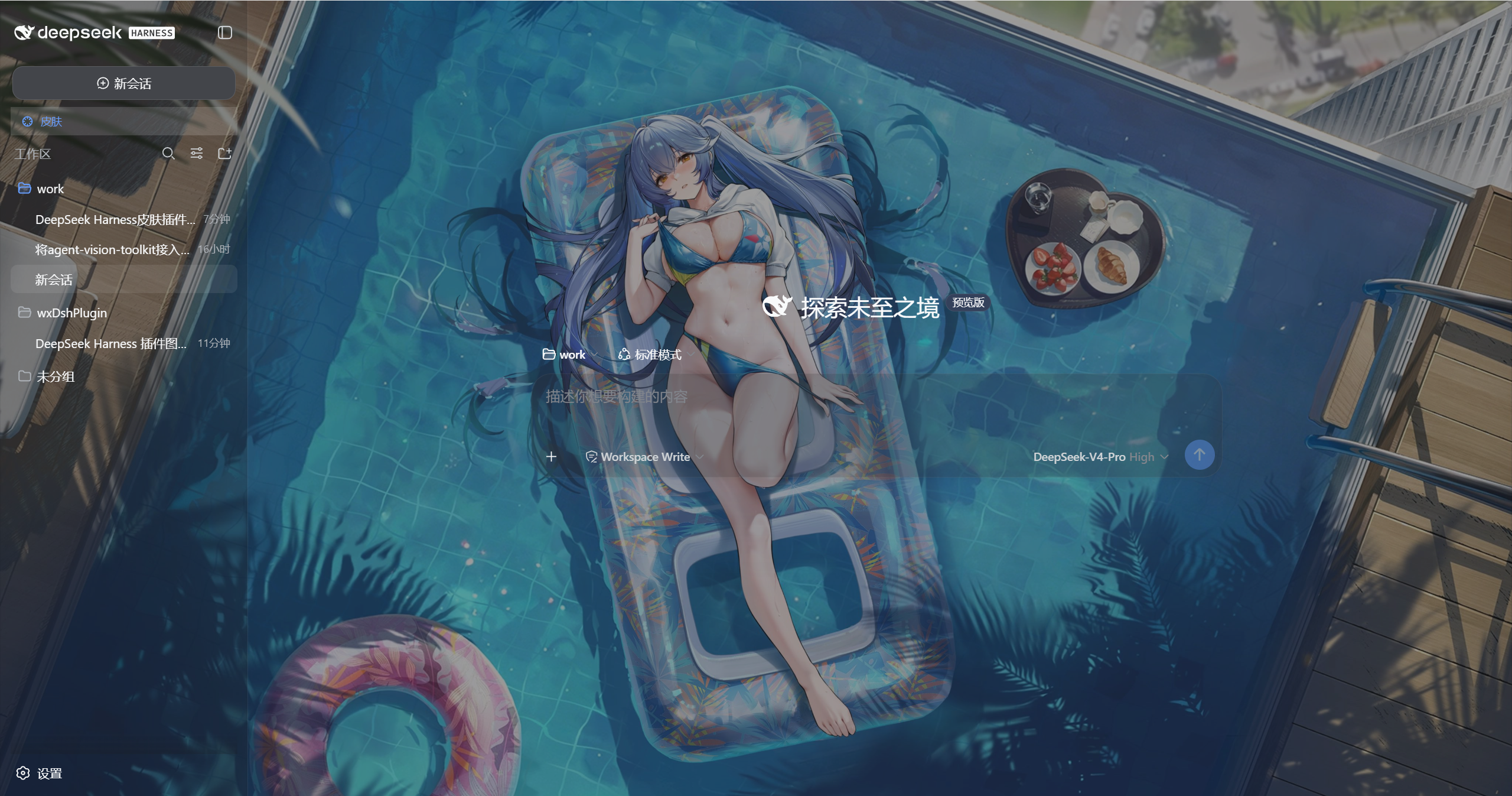
dsh-wx-skin
Run the following command in DeepSeek Harness:
dsh plugin install wangxilhy23/dsh-wx-skin
Paste the following prompt into your AI chat to install this plugin:
To install this plugin in DeepSeek Harness, run dsh plugin install wangxilhy23/dsh-wx-skin; the full source code is available at https://github.com/wangxilhy23/dsh-wx-skin.
About this plugin
The default DSH Web GUI is powerful but visually plain, lacking personalization options. The dsh-wx-skin plugin addresses this by adding a sidebar 'Skin' panel that lets users set a local image or URL as a fullscreen frosted background, completely transforming the interface's appearance. It offers preset skins like Ink Blue and Slate, with adjustable darkening, blurring, and surface opacity to ensure readability while achieving a stylish frosted glass effect. The plugin also automatically adapts to light/dark themes and persists settings via local storage and a host file, retaining changes across refreshes and restarts, all while being fully independent and non-intrusive to DSH's core.
This plugin is ideal for all DSH users, especially developers and designers who want to personalize their workspace without compromising functionality. Whether for daily use or presentations, dsh-wx-skin provides simple yet powerful interface customization, making interactions more enjoyable and tailored to individual preferences.
Screenshots
Use Cases
- Personalize the workspace during daily development
- Enhance visual experience for project demonstrations
- Switch skin styles based on mood or occasion
Best For
- DSH developers and contributors
- UI designers and frontend engineers
- General users who enjoy customizing interfaces
Related Plugins

whale-girl is a desktop pet in the DSH Web GUI (bottom-right for instant companionship) — draggable, feedable, playable; completed tasks, sessions and companionship time accrue into seniority levels, titles, and memories.

Renders your local Wallpaper Engine wallpapers as the DSH web background, supporting video, web, and scene wallpapers with a liquid-glass effect and rich customization.

A WebGPU ocean skin for DeepSeek Harness with five-wave Gerstner waves, translucent theme, day/night cycle, and quick controls, installable as plugin or extension.

A Galgame-style conversation view and visual scene editor for DSH web sessions, with a real-time editing mode.