dsh-plugin-uisfx
Run the following command in DeepSeek Harness:
dsh plugin install XanthanL/dsh-plugin-uisfx
Paste the following prompt into your AI chat to install this plugin:
In DeepSeek Harness, install the plugin by running: dsh plugin install XanthanL/dsh-plugin-uisfx. The full source code is at https://github.com/XanthanL/dsh-plugin-uisfx.
About this plugin
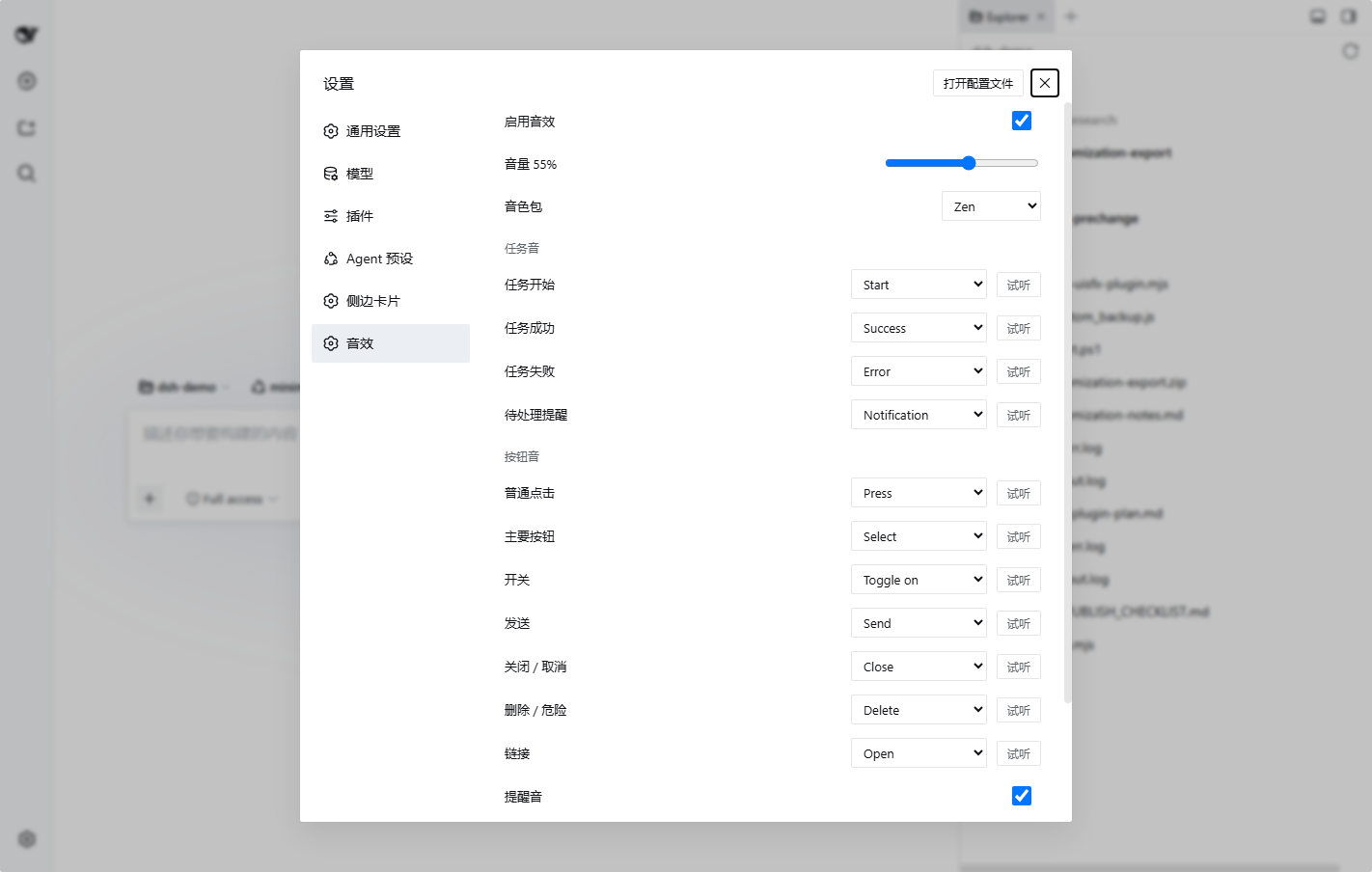
DeepSeek Harness (dsh) lacks audio feedback by default, leaving users to rely solely on visual cues during task execution or button interactions, which can lead to delayed feedback or a monotonous experience. dsh-plugin-uisfx addresses this by integrating the semantic sound effects system from uisfx, providing tailored audio cues for task starts, successes, failures, and various button clicks.
The plugin's core capabilities include: support for 11 scenario mappings, each with independent sound effect selection and instant preview; 12 sound packs ranging from minimal to zen, allowing users to switch the overall style with one click; persistent settings that survive restarts; and a service API enabling other dsh plugins to trigger sound effects.
dsh-plugin-uisfx is ideal for anyone looking to enhance their dsh interaction experience. Whether you're a developer, content creator, or productivity enthusiast who uses dsh regularly, you can benefit from clearer audio feedback. It's particularly suited for long dsh sessions, such as reading or focused work, where the default zen pack offers subtle, non-intrusive cues.
Screenshots
Use Cases
- Receive audio cues when tasks start, succeed, or fail.
- Hear customized sound effects when clicking different button types.
- Instantly preview and switch global sound packs in the settings page.
Best For
- dsh users looking to enhance interactive feedback.
- Productivity tool users who need clear audio cues.
- Developers or creators who use dsh for extended periods like reading or work.
Related Plugins

whale-girl is a desktop pet in the DSH Web GUI (bottom-right for instant companionship) — draggable, feedable, playable; completed tasks, sessions and companionship time accrue into seniority levels, titles, and memories.

Renders your local Wallpaper Engine wallpapers as the DSH web background, supporting video, web, and scene wallpapers with a liquid-glass effect and rich customization.

A WebGPU ocean skin for DeepSeek Harness with five-wave Gerstner waves, translucent theme, day/night cycle, and quick controls, installable as plugin or extension.

A Galgame-style conversation view and visual scene editor for DSH web sessions, with a real-time editing mode.