dsh-mobile-ui
Run the following command in DeepSeek Harness:
dsh plugin install Canary-Builds/dsh-mobile-ui
Paste the following prompt into your AI chat to install this plugin:
Run dsh plugin install Canary-Builds/dsh-mobile-ui in your terminal to add this plugin (source: https://github.com/Canary-Builds/dsh-mobile-ui) to your DeepSeek Harness web profile, then restart DSH and refresh the browser.
About this plugin
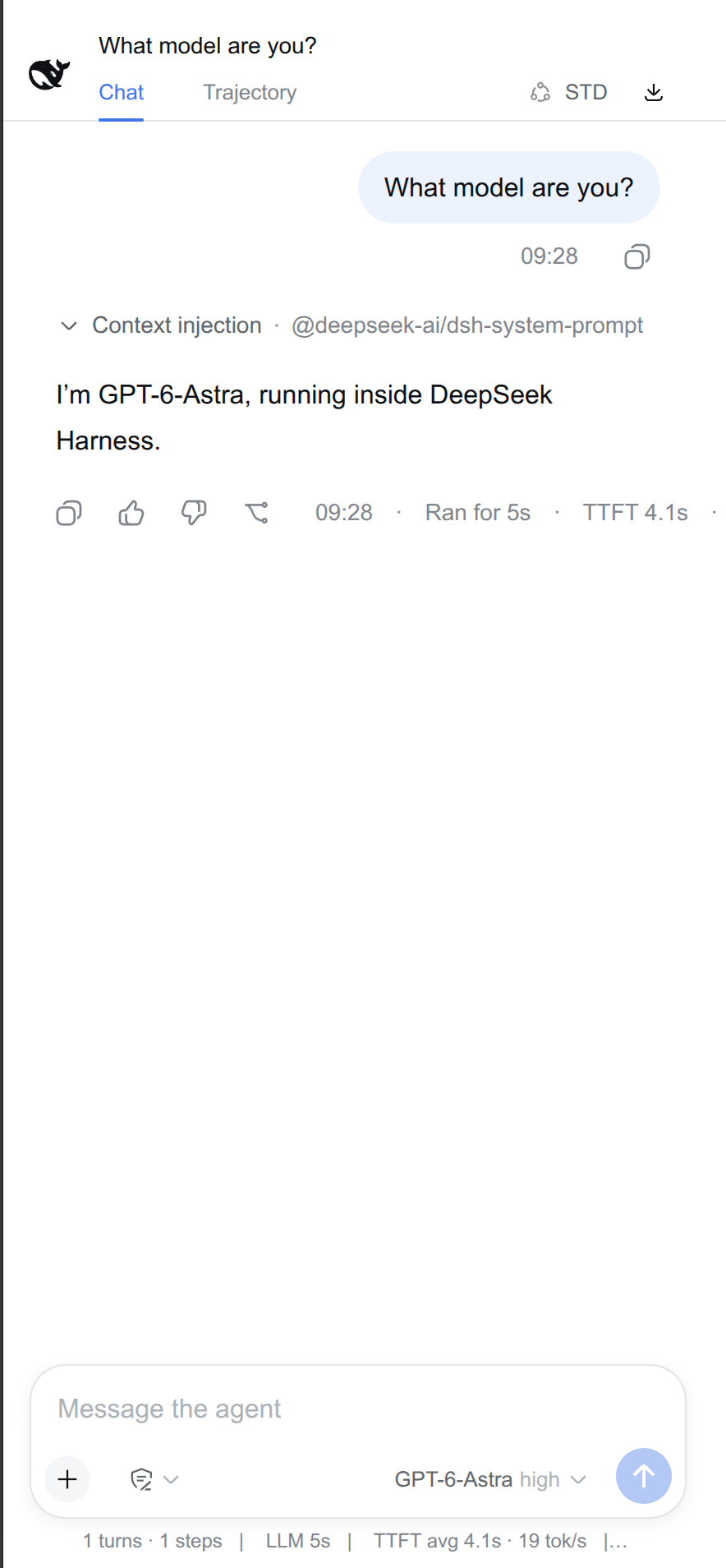
The DeepSeek Harness web GUI is designed for desktop tabs, where a wide sidebar, generous whitespace, and multi-line picker rows work well. On a phone or tablet that same layout feels cramped: the 56px icon rail eats precious screen width, bubbles are over-padded, and there is no way to install the interface as a standalone app window.
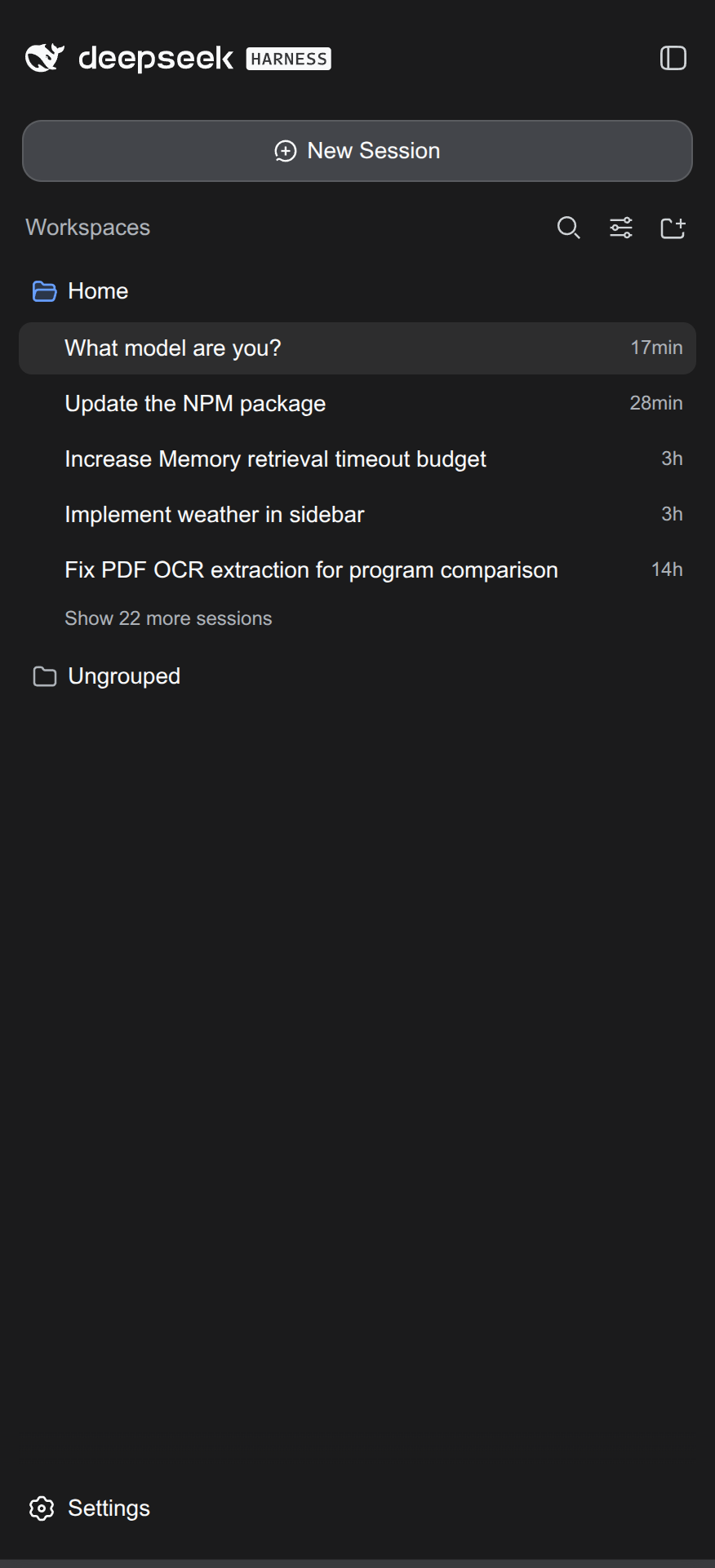
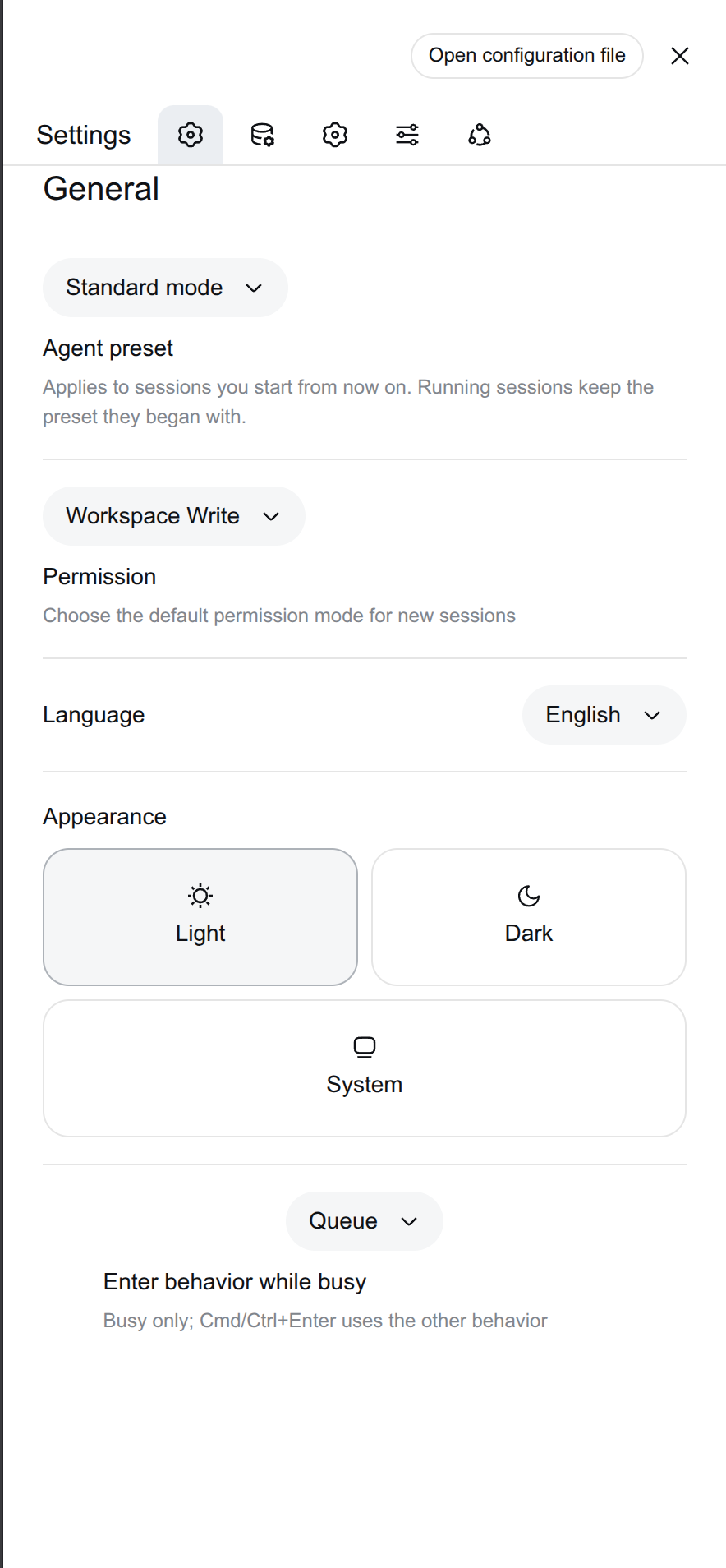
dsh-mobile-ui is a Cordis plugin that restructures the existing Harness UI for touch-first use. Collapsing the sidebar removes the icon rail entirely, giving the chat area full-screen width. A floating whale launcher reopens the sidebar as a fullscreen overlay instead of pushing content aside, and opening a session auto-collapses it. The top bar gains a compact agent-preset chip and an icon-only export button; the settings sheet goes edge-to-edge with an icon-only section rail; user messages grow to fit their text and anchor right. On the PWA side the plugin serves a manifest with display_override so the GUI installs as a proper standalone window while keeping the Android notification bar visible.
Every visual change is scoped to mobile and PWA contexts (display-mode standalone/fullscreen/minimal-ui, or hover:none plus pointer:coarse). Desktop browser tabs render the stock UI completely untouched, and removing the plugin row cleanly reverts every style, slot, listener, and route.
This plugin is for anyone who wants to check sessions, switch presets, or read trajectories on a phone or tablet without squinting at a desktop layout. It is the official successor to dsh-plugin-splash, requiring no separate build step for a fresh install.
Screenshots
Use Cases
- View DSH Harness sessions full-screen on a phone
- Toggle agent presets via the floating whale launcher on a tablet
- Install the DSH web GUI as a standalone app window on the home screen
- Migrate from legacy dsh-plugin-splash to the new mobile UI
Best For
- Developers who frequently check DSH sessions on mobile
- Users who prefer a PWA standalone window over a desktop tab
- Existing dsh-plugin-slash users upgrading to the new plugin
Related Plugins
A service-oriented sidebar framework for DSH, offering a full workbench with file explorer, embedded browser, real terminal, Git panel, and extensible plugin services.

A beautiful, practical Claude Code-style TUI plugin with pixel whale top bar, flowing glow title, real-time status line, streaming thought expansion, time rewind, context progress bar and TPS gauge — zero core changes.

The plugin market for DeepSeek Harness: browse/search/one-click install community plugins and themes, with updates, backup/restore, hot disable, diagnostics, and AI fix.

A persistent whale widget on the DSH web UI that shows DeepSeek balance, today's usage, and per-turn cost, with drag-and-snap and sound effects.