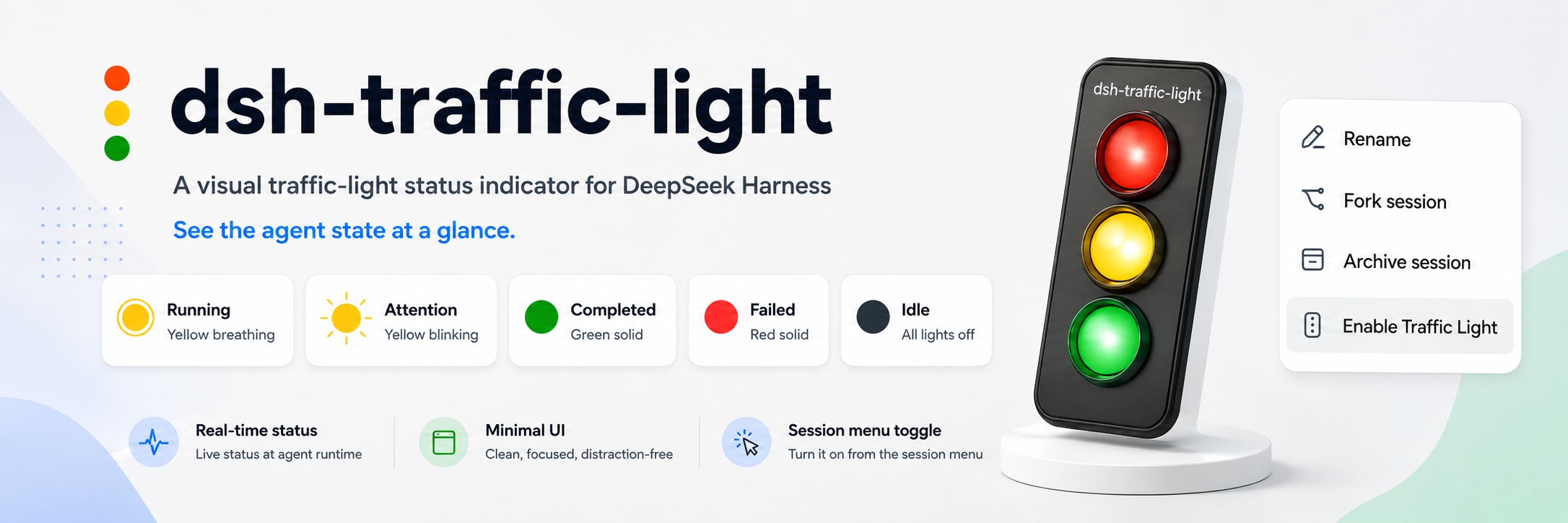
dsh-traffic-light
Run the following command in DeepSeek Harness:
dsh plugin install yimeng-dev/dsh-traffic-light
Paste the following prompt into your AI chat to install this plugin:
To install this plugin in DeepSeek Harness, run the command: dsh plugin install yimeng-dev/dsh-traffic-light. The full source code is available at https://github.com/yimeng-dev/dsh-traffic-light.
About this plugin
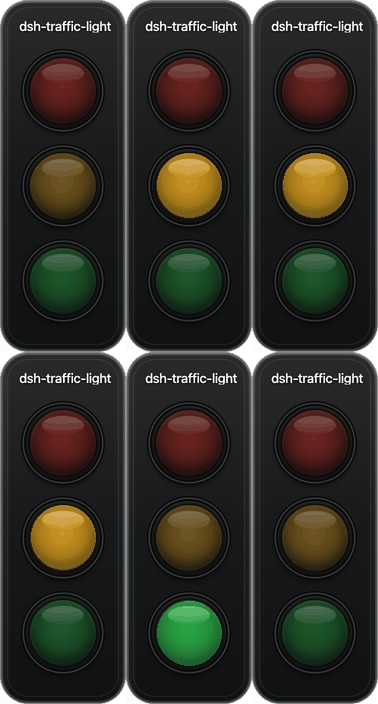
When working with DeepSeek Harness across multiple sessions, users often find themselves constantly switching between pages to check status updates, which disrupts workflow and can lead to missed critical changes. The dsh-traffic-light plugin addresses this by placing an independent traffic light on the desktop for each session, visually indicating states like running, waiting, completed, or failed at a glance. Its core strength lies in seamless integration: the floating lights are draggable, occupy no space in the DSH interface, and can be toggled per session, with status changes syncing back to DSH in real-time—all while keeping data local for privacy. Ideal for developers, AI researchers, or anyone juggling multiple DSH tasks, this plugin enables efficient monitoring of all progress, minimizing distractions and boosting productivity.
Screenshots
Use Cases
- Monitoring real-time status of multiple DeepSeek Harness Sessions simultaneously.
- Quickly checking task run, completion, or failure on the desktop without page switching.
- Intuitively tracking progress via traffic lights when handling AI tasks in parallel.
Best For
- Developers and AI engineers using DeepSeek Harness.
- Researchers managing multiple Sessions in parallel.
- Tech professionals aiming to boost productivity and reduce context switching.
Related Plugins
A service-oriented sidebar framework for DSH, offering a full workbench with file explorer, embedded browser, real terminal, Git panel, and extensible plugin services.

A beautiful, practical Claude Code-style TUI plugin with pixel whale top bar, flowing glow title, real-time status line, streaming thought expansion, time rewind, context progress bar and TPS gauge — zero core changes.

The plugin market for DeepSeek Harness: browse/search/one-click install community plugins and themes, with updates, backup/restore, hot disable, diagnostics, and AI fix.

A persistent whale widget on the DSH web UI that shows DeepSeek balance, today's usage, and per-turn cost, with drag-and-snap and sound effects.