dsh-plugin-spreadjs-editor
Run the following command in DeepSeek Harness:
dsh plugin install GrapeCityXA/dsh-plugin-spreadjs-editor
Paste the following prompt into your AI chat to install this plugin:
Run dsh plugin install GrapeCityXA/dsh-plugin-spreadjs-editor in the DeepSeek Harness terminal to install the plugin; see https://github.com/GrapeCityXA/dsh-plugin-spreadjs-editor for the source
About this plugin
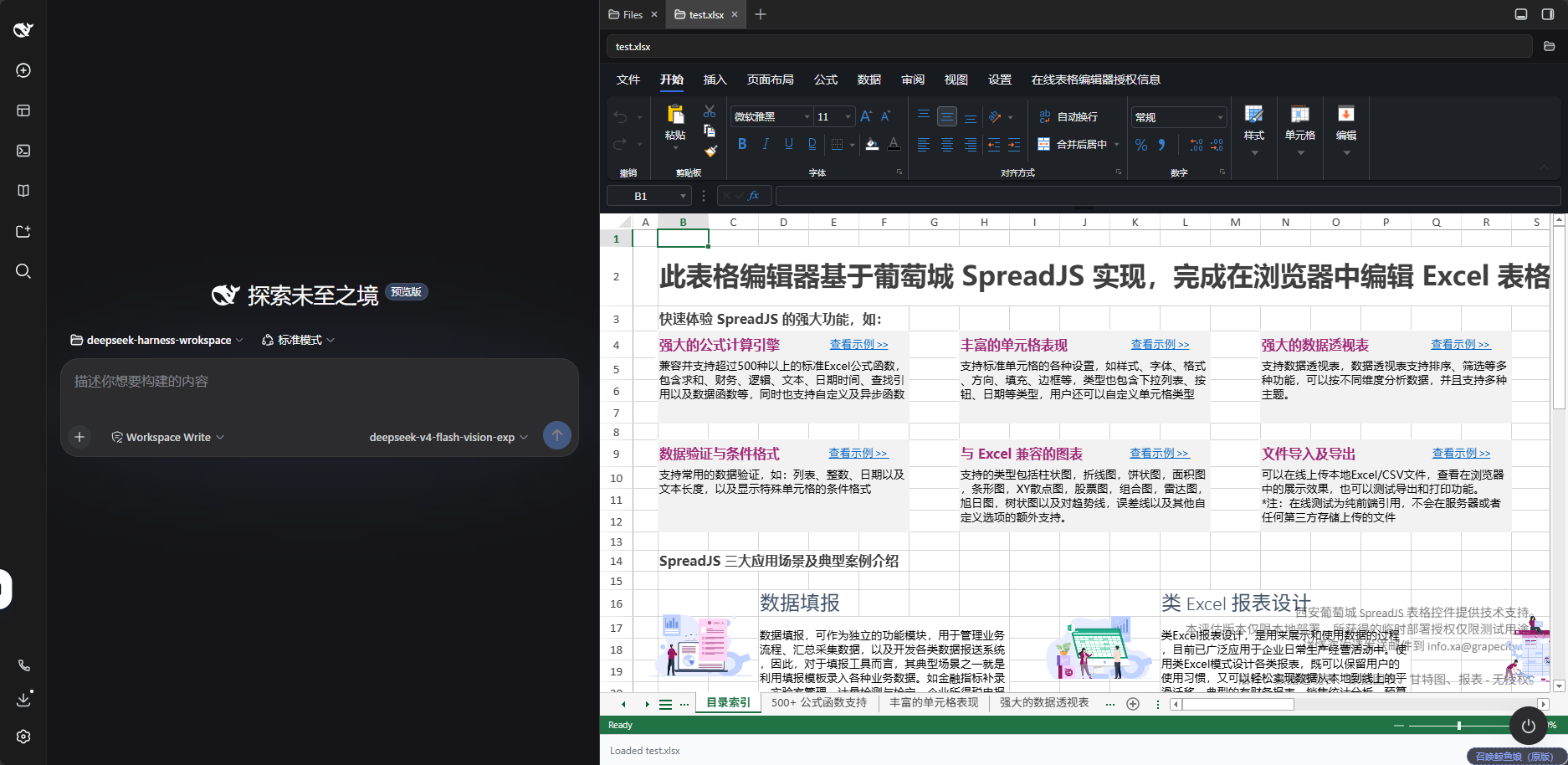
Handling spreadsheets inside DeepSeek Harness used to mean dragging files out of the browser, opening a separate desktop app, and dragging them back in once you were done. This plugin folds spreadsheet work directly into the right-side file tree: select a .xlsx, .xlsm, .csv, .sjs, or .ssjson file to preview it inline, or launch SpreadJS Designer for full editing. The editor follows the system light or dark theme automatically and ships with SpreadJS 19.1.4 and Designer 19.1.4 built in, so there is no build step to worry about.
The more interesting piece is how it collaborates with an AI agent. Pair it with the dsh-spreadjs-driver plugin and you can simply tell the agent to make the amount column red and watch the change land on the sheet you are looking at. The editor hands its live workbook to a same-page bridge service, so the edit targets the very object the Designer is rendering rather than a file copy. The file on disk stays untouched until you explicitly ask for a save, and unsaved edits are never clobbered.
It suits developers, analysts, and ops engineers who regularly work with tabular data inside Harness and want to both skim and tweak workbooks quickly and lean on an agent for bulk edits, all while keeping every step inspectable and reversible.
Screenshots
Use Cases
- Preview and edit xlsx or csv workbooks directly from the file tree
- Let an AI agent modify the workbook you have open and see changes instantly
- Adjust spreadsheet formatting and data in the Web UI with no build step
Best For
- Developers who regularly handle tabular data inside Harness
- Analysts who want an AI agent to make bulk workbook edits
- Ops engineers who prefer in-browser spreadsheet editing with no build step
Related Plugins
A service-oriented sidebar framework for DSH, offering a full workbench with file explorer, embedded browser, real terminal, Git panel, and extensible plugin services.

A beautiful, practical Claude Code-style TUI plugin with pixel whale top bar, flowing glow title, real-time status line, streaming thought expansion, time rewind, context progress bar and TPS gauge — zero core changes.

The plugin market for DeepSeek Harness: browse/search/one-click install community plugins and themes, with updates, backup/restore, hot disable, diagnostics, and AI fix.

A persistent whale widget on the DSH web UI that shows DeepSeek balance, today's usage, and per-turn cost, with drag-and-snap and sound effects.