dsh-restart-plugin
Run the following command in DeepSeek Harness:
dsh plugin install lnyuqian/dsh-restart-plugin
Paste the following prompt into your AI chat to install this plugin:
Run dsh plugin install lnyuqian/dsh-restart-plugin in your DeepSeek Harness terminal. The source repo is https://github.com/lnyuqian/dsh-restart-plugin . After installation, follow the README to deploy the restart scripts and enable the one-click restart button in the sidebar.
About this plugin
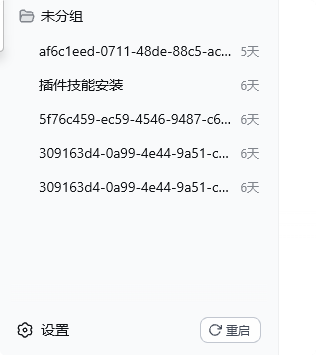
Every time you tweak a plugin, config, or bundle in DSH Web, a restart is required. Out of the box, that means hunting for the PID on port 3080, killing the process, relaunching the service, polling the port, verifying the plugin route actually loaded, and manually refreshing the browser tab—five or six manual steps with zero in-progress feedback. One wrong PID and the whole sequence starts over. dsh-restart-plugin collapses all of that into a single sidebar button: click it, a 10-second countdown begins, page text fades to light grey as a status cue, the background silently kills the old process, boots a fresh instance, runs a dual self-check (port listening + plugin route), and the original tab refreshes itself with a green success toast. No pop-ups, no terminal window, no new browser tab. On failure the button turns red and one click retries.
You can also say "restart" directly in a chat turn and the dsh_restart tool fires the same pipeline, handy when the current conversation needs to wrap up. The trigger path uses a named Windows scheduled task with fixed arguments and no shell interpolation; the host routes accept only loopback sources and enforce same-origin on POST, returning 403 for anything else.
The plugin is Windows-only (it relies on schtasks, wscript, and PowerShell) and requires DSH Web with Node ≥ 24.11. Setup has two parts: register the plugin package, then deploy the three script templates and the scheduled task—install.ps1 handles both in one pass. It is aimed at developers on Windows who frequently change plugins, configs, or bundles and need a fast, reliable way to restart DSH Web.
Screenshots
Use Cases
- Restart DSH Web instantly after a plugin or config change
- Iterate on plugin development without manually hunting PIDs and relaunching
- Say restart in chat and let the dsh_restart tool handle it and close the turn
Best For
- DSH developers on Windows who tweak plugins and bundles often
- DSH Web users who want to skip manual kill, relaunch, and refresh steps
- DSH users who need a mid-conversation restart with automatic tab refresh
Related Plugins
A service-oriented sidebar framework for DSH, offering a full workbench with file explorer, embedded browser, real terminal, Git panel, and extensible plugin services.

A beautiful, practical Claude Code-style TUI plugin with pixel whale top bar, flowing glow title, real-time status line, streaming thought expansion, time rewind, context progress bar and TPS gauge — zero core changes.

The plugin market for DeepSeek Harness: browse/search/one-click install community plugins and themes, with updates, backup/restore, hot disable, diagnostics, and AI fix.

A persistent whale widget on the DSH web UI that shows DeepSeek balance, today's usage, and per-turn cost, with drag-and-snap and sound effects.