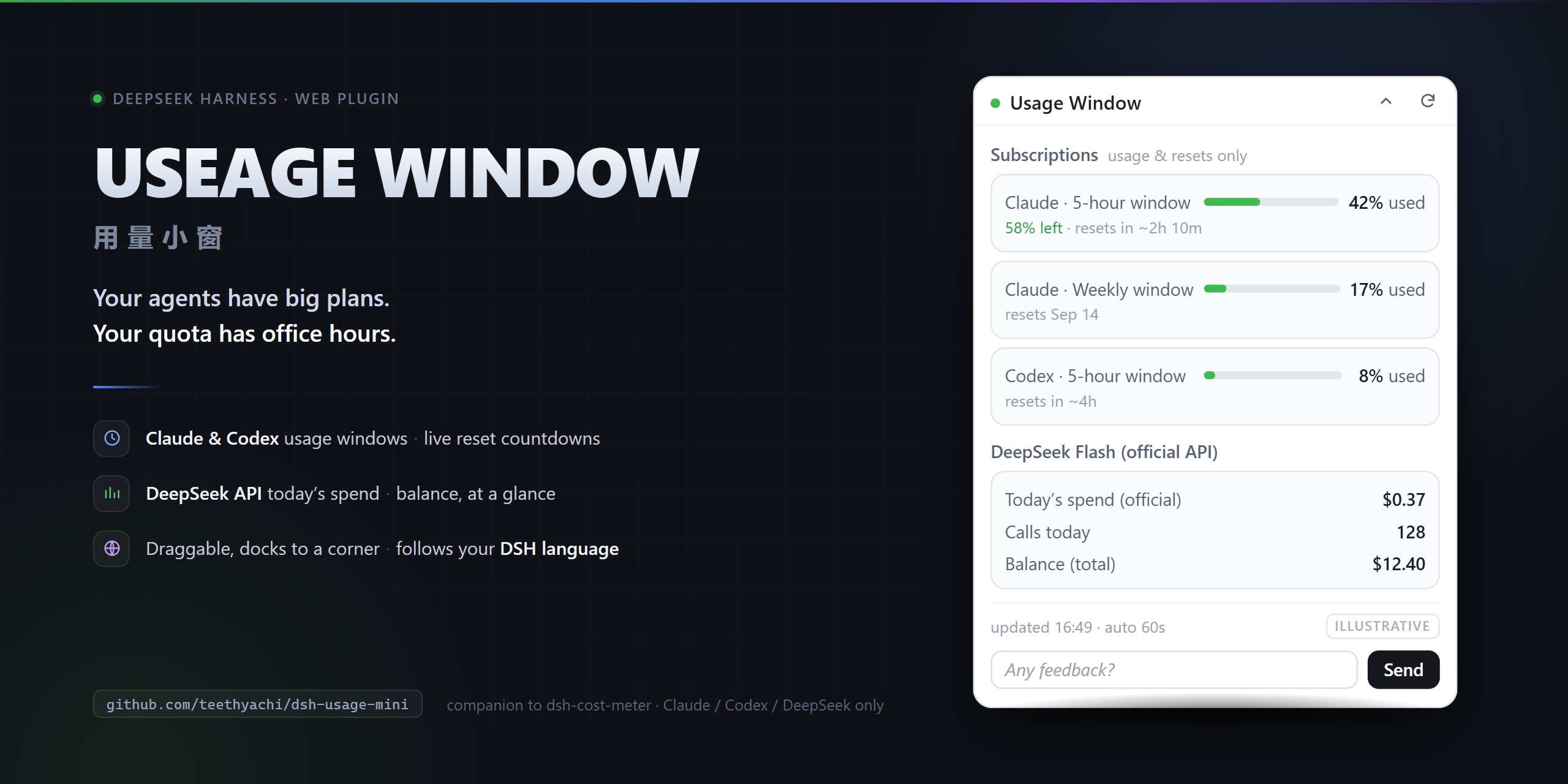
dsh-usage-mini
Run the following command in DeepSeek Harness:
dsh plugin install teethyachi/dsh-usage-mini
Paste the following prompt into your AI chat to install this plugin:
Run dsh plugin install teethyachi/dsh-usage-mini in your DeepSeek Harness terminal to install the plugin; the full source is at https://github.com/teethyachi/dsh-usage-mini .
About this plugin
Your agents are burning through tokens while the quota and balance live in different plugins' back offices. Checking usage means breaking flow, hunting through browser tabs. dsh-usage-mini consolidates Claude/Codex subscription windows, DeepSeek API daily spend, and upstream cached balance into one tiny, draggable floating panel so you can glance at the numbers without leaving your workflow.
The panel expands, collapses to the nearest corner, and remembers its position per browser. While expanded and the page is visible it polls every 60 seconds; collapsed or hidden, it stops all requests. Language follows the DSH host setting in real time with no separate toggle. A built-in feedback bar at the bottom lets you type a note and open a pre-filled GitHub issue in one press; every issue gets a reply, and adopted items ship with credit in the next release.
Built for DSH Web users who already run dsh-plugin-subscriptions or dsh-cost-meter and want usage data at a glance. It does not enforce budgets, stop agents, or switch models. It is an honest display layer: the numbers come from the upstream plugins, and the window simply keeps them where you can see them.
Screenshots
Use Cases
- Glance at Claude/Codex subscription windows and DeepSeek API spend while running multiple agents in parallel
- Track daily upstream consumption and cached balance without switching browser tabs during long coding sessions
- Quickly check remaining quota percentages and reset countdowns on a shared DSH instance
Best For
- Developers who already run dsh-plugin-subscriptions or dsh-cost-meter in DSH Web
- Users operating agents on Claude or ChatGPT subscriptions who want live usage-window awareness
- Teams tracking DeepSeek API spend and balance who need a lightweight always-visible panel
Related Plugins
A service-oriented sidebar framework for DSH, offering a full workbench with file explorer, embedded browser, real terminal, Git panel, and extensible plugin services.

A beautiful, practical Claude Code-style TUI plugin with pixel whale top bar, flowing glow title, real-time status line, streaming thought expansion, time rewind, context progress bar and TPS gauge — zero core changes.

The plugin market for DeepSeek Harness: browse/search/one-click install community plugins and themes, with updates, backup/restore, hot disable, diagnostics, and AI fix.

A persistent whale widget on the DSH web UI that shows DeepSeek balance, today's usage, and per-turn cost, with drag-and-snap and sound effects.