Dsh-ImageProview
Run the following command in DeepSeek Harness:
dsh plugin install tianxia--/Dsh-ImageProview
Paste the following prompt into your AI chat to install this plugin:
Run dsh plugin install tianxia--/Dsh-ImageProview in DeepSeek Harness to install this plugin; the full source code lives at https://github.com/tianxia--/Dsh-ImageProview
About this plugin
In a dsh chat session, images the agent reads via read_image tend to vanish silently. The official UI classifies those messages as context nodes, which have no image seat, so only a path string survives. To make matters worse, read_image itself only accepts PNG, JPEG, WebP and GIF, meaning anything the agent produces in HEIC, TIFF, PSD, SVG or other formats never even becomes an attachment. Dsh-ImageProview was built to close that gap.
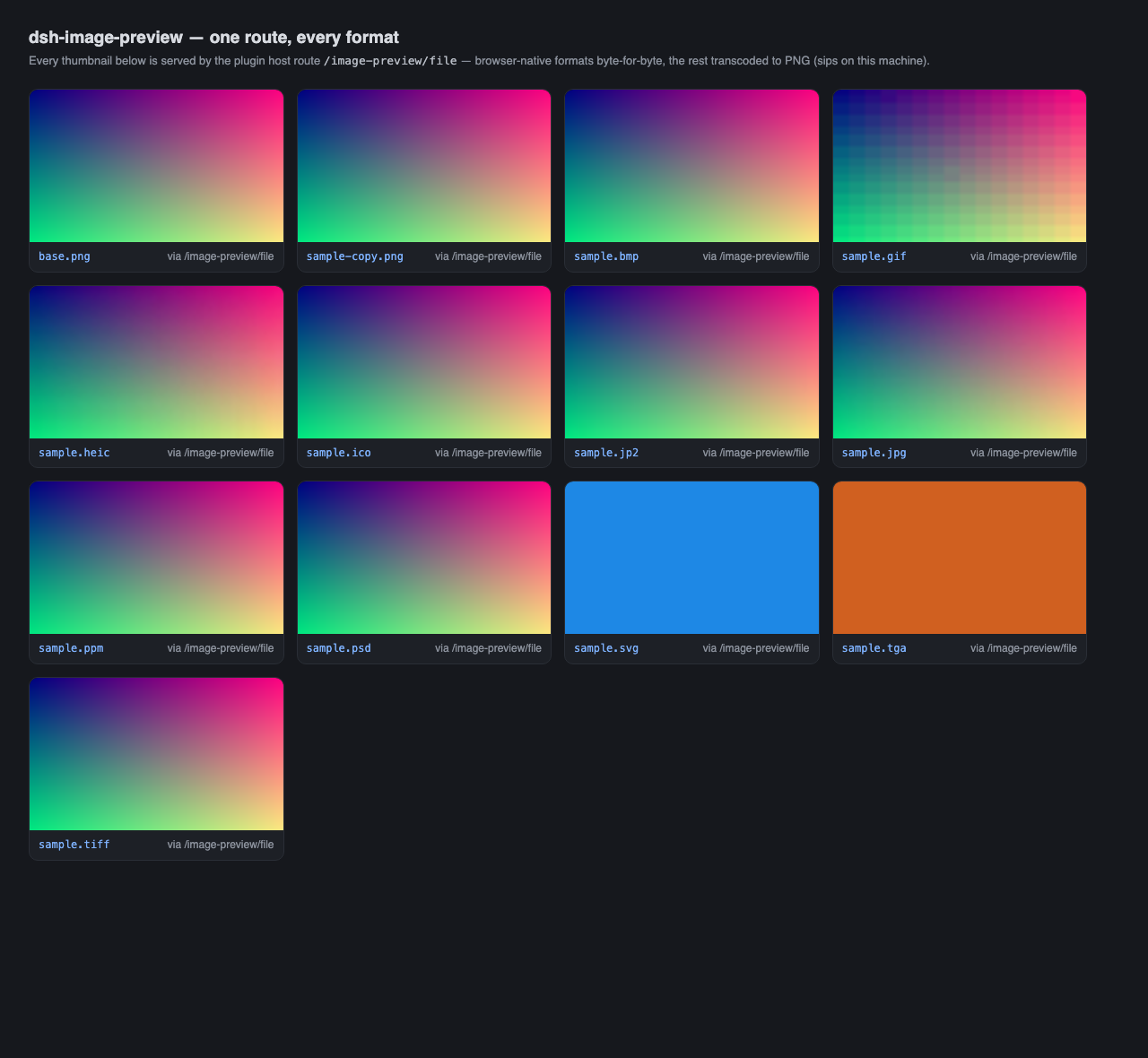
The plugin adds two kinds of image nodes to the chat flow. The first handles agent image attachments from read_image, reusing the durable attachment store with zero extra I/O. The second handles image files merely named in a message, fetching them on demand through the host route and rendering them in place. Rendering is delegated entirely to the official renderMessageImages pipeline, so thumbnail sizing, load and retry states, and the full-size lightbox are all native ui-attachment behaviour. No official component is overridden or reimplemented. Format coverage is broad: PNG, JPEG, GIF, WebP, AVIF, BMP, ICO and SVG are served byte-for-byte; HEIC, TIFF, PSD, JP2, TGA, Netpbm, EXR and JXL are transcoded to PNG via a sips, ImageMagick, and ffmpeg chain, with built-in zero-dependency TGA and Netpbm decoders as a fallback. Refreshing the page lights up past sessions too, because the projection is rebuilt from the session log.
This plugin is for developers whose dsh agent pipelines produce or reference images in non-standard formats, and for anyone who wants to see what the agent drew without switching to a file manager. On the security side, cross-site requests are refused by default, realpath is validated against an allow-list, and leading-byte sniffing rejects a shell script masquerading as a PNG.
Screenshots
Use Cases
- Agent read_image results silently dropped from the chat flow, needing inline thumbnails and lightbox
- Image files referenced only by path (HEIC, TIFF, PSD, etc.) need direct rendering instead of a bare path string
- Past session images need to re-light up after a page refresh
Best For
- Developers whose dsh agent pipelines frequently produce or reference images end-to-end
- Power users who need to preview non-standard formats (HEIC, PSD, SVG) without a dedicated image viewer
- Users who want to see agent-drawn results inline in chat and reduce window-switching overhead
Related Plugins
A service-oriented sidebar framework for DSH, offering a full workbench with file explorer, embedded browser, real terminal, Git panel, and extensible plugin services.

A beautiful, practical Claude Code-style TUI plugin with pixel whale top bar, flowing glow title, real-time status line, streaming thought expansion, time rewind, context progress bar and TPS gauge — zero core changes.

The plugin market for DeepSeek Harness: browse/search/one-click install community plugins and themes, with updates, backup/restore, hot disable, diagnostics, and AI fix.

A persistent whale widget on the DSH web UI that shows DeepSeek balance, today's usage, and per-turn cost, with drag-and-snap and sound effects.