dsh-paste-code-block
Run the following command in DeepSeek Harness:
dsh plugin install cjm-m/dsh-paste-code-block
Paste the following prompt into your AI chat to install this plugin:
Run dsh plugin install cjm-m/dsh-paste-code-block in your terminal to install; the full source is available at https://github.com/cjm-m/dsh-paste-code-block .
About this plugin
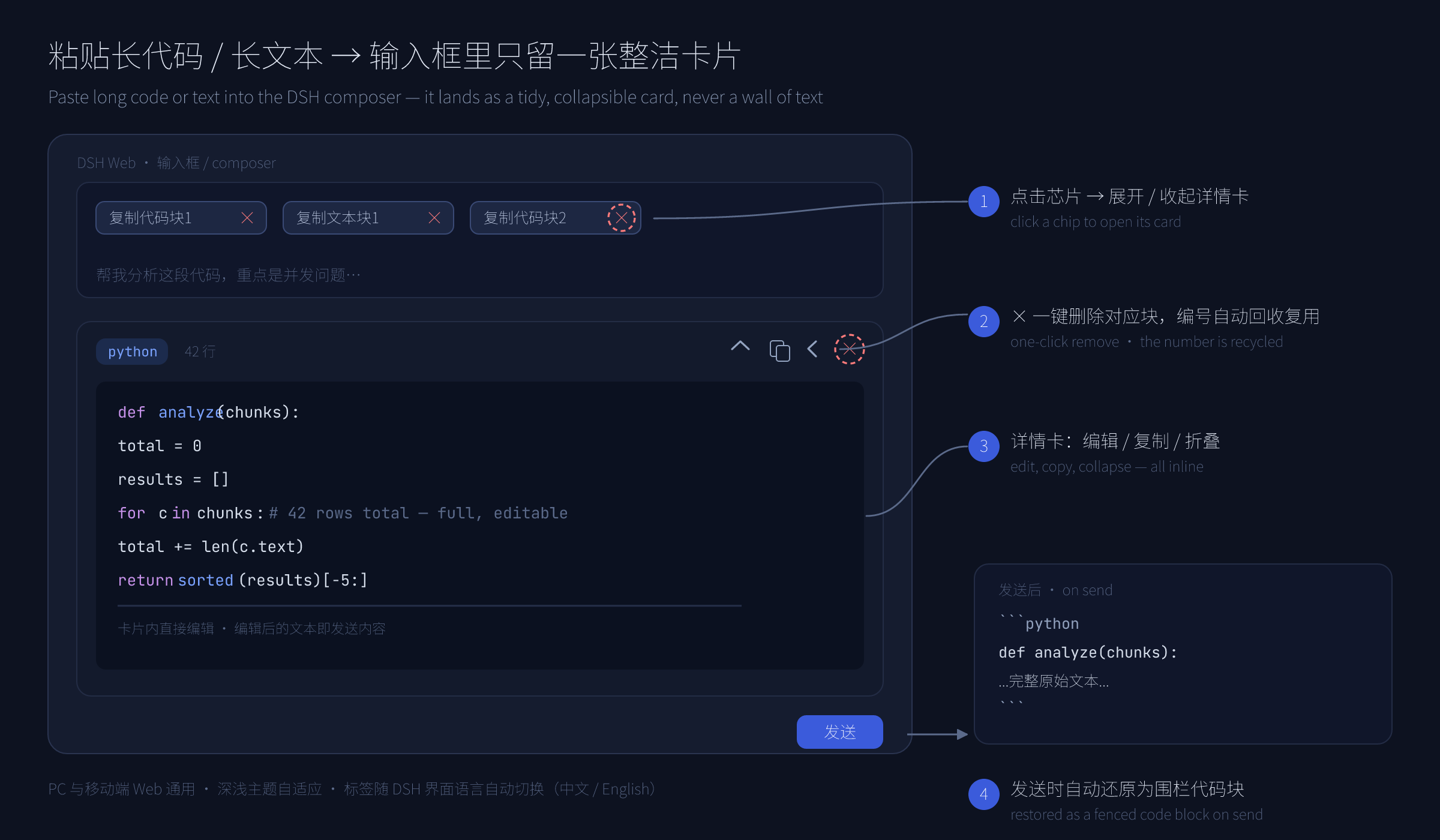
Pasting a 200-line stack trace, an API response, or a wall of log output into the DeepSeek Harness Web composer turns the input area into an unreadable blob. dsh-paste-code-block exists to fix exactly that.
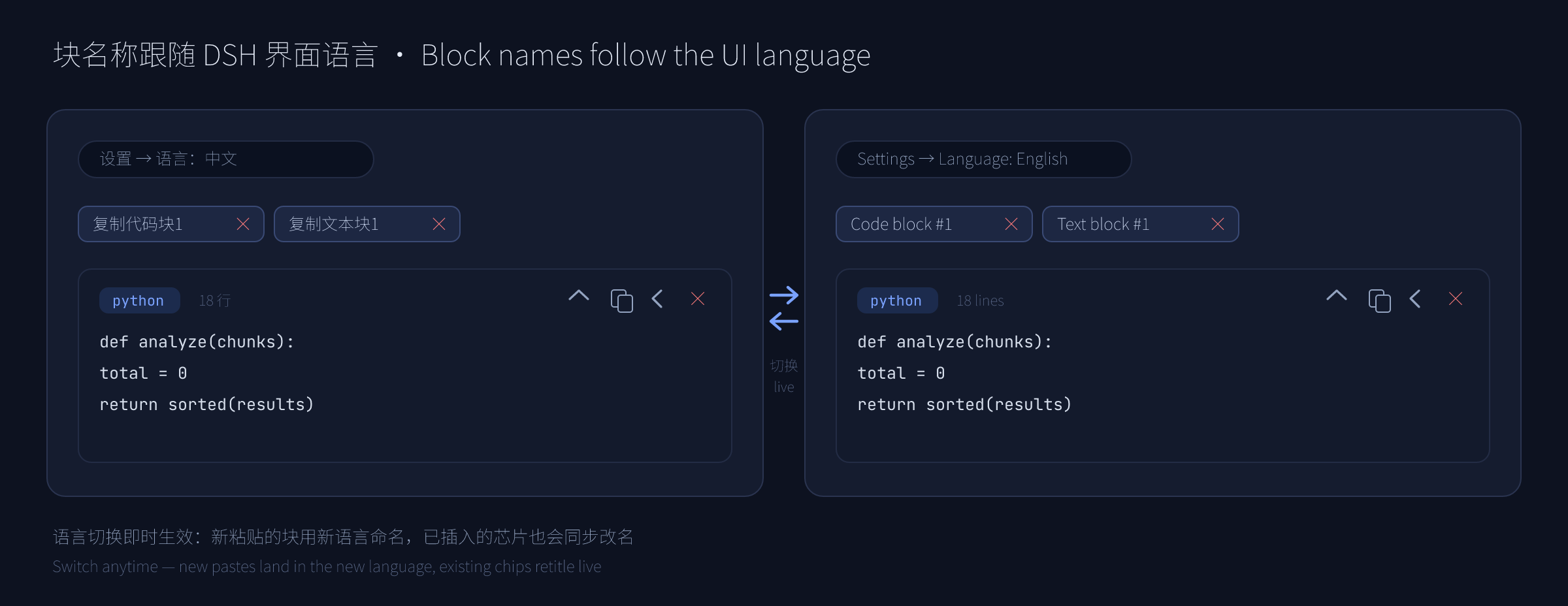
Built on DSH's own hidden-reference pipeline (the same mechanism file uploads use), it detects qualifying code blocks the instant you paste, folds them into a compact bordered language-tagged chip, and attaches an editable detail card. Your draft stays clean; the content remains fully expandable, editable, and deletable. On send, the original text is restored as a standard fenced code block so the other side receives intact, copyable source.
If you regularly paste long snippets, build logs, or API payloads into a chat and do not want to wrestle with an unreadable text wall in the input box, this lightweight pure-UI plugin is worth trying.
Screenshots
Use Cases
- Pasting a 200-line stack trace or build log into chat
- Dropping an API response JSON into the composer for analysis
- Pasting multiple code snippets with language labels
Best For
- Developers who paste code snippets into chat frequently
- Engineers sharing logs or API payloads in conversation
- DSH Web users who want a clean composer experience
Related Plugins

whale-girl is a desktop pet in the DSH Web GUI (bottom-right for instant companionship) — draggable, feedable, playable; completed tasks, sessions and companionship time accrue into seniority levels, titles, and memories.

Renders your local Wallpaper Engine wallpapers as the DSH web background, supporting video, web, and scene wallpapers with a liquid-glass effect and rich customization.

A WebGPU ocean skin for DeepSeek Harness with five-wave Gerstner waves, translucent theme, day/night cycle, and quick controls, installable as plugin or extension.

A Galgame-style conversation view and visual scene editor for DSH web sessions, with a real-time editing mode.