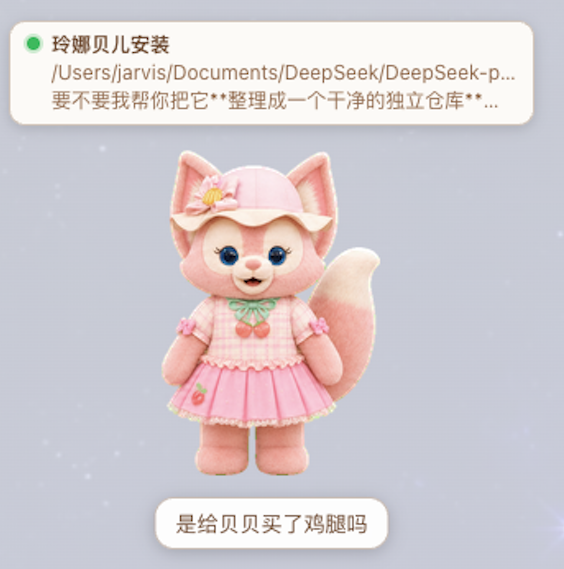
dsh-foxbell-pet
Run the following command in DeepSeek Harness:
dsh plugin install jarvislee90s-dot/dsh-foxbell-pet
Paste the following prompt into your AI chat to install this plugin:
Install it in DeepSeek Harness by running dsh plugin install jarvislee90s-dot/dsh-foxbell-pet; the full source is at https://github.com/jarvislee90s-dot/dsh-foxbell-pet .
About this plugin
Running several projects in DeepSeek Harness simultaneously scatters your attention across terminal logs and browser tabs. Is this one running, waiting for approval, or just crashed? dsh-foxbell-pet collapses all of that into a single draggable fox companion in the bottom-right corner of the DSH web UI: status cards float above its head, color-coded in red, yellow, green, and deep red so you can read the state of every active project at a glance, and one click on a card jumps straight into that session.
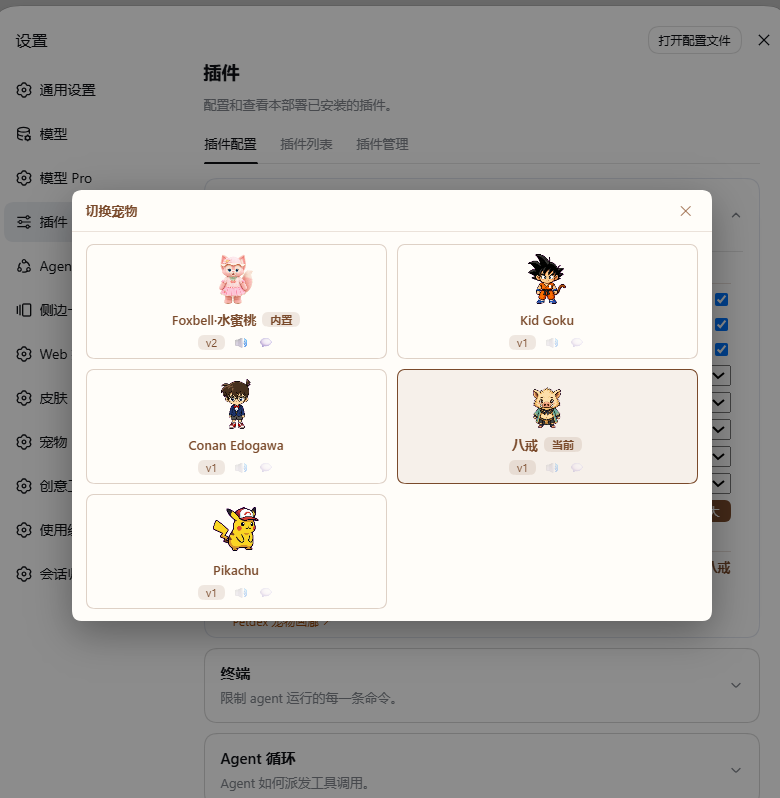
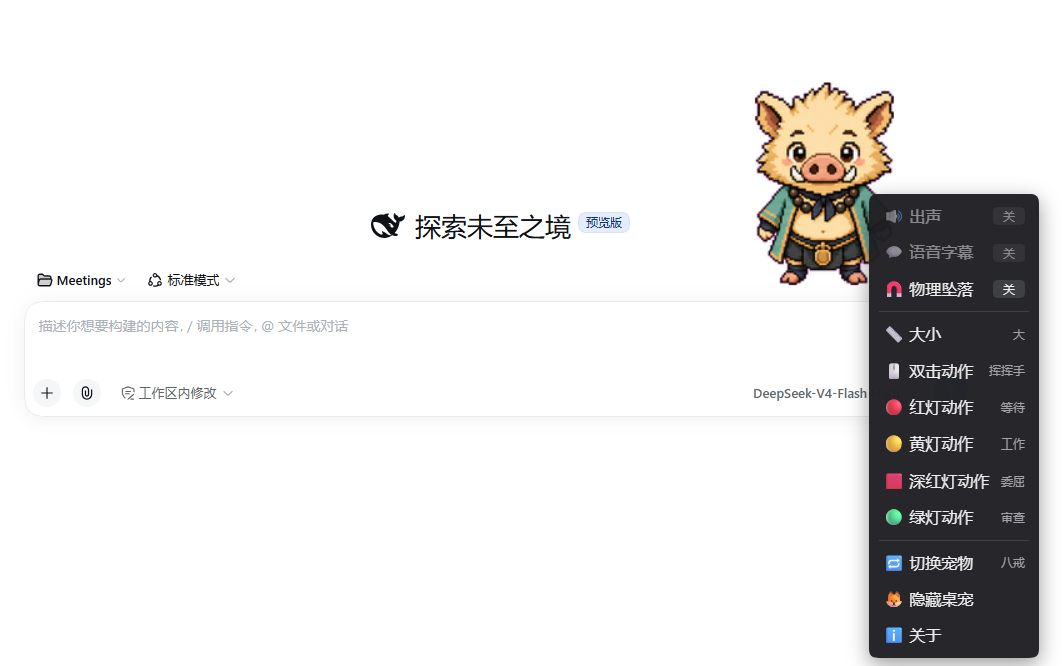
The plugin delivers four core capabilities. Status awareness: each card maps a project to the MAM color semantics, with a deep-red-plus-warning glyph that unambiguously separates errors from pending approvals; clicking a green card confirms and dismisses it. Voice cues: dedicated audio groups fire on completion, approval-pending, and error events, rate-limited to ten seconds with subtitles synced to clip duration, while the running state stays silent. Tactile dragging: release and the pet falls under gravity, carries throw inertia, and squashes on landing with a bounce, so even a quick idle moment feels responsive. External pet system: import sprites and voices from a local folder, a zip archive, a Codex pet directory, or the Petdex online repository through a guided wizard, then hot-swap between the built-in fox and any imported pet with one click in the right-hand menu.
It is built for DSH users who juggle multiple long-running sessions, prefer a glanceable visual signal over scanning log lines, and enjoy a small animated companion on their desktop. The included Foxbell fox works out of the box; additional pets can be imported and switched without any local build step.
Screenshots
Use Cases
- Glance at multiple project states without switching tabs
- Keep a lively animated companion on screen while long tasks run
- Import custom pets from Petdex or local files and hot-swap in one click
Best For
- Async developers juggling multiple DSH sessions
- Programmers who love desktop pets and playful UI touches
- Tinkerers managing a Codex pet ecosystem and wanting unified control
Related Plugins

whale-girl is a desktop pet in the DSH Web GUI (bottom-right for instant companionship) — draggable, feedable, playable; completed tasks, sessions and companionship time accrue into seniority levels, titles, and memories.

Renders your local Wallpaper Engine wallpapers as the DSH web background, supporting video, web, and scene wallpapers with a liquid-glass effect and rich customization.

A WebGPU ocean skin for DeepSeek Harness with five-wave Gerstner waves, translucent theme, day/night cycle, and quick controls, installable as plugin or extension.

A Galgame-style conversation view and visual scene editor for DSH web sessions, with a real-time editing mode.