dsh-superterminal
Run the following command in DeepSeek Harness:
dsh plugin install Harzva/dsh-superterminal
Paste the following prompt into your AI chat to install this plugin:
Run dsh plugin install Harzva/dsh-superterminal in DeepSeek Harness to install the SuperTerminal plugin. Source code: https://github.com/Harzva/dsh-superterminal .
About this plugin
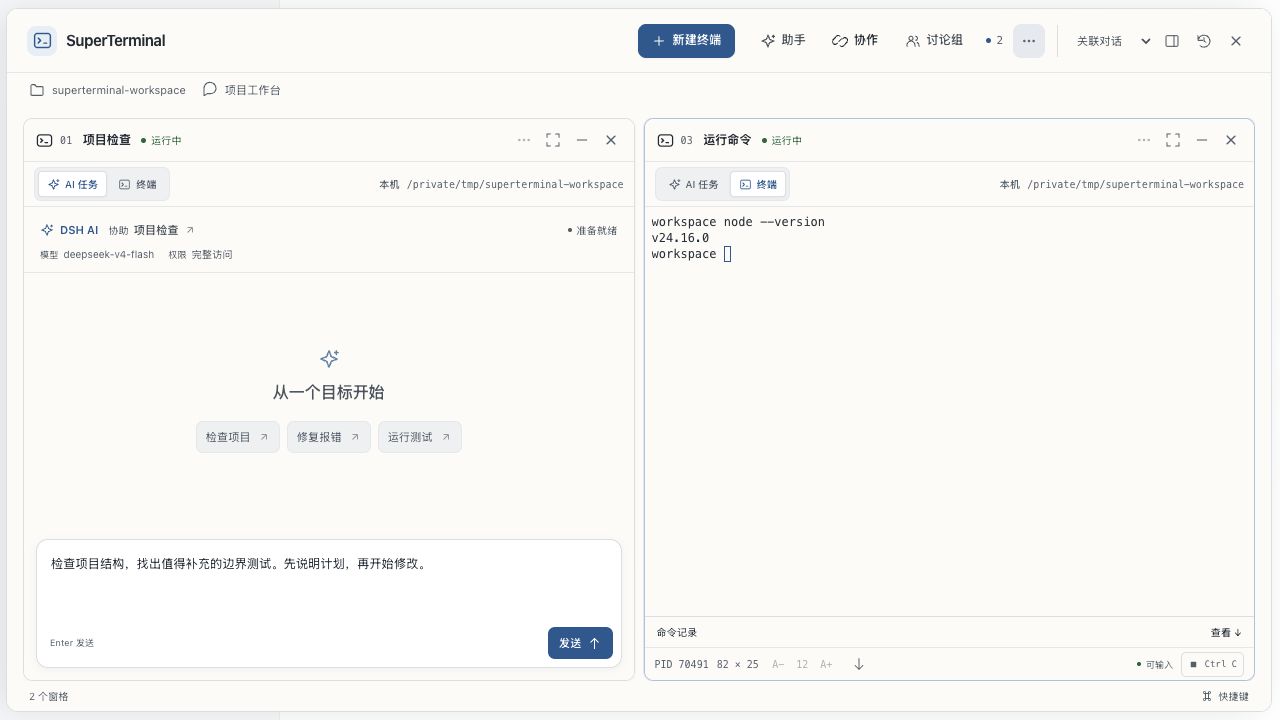
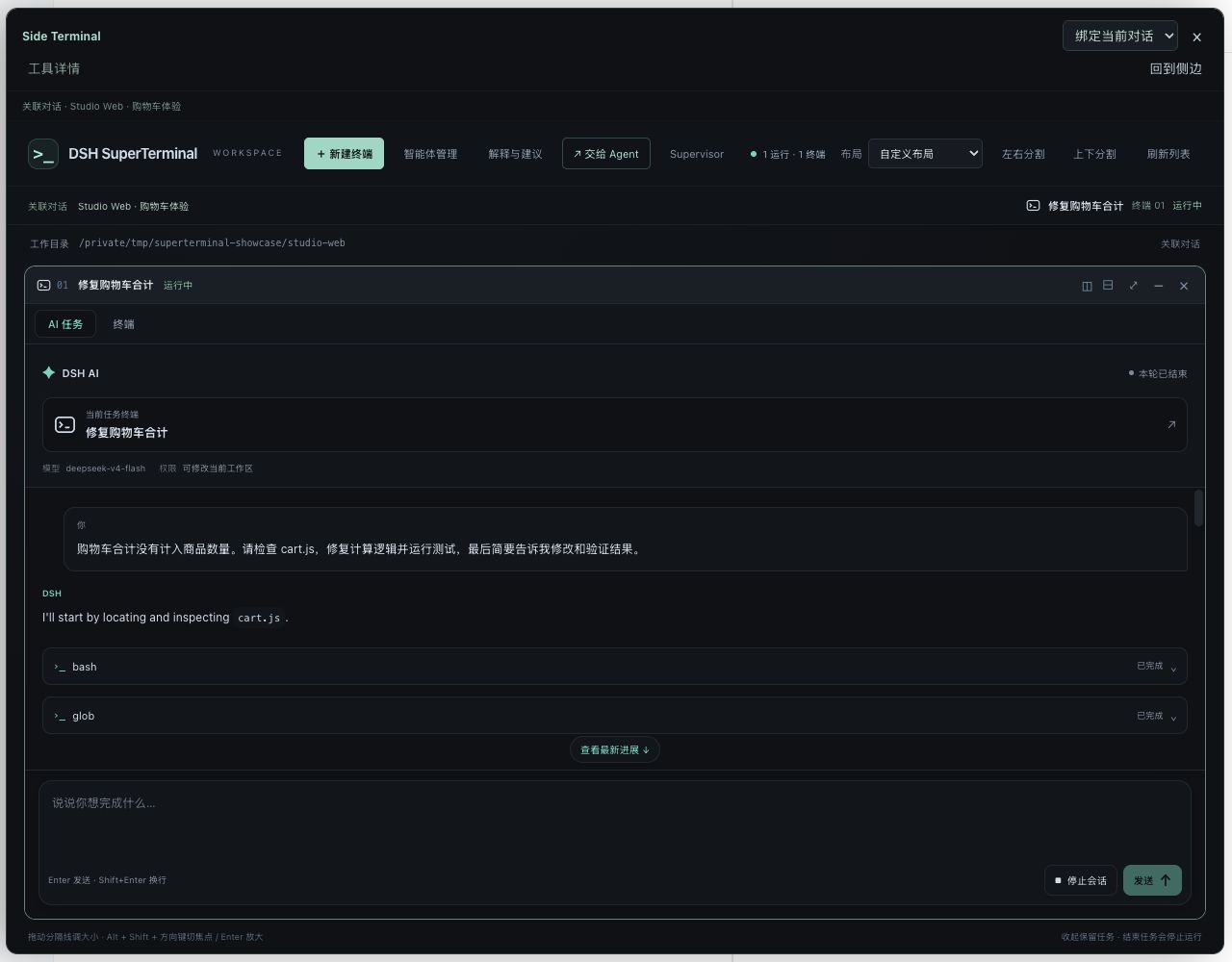
DSH SuperTerminal tackles a common frustration: AI conversations often stop at the level of providing suggestions, while what you really need is a partner that can actually work in your terminal. It turns the side terminal into a working bench right next to your conversation—type a sentence and let the AI read files, modify code, run commands, and show results, all while preserving context and drafts.
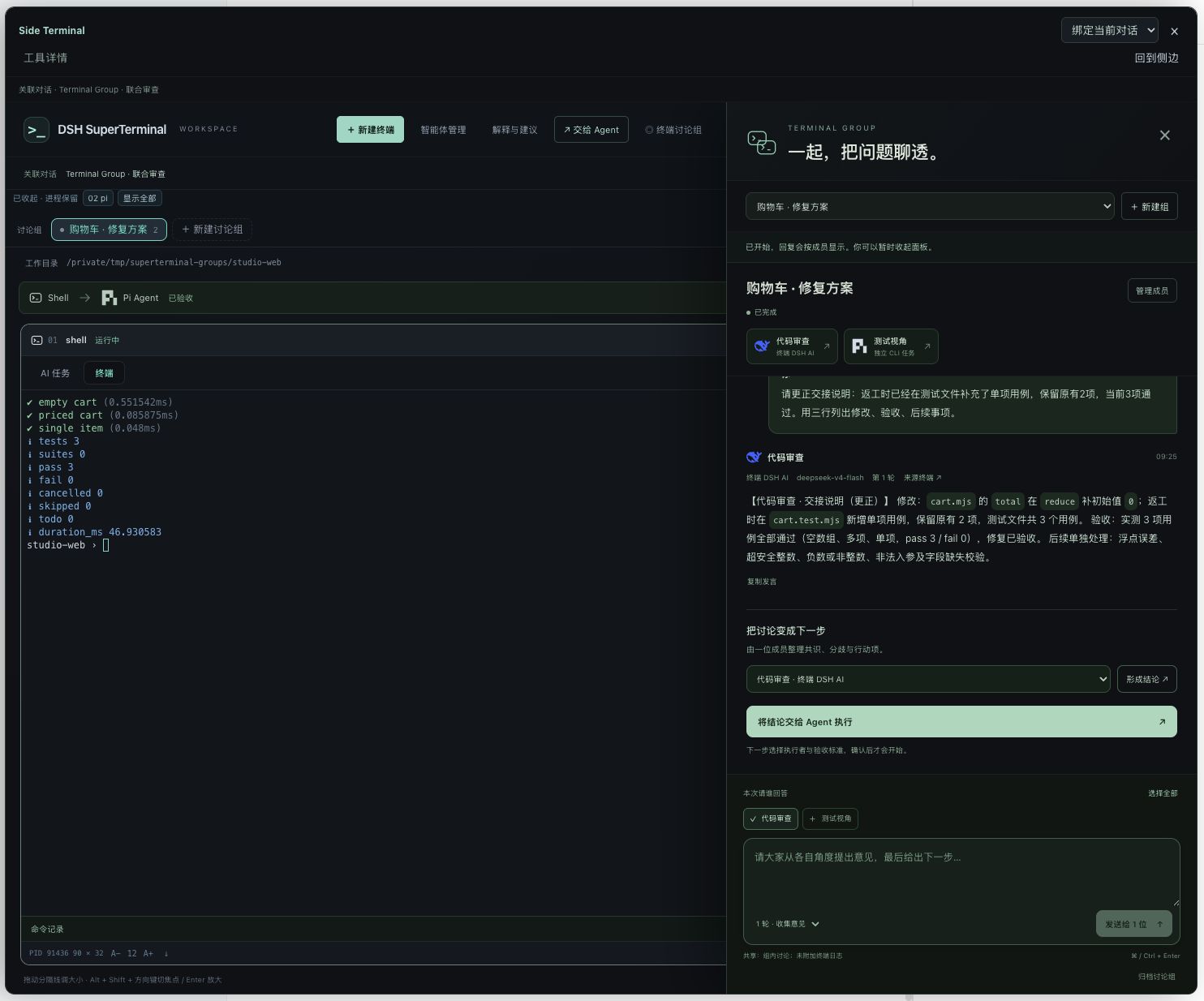
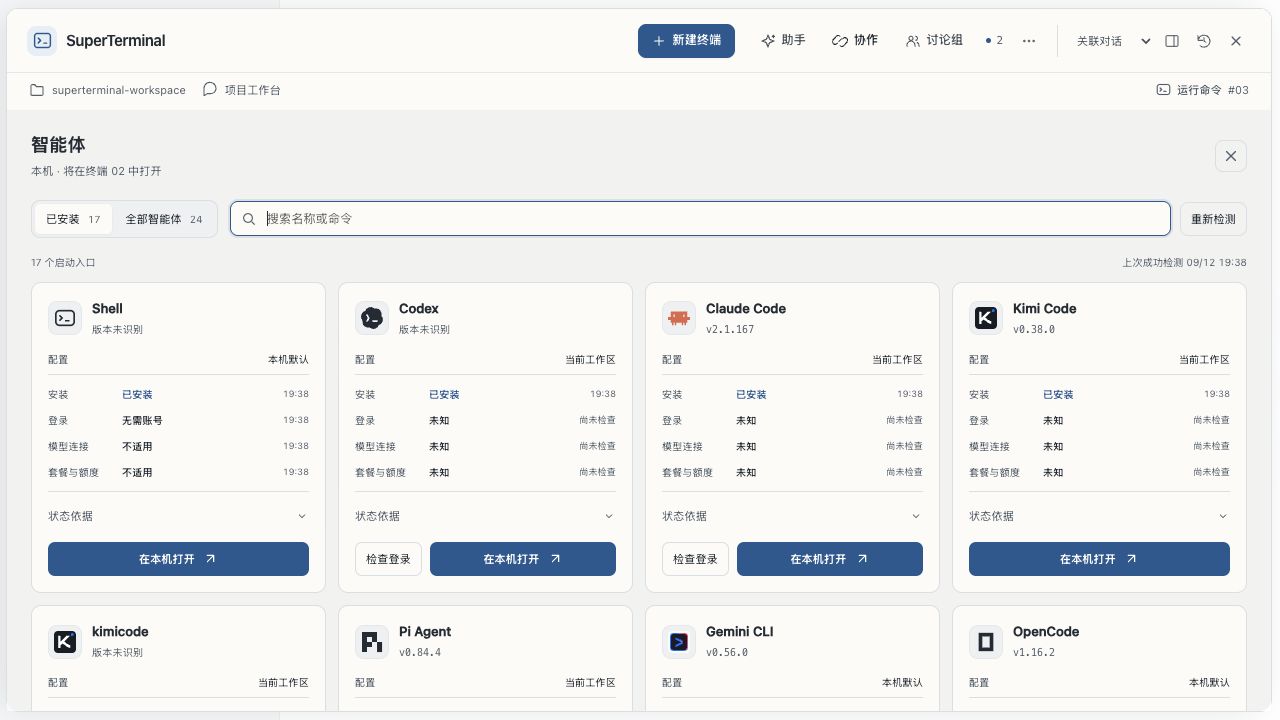
Core capabilities span local and remote workflows: up to 12 free-form panes with two concurrent AI tasks per service; SSH remote terminals with reconnection support; Terminal Groups that assemble up to six terminals into multi-round discussions and hand conclusions to an agent for execution; and an agent management page that unifies Shell, Codex, Claude Code, Kimi Code, and Pi while preserving each tool's native interface. Six theme colors with independent light and dark modes keep long sessions comfortable.
Built for macOS plus Node.js 24+ developers who want to evolve DSH from a chat tool into a multi-agent workbench—especially engineers who coordinate across multiple tools, manage remote terminals, or run team-level terminal discussions.
Screenshots

Use Cases
- Drive AI to read files, fix code, and run tests right beside your DSH conversation
- Connect to remote terminals over SSH and reconnect after drops without losing processes
- Form a Terminal Group for multi-round discussion, then hand the conclusion to an agent for execution
Best For
- macOS developers who want to evolve DSH into a multi-agent terminal workbench
- Engineers juggling Shell, Codex, Claude Code, and Kimi Code under one unified dashboard
- Backend engineers who need remote AI task execution with multiple parallel panes
Related Plugins
A service-oriented sidebar framework for DSH, offering a full workbench with file explorer, embedded browser, real terminal, Git panel, and extensible plugin services.

A beautiful, practical Claude Code-style TUI plugin with pixel whale top bar, flowing glow title, real-time status line, streaming thought expansion, time rewind, context progress bar and TPS gauge — zero core changes.

The plugin market for DeepSeek Harness: browse/search/one-click install community plugins and themes, with updates, backup/restore, hot disable, diagnostics, and AI fix.

A persistent whale widget on the DSH web UI that shows DeepSeek balance, today's usage, and per-turn cost, with drag-and-snap and sound effects.