dsh-mcp-plus
Run the following command in DeepSeek Harness:
dsh plugin install sojo-negai/dsh-mcp-plus
Paste the following prompt into your AI chat to install this plugin:
Install this plugin in DeepSeek Harness by running dsh plugin install sojo-negai/dsh-mcp-plus; the full source code is available at https://github.com/sojo-negai/dsh-mcp-plus
About this plugin
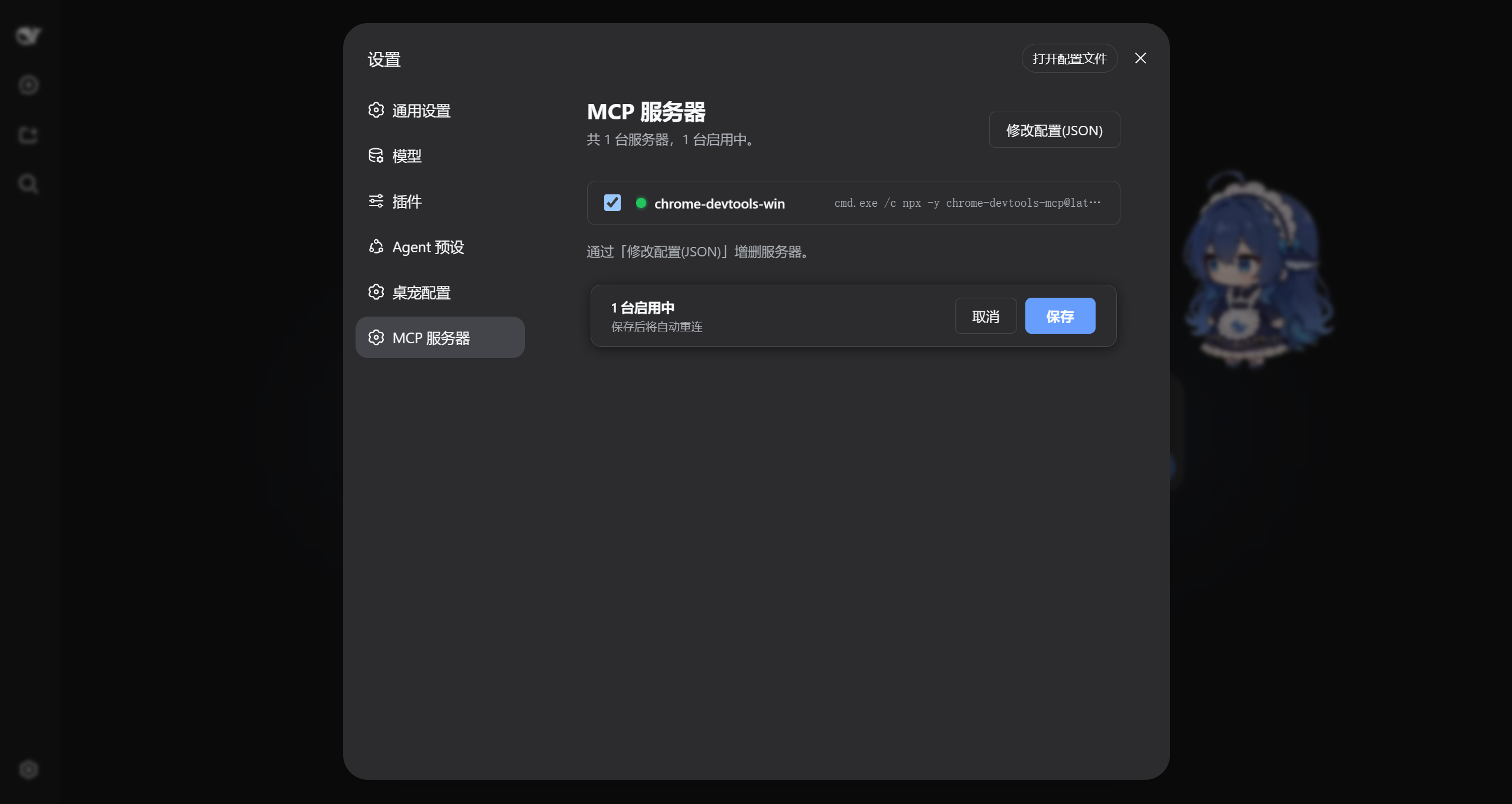
Running more than one MCP server under DSH used to mean diving into a yml file, editing it by hand, restarting the whole harness, and hoping the connection came up. dsh-mcp-plus moves that workflow directly into the DSH settings panel under an MCP Servers tab, where you edit JSON right in the browser and watch a live status dot for every server at a glance.
Each server carries its own enabled toggle, so a configuration can be parked without being deleted and brought back with one click. Hit Save after any edit and the plugin reconnects and re-registers the discovered tools for the Agent on the spot, with no harness restart needed. The accepted config format is a direct drop-in for the Claude Desktop mcpServers JSON format, which makes porting an existing definition as simple as pasting it in.
This plugin is built for developers who keep two or more MCP servers running under DSH and find themselves tweaking command-line arguments, swapping environment variables, or temporarily disabling a server more often than a one-line terminal edit should be. Instead of switching windows, editing a file, and restarting to verify a small change, open the settings page, check the status dots, tweak the JSON, save, and the tools are already available to the Agent.
Screenshots
Use Cases
- Manage multiple MCP servers from a single settings page without hand-editing yml files
- Temporarily disable a server while keeping its config, re-enable with one click
- Save a config change to trigger auto-reconnect and tool re-registration without restarting DSH
Best For
- DSH users running two or more MCP servers concurrently
- Developers who frequently tweak server command-line arguments or environment variables
- Teams migrating mcpServers definitions from Claude Desktop into DSH
Related Plugins
A service-oriented sidebar framework for DSH, offering a full workbench with file explorer, embedded browser, real terminal, Git panel, and extensible plugin services.

A beautiful, practical Claude Code-style TUI plugin with pixel whale top bar, flowing glow title, real-time status line, streaming thought expansion, time rewind, context progress bar and TPS gauge — zero core changes.

The plugin market for DeepSeek Harness: browse/search/one-click install community plugins and themes, with updates, backup/restore, hot disable, diagnostics, and AI fix.

A persistent whale widget on the DSH web UI that shows DeepSeek balance, today's usage, and per-turn cost, with drag-and-snap and sound effects.