dsh-scenery
Run the following command in DeepSeek Harness:
dsh plugin install wbaws/dsh-scenery
Paste the following prompt into your AI chat to install this plugin:
Run dsh plugin install wbaws/dsh-scenery in the DeepSeek Harness terminal to install; the source repository is https://github.com/wbaws/dsh-scenery .
About this plugin
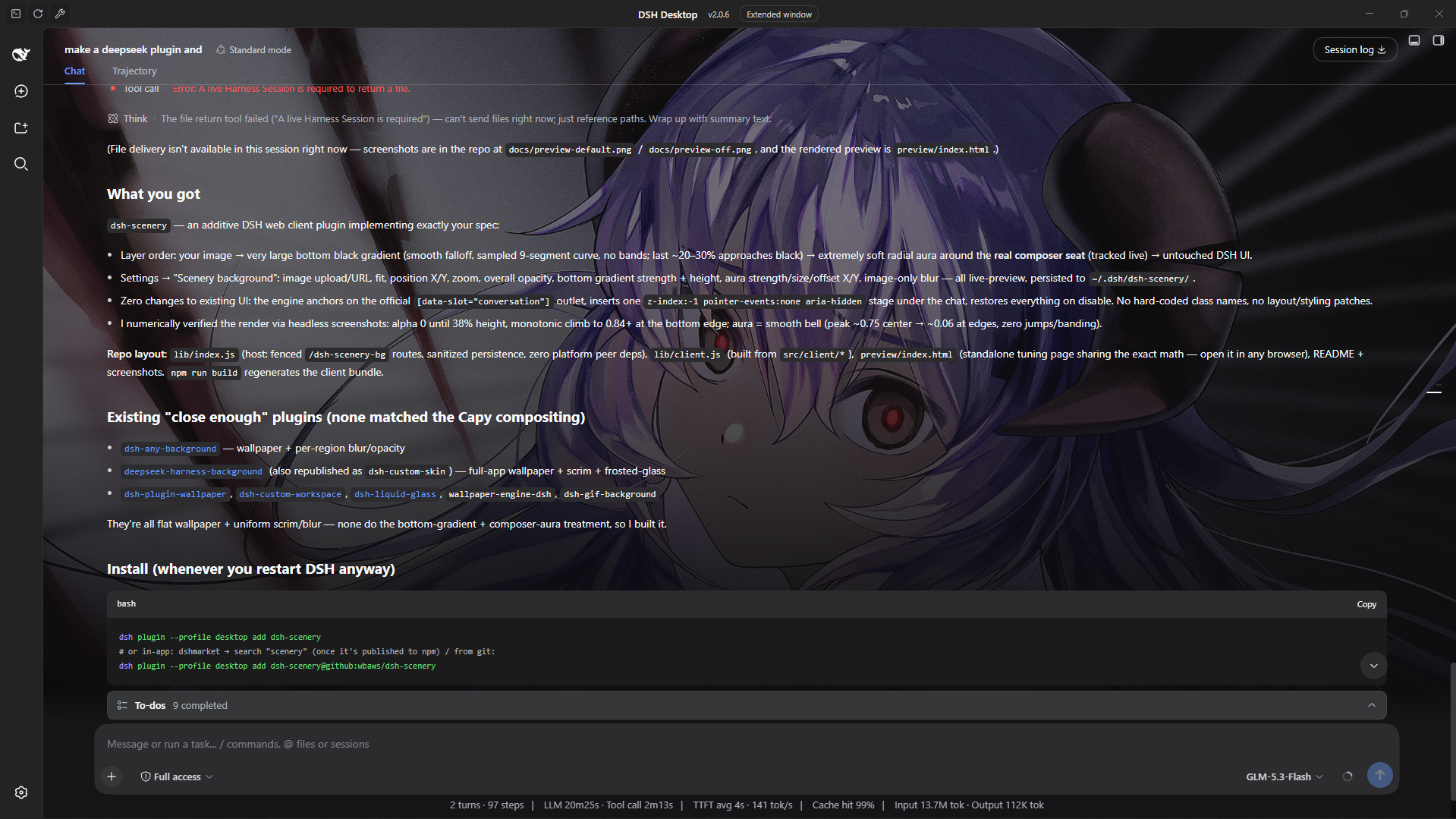
The DSH conversation column defaults to floating on a flat solid color, which can feel sterile and lack spatial depth over long sessions. dsh-scenery addresses atmosphere rather than layout: without touching any existing component, it composites a background image, a bottom black gradient, and a soft radial aura that tracks the composer under the conversation, so the interface feels embedded in a scene instead of hovering on a swatch.
Every control follows one principle: perceivable but never attention-grabbing. Upload a local image or paste an http(s) URL, then tune fit mode, zoom, position offset, overall opacity, gradient strength and height, and aura intensity and size. A gaussian blur option softens the image while keeping UI text crisp. All parameters preview live; toggling the master switch off restores every inline style instantly with zero residue.
Built for users who want a breath of atmosphere in the DSH workspace without a theme rewrite or layout change. The plugin inserts a single z-index:-1 container that modifies no existing DOM structure or styles, and works in both the DSH desktop app and the web GUI.
Screenshots
Use Cases
- Add a custom background image to the DSH conversation area so the workspace is no longer a flat color block
- Tune the bottom gradient and composer aura intensity for an immersive yet focus-friendly atmosphere
- Preview adjustments live, save in one click, and restore instantly by toggling the switch off
Best For
- Users who want more spatial depth in DSH without rewriting themes or layouts
- Heavy users who enjoy custom wallpapers and want their tooling to feel visually alive
- Risk-averse users who value visual comfort but avoid plugins with wide compatibility footprints
Related Plugins

whale-girl is a desktop pet in the DSH Web GUI (bottom-right for instant companionship) — draggable, feedable, playable; completed tasks, sessions and companionship time accrue into seniority levels, titles, and memories.

Renders your local Wallpaper Engine wallpapers as the DSH web background, supporting video, web, and scene wallpapers with a liquid-glass effect and rich customization.

A WebGPU ocean skin for DeepSeek Harness with five-wave Gerstner waves, translucent theme, day/night cycle, and quick controls, installable as plugin or extension.

A Galgame-style conversation view and visual scene editor for DSH web sessions, with a real-time editing mode.