dsh-manage-hub
Run the following command in DeepSeek Harness:
dsh plugin install Lrxc/dsh-manage-hub
Paste the following prompt into your AI chat to install this plugin:
Run dsh plugin install Lrxc/dsh-manage-hub in the DeepSeek Harness terminal, or clone https://github.com/Lrxc/dsh-manage-hub and install locally, then restart to see the Skills and MCP pages in the web settings panel.
About this plugin
If you are juggling multiple skills and MCP servers in dsh, you have probably started to cringe at the thought of opening a yaml file, tracing anchors, and double-checking a !!js expression by hand. dsh-manage-hub moves both domains into the web settings panel so you can browse, edit, and test with a mouse instead of a text cursor.
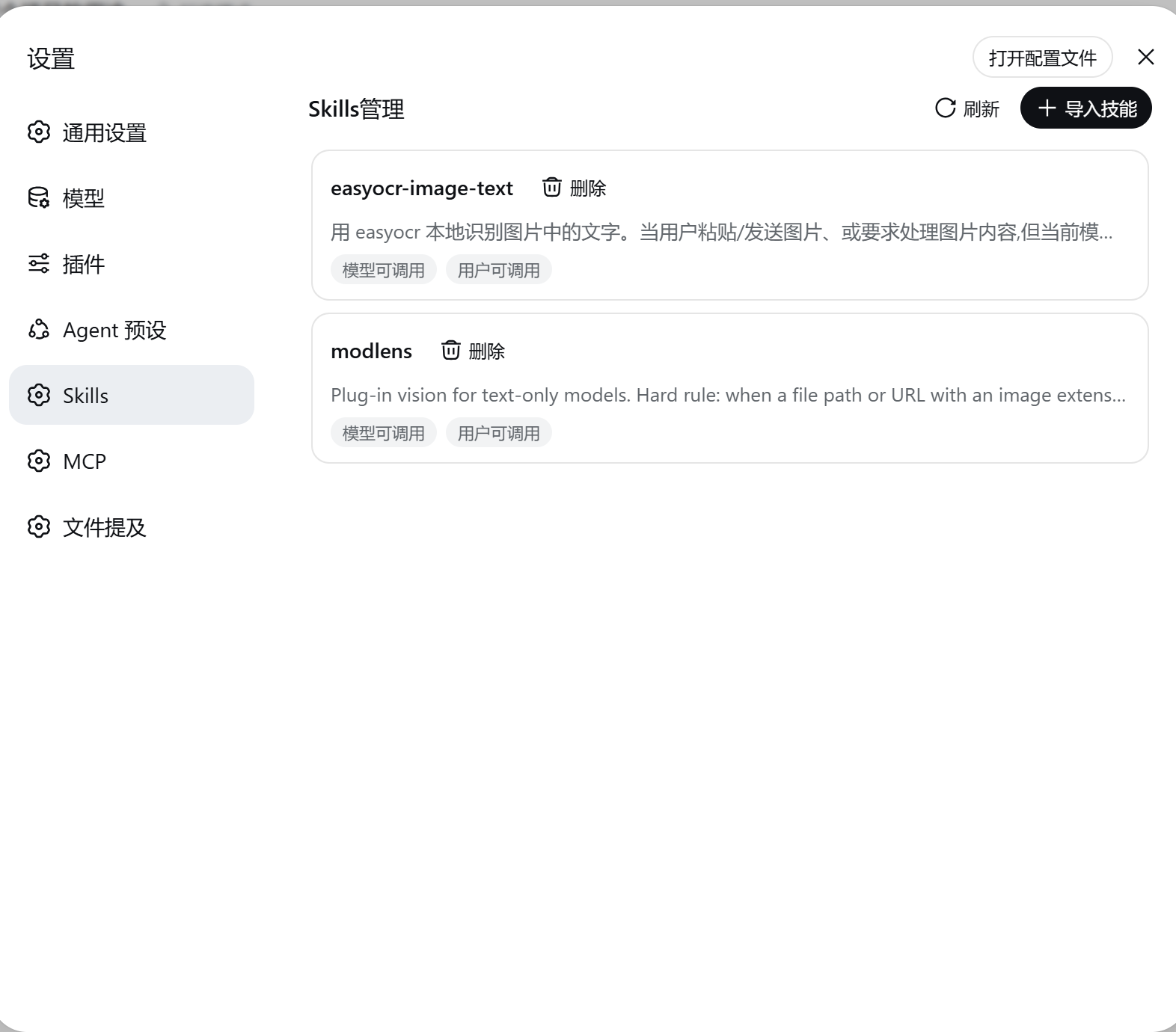
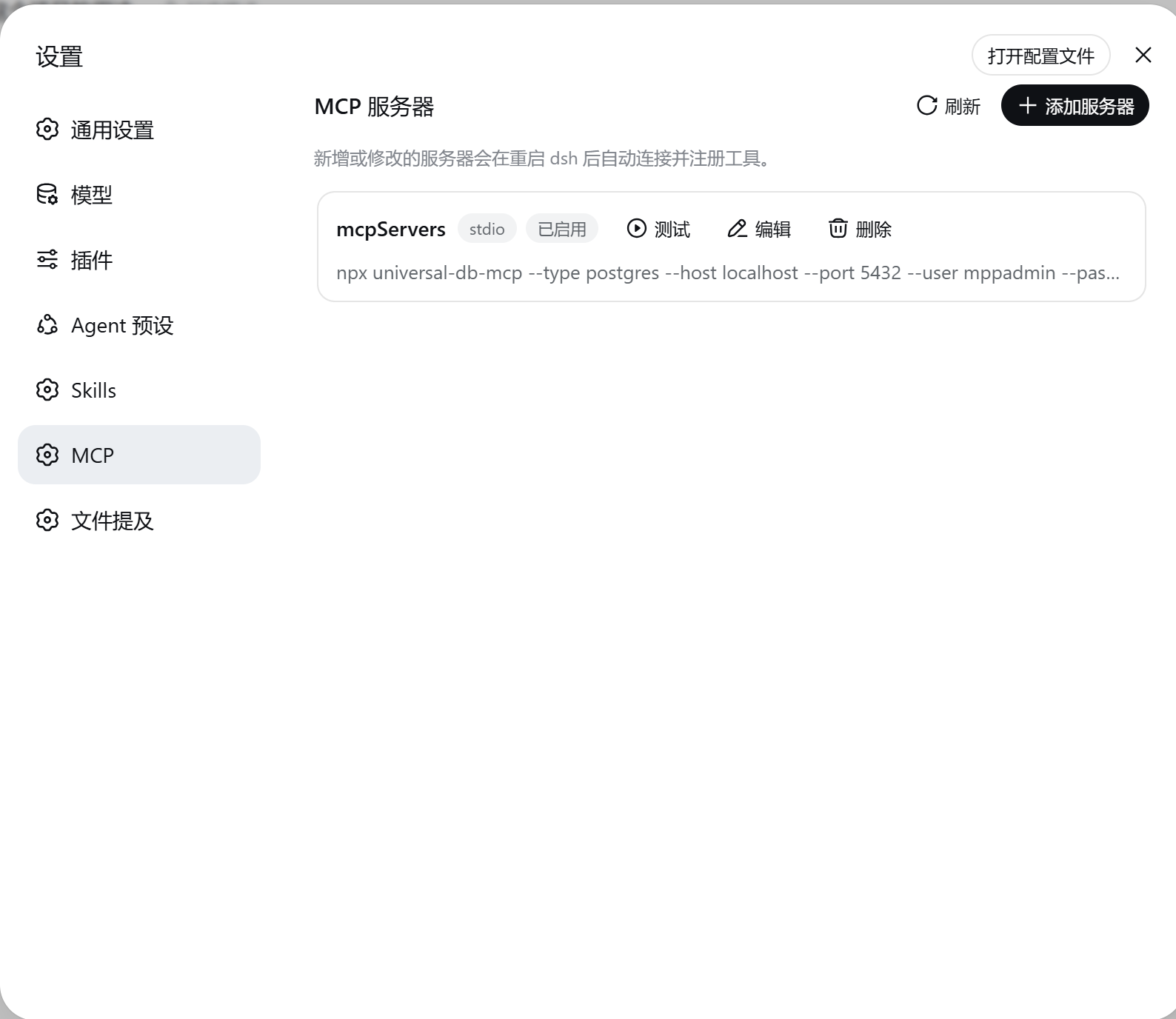
The Skills page lets you browse, import (a zip drop works for a single skill or a batch of skill directories), delete, and toggle user-owned skills under $DSH_HOME/skills. Existing skills are never silently overwritten; the import summary reports how many were skipped. The MCP page covers both stdio and Streamable HTTP transports, supports full CRUD on server entries plus a one-click connection test (15-second timeout with automatic child-process cleanup). Enabled servers are written into the current profile's cordis.patch.yml and auto-connect on restart, registering their tools with an mcp__ prefix.
The write strategy is deliberately conservative: the plugin only touches the mcp- lines it generated itself. Comments, anchors, and !!js expressions are preserved verbatim; writes are atomic and a .bak copy is kept. If the target file has a syntax error, the plugin refuses to modify it and surfaces the error rather than clobbering a broken config. On the environment side, variables matching _KEY, _PASSWORD, _SECRET, TOKEN, and DSH are stripped before they reach an MCP subprocess; supply credentials explicitly in the server config instead.
In short, it is aimed at dsh users (with a web profile) whose skill or MCP-server count has grown past the point where editing yaml by hand starts to feel like archaeology, and who would rather click than type.
Screenshots
Use Cases
- Managing a growing list of user skills without hand-editing yaml files
- Adding a new MCP server and verifying connectivity with a one-click test before restart
- Importing a batch of skill zip packages through the web panel in one go
Best For
- Developers running dsh with a web profile enabled
- Users with multiple skills or MCP servers who want centralized management
- Engineers who prefer a GUI over hand-editing configuration files
Related Plugins
A service-oriented sidebar framework for DSH, offering a full workbench with file explorer, embedded browser, real terminal, Git panel, and extensible plugin services.

A beautiful, practical Claude Code-style TUI plugin with pixel whale top bar, flowing glow title, real-time status line, streaming thought expansion, time rewind, context progress bar and TPS gauge — zero core changes.

The plugin market for DeepSeek Harness: browse/search/one-click install community plugins and themes, with updates, backup/restore, hot disable, diagnostics, and AI fix.

A persistent whale widget on the DSH web UI that shows DeepSeek balance, today's usage, and per-turn cost, with drag-and-snap and sound effects.