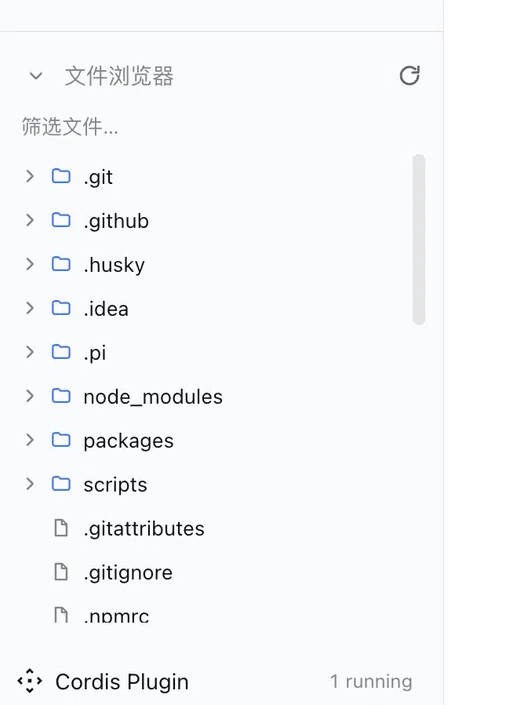
dsh-file-explorer
Run the following command in DeepSeek Harness:
dsh plugin install mabaoguo9527/dsh-file-explorer
Paste the following prompt into your AI chat to install this plugin:
Run dsh plugin install mabaoguo9527/dsh-file-explorer in the terminal to install this plugin; the source is available at https://github.com/mabaoguo9527/dsh-file-explorer
About this plugin
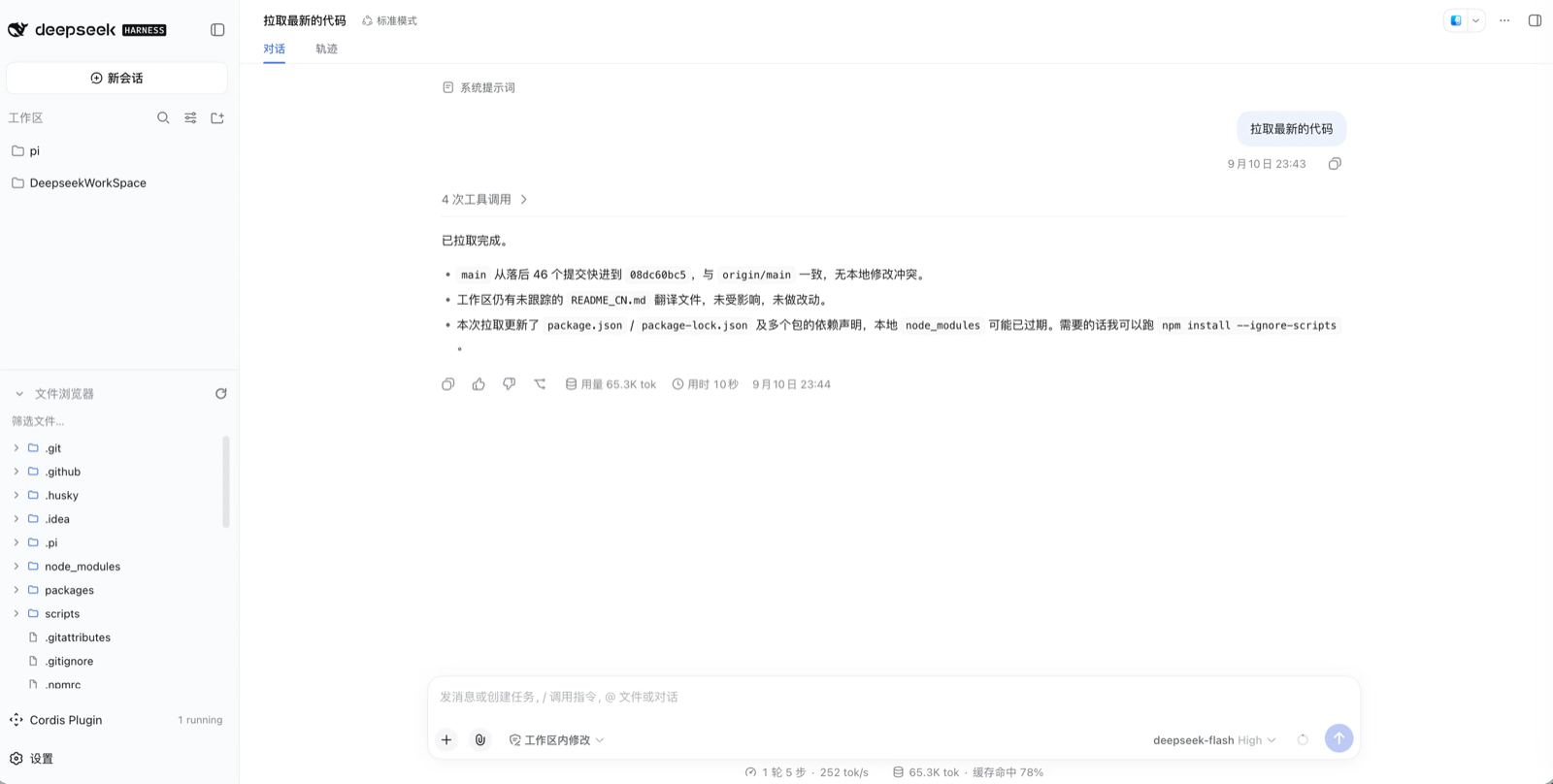
When you are coding inside the DeepSeek Harness web GUI, you often need a quick glance at what files live in the working directory, yet the only built-in option is to drop into a terminal and type ls. dsh-file-explorer brings that into the sidebar itself: it docks in the footer slot directly above the Settings row, shares the sidebar background and width, and carries no card, border, or shadow, so it reads as a native part of that column. No pop-up, no extra tab; a peripheral glance reveals the tree, and a click expands whatever you need.
The plugin leans on three words: light, fast, and safe. The tree is lazy-loaded, so only the levels you actually open hit disk; expansion state survives re-renders, and the name-filter box narrows already-loaded levels. The top edge is a draggable resize handle, and the panel width tracks the sidebar column in real time via ResizeObserver. On the safety side the host half exposes a single read-only route; every request is containment-checked against the session working directory, any path escaping that root is rejected with a 400, each listing is capped at 800 entries, file contents are never read, and no outbound network call is ever made. There is no plugin configuration at all. The one preference is a toggle under Settings General, kept in memory and reset to on on every (re)load, deliberately out of settings.yaml. UI strings follow the host locale automatically, and the panel disappears entirely when the sidebar collapses to its 56 px rail.
This is aimed at engineers who do everyday session work in the Harness web GUI and find themselves bouncing to a terminal to check generated artefacts, inspect a multi-level working directory, or simply confirm what the last run produced. It is not a file editor, not an uploader, not a search engine. It is a quiet, restrained, read-only tree that sits where your eye already is and gets out of the way when you close it.
Screenshots
Use Cases
- Glance at the working-directory file tree inside the web session without switching to a terminal
- Verify which artefacts a run produced before deciding next steps
- Filter already-loaded levels by name inside a deeply nested directory
Best For
- Engineers doing everyday session work in the Harness web GUI
- Developers with deep, file-heavy working directories who want to avoid terminal context switches
- New users who need a quick visual check of session artefacts before proceeding
Related Plugins
A service-oriented sidebar framework for DSH, offering a full workbench with file explorer, embedded browser, real terminal, Git panel, and extensible plugin services.

A beautiful, practical Claude Code-style TUI plugin with pixel whale top bar, flowing glow title, real-time status line, streaming thought expansion, time rewind, context progress bar and TPS gauge — zero core changes.

The plugin market for DeepSeek Harness: browse/search/one-click install community plugins and themes, with updates, backup/restore, hot disable, diagnostics, and AI fix.

A persistent whale widget on the DSH web UI that shows DeepSeek balance, today's usage, and per-turn cost, with drag-and-snap and sound effects.