dsh-tts
Run the following command in DeepSeek Harness:
dsh plugin install Vim0x3c/dsh-tts
Paste the following prompt into your AI chat to install this plugin:
To install this plugin in DeepSeek Harness, run the command dsh plugin install Vim0x3c/dsh-tts. The full source code is available at https://github.com/Vim0x3c/dsh-tts.
About this plugin
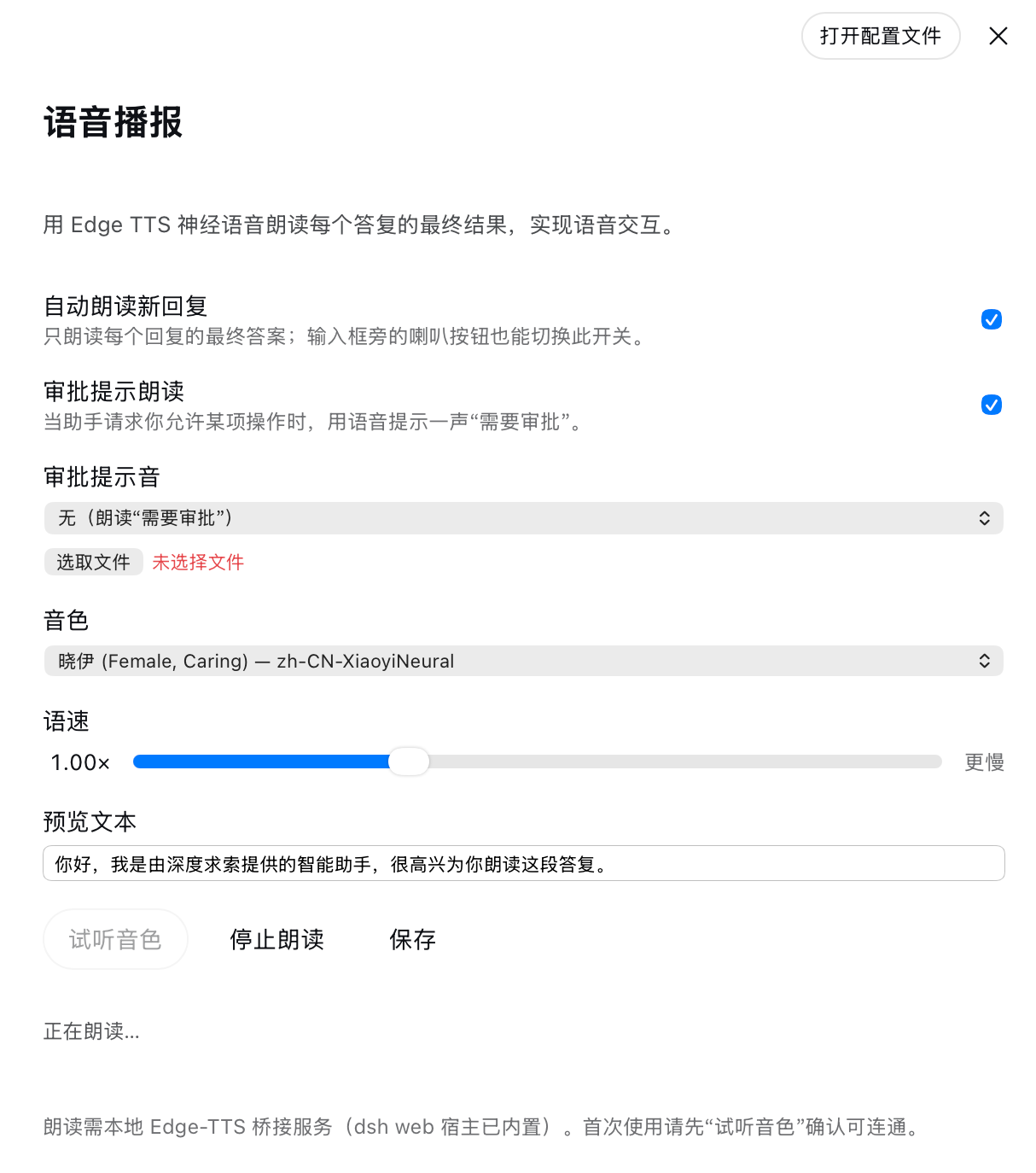
The dsh-tts plugin addresses the limitation of assistant replies being text-only in dsh web, allowing users to receive information via voice playback for better accessibility and multitasking efficiency. It leverages Edge TTS neural voice for free online synthesis without API keys, intelligently reading only final replies and auto-segmenting long texts. Core capabilities include support for over 20 voices and adjustable speed, a speaker toggle for quick control of auto-playback, and approval prompt reading; it even degrades to browser local speech during poor connectivity. Ideal for all dsh web users, especially visually impaired individuals, multitaskers on the go, or language learners, its fully local, zero-dependency design ensures privacy and ease of use.
Screenshots
Use Cases
- Automatically reads aloud the final assistant reply.
- Adjust voice and speed via slider for customized experience.
- Use speaker button to quickly toggle auto-reading feature.
Best For
- Visually impaired users requiring voice assistance.
- Busy individuals who prefer listening to replies while multitasking.
- All users engaging in voice interaction via dsh web.
Related Plugins
A service-oriented sidebar framework for DSH, offering a full workbench with file explorer, embedded browser, real terminal, Git panel, and extensible plugin services.

A beautiful, practical Claude Code-style TUI plugin with pixel whale top bar, flowing glow title, real-time status line, streaming thought expansion, time rewind, context progress bar and TPS gauge — zero core changes.

The plugin market for DeepSeek Harness: browse/search/one-click install community plugins and themes, with updates, backup/restore, hot disable, diagnostics, and AI fix.

A persistent whale widget on the DSH web UI that shows DeepSeek balance, today's usage, and per-turn cost, with drag-and-snap and sound effects.