dsh-md-reader
Run the following command in DeepSeek Harness:
dsh plugin install wjx-ai/dsh-md-reader
Paste the following prompt into your AI chat to install this plugin:
Run dsh plugin install wjx-ai/dsh-md-reader in your terminal to install this plugin; source code is available at https://github.com/wjx-ai/dsh-md-reader .
About this plugin
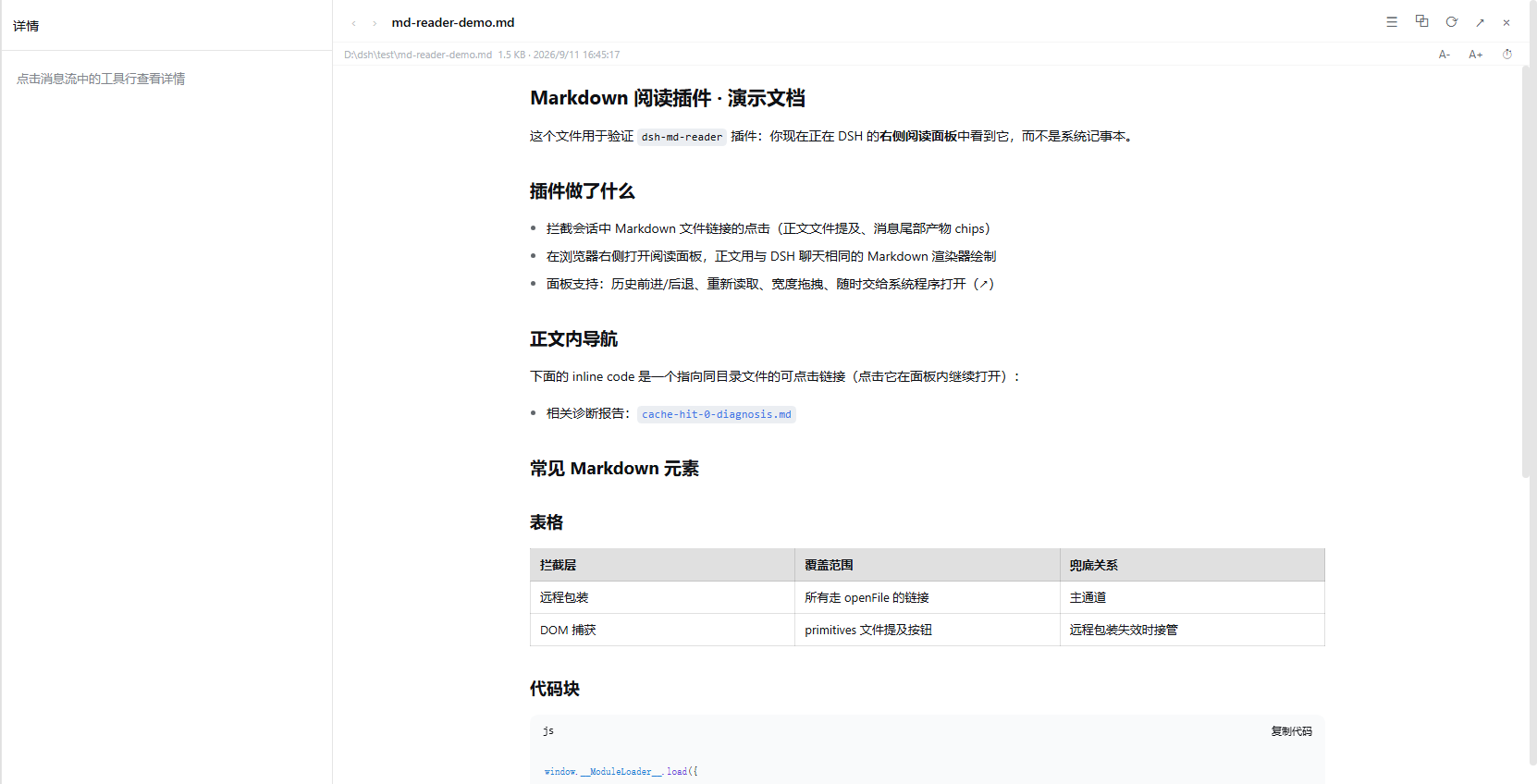
Reading Markdown documents produced by agents inside a DSH (DeepSeek Harness) session used to mean jumping out to a system default application, breaking both visual continuity and conversational context. dsh-md-reader keeps reading where you are: click any .md, .txt, or image link in a message and the right-hand details pane expands into a genuine three-column layout—sidebar, narrowed conversation, and reading panel side by side—without overlay popups or window switches.
The panel ships with the tools daily reading demands: a one-click h1-to-h6 table of contents with smooth scrolling; a three-second mtime poller that silently reloads a document an agent is still writing while preserving scroll position; inline centered previews for png, svg, webp, and other images (SVG scripts are sandboxed); .html files rendered inside a sandboxed iframe so styles load but scripts are blocked; font size adjustable from 70% to 150% with persistence; relative Markdown paths in the body that navigate within the same panel; and a color scheme that follows the platform design tokens automatically.
Built for developers who frequently review agent-generated output inside DSH and want to keep conversation context uninterrupted: watch a document grow line by line in the right panel while continuing to converse on the left, with no window juggling required.
Screenshots
Use Cases
- Click an agent-produced Markdown link inside a DSH session and read it instantly in the right-hand three-column panel
- Watch a document grow line by line as an agent writes it, with the panel silently reloading every 3 seconds
- Preview inline images and HTML snippets within Markdown without leaving the browser
Best For
- Developers who frequently review agent-generated documents inside DSH
- Engineers who need to read reference material while an ongoing conversation continues
- Users who prefer a single-browser workflow and want to minimize window switching
Related Plugins
A service-oriented sidebar framework for DSH, offering a full workbench with file explorer, embedded browser, real terminal, Git panel, and extensible plugin services.

A beautiful, practical Claude Code-style TUI plugin with pixel whale top bar, flowing glow title, real-time status line, streaming thought expansion, time rewind, context progress bar and TPS gauge — zero core changes.

The plugin market for DeepSeek Harness: browse/search/one-click install community plugins and themes, with updates, backup/restore, hot disable, diagnostics, and AI fix.

A persistent whale widget on the DSH web UI that shows DeepSeek balance, today's usage, and per-turn cost, with drag-and-snap and sound effects.