dsh-cost-stats
Run the following command in DeepSeek Harness:
dsh plugin install AGImentu/dsh-cost-stats
Paste the following prompt into your AI chat to install this plugin:
Run dsh plugin install AGImentu/dsh-cost-stats in your terminal (source at https://github.com/AGImentu/dsh-cost-stats), then restart dsh web and hard-refresh the browser to see the cost chips and the stats page.
About this plugin
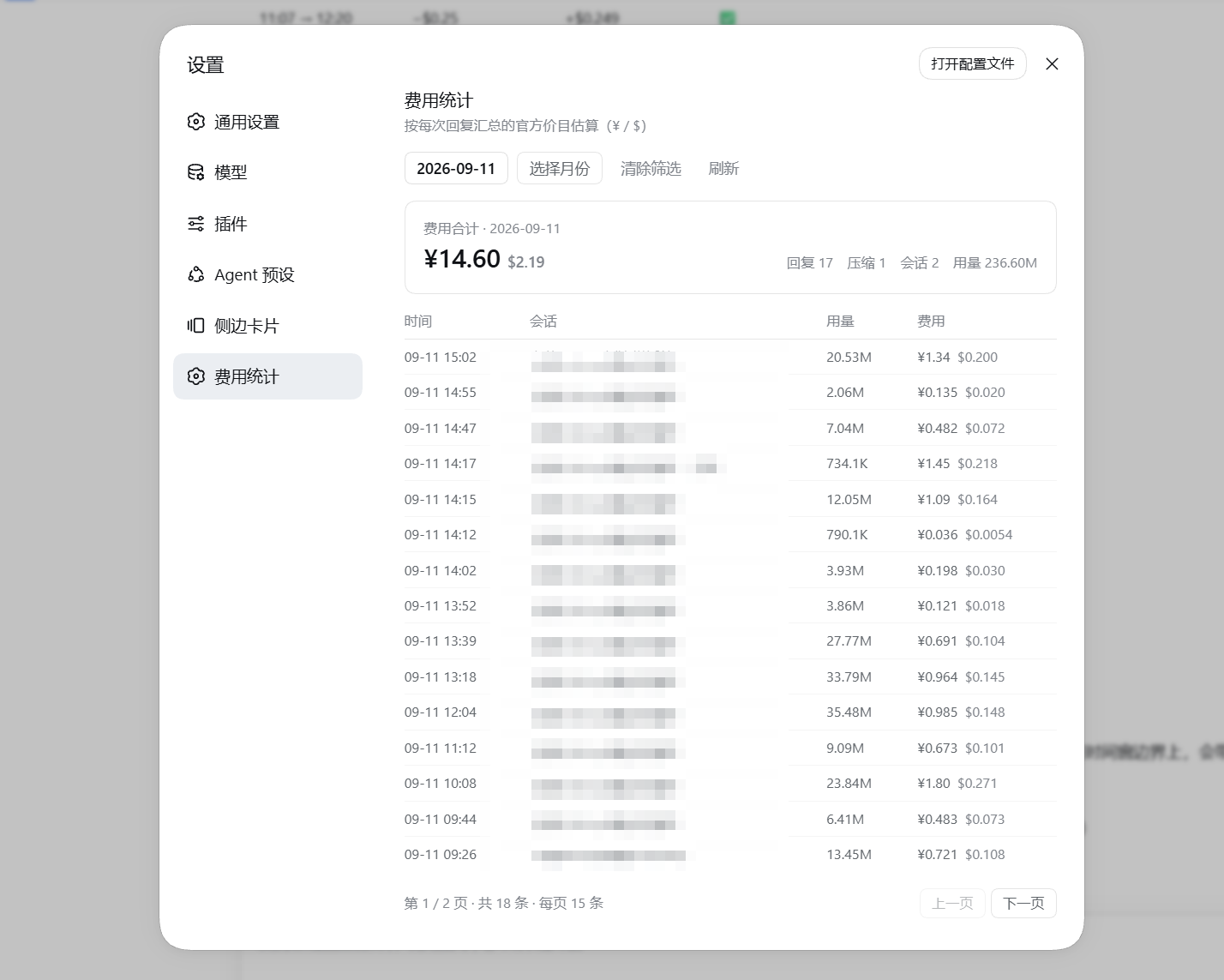
The native DeepSeek Harness UI tells you how many tokens a turn consumed but never how much it cost. dsh-cost-stats adds a cost chip beside every assistant message that breaks down cached input, uncached input, and output tokens multiplied by the official per-bucket rates, shown in both CNY and USD, with the billed model and peak or off-peak window labelled. The numbers come straight from the provider-reported token buckets the same source the official usage pill reads, so they are exact rather than estimated. A dedicated Cost stats page under Settings lists every billed item across all stored sessions, including standalone context compactions, with date or month pickers, fifteen-row pagination, and a live summary card you can reconcile against your API balance to within a cent.
Screenshots
Use Cases
- See the real cost of every assistant turn in real time while chatting
- Aggregate daily or monthly API spend and reconcile it against your account balance to the cent
- Distinguish peak from off-peak rates to pick the best window for batch calls
Best For
- Developers who rely on the DeepSeek API daily and want to keep inference costs in check
- Engineers running long DSH sessions who need at-a-glance visibility into token spend
- Team leads or project managers who need per-day cost breakdowns for reporting
Related Plugins
A service-oriented sidebar framework for DSH, offering a full workbench with file explorer, embedded browser, real terminal, Git panel, and extensible plugin services.

A beautiful, practical Claude Code-style TUI plugin with pixel whale top bar, flowing glow title, real-time status line, streaming thought expansion, time rewind, context progress bar and TPS gauge — zero core changes.

The plugin market for DeepSeek Harness: browse/search/one-click install community plugins and themes, with updates, backup/restore, hot disable, diagnostics, and AI fix.

A persistent whale widget on the DSH web UI that shows DeepSeek balance, today's usage, and per-turn cost, with drag-and-snap and sound effects.