
dsh-balance-chart
Run the following command in DeepSeek Harness:
dsh plugin install fqsklm/dsh-balance-chart
Paste the following prompt into your AI chat to install this plugin:
Run dsh plugin install fqsklm/dsh-balance-chart in your terminal to install the plugin from https://github.com/fqsklm/dsh-balance-chart.
About this plugin
When coding with DeepSeek, the questions that matter most in the moment are small and immediate: how much balance is left, how much I have spent today, what the last turn actually cost, and whether I am in a peak or off-peak pricing window. The official dashboard requires a new tab, a re-login, and only shows a daily total without attributing spend to individual turns. dsh-balance-chart answers all four questions right in the centre of the DSH conversation header - no page switch, no refresh, no command to memorise.
The core is a zero-dependency, two-layer chart rendered as a borderless card on the header row. The upper layer combines a 24-hour peak/off-peak band, per-turn spend bars (coloured by pricing window), and a cumulative-spend line whose rightmost point always equals today's total. The lower layer is a horizontal balance progress bar aligned to the same track geometry. Hovering any bar reveals time, turn cost, cumulative cost, token breakdown, and model name; clicking the peak band opens the platform usage page in a new tab; the full-screen view adds a per-turn detail table; collapsing shrinks the card to a two-line summary. Accounting uses a balance-delta-first, price-card-fallback dual-track method, and all records stay in a local JSON file.
It is for DeepSeek users who code in the DSH web GUI for long sessions and multi-turn conversations and want at-a-glance cost awareness without leaving the editor. If you want to know exactly what each turn costs, whether you are in a surcharge window, and how much runway you have left - with nothing but numbers on screen - this plugin puts those numbers on the line you are already reading.
Screenshots

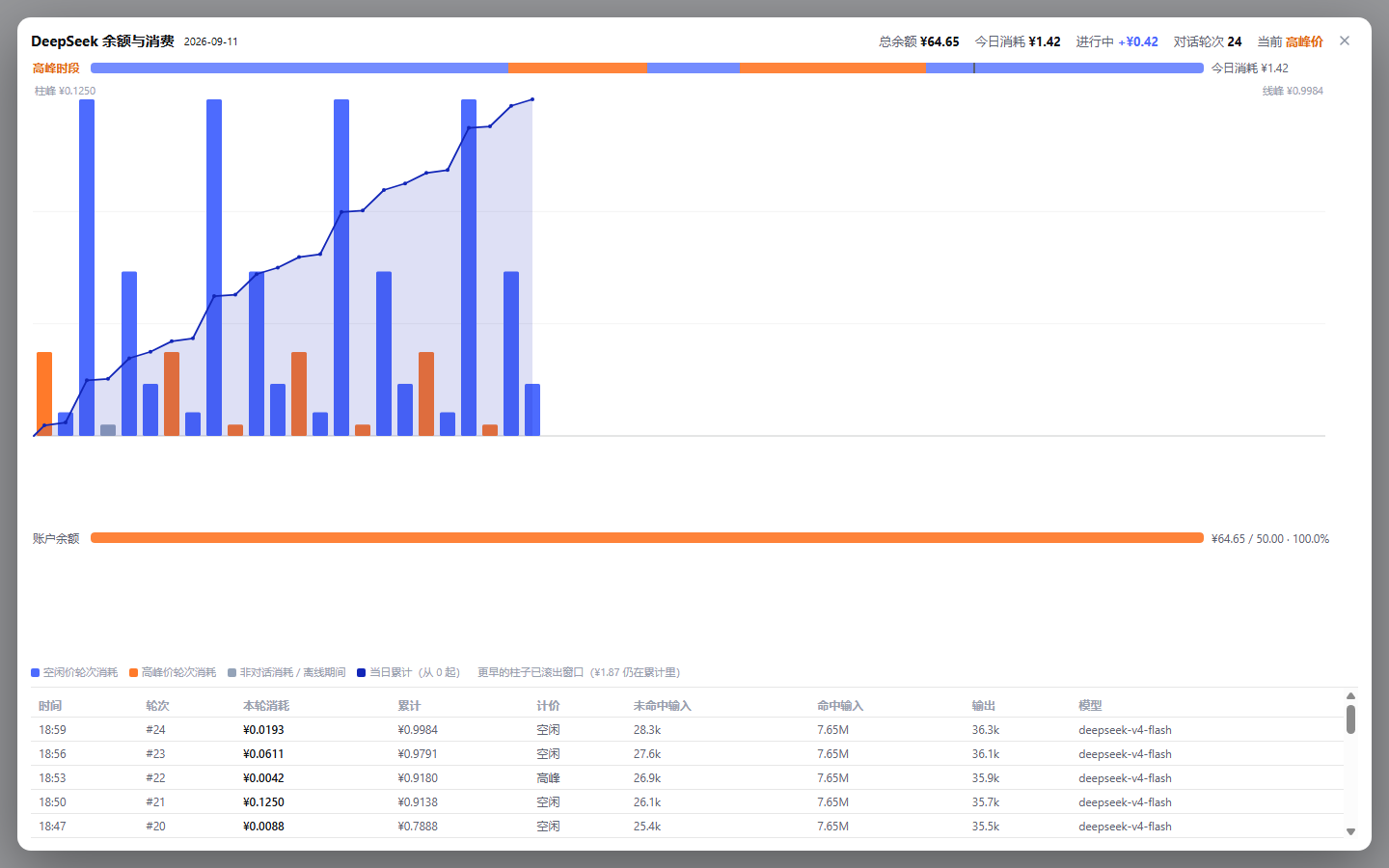
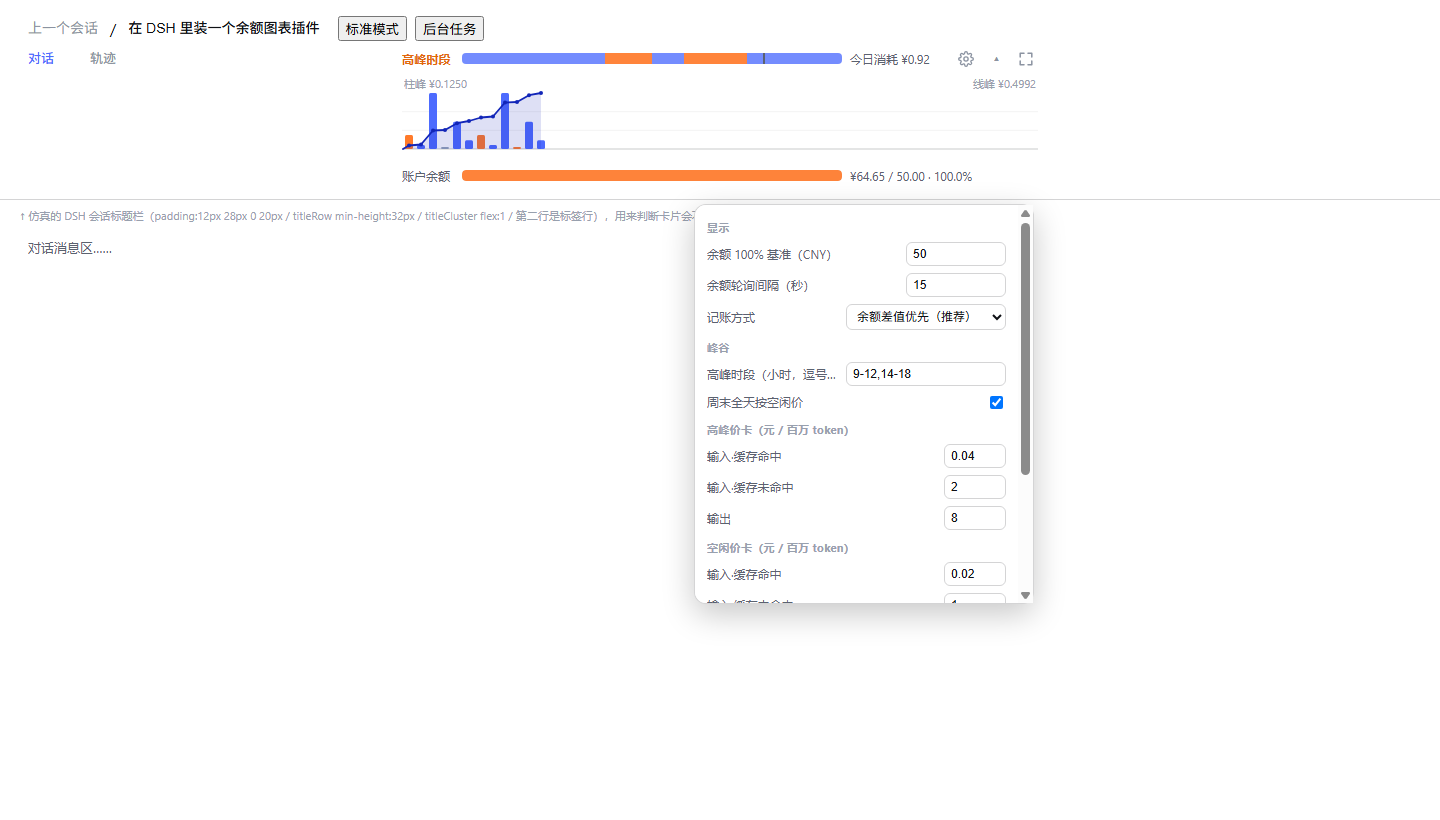

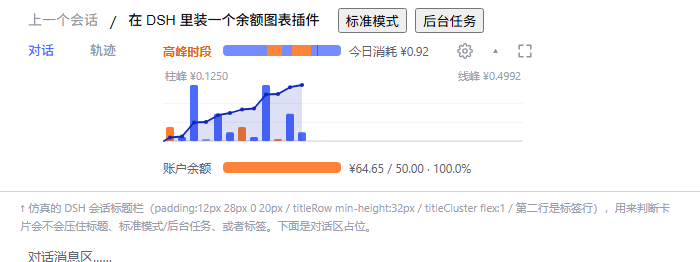
Use Cases
- Monitoring per-turn spend in real time during long coding sessions
- Checking whether the current hour falls in peak or off-peak pricing
- Reviewing the full day cost breakdown by conversation turn
Best For
- Developers running long DeepSeek sessions inside the DSH web GUI
- Builders who track API costs at per-turn granularity
- Indie developers who want balance and daily spend visible without leaving the editor
Related Plugins
A service-oriented sidebar framework for DSH, offering a full workbench with file explorer, embedded browser, real terminal, Git panel, and extensible plugin services.

A beautiful, practical Claude Code-style TUI plugin with pixel whale top bar, flowing glow title, real-time status line, streaming thought expansion, time rewind, context progress bar and TPS gauge — zero core changes.

The plugin market for DeepSeek Harness: browse/search/one-click install community plugins and themes, with updates, backup/restore, hot disable, diagnostics, and AI fix.

A persistent whale widget on the DSH web UI that shows DeepSeek balance, today's usage, and per-turn cost, with drag-and-snap and sound effects.