dsh-deepseek-flow
Run the following command in DeepSeek Harness:
dsh plugin install kanghelyu/dsh-deepseek-flow
Paste the following prompt into your AI chat to install this plugin:
Install this plugin in DeepSeek Harness by running `dsh plugin install kanghelyu/dsh-deepseek-flow`; full source code is available at https://github.com/kanghelyu/dsh-deepseek-flow.
About this plugin
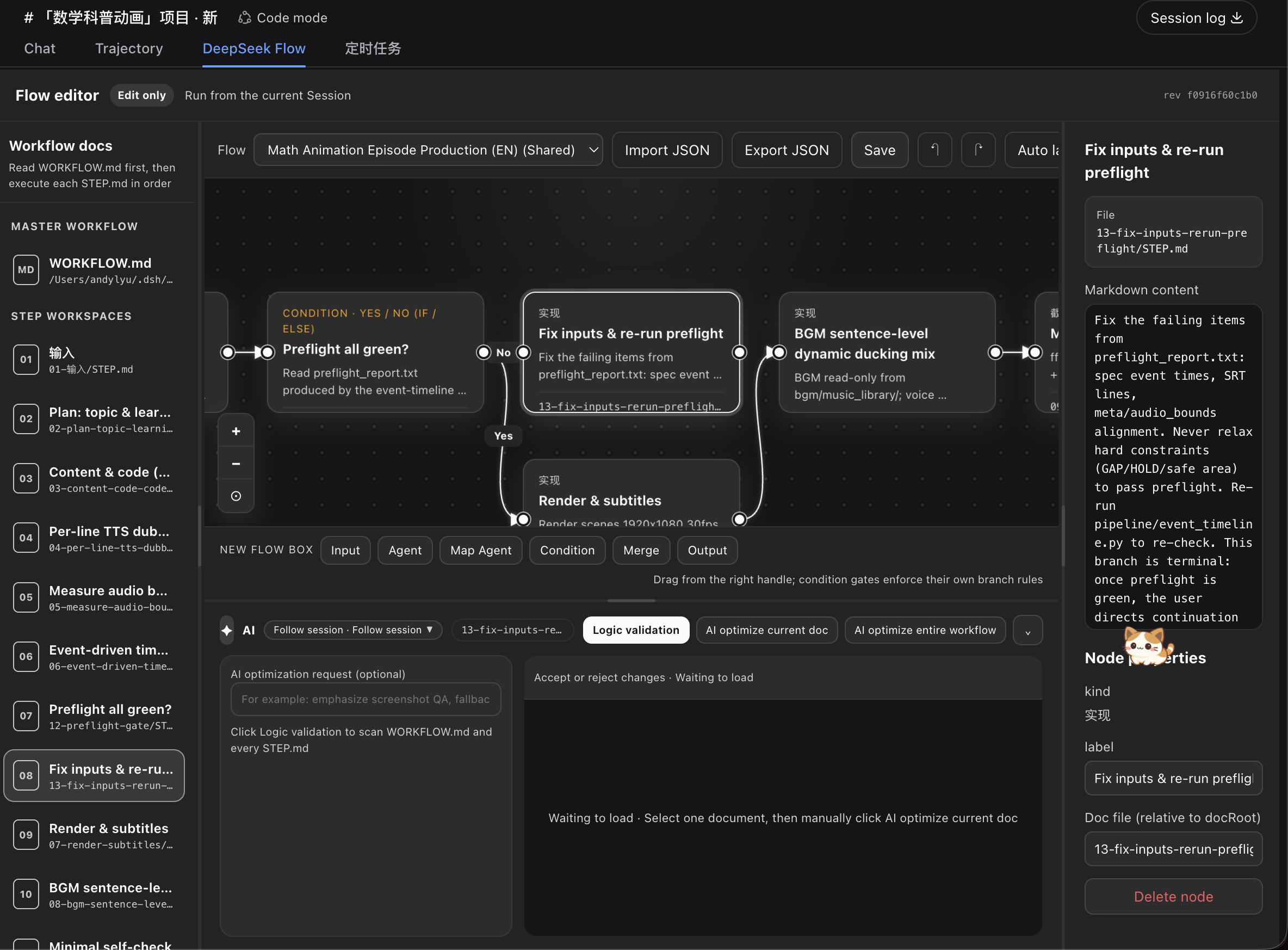
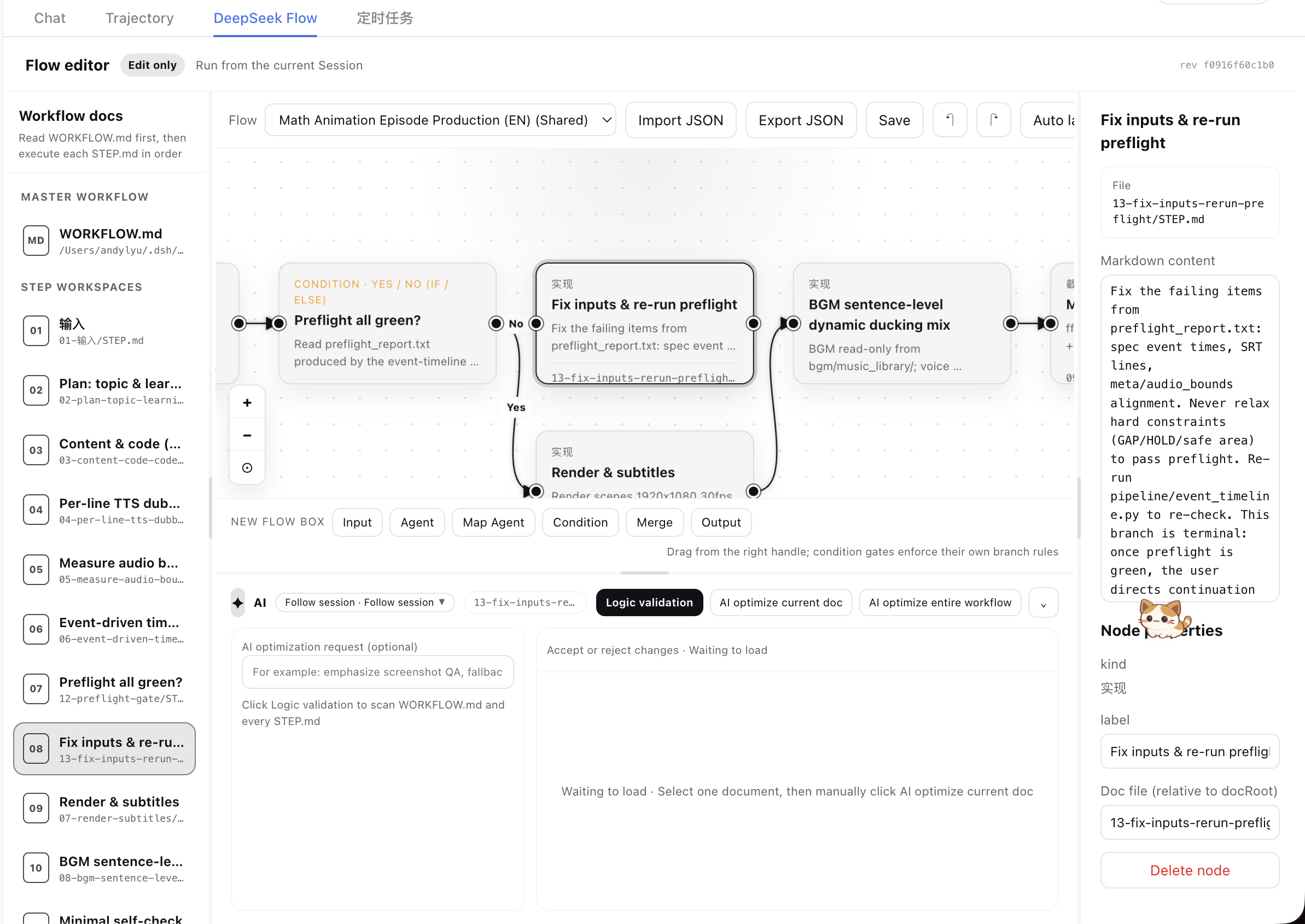
When workflows grow across multiple Markdown files, maintaining and reviewing them becomes difficult—you change one step but lose the overall shape, or misconnect an arrow that requires flipping through files to find. DeepSeek Flow is built for the DeepSeek Harness Web UI to solve exactly that: it turns WORKFLOW.md and each step's STEP.md into an editable canvas, with two-way synchronization between the diagram and the Markdown editor. You can drag nodes, draw and reconnect arrows, and edit document text on either side.
On this canvas, condition nodes support eight logic gates—IF/ELSE, AND, OR, NOT, NAND, NOR, XOR, and XNOR—and export a deterministic Boolean contract; flow_evaluate can resolve gate states and activated targets without running Agent steps. Human canvas edits enter a reviewed topology transaction where the current Session Agent examines the change, while topology updates made by direct Session file edits follow an invisible deterministic finalize path to avoid redundant review. Logic validation, single-document optimization, and whole-workflow optimization are all started manually; background AI jobs continue across view and session switches, and results and unapplied drafts persist to disk, surviving restarts.
A bundled Agent Skill teaches the current Session to use flow_create, flow_put, flow_evaluate, flow_finalize_canvas, and related tools to create and maintain workflows. Workflows are isolated per session, with a dropdown that lists historical workflows across sessions and shared templates; switching imports a copy into the current managed workspace so shared originals stay clean. DeepSeek Flow deliberately omits an execution runtime, credential management, triggers, and schedules—it is an editor, not a workflow engine, and keeps execution in the current Session.
This plugin is for users who orchestrate multi-step Agent workflows in DeepSeek Harness and want to keep Markdown as the source of truth. If your logic is complex and needs visual review, if you want editable diagrams that stay portable, or if you need executable gate semantics without a separate runtime, DeepSeek Flow makes designing, inspecting, and improving workflows much smoother than editing raw Markdown alone.
Screenshots
Use Cases
- Orchestrate multi-step Agent workflows and see the overall structure visually
- Adjust nodes and connections on the canvas and sync changes back to Markdown files
- Define branch conditions with logic gates and export Boolean results
Best For
- Developers who frequently orchestrate workflows in DeepSeek Harness
- Users who want to keep Markdown portable while gaining a visual editing experience
- Teams that need to review and optimize complex Agent processes
Related Plugins
A service-oriented sidebar framework for DSH, offering a full workbench with file explorer, embedded browser, real terminal, Git panel, and extensible plugin services.

A beautiful, practical Claude Code-style TUI plugin with pixel whale top bar, flowing glow title, real-time status line, streaming thought expansion, time rewind, context progress bar and TPS gauge — zero core changes.

The plugin market for DeepSeek Harness: browse/search/one-click install community plugins and themes, with updates, backup/restore, hot disable, diagnostics, and AI fix.

A persistent whale widget on the DSH web UI that shows DeepSeek balance, today's usage, and per-turn cost, with drag-and-snap and sound effects.