
dsh-sidebar
Run the following command in DeepSeek Harness:
dsh plugin install wannanbigpig/dsh-sidebar
Paste the following prompt into your AI chat to install this plugin:
Run dsh plugin install wannanbigpig/dsh-sidebar in a DeepSeek Harness terminal to install the plugin, source code at https://github.com/wannanbigpig/dsh-sidebar, then restart dsh web to load it.
About this plugin
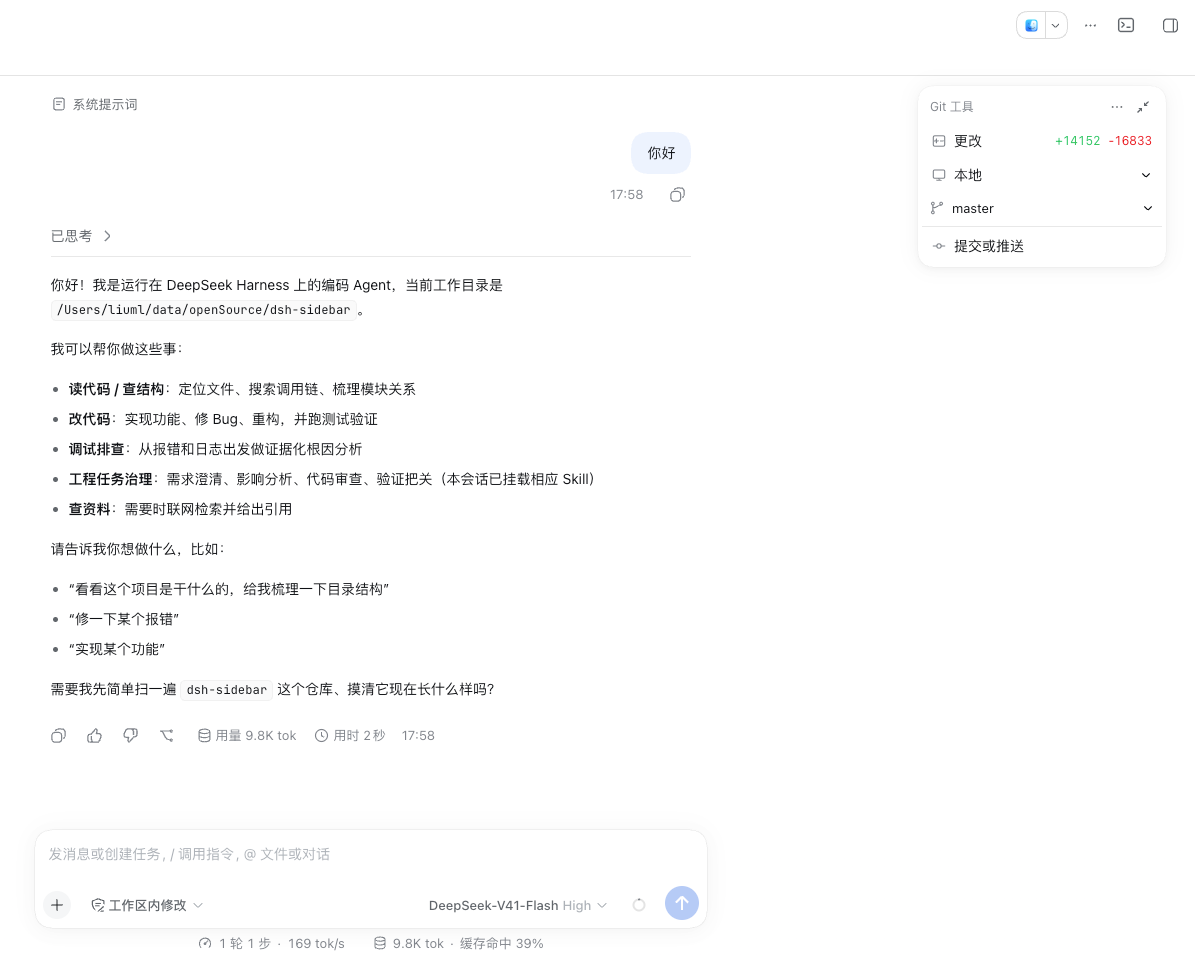
DSH's web workbench already ships a right sidebar, file tree, and native terminal, but a day-to-day frontend workflow still leaves gaps: editing code in the browser, reviewing Git changes line by line, juggling multiple worktrees, and running a persistent terminal without leaving the page. dsh-sidebar slots those capabilities into the host's existing sidebar, tabs, and bottom dock — no second sidebar, no host source-code modifications.
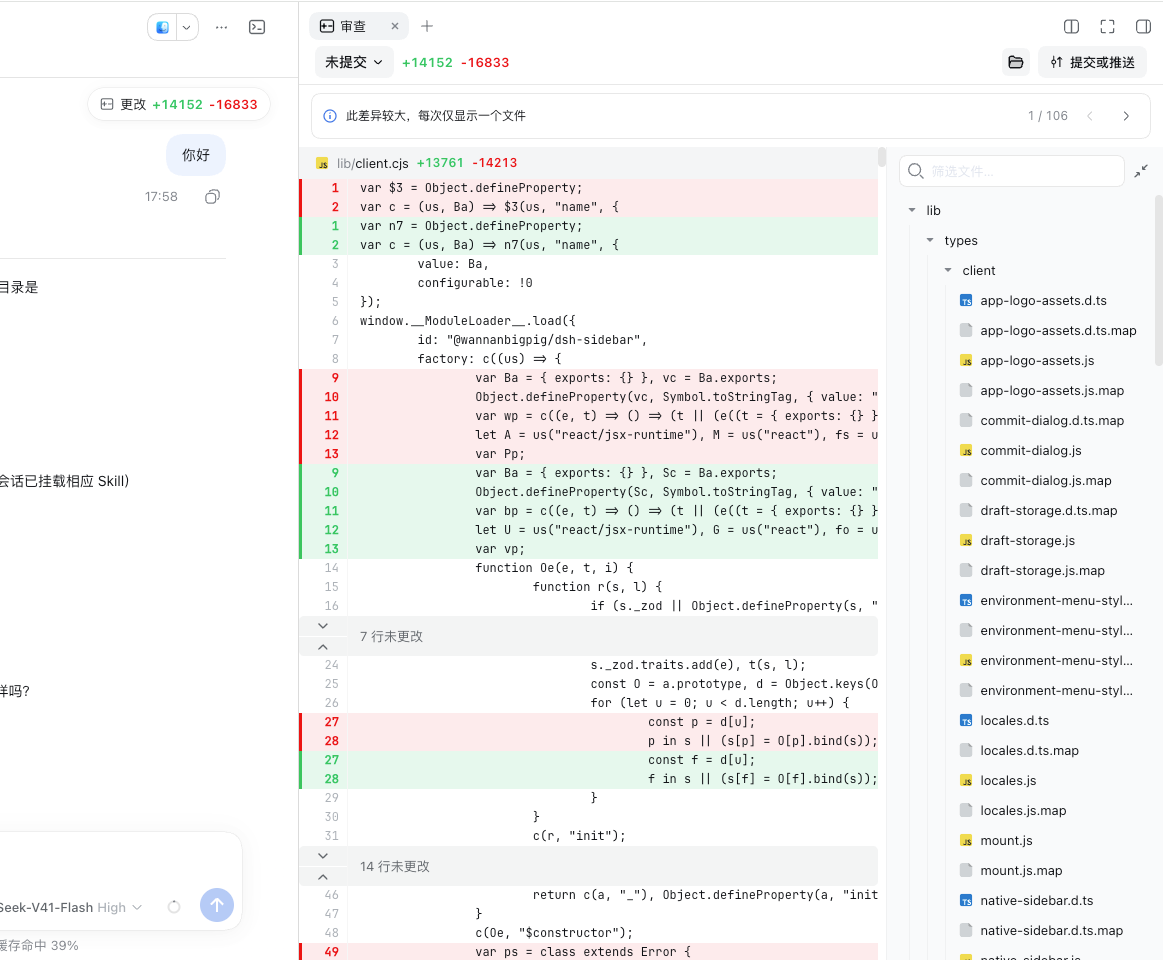
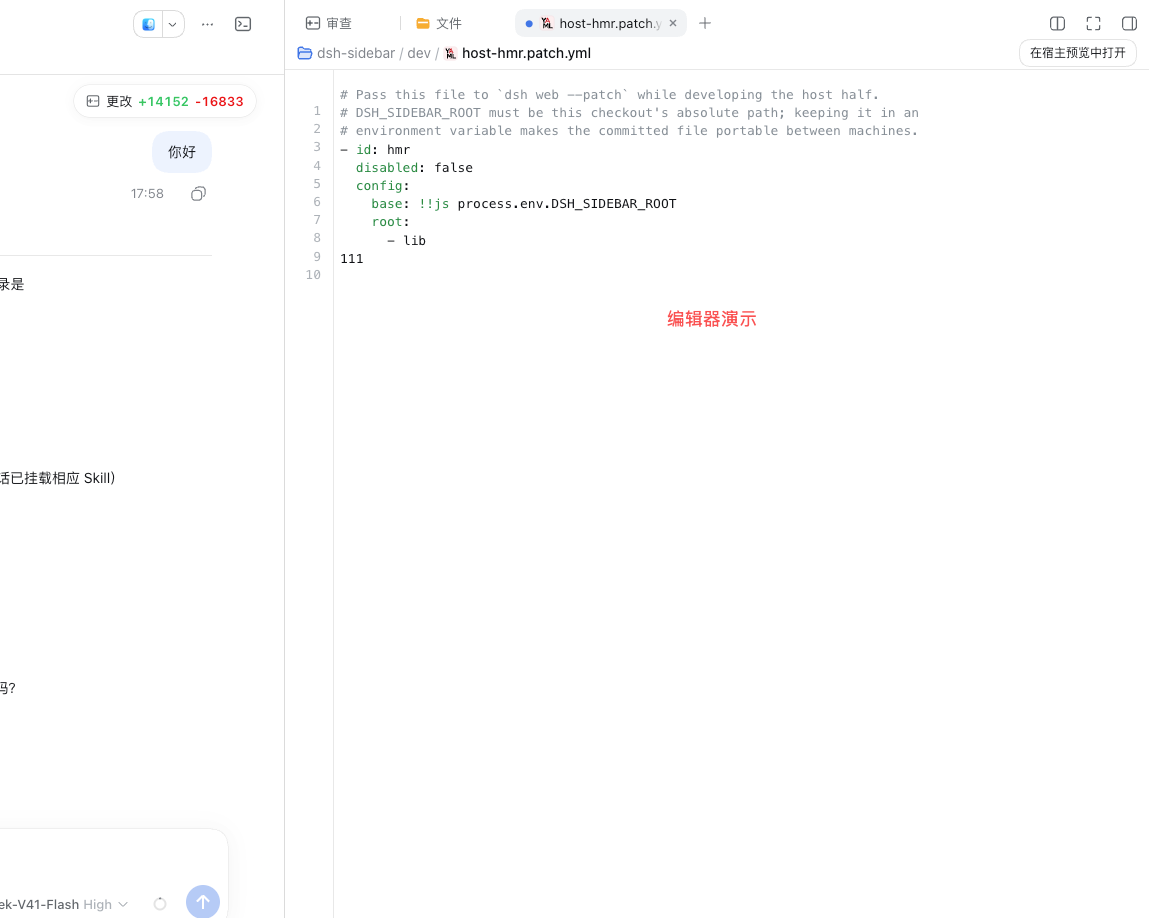
On the editing side, CodeMirror 6 powers every text or code file opened from the host Files panel, chat file links, or tool results: syntax highlighting, line numbers, an independent undo stack, and Cmd/Ctrl+S quick-save are all there; unsaved files show a dot on the native tab, while images and PDFs keep the host's native preview. The Git surface covers unstaged, staged, a specific commit, and branch-range scopes, with per-file add/delete counts, line-level diffs, collapsible context, and a filterable changed-file tree. The commit dialog supports model-generated commit messages, commit-and-push, and push retry; a failed branch switch surfaces the reason instead of failing silently. The Worktree card lists the main tree, active linked trees, and stale records, creates new trees as persistent sibling directories with their own branches, and reuses or creates a Session at the target path — uncommitted changes stay in the original tree.
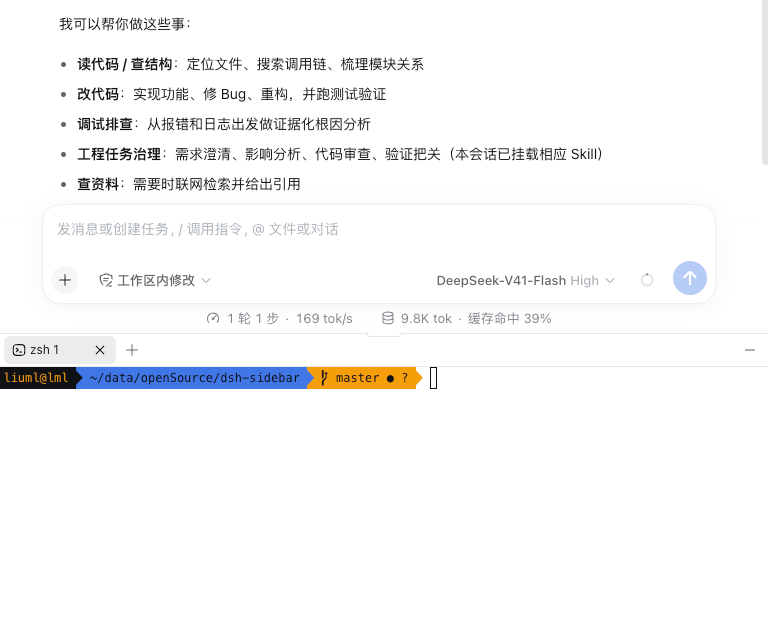
The terminal runs xterm.js over a persistent zsh PTY in a dock below the chat input, resizes smoothly with the conversation area, supports multiple tabs, draggable height, and full ANSI/256/True Color output. Ideal for developers who already work in DSH's web workbench and want the full edit → review → commit → switch-worktree → run-terminal loop to stay in the browser without forking the host. The plugin relies only on the host's public Sidebar, Slot, Session, fs, subprocess, and Client Module APIs, requires DSH ≥ 0.1.6-alpha.1, and is distributed under the MIT license via npm.
Screenshots
Use Cases
- Open and edit code files with syntax highlighting in the browser sidebar
- Review multi-scope Git diffs line by line and push with one click
- Switch between multiple worktrees and run project commands in a persistent terminal
Best For
- Engineers doing daily frontend development on DSH's web workbench
- Developers who want the edit-review-commit loop entirely in the browser
- Small teams managing multiple Git worktrees without forking the host repository
Related Plugins
A service-oriented sidebar framework for DSH, offering a full workbench with file explorer, embedded browser, real terminal, Git panel, and extensible plugin services.

A beautiful, practical Claude Code-style TUI plugin with pixel whale top bar, flowing glow title, real-time status line, streaming thought expansion, time rewind, context progress bar and TPS gauge — zero core changes.

The plugin market for DeepSeek Harness: browse/search/one-click install community plugins and themes, with updates, backup/restore, hot disable, diagnostics, and AI fix.

A persistent whale widget on the DSH web UI that shows DeepSeek balance, today's usage, and per-turn cost, with drag-and-snap and sound effects.