dsh-session-messages-plugin
Run the following command in DeepSeek Harness:
dsh plugin install ewoowe/dsh-session-messages-plugin
Paste the following prompt into your AI chat to install this plugin:
Run dsh plugin install ewoowe/dsh-session-messages-plugin to install; full source at https://github.com/ewoowe/dsh-session-messages-plugin
About this plugin
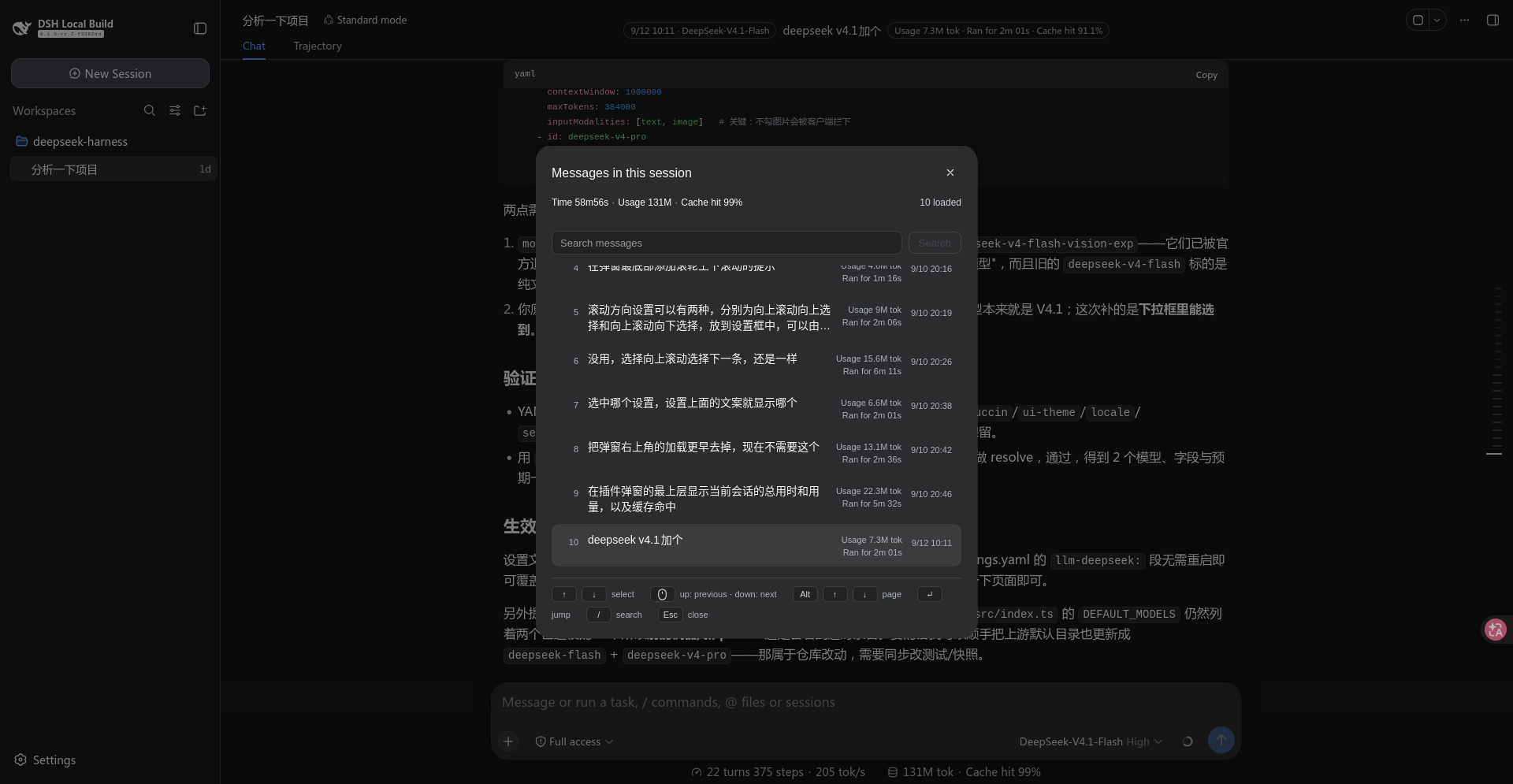
Running a long session in deepseek-harness can easily produce dozens of messages. Scrolling through them one screen at a time to locate a specific instruction or output is tedious. dsh-session-messages-plugin addresses this with two lightweight surfaces: a message list opened by Ctrl+S by default, and an optional viewport strip centred on the session header. Both let you jump between messages and gauge token cost without leaving the current view.
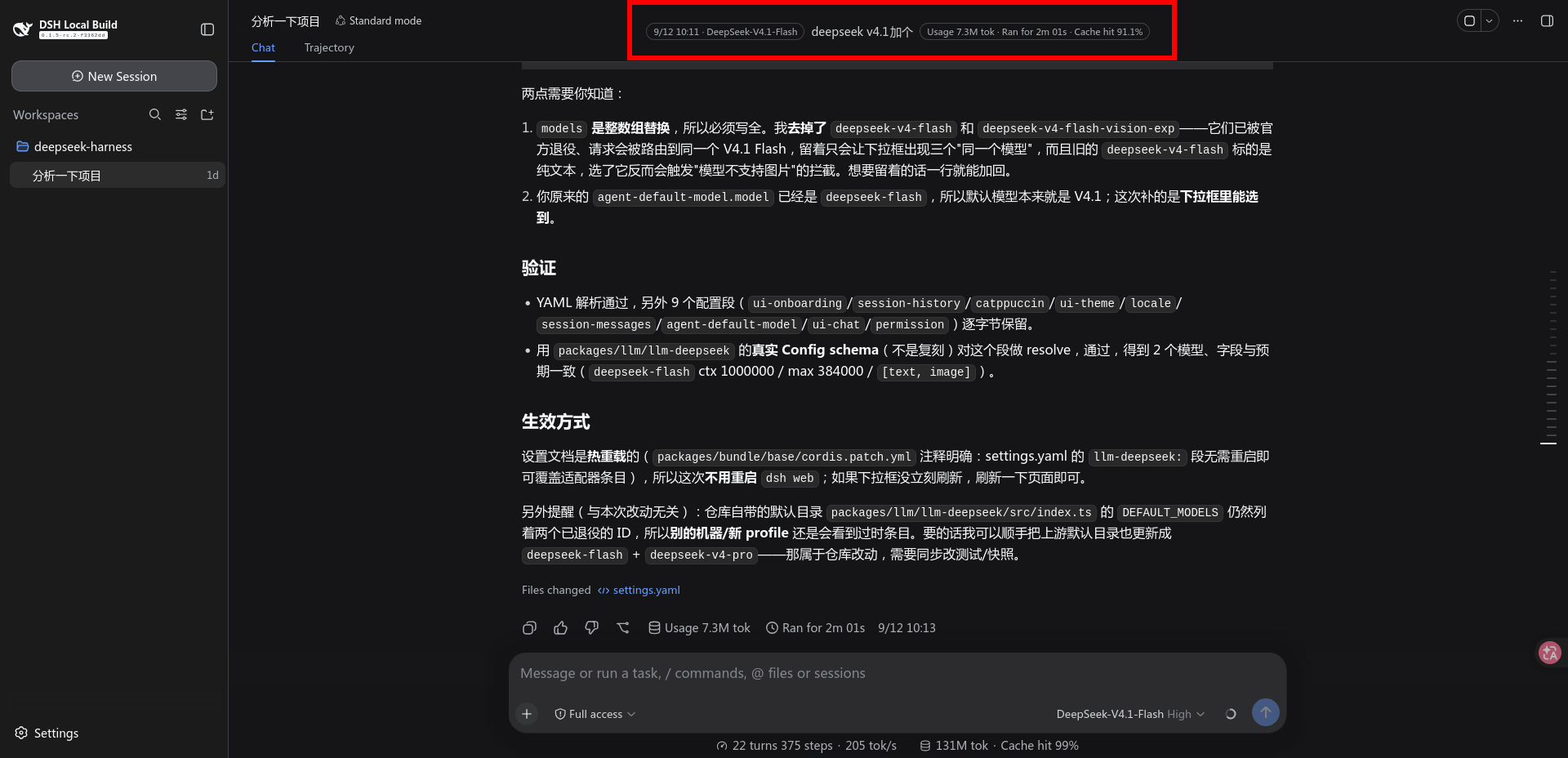
The message list presents every loaded message as a single column you can search, navigate with arrow keys, page with Alt+Arrow or PageUp/PageDown, or scroll with the mouse wheel. Press Enter or click to jump straight to the target. The viewport strip (off by default) floats centred on the session header showing a three-line preview of the message you are currently reading alongside its timestamp, token usage, and duration, updating in real time as you scroll.
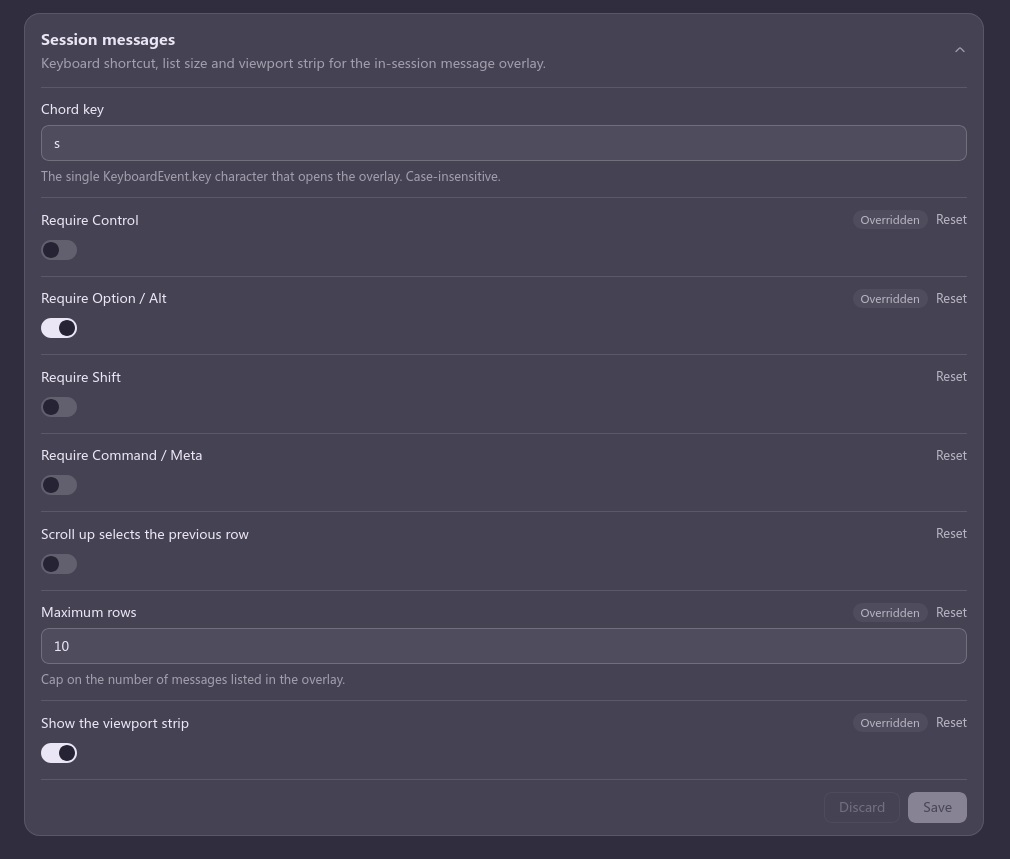
The plugin installs standalone into a profile and leaves every line of deepseek-harness source untouched. Its interface ships in seven languages, and the layout is verified across all of them so that longer labels never reflow the grid. Shortcuts, wheel direction, and row cap are configurable through the Plugins page form or cordis.patch.yml, with changes applying instantly without a restart.
Ideal for power users who routinely revisit history in long conversations, token-conscious readers who want cost visible at a glance, keyboard-first operators, and multilingual workflows that need consistent UI copy across locales.
Screenshots
Use Cases
- Quickly locate a specific instruction or output after a long conversation
- Check token cost and duration at a glance while reading a message
- Browse session history smoothly across multiple languages
Best For
- Power users who routinely revisit conversation history
- Token-conscious readers who want cost visible at a glance
- Keyboard-first operators or multilingual workflow users
Related Plugins
A service-oriented sidebar framework for DSH, offering a full workbench with file explorer, embedded browser, real terminal, Git panel, and extensible plugin services.

A beautiful, practical Claude Code-style TUI plugin with pixel whale top bar, flowing glow title, real-time status line, streaming thought expansion, time rewind, context progress bar and TPS gauge — zero core changes.

The plugin market for DeepSeek Harness: browse/search/one-click install community plugins and themes, with updates, backup/restore, hot disable, diagnostics, and AI fix.

A persistent whale widget on the DSH web UI that shows DeepSeek balance, today's usage, and per-turn cost, with drag-and-snap and sound effects.