dsh-better-uiux
Run the following command in DeepSeek Harness:
dsh plugin install nguyenduclong-ict/dsh-better-uiux
Paste the following prompt into your AI chat to install this plugin:
Run dsh plugin install nguyenduclong-ict/dsh-better-uiux in your terminal to install the plugin from https://github.com/nguyeduclong-ict/dsh-better-uiux, then restart DSH Desktop or reload the profile to activate it. Source: https://github.com/nguyenduclong-ict/dsh-better-uiux
About this plugin
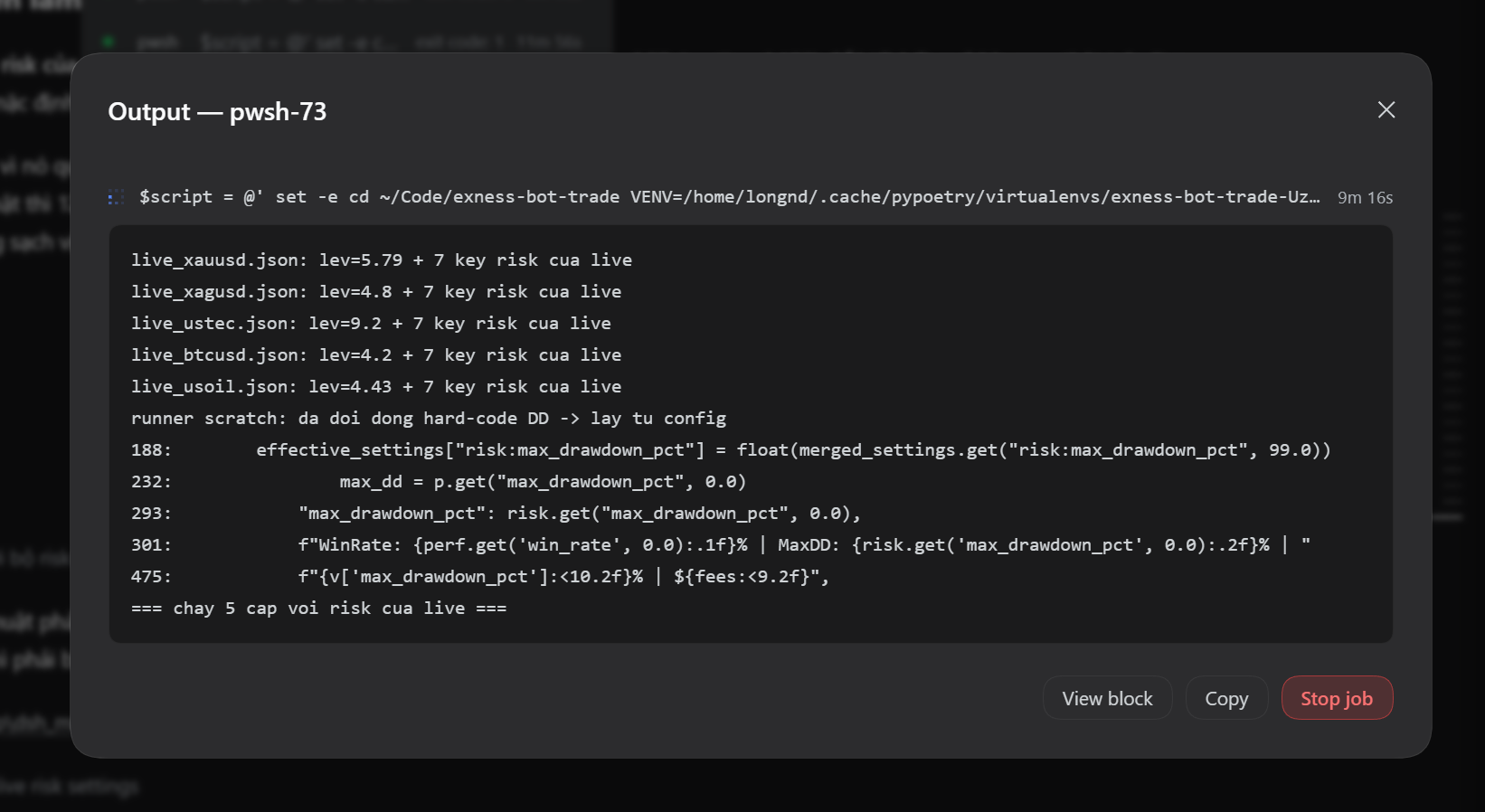
Running foreground commands or background jobs inside DSH Desktop usually means repeatedly refreshing or swapping windows just to catch the latest output, and the Web GUI look is entirely fixed by the framework. dsh-better-uiux bundles two improvements into a single Better UIUX section in Settings. The first streams live terminal output—both foreground command results and background job logs—into the conversation transcript as real-time blocks with a pulsing header dot, plus Copy, Stop, and View Job actions and clickable job rows, so you can track everything without leaving the current session. The second lets you paste your own CSS in the settings panel; changes are debounced at 500 ms and applied live with no restart or build step required.
Each feature has its own toggle, both on by default. Switching a feature off genuinely stops it: routes return enabled:false, subprocess and job interception is skipped, and every DOM node the live-terminal feature injected is removed from the page. Configuration is persisted to a JSON file under ~/.dsh and mirrored to the browser localStorage, shared across all windows and surviving a restart. The plugin ships its pre-built browser bundle, declares zero runtime dependencies, and needs no build step, so installing straight from GitHub is all it takes.
Ideal for users who regularly drive shell commands or background jobs inside DSH Desktop and want to follow output in real time without repeatedly refreshing the interface. Also a good fit for power users who find the default look or layout unsatisfying and want to drop in a custom CSS snippet to fine-tune the Web GUI appearance.
Screenshots
Use Cases
- Stream foreground command and background job output live in the transcript without manual refresh
- Paste custom CSS into the settings panel to restyle the Web GUI with zero rebuild
- Toggle each feature independently from the Better UIUX section in Settings
Best For
- Developers who frequently run shell commands or background jobs inside DSH Desktop
- Power users who want to fine-tune the Web GUI appearance with custom CSS
- Users who prefer plugin-based enhancements over modifying framework source code
Related Plugins
A service-oriented sidebar framework for DSH, offering a full workbench with file explorer, embedded browser, real terminal, Git panel, and extensible plugin services.

A beautiful, practical Claude Code-style TUI plugin with pixel whale top bar, flowing glow title, real-time status line, streaming thought expansion, time rewind, context progress bar and TPS gauge — zero core changes.

The plugin market for DeepSeek Harness: browse/search/one-click install community plugins and themes, with updates, backup/restore, hot disable, diagnostics, and AI fix.

A persistent whale widget on the DSH web UI that shows DeepSeek balance, today's usage, and per-turn cost, with drag-and-snap and sound effects.