
dsh-turnbar
Run the following command in DeepSeek Harness:
dsh plugin install rex178178/dsh-turnbar
Paste the following prompt into your AI chat to install this plugin:
Run the install command in your macOS Terminal; the source repository is at https://github.com/rex178178/dsh-turnbar . Restart dsh after installation to activate the plugin.
About this plugin
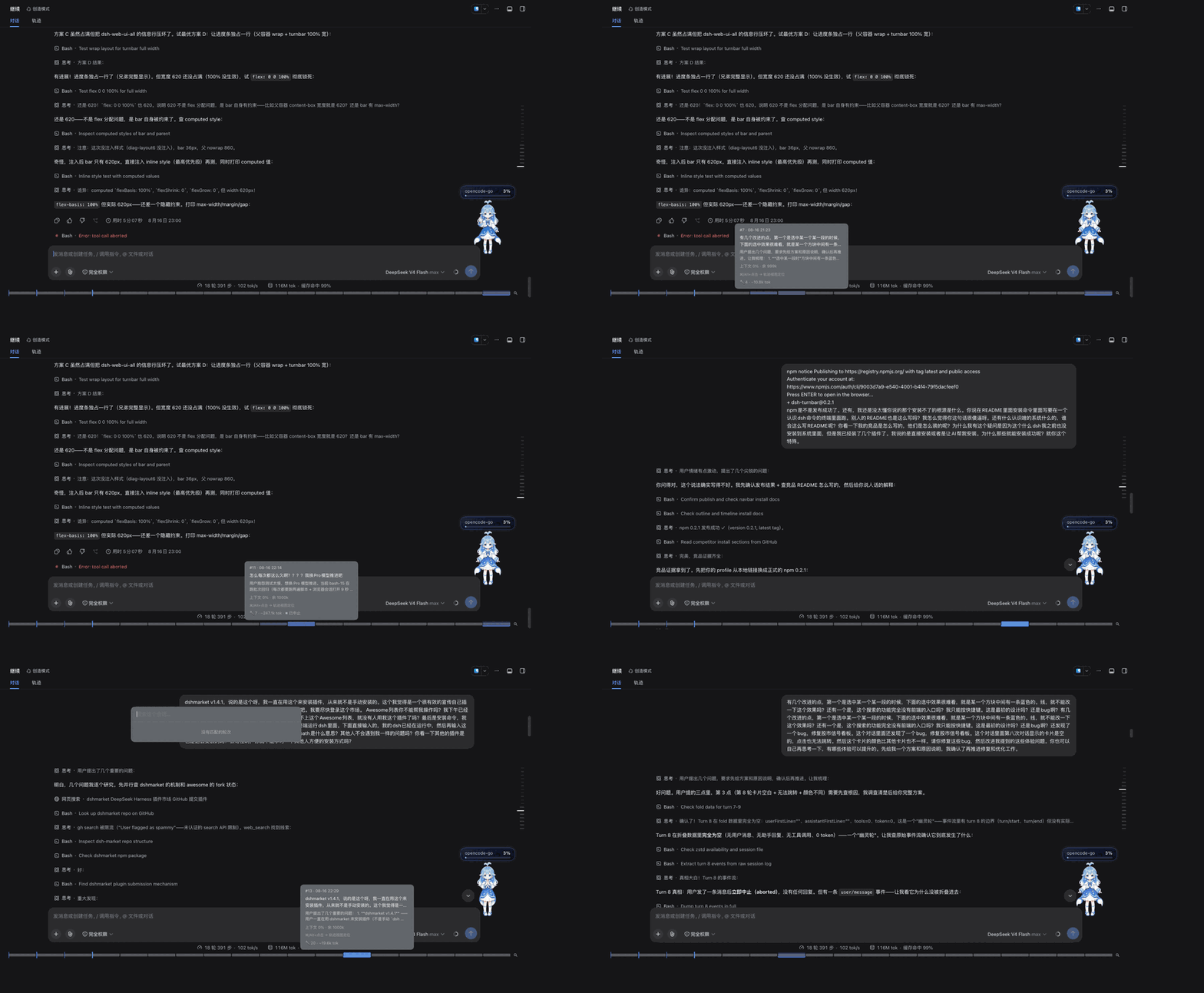
Long agent sessions easily stretch past a hundred turns, and finding that one requirement you mentioned eighty messages ago means guessing and re-scrolling through the native scrollbar. dsh-turnbar renders the entire conversation as a single always-visible full-width progress bar docked at the bottom of the chat, turning an endless text stream into a video-style timeline you can read at a glance.
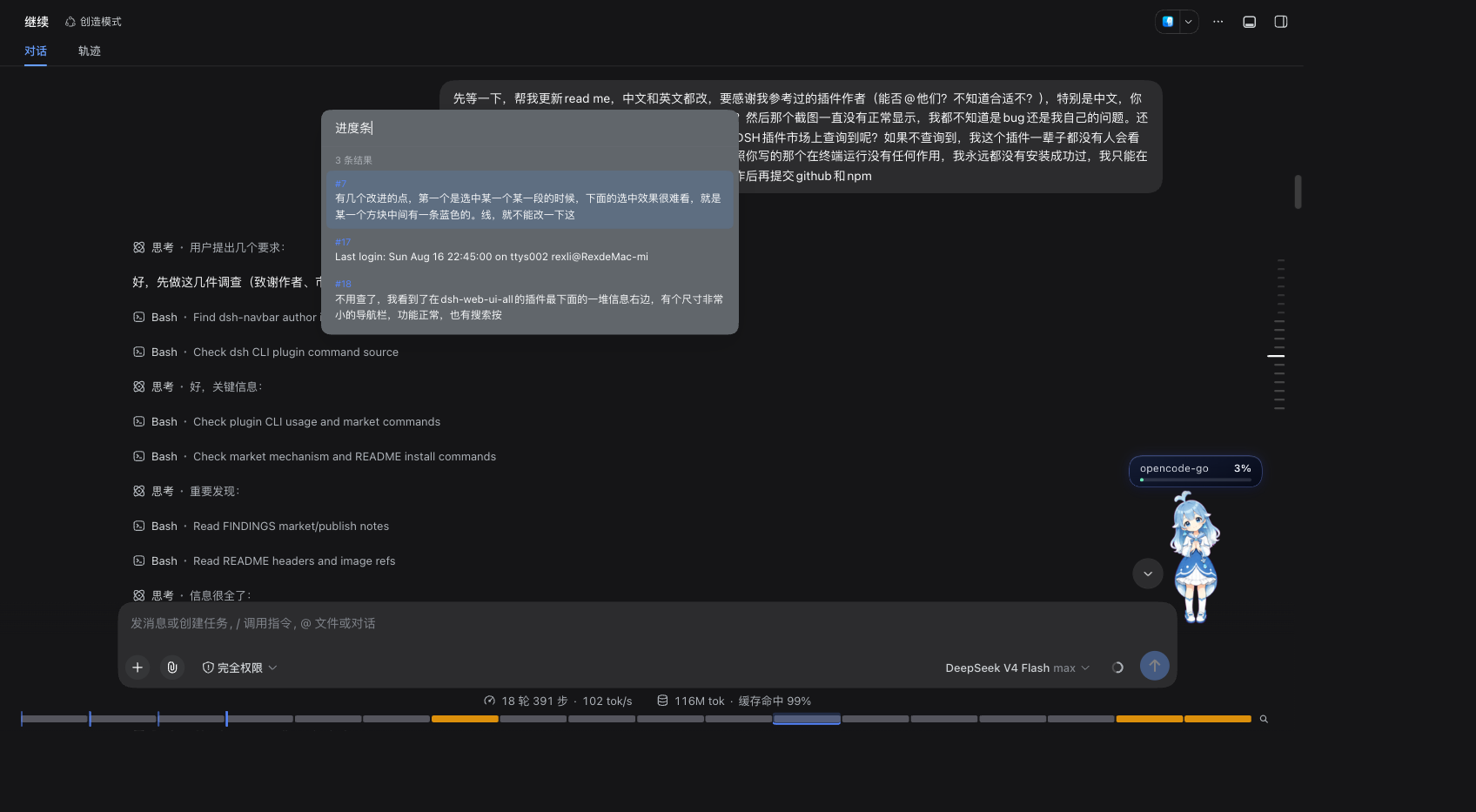
Core capabilities cover every navigation step: click or drag the bar to jump to any turn in under 300 ms; hover to reveal a preview card with the turn summary, tool calls, file edits, and token usage; built-in session-wide search (Cmd+K) draws matching turns as amber highlights directly on the bar; a context fuel gauge shows window occupancy on hover with automatic color escalation at 80 percent and 95 percent; /goal rounds appear as chapter ticks marking milestones. Everything works with zero configuration, historical sessions are backfilled automatically, and Esc returns you to exactly where you were before the jump.
Built for developers who run long agent conversations and need to frequently revisit, locate, and audit specific details across hundreds of turns. dsh-turnbar makes the whole session feel like a scrubable, searchable, perceptible timeline rather than a wall of text.
Screenshots

Use Cases
- Pinpoint a specific requirement mentioned eighty turns back in a long agent session
- Scrub through the bar to revisit tool calls, file edits, and token usage at a glance
- Monitor context window occupancy and get early warnings at the 80 and 95 percent thresholds
Best For
- Developers running long agent sessions who need frequent backtracking
- Technical professionals auditing and reviewing details across many turns
- DeepSeek Harness users who want an efficient, timeline-style navigation experience
Related Plugins
A service-oriented sidebar framework for DSH, offering a full workbench with file explorer, embedded browser, real terminal, Git panel, and extensible plugin services.

A beautiful, practical Claude Code-style TUI plugin with pixel whale top bar, flowing glow title, real-time status line, streaming thought expansion, time rewind, context progress bar and TPS gauge — zero core changes.

The plugin market for DeepSeek Harness: browse/search/one-click install community plugins and themes, with updates, backup/restore, hot disable, diagnostics, and AI fix.

A persistent whale widget on the DSH web UI that shows DeepSeek balance, today's usage, and per-turn cost, with drag-and-snap and sound effects.