dsh-macos-notify
Run the following command in DeepSeek Harness:
dsh plugin install WShihan/dsh-macos-notify
Paste the following prompt into your AI chat to install this plugin:
Run dsh plugin install WShihan/dsh-macos-notify in DeepSeek Harness to install; the source repository is https://github.com/WShihan/dsh-macos-notify
About this plugin
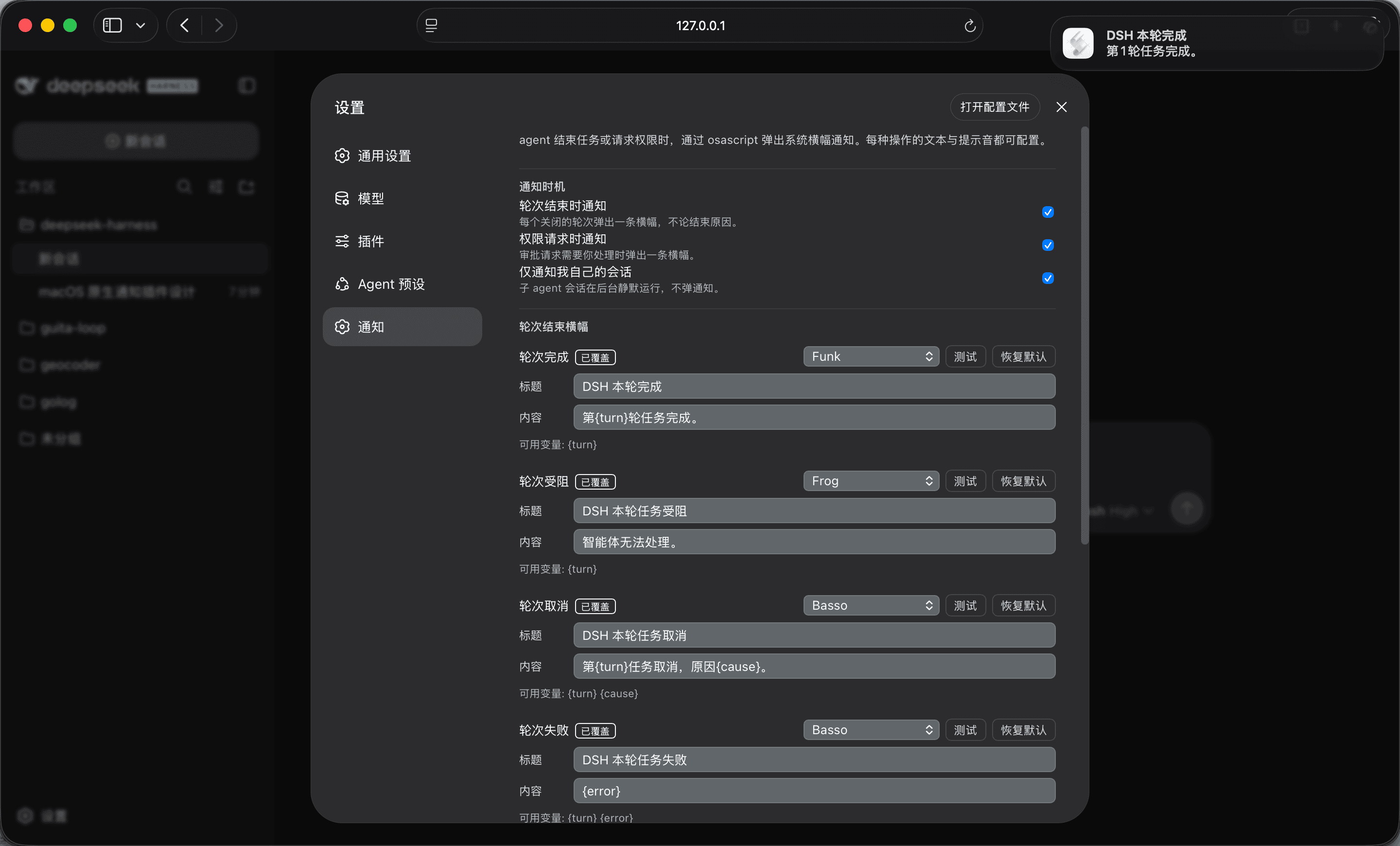
You step away from your keyboard, and when you get back you want instant clarity: did the agent just finish, did it get blocked, or is it waiting on your approval? dsh-macos-notify wires the key DeepSeek Harness events into the macOS Notification Center. Seven trigger types—turn completed, blocked, cancelled, errored, token ceiling hit, interrupted, and permission request—each fire a native banner with the sound, title, and body of your choosing.
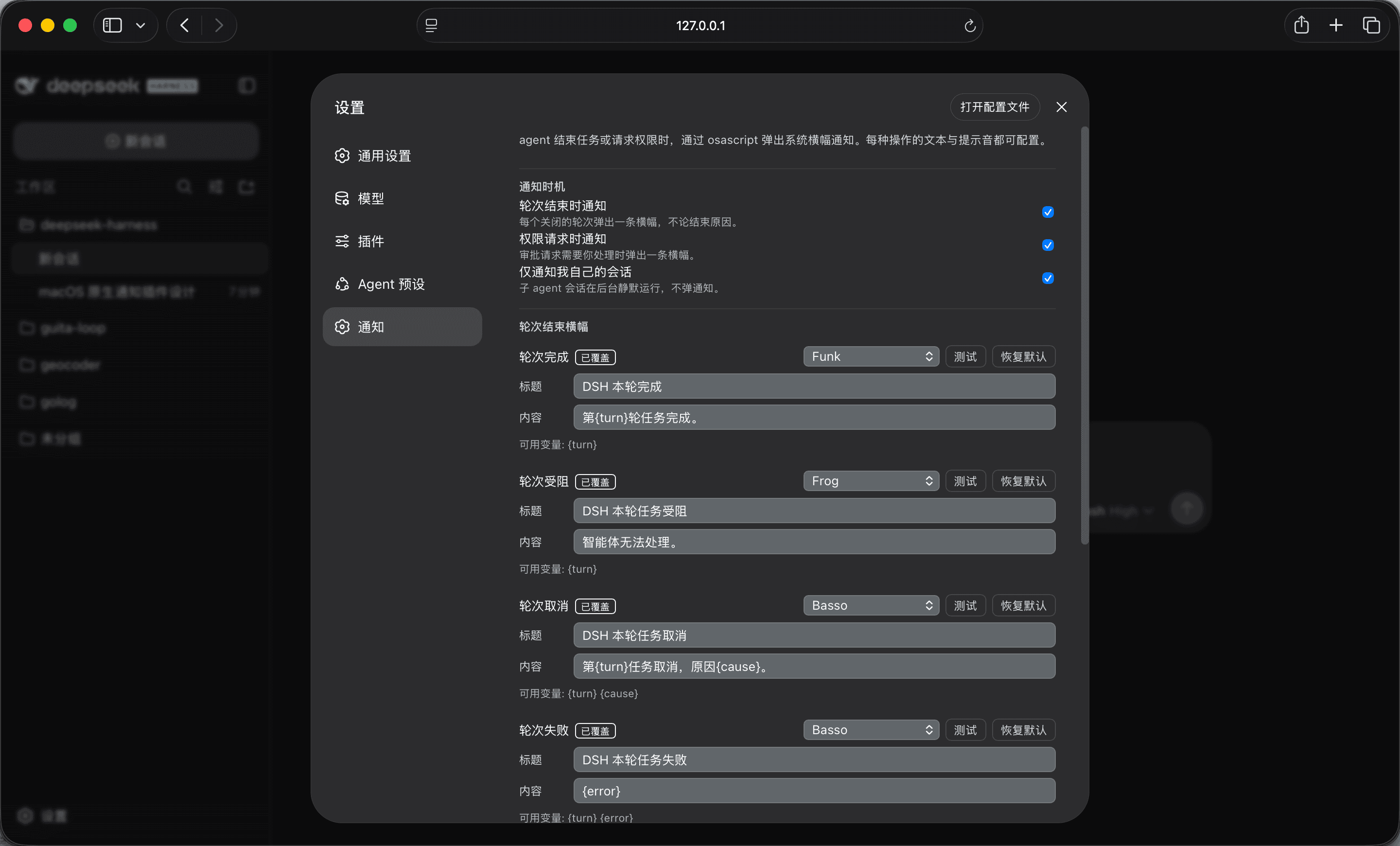
On the settings side, the plugin claims a dedicated Notifications page in the harness panel. Every banner gets its own sound picker (fourteen system tones plus default and silent), title, and message, all configurable independently and supporting template variables like {turn}, {tool}, and {error}. Changes apply to the very next banner with no restart, and a per-entry Test button lets you audition a sound or preview wording without actually waiting for a turn to close.
Built for macOS users who run DeepSeek Harness from a terminal and want to stay in the loop without staring at the screen. The plugin only observes events; it injects nothing into the model context, adds zero tokens, and will raise a clear load-time error on non-macOS platforms rather than silently dropping notifications.
Screenshots
Use Cases
- Stay aware of turn completion or blockage while away from the keyboard
- Get a banner the moment a tool approval request lands, no screen-watching needed
- Fine-tune sounds, titles, and wording per event from a dedicated settings page
Best For
- Developers running DeepSeek Harness from a terminal on macOS
- Users who want light alerts while the agent runs in the background
- Mac users who enjoy customizing notification sounds and copy
Related Plugins
A service-oriented sidebar framework for DSH, offering a full workbench with file explorer, embedded browser, real terminal, Git panel, and extensible plugin services.

A beautiful, practical Claude Code-style TUI plugin with pixel whale top bar, flowing glow title, real-time status line, streaming thought expansion, time rewind, context progress bar and TPS gauge — zero core changes.

The plugin market for DeepSeek Harness: browse/search/one-click install community plugins and themes, with updates, backup/restore, hot disable, diagnostics, and AI fix.

A persistent whale widget on the DSH web UI that shows DeepSeek balance, today's usage, and per-turn cost, with drag-and-snap and sound effects.