dsh-minimal-UI-panels
Run the following command in DeepSeek Harness:
dsh plugin install windrover/dsh-minimal-UI-panels
Paste the following prompt into your AI chat to install this plugin:
Clone the repository from https://github.com/windrover/dsh-minimal-UI-panels, register the link dependency in ~/.dsh/profiles/web/package.json, then restart dsh web to load all panels.
About this plugin
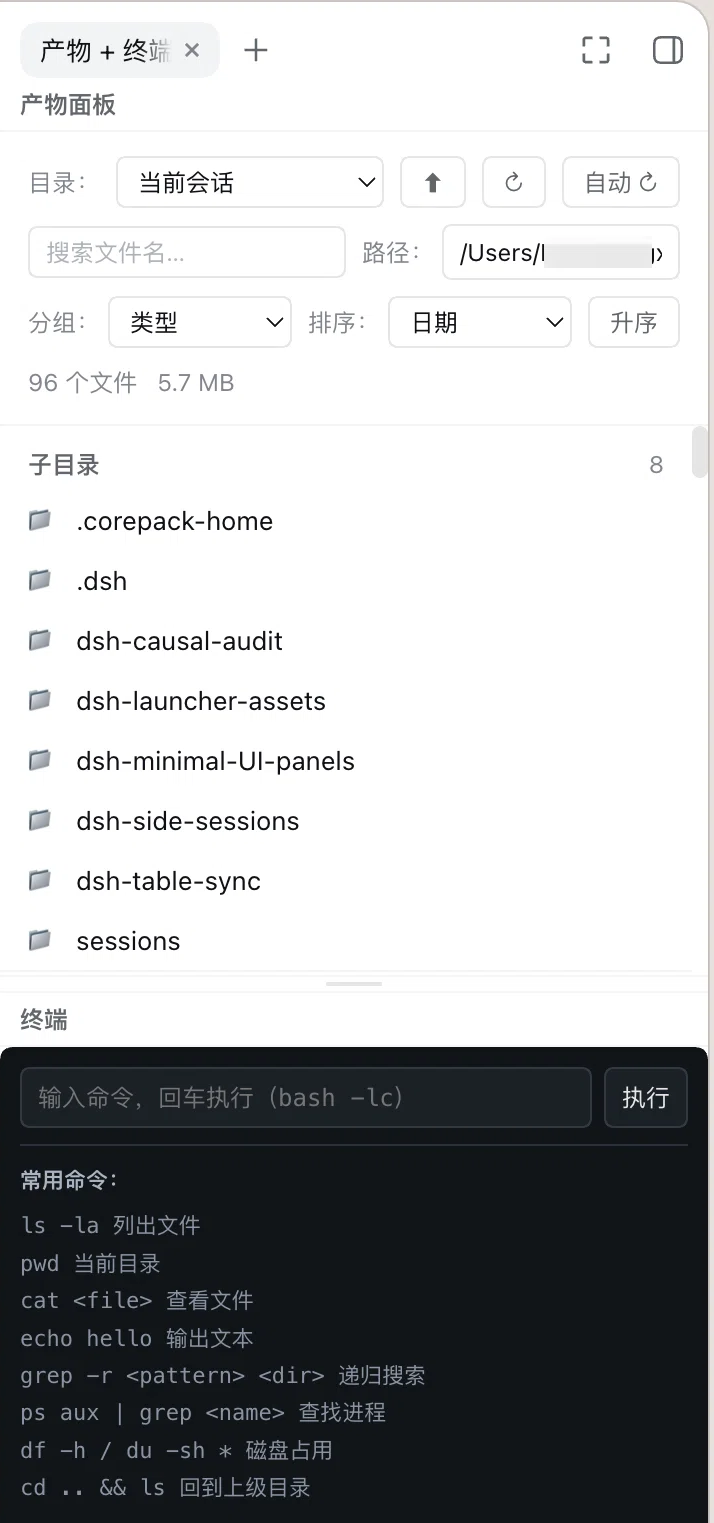
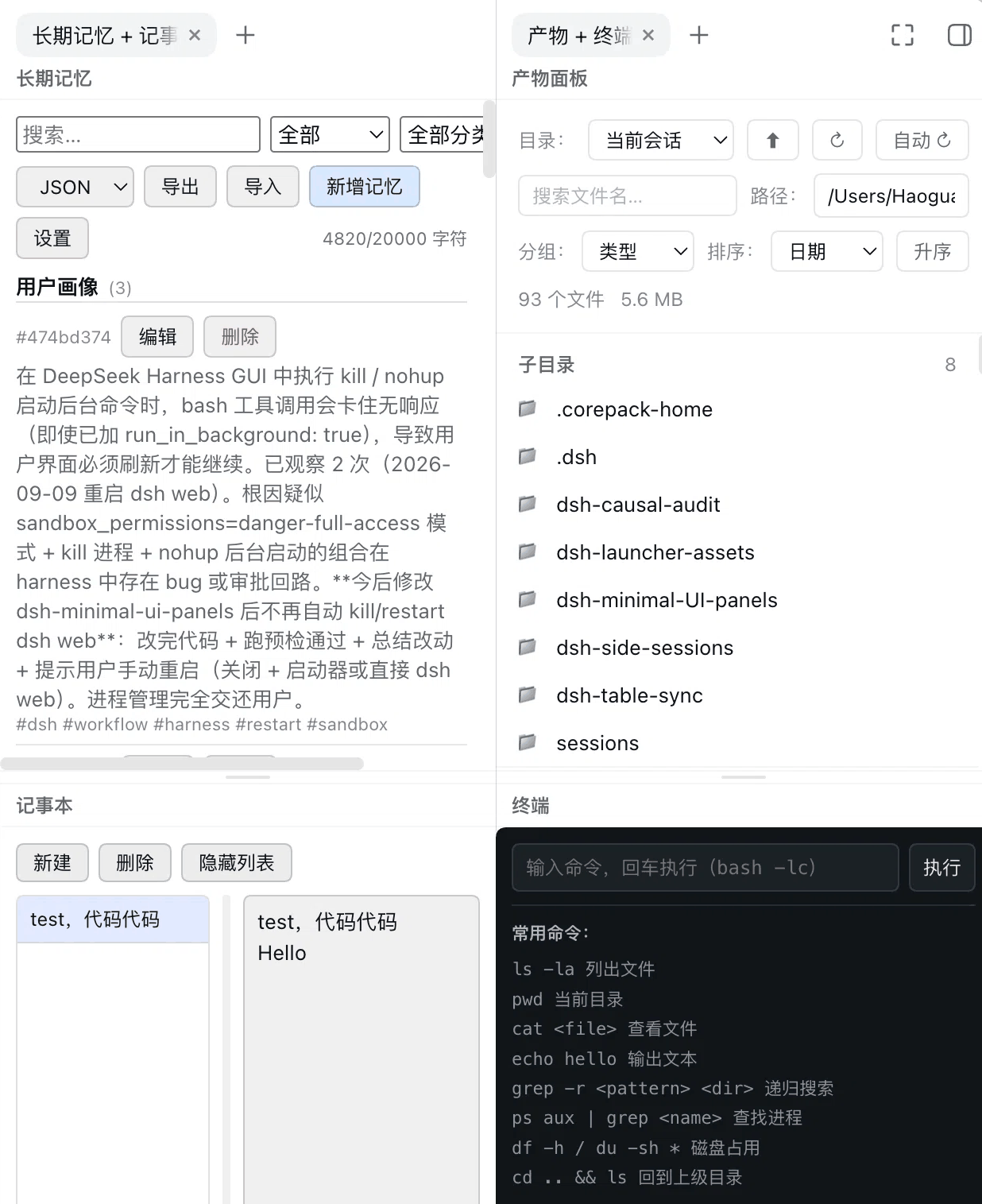
After DSH 0.1.5 reworked the right-sidebar architecture, the four panels that used to live in separate plugin packages — Artifacts, Long-term Memory, Terminal, and Notes — each register as their own tab type, but the sidebar can split into at most two panes, so no more than two panels are visible at once and the rest require constant tab-switching. dsh-minimal-UI-panels bundles all four into a single package and pairs them into two tab types: Artifacts + Terminal on one tab, Memory + Notes on the other, each with a draggable divider between the two halves. Place one pairing in each pane and all four panels are on screen simultaneously — no switching, no lost context.
Every panel keeps its full functionality rather than acting as a placeholder. The Artifacts panel scans workspace files, groups them by type, date, size, or line count, and offers syntax-highlighted code and data previews, inline base64 image rendering (4 MiB cap), and Range-request video streaming for mp4, m4v, webm, and ogv. The Long-term Memory panel lets you view, add, search, and edit memory entries across user, global, and workspace scopes, with tag grouping and in-content highlighting; it pairs with the host-side memory_* tools and the /memory slash command. The Terminal panel runs bash -lc commands with a 120-second deadline, a Stop button for manual cancellation, and real-time output collection while rejecting interactive stdin reads that would hang the panel. The Notes panel is an Apple-Notes-style multi-entry scratchpad with 600 ms autosave, auto-titling from the first line, and local JSON persistence at ~/.dsh/notes.json.
It is built for DeepSeek Harness developers who juggle agent output files, terminal logs, long-running context memory, and quick reference notes in a single workflow — and want all of it in two calm panes on the right, resizable with a drag, instead of four windows and a crowded tab bar.
Screenshots
Use Cases
- Review agent artifact files and terminal command output side by side without tab-switching
- Search long-term memory and jot down working notes in parallel during a session
- Work with all four panels on screen at once, resizing each via a drag
Best For
- Heavy day-to-day users of the DSH right sidebar
- Agent-workflow developers who need artifacts, terminal, memory, and notes on screen together
- DSH plugin developers invested in multi-pane sidebar layout experience
Related Plugins
A service-oriented sidebar framework for DSH, offering a full workbench with file explorer, embedded browser, real terminal, Git panel, and extensible plugin services.

A beautiful, practical Claude Code-style TUI plugin with pixel whale top bar, flowing glow title, real-time status line, streaming thought expansion, time rewind, context progress bar and TPS gauge — zero core changes.

The plugin market for DeepSeek Harness: browse/search/one-click install community plugins and themes, with updates, backup/restore, hot disable, diagnostics, and AI fix.

A persistent whale widget on the DSH web UI that shows DeepSeek balance, today's usage, and per-turn cost, with drag-and-snap and sound effects.