dsh-session-colorful-unread-pin-jobs
Run the following command in DeepSeek Harness:
dsh plugin install enterhalf/dsh-session-colorful-unread-pin-jobs
Paste the following prompt into your AI chat to install this plugin:
Run dsh plugin install enterhalf/dsh-session-colorful-unread-pin-jobs in DeepSeek Harness to install; the source repository is at https://github.com/enterhalf/dsh-session-colorful-unread-pin-jobs
About this plugin
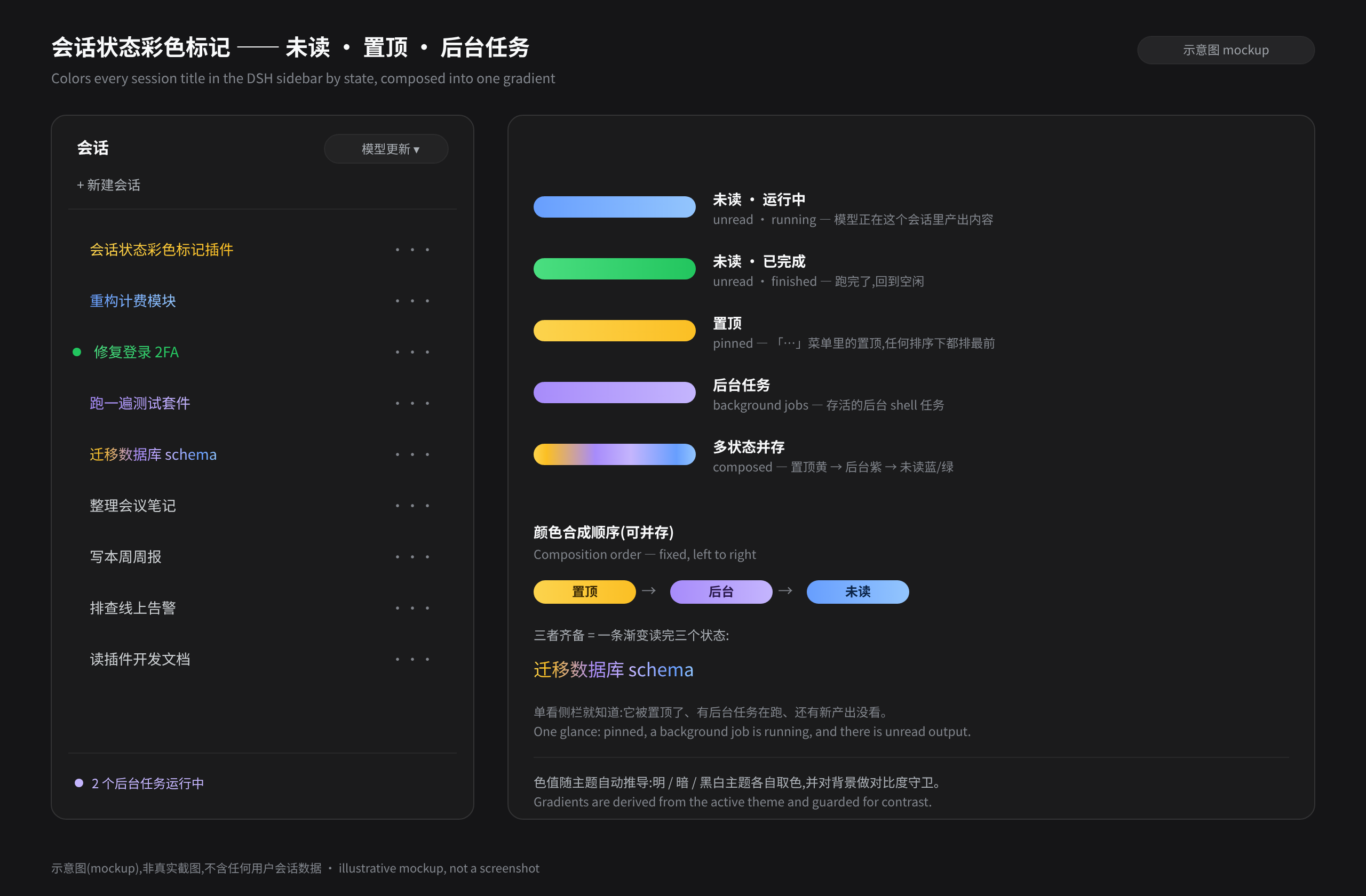
Running seven or eight DeepSeek sessions in parallel — some still generating, some finished, one sitting on a live background shell, another pinned as a priority task — the sidebar is just a wall of plain white text. You end up clicking into each one to check status, breaking your flow. dsh-session-colorful-unread-pin-jobs solves exactly that: it paints session state directly onto the title so you can scan the whole list in a single glance.
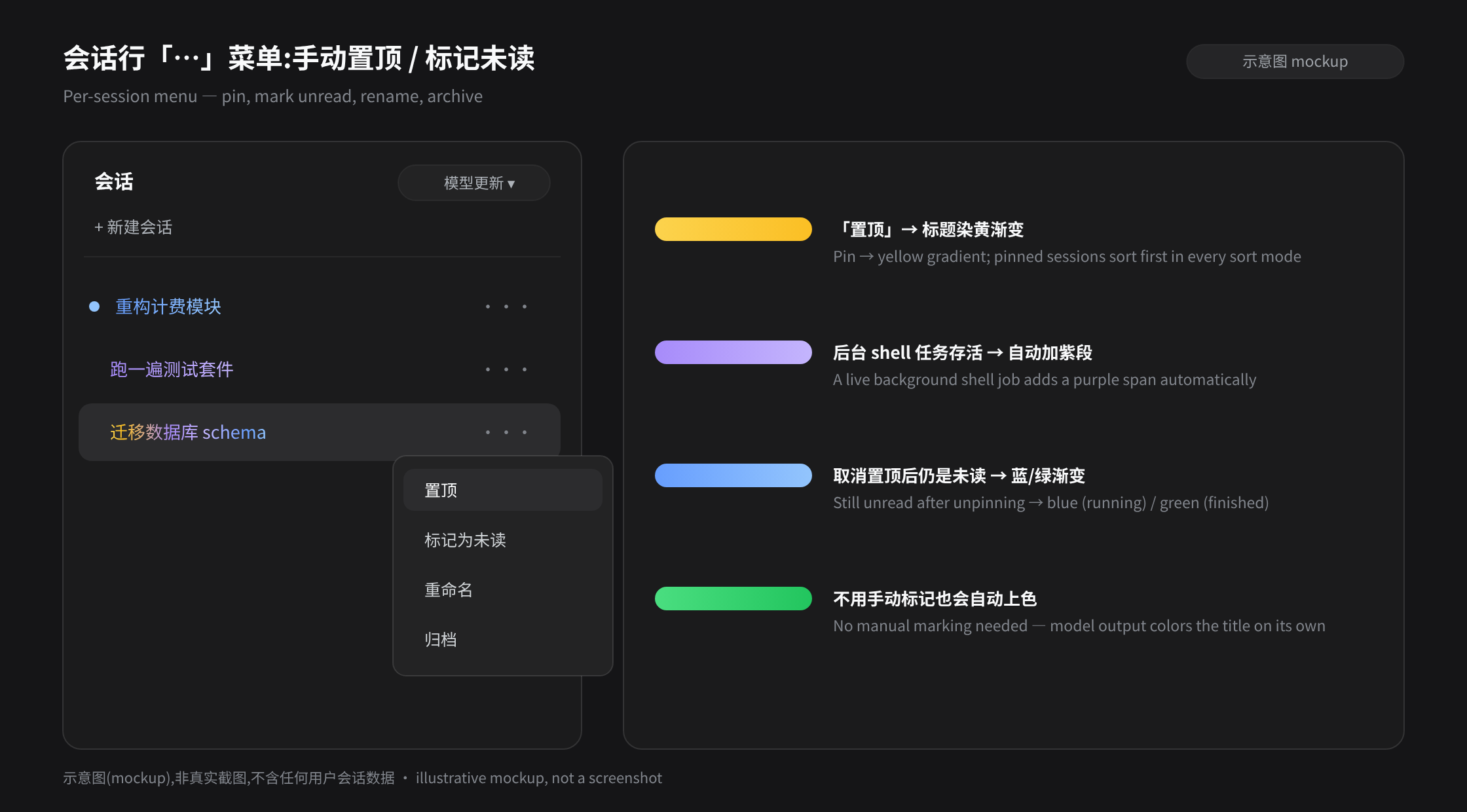
All status signals converge into one gradient on the session title. Unread comes in two shades — brand blue while the model is still producing output, shifting to green the moment the session goes idle, so you never have to stare at the list; a quick look tells you which sessions have finished. The row menu adds pin (yellow) and manual unread toggles, and a live background shell task contributes an automatic purple segment. When multiple states coexist they compose left-to-right in semantic order — pin, background, unread — into one seamless gradient with no overlap. Colors are derived from the active theme's brand palette and adapt automatically to light, dark, and monochrome schemes.
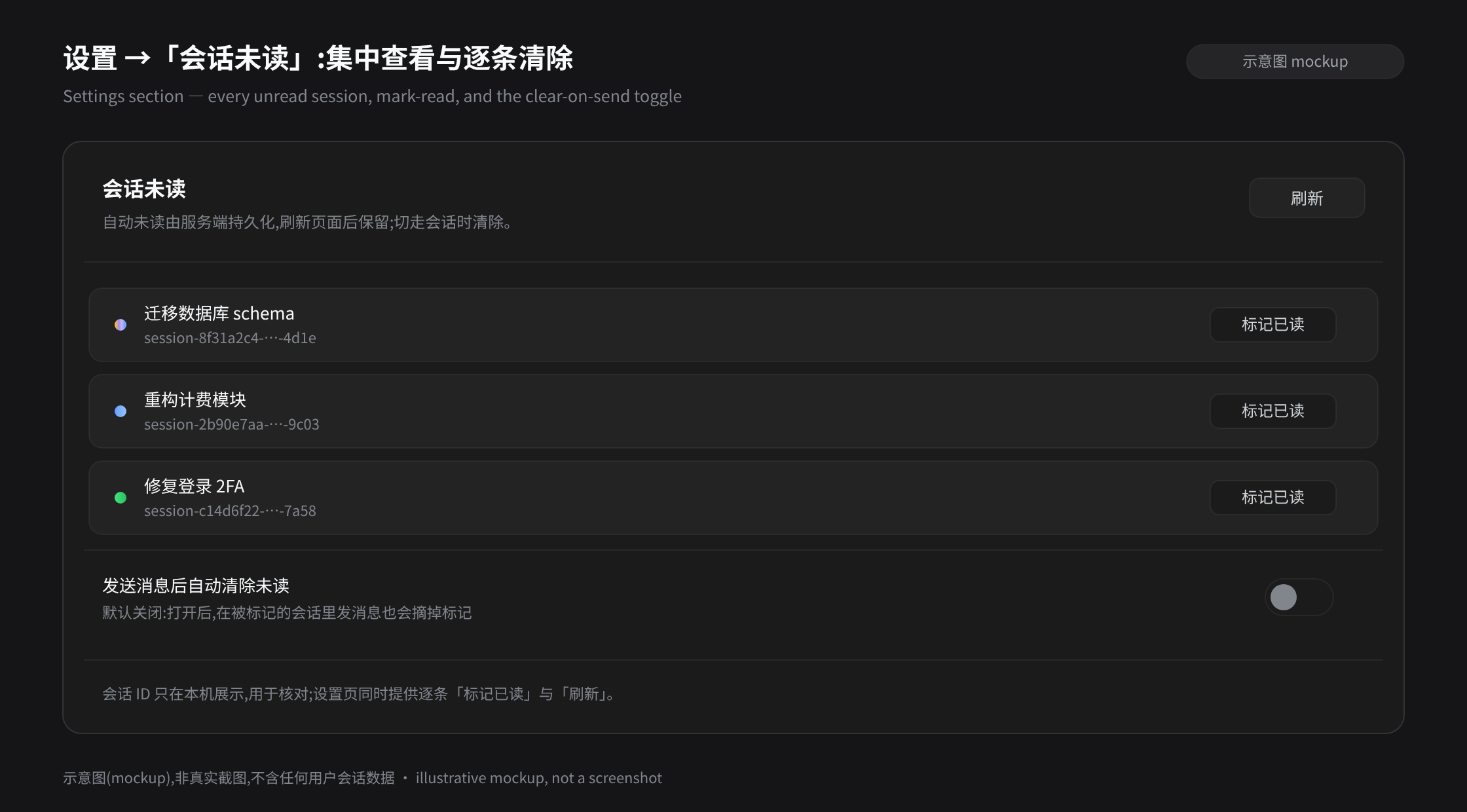
This plugin is for you if you routinely run multiple DeepSeek sessions in parallel, keep background bash or pwsh jobs alive, or want to pin a few conversations to the top regardless of sort mode. It is purely additive: it never takes over or replaces official behavior — just adds a CSS class to the session row and paints an inline gradient on the title element. Unread lists and pinned sets persist under ~/.dsh/storages/, surviving page refreshes and process restarts, and they are restored automatically after a reinstall.
Screenshots
Use Cases
- Tracking which of several concurrent DeepSeek sessions are still generating versus finished without clicking into each one
- Seeing a purple segment on the title whenever a live background shell task exists, so you never lose a long-running job
- Pinning priority conversations to the top in every sort order while keeping unread and background-state colors intact
Best For
- Heavy DeepSeek users who routinely run multiple sessions in parallel
- Developers tracking long-running background bash, pwsh, or pty jobs
- Visual-first users who prefer at-a-glance sidebar differentiation over clicking to confirm
Related Plugins

whale-girl is a desktop pet in the DSH Web GUI (bottom-right for instant companionship) — draggable, feedable, playable; completed tasks, sessions and companionship time accrue into seniority levels, titles, and memories.

Renders your local Wallpaper Engine wallpapers as the DSH web background, supporting video, web, and scene wallpapers with a liquid-glass effect and rich customization.

A WebGPU ocean skin for DeepSeek Harness with five-wave Gerstner waves, translucent theme, day/night cycle, and quick controls, installable as plugin or extension.

A Galgame-style conversation view and visual scene editor for DSH web sessions, with a real-time editing mode.