dsh-notify-zeta
Run the following command in DeepSeek Harness:
dsh plugin install zeta987/dsh-notify-zeta
Paste the following prompt into your AI chat to install this plugin:
Run dsh plugin install zeta987/dsh-notify-zeta in your terminal to install Zeta Notify; the source code is available at https://github.com/zeta987/dsh-notify-zeta .
About this plugin
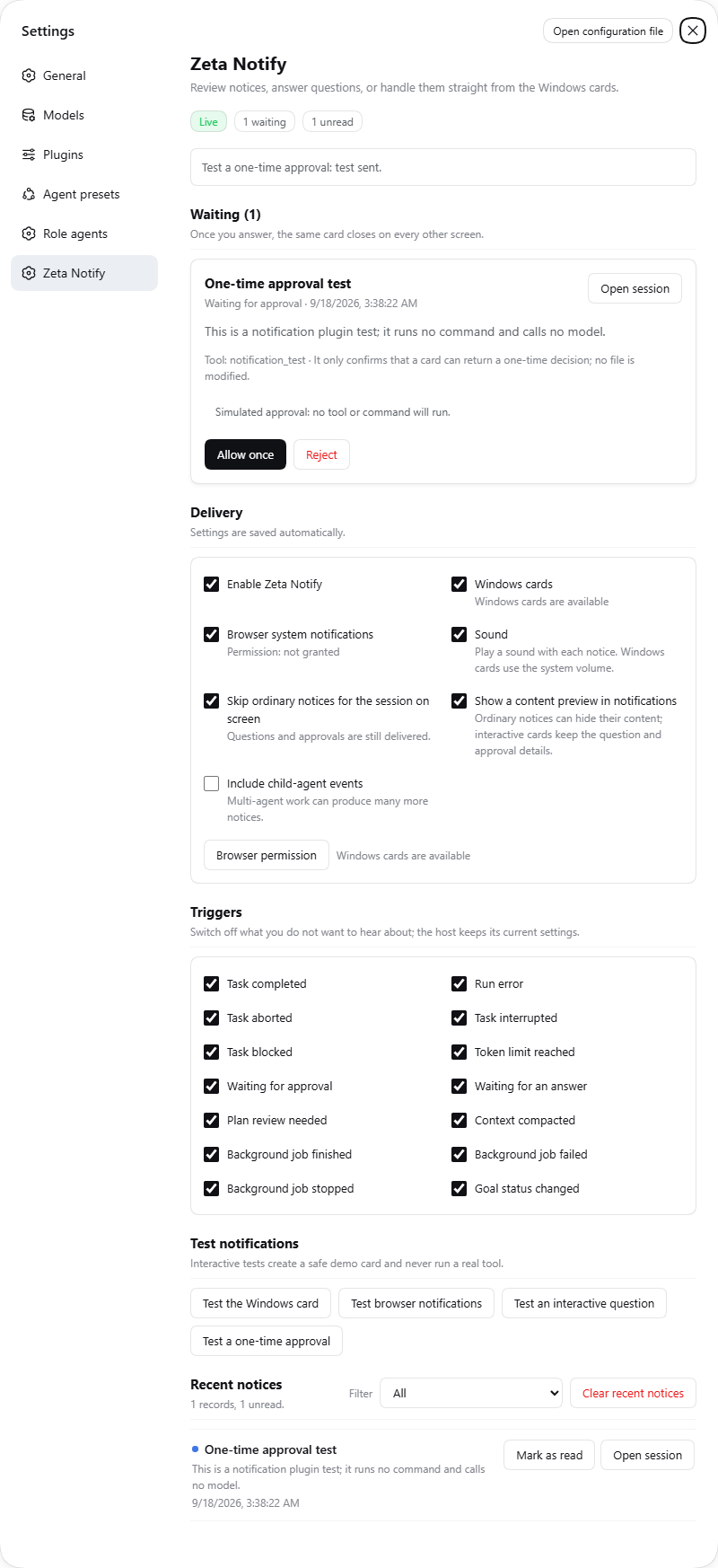
Once DSH kicks off a long-running task, closing the browser tab means every progress update, agent question, and approval prompt just sits there waiting. You either reopen the page to scroll through logs or miss a window where an immediate confirmation would have mattered. Zeta Notify pulls DSH notification delivery out of the browser and onto the Windows desktop: task completion, errors, token limits, approval waits all surface as native WPF cards. As long as the DSH process is alive on the host, the cards arrive whether or not any tab is open.
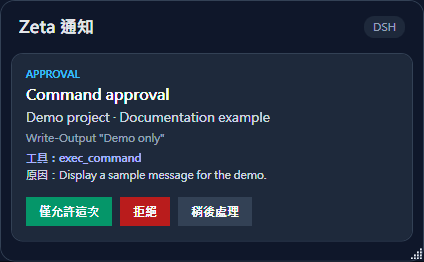
These are not toast popups. An agent asking you to pick a plan, fill in free text, or authorize a specific operation gets a proper native window where you answer or reject directly. Each response is bound to the exact session, agent, request, and a random single-use token; stale, duplicate, or cancelled submissions are rejected. The built-in notification center holds up to 200 recent records in memory, filterable by type or unread state, with mark-as-read and clear-history controls. Fourteen event switches plus a child-agent toggle let you dial in exactly which events interrupt you, and ordinary notices for the session you are watching can be silenced on the fly.
This plugin fits developers running DSH workloads on a Windows host where multiple tasks run in parallel, background jobs cycle, and the agent frequently needs a human in the loop for choices or approvals. The browser channel serves as a fallback when native delivery is unavailable; the native channel is the primary path. No .NET install or downloaded helper EXE is required. It leans on Windows built-in PowerShell 5.1 and WPF, and the plugin package itself carries zero npm runtime dependencies. Configure it once in Settings and it is ready.
Screenshots
Use Cases
- DSH runs a long task in the background and the browser tab is closed; still get real-time progress and error alerts on the desktop
- The agent asks a multi-part question or requests a one-time approval; answer directly in a native WPF window without touching the browser
- Several background jobs run in parallel; use the 14 event switches to control exactly which notices interrupt you
- Review up to 200 recent notices in the in-app center, filtered by type or unread state to find critical events fast
Best For
- Developers running DSH workloads long-term on a Windows host
- Users who juggle parallel tasks and need to respond to agent prompts and approvals on the fly
- Power users who prefer a native desktop notification experience over web-based popups for DSH
Related Plugins
A service-oriented sidebar framework for DSH, offering a full workbench with file explorer, embedded browser, real terminal, Git panel, and extensible plugin services.

A beautiful, practical Claude Code-style TUI plugin with pixel whale top bar, flowing glow title, real-time status line, streaming thought expansion, time rewind, context progress bar and TPS gauge — zero core changes.

The plugin market for DeepSeek Harness: browse/search/one-click install community plugins and themes, with updates, backup/restore, hot disable, diagnostics, and AI fix.

A persistent whale widget on the DSH web UI that shows DeepSeek balance, today's usage, and per-turn cost, with drag-and-snap and sound effects.