dsh-auto-pass
Run the following command in DeepSeek Harness:
dsh plugin install sujingkpo/dsh-auto-pass
Paste the following prompt into your AI chat to install this plugin:
Run dsh plugin install sujingkpo/dsh-auto-pass in your terminal to install the plugin; the source code is available at https://github.com/sujingkpo/dsh-auto-pass
About this plugin
In everyday DeepSeek Harness sessions, a single pnpm test, an echo with a redirect, or a sandbox permission escalation each demands a manual approval tap. The action is harmless; the interruption is not. dsh-auto-pass adds an Auto Approve permission preset to the Web UI: every action that needs approval goes through a single plain model call - no child Agent, no tools, no session history - fed only the normalized action and your last direct instruction. Pass it, and the call proceeds; fail it, and the request falls back to the DSH approval chain for your decision.
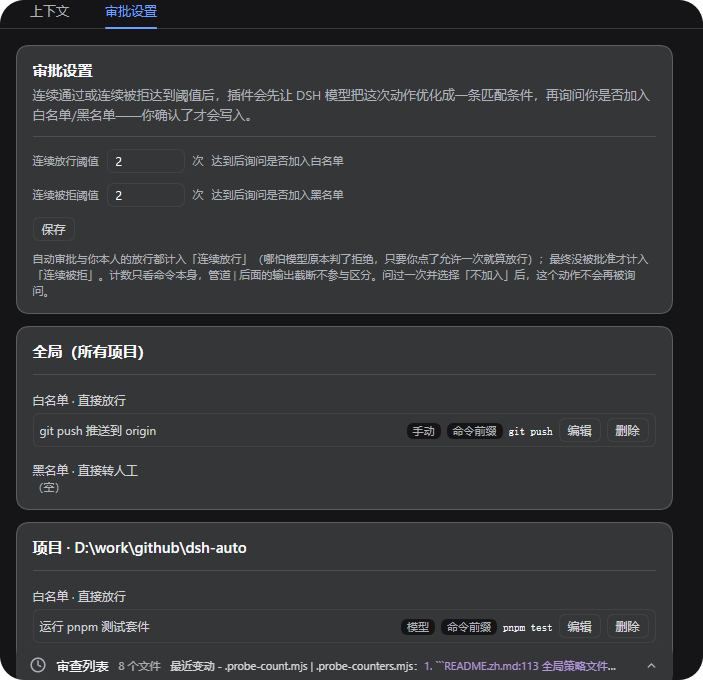
On top of that model review the plugin maintains two layers of permission memory: project and global allow lists and deny lists. When the same permission is approved three times in a row (default threshold) within a project, the plugin writes an allow-list rule automatically, skipping the model call on subsequent identical actions. Three consecutive denials still ask you where to record the rule. The matching unit is a permission fingerprint derived from tool name and normalized key arguments - immune to output truncation or reworded descriptions, yet sensitive to parameters that genuinely change what is authorized, such as an escalation marker.
It suits developers who drive deep tool-call workloads in DeepSeek Harness daily, want fewer approval interrupts, and are comfortable trading a transparent rule for an uninterrupted flow. It never replaces judgment: a model denial, an infrastructure timeout, or an unresolvable action all hand the request back to you.
Screenshots
Use Cases
- Every sandbox escalation on a harmless pnpm test or echo pops an approval card and breaks the flow
- The same benign command keeps asking for approval; after consecutive passes it enters the allow list automatically
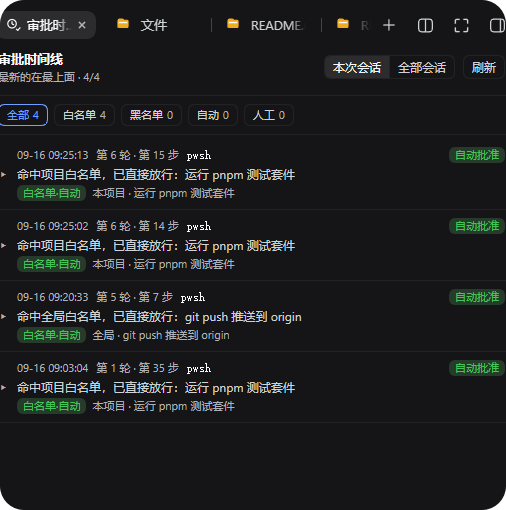
- A filterable approval timeline lets you audit every decision by auto, human, allow-list, or deny-list origin
Best For
- Developers who drive heavy tool-call and coding workloads in DeepSeek Harness daily
- Users who prefer rule-based auto-approval with a human fallback over repeated manual taps
- Engineers and teams that benefit from project-scoped allow lists to cut repetitive approvals
Related Plugins
A service-oriented sidebar framework for DSH, offering a full workbench with file explorer, embedded browser, real terminal, Git panel, and extensible plugin services.

A beautiful, practical Claude Code-style TUI plugin with pixel whale top bar, flowing glow title, real-time status line, streaming thought expansion, time rewind, context progress bar and TPS gauge — zero core changes.

The plugin market for DeepSeek Harness: browse/search/one-click install community plugins and themes, with updates, backup/restore, hot disable, diagnostics, and AI fix.

A persistent whale widget on the DSH web UI that shows DeepSeek balance, today's usage, and per-turn cost, with drag-and-snap and sound effects.