
dsh-concise
Run the following command in DeepSeek Harness:
dsh plugin install hoyyang/dsh-concise
Paste the following prompt into your AI chat to install this plugin:
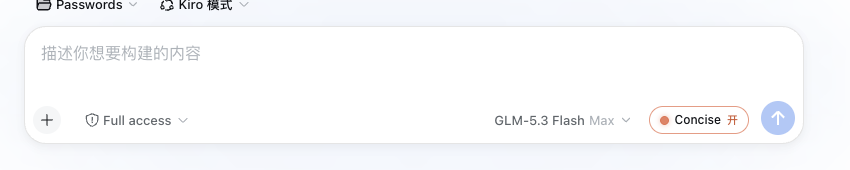
Run dsh plugin install hoyyang/dsh-concise to install this plugin (source: https://github.com/hoyyang/dsh-concise); refresh the web UI afterwards and the Concise toggle will appear in the composer toolbar.
About this plugin
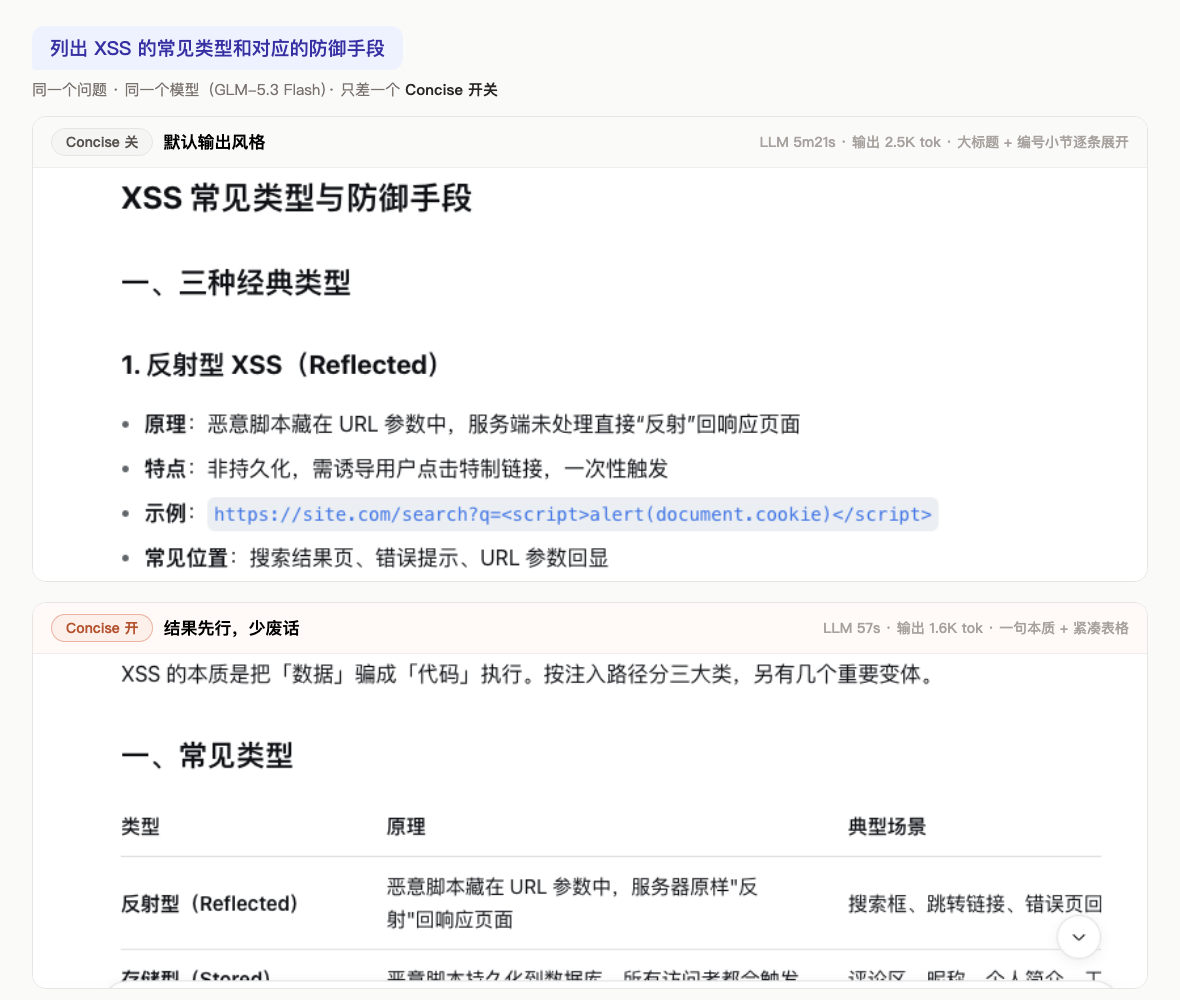
Long AI conversations quietly tax you with "Sure, let me walk you through..." openers and "In summary..." closers. The answer is real, but it is buried under pleasantries, and the tokens add up. dsh-concise ports the Concise output style that ships inside Claude Code into DeepSeek Harness and turns the fix into a single toggle in the composer toolbar.
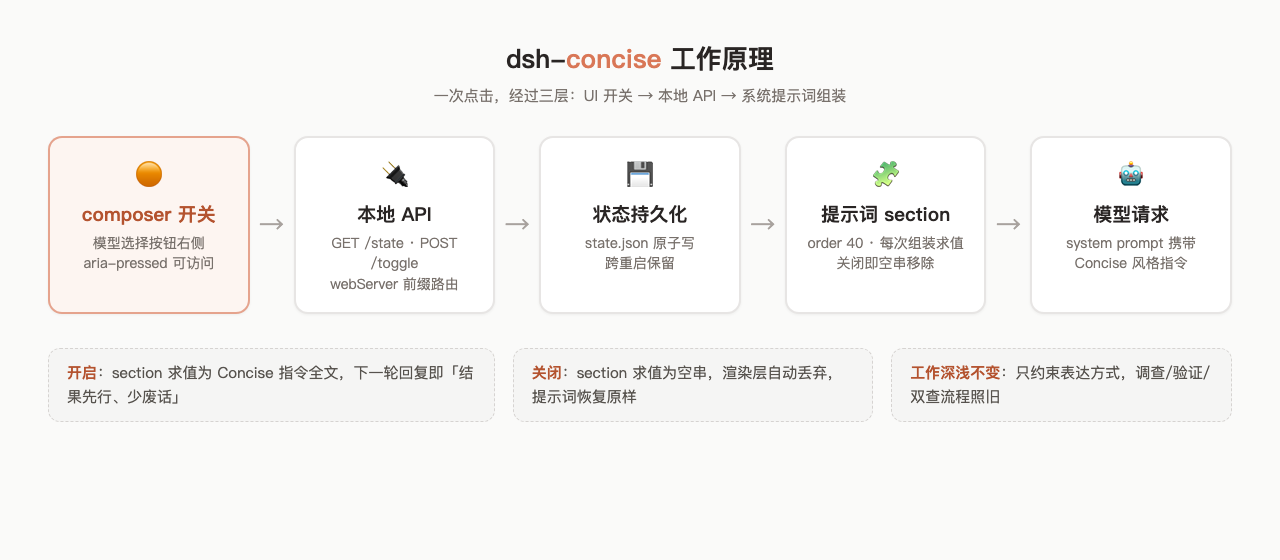
Flip it on and the very next reply changes shape: the first sentence is the conclusion. Commands, file paths, risk notes, next steps all stay intact; what gets trimmed is the repeated wrap-up, the decorative sub-headers, the narrator voice. Every final answer now opens with a small blueprint-style digest card—faint grid lines, corner measurement marks, monospace type—restating the round's conclusion in two or three plain sentences. Click to toggle, per session, no cross-contamination. Investigation depth is explicitly unchanged: verify, cross-check, multi-angle review all proceed as normal. You can override the built-in style with your own text via a local style file, drive it from the /concise slash command, or script it through a loopback HTTP API.
Built for developers who lean on AI every day: code review where the verdict should come first, bug triage where root cause leads, weekly reports where results precede process, screen demos where information density matters. Any model, same output discipline. Zero configuration—refresh the page and the toggle is already there.
Screenshots
Use Cases
- Trim verbose openers and summaries in long sessions while keeping answers intact
- Lead with verdicts in code review and bug triage, evidence follows
- Boost information density in screen demos and weekly report drafts
Best For
- Developers who work with AI daily at high frequency
- Engineers who prioritize answer density and token efficiency
- Teams that need a consistent output style across models
Related Plugins

whale-girl is a desktop pet in the DSH Web GUI (bottom-right for instant companionship) — draggable, feedable, playable; completed tasks, sessions and companionship time accrue into seniority levels, titles, and memories.

Renders your local Wallpaper Engine wallpapers as the DSH web background, supporting video, web, and scene wallpapers with a liquid-glass effect and rich customization.

A WebGPU ocean skin for DeepSeek Harness with five-wave Gerstner waves, translucent theme, day/night cycle, and quick controls, installable as plugin or extension.

A Galgame-style conversation view and visual scene editor for DSH web sessions, with a real-time editing mode.