dsh-smooth-stream
Run the following command in DeepSeek Harness:
dsh plugin install Laplace-bit/dsh-smooth-stream
Paste the following prompt into your AI chat to install this plugin:
From your DeepSeek Harness source checkout, run `dsh plugin install Laplace-bit/dsh-smooth-stream` to install the plugin from https://github.com/Laplace-bit/dsh-smooth-stream.
About this plugin
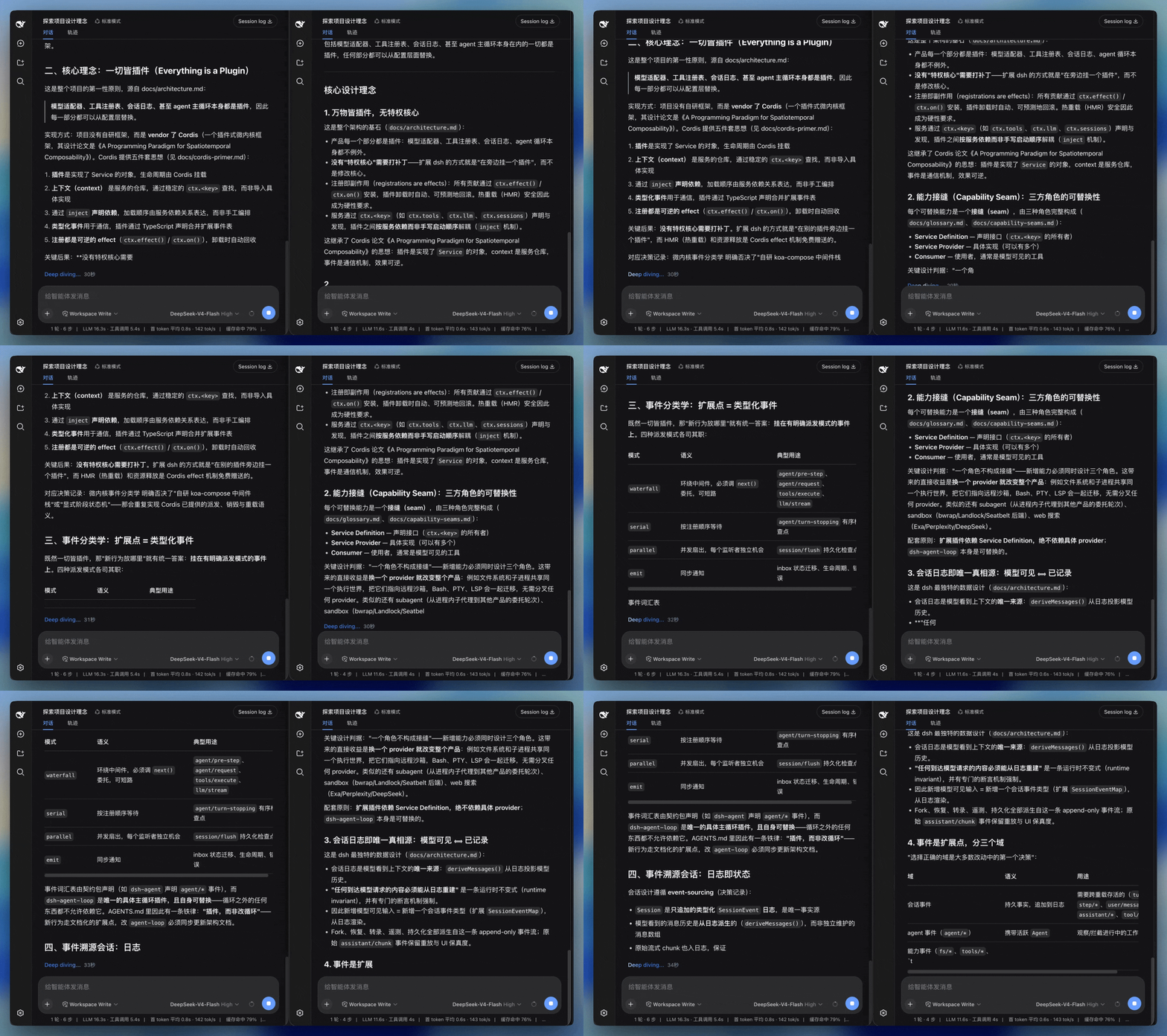
In the DeepSeek Harness Web UI, the default streaming output can feel abrupt: text pops in character by character, Markdown structures appear awkwardly, code blocks and table borders shift constantly, and scrolling often fails to follow the new content. This is especially noticeable with long replies, large code snippets, or tool results. dsh-smooth-stream exists to solve exactly these issues.
The plugin delivers four core improvements: smooth rendering lets text appear edge-to-edge while Markdown structures update continuously, keeping headings, lists, code blocks, and tables in a natural reading state; silky scrolling makes the page follow a continuous scroll trajectory as content grows, so your eyes stay on the newly generated text; unified transitions give line breaks, code blocks, tables, and tool results a consistent visual rhythm; and adaptive pacing adjusts rendering speed based on output velocity and pending content, so slow responses feel unhurried while fast responses keep up.
Beyond rendering, it offers practical user-level settings: auto-expand thinking controls whether thought blocks open during streaming; auto-collapse after completion folds thinking, tool calls, and intermediate output into a one-line "processed in X sec" summary, leaving only the final reply visible; and a debug panel shows live FPS, frame time, backlog characters, and other metrics while letting you tune spring parameters, reveal speed, and more. It also respects the system's reduced-motion preference by showing full text without interception.
If you frequently work with long replies, code reviews, tabular data, or tool output in DeepSeek Harness Web UI, or you simply want a more comfortable and responsive streaming experience, this plugin is a practical rendering enhancement layer worth adding.
Screenshots
Use Cases
- Maintaining coherent output when reading long replies with extensive code or tables.
- Auto-collapsing thinking and tool calls into a summary after completion, leaving only the final answer.
- Monitoring rendering performance and tuning streaming pace in real time.
Best For
- Regular DeepSeek Harness Web UI users.
- Developers who frequently handle long text, code, or tabular output.
- Users who care about interface smoothness and accessibility.
Related Plugins
A service-oriented sidebar framework for DSH, offering a full workbench with file explorer, embedded browser, real terminal, Git panel, and extensible plugin services.

A beautiful, practical Claude Code-style TUI plugin with pixel whale top bar, flowing glow title, real-time status line, streaming thought expansion, time rewind, context progress bar and TPS gauge — zero core changes.

The plugin market for DeepSeek Harness: browse/search/one-click install community plugins and themes, with updates, backup/restore, hot disable, diagnostics, and AI fix.

A persistent whale widget on the DSH web UI that shows DeepSeek balance, today's usage, and per-turn cost, with drag-and-snap and sound effects.