dsh-background-image
Run the following command in DeepSeek Harness:
dsh plugin install Voyage-He/dsh-background-image
Paste the following prompt into your AI chat to install this plugin:
Run dsh plugin install Voyage-He/dsh-background-image in your terminal to install; the source repository is at https://github.com/Voyage-He/dsh-background-image .
About this plugin
The default DSH interface is clean and functional, but what if you want your chat window to carry a personal background - a photo on your local drive, a soft gradient, or a web-hosted landscape? That is exactly what dsh-background-image is built for. It adds a layer of visual warmth to a developer tool without sacrificing a single point of usability.
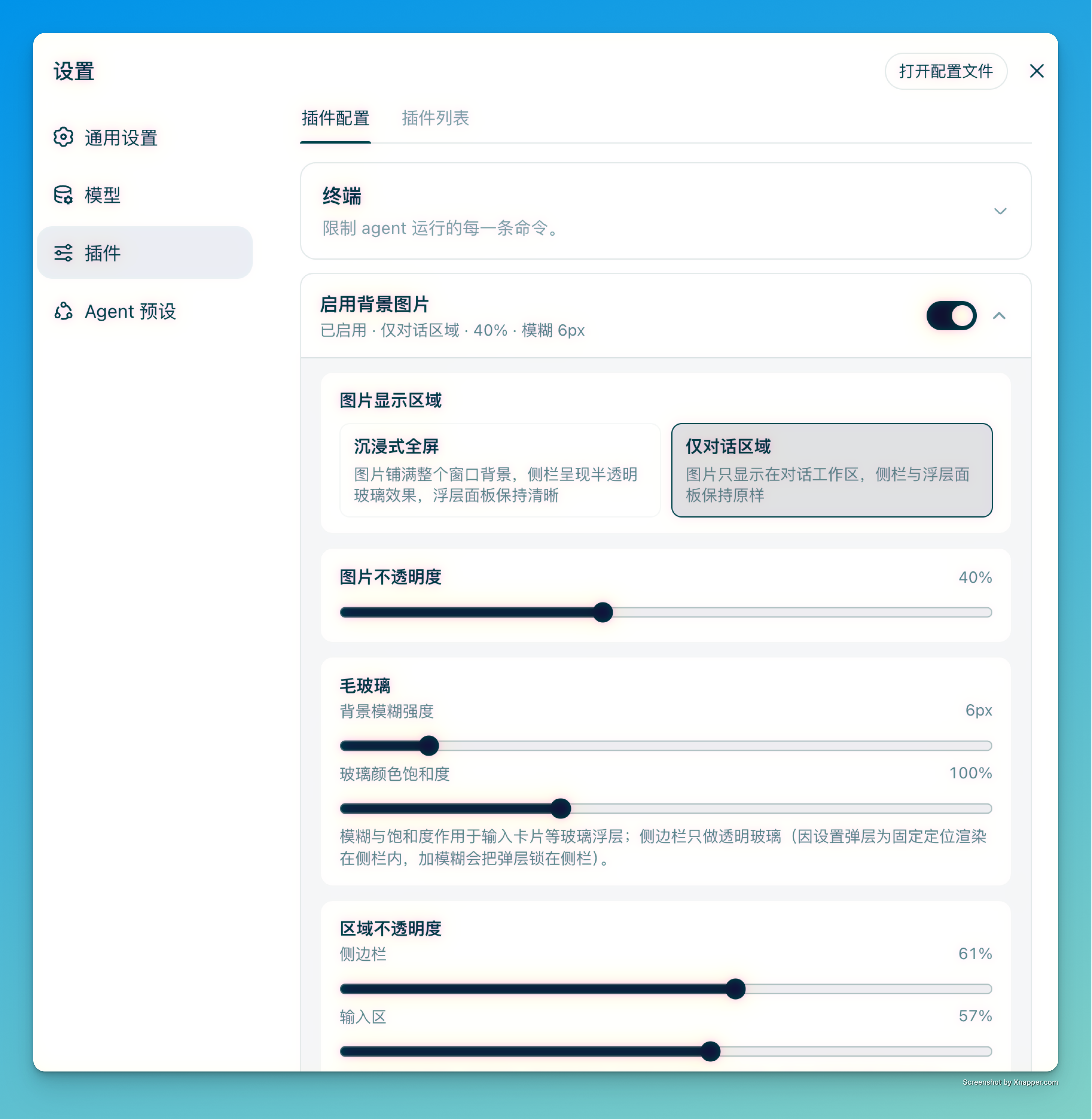
The plugin accepts web URLs, local absolute file paths, and six preset gradient palettes (Aurora, Sky, Sakura, Sunset, Mint, Ocean) as background sources. Key capabilities include independent per-region opacity for the sidebar, conversation area, and composer; frosted-glass blur with adjustable color saturation applied to the sidebar and glass panels; two display scopes (immersive fullscreen or conversation area only); and a chat content offset of up to plus or minus 320 pixels to let the background breathe. Local image files are probed silently on page load and when the settings page opens, so a moved or deleted file triggers a clear hint rather than a silent failure. Disabling the plugin removes every theme-token override in one step, fully restoring the native DSH look.
Who is it for? If you are a developer who cares about interface aesthetics, wants DSH to blend into a personal workspace visual identity, and expects a clean disable that leaves zero leftover style overrides behind, this plugin offers a lightweight and highly controllable solution.
Screenshots
Use Cases
- Set a local photo or web image as the DSH chat background for a personalized workspace aesthetic
- Pair a preset gradient with frosted-glass blur for an immersive fullscreen atmosphere
- Shift chat content left or right to keep the background focal area visible
Best For
- Developers who care about interface aesthetics and want a custom DSH background
- Users who enjoy frosted-glass and gradient styles and seek an immersive visual experience
- Users who expect a clean disable that fully restores the native look with zero leftover overrides
Related Plugins

whale-girl is a desktop pet in the DSH Web GUI (bottom-right for instant companionship) — draggable, feedable, playable; completed tasks, sessions and companionship time accrue into seniority levels, titles, and memories.

Renders your local Wallpaper Engine wallpapers as the DSH web background, supporting video, web, and scene wallpapers with a liquid-glass effect and rich customization.

A WebGPU ocean skin for DeepSeek Harness with five-wave Gerstner waves, translucent theme, day/night cycle, and quick controls, installable as plugin or extension.

A Galgame-style conversation view and visual scene editor for DSH web sessions, with a real-time editing mode.