dsh-fold-turns
Run the following command in DeepSeek Harness:
dsh plugin install leon-zym/dsh-fold-turns
Paste the following prompt into your AI chat to install this plugin:
To install this plugin in DeepSeek Harness, run the command dsh plugin install leon-zym/dsh-fold-turns, with the full source repository at https://github.com/leon-zym/dsh-fold-turns.
About this plugin
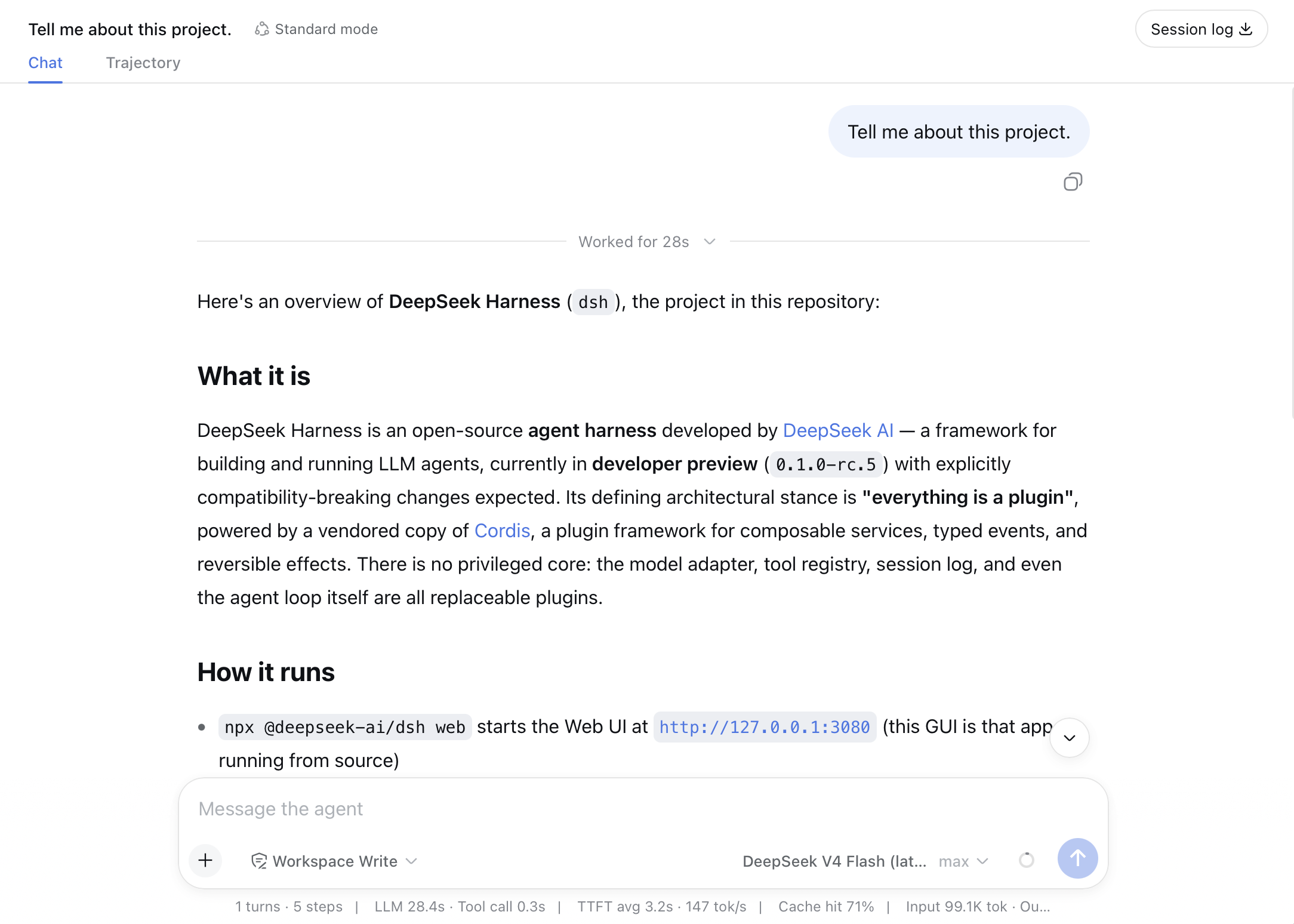
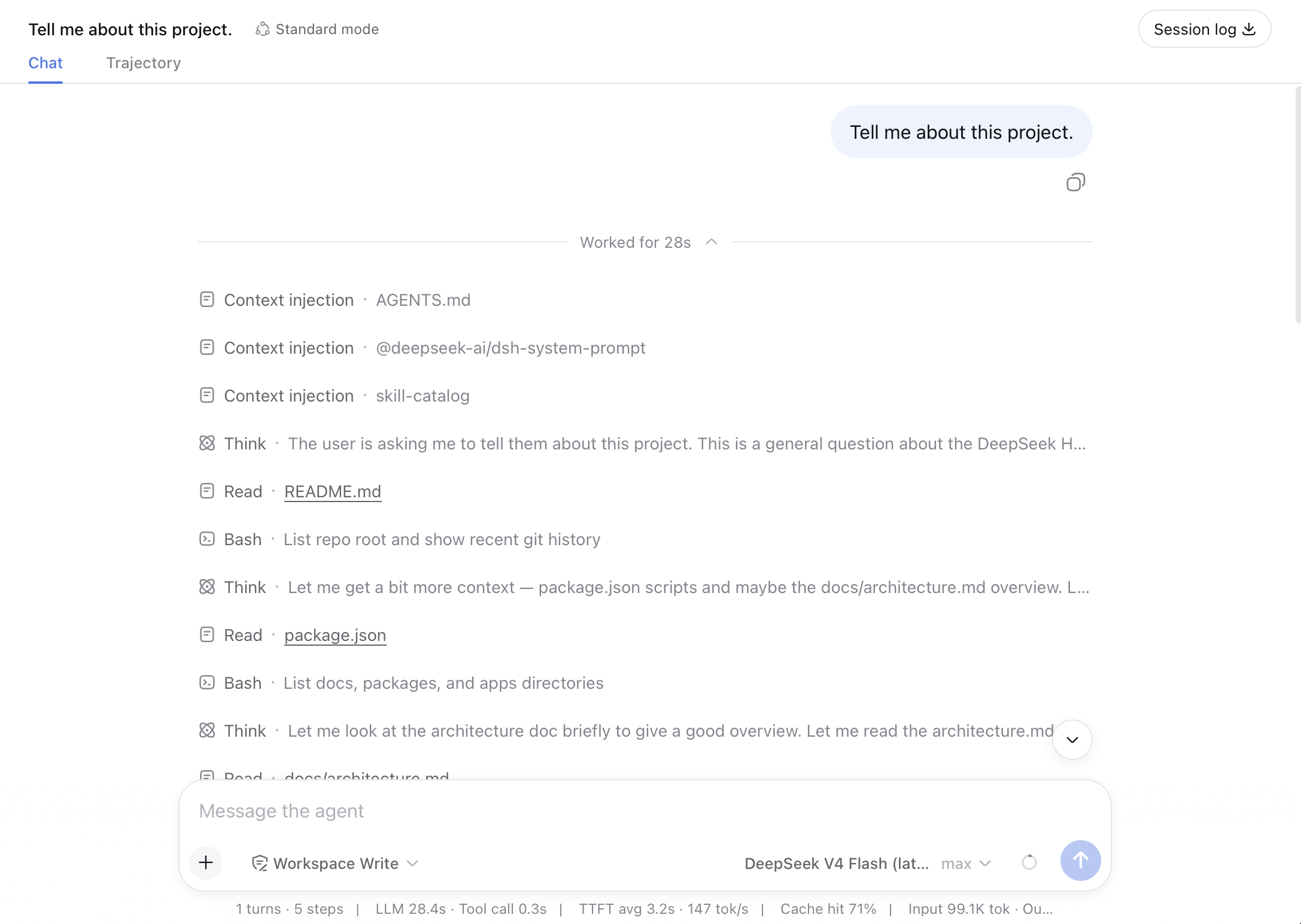
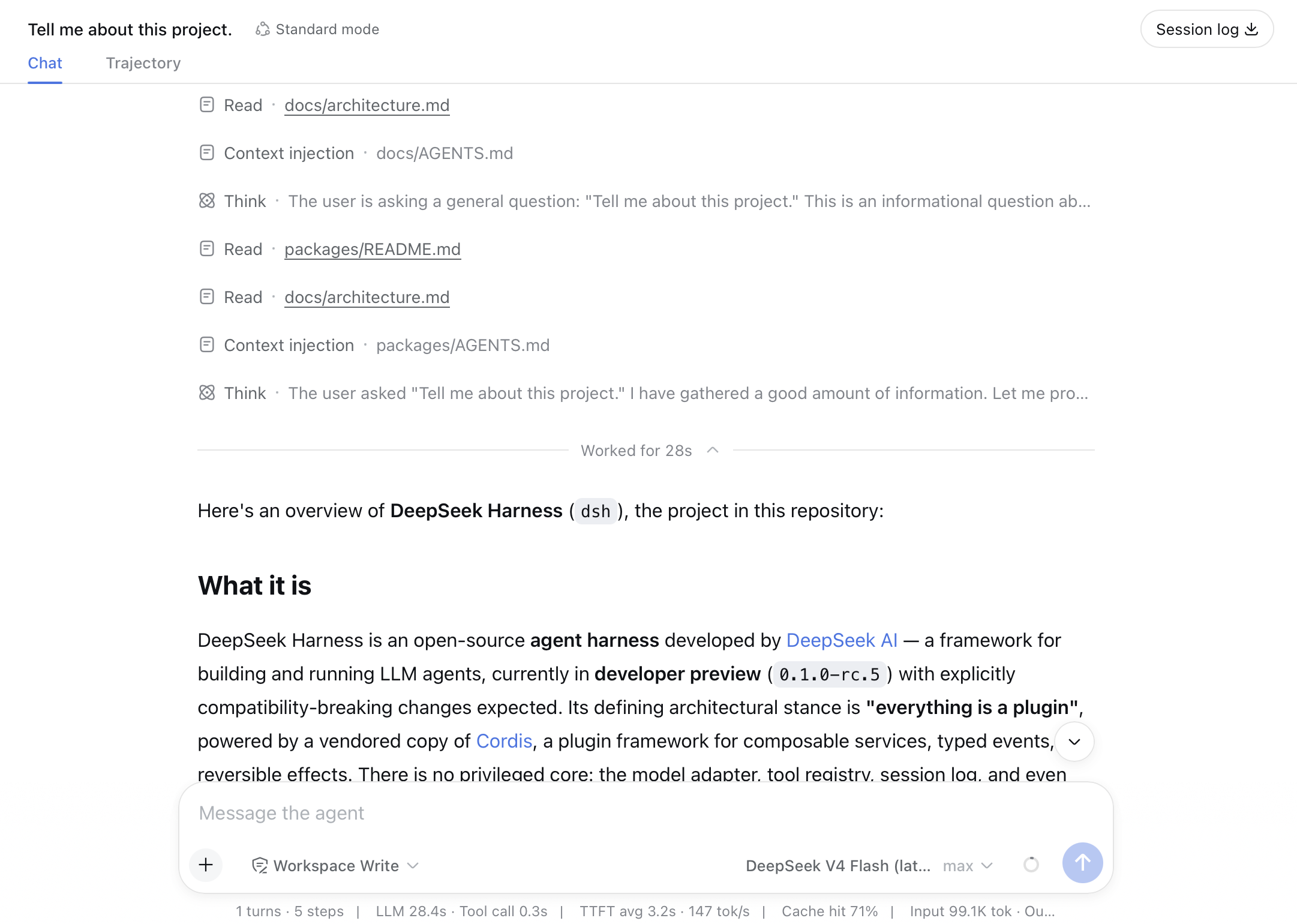
In lengthy AI conversations, the chat interface can quickly accumulate a cluttered trail of intermediate reasoning and tool-call logs, burying core information and forcing users to scroll and search constantly. The dsh-fold-turns plugin is designed to solve this readability problem. Acting as a lightweight Web-layer enhancement, it intelligently identifies completed chat turns and automatically folds their verbose intermediate processes—including model reasoning, context injection, and tool activity—into a compact "Worked for..." row, while ensuring the user's original query and the AI's final answer remain clearly visible. This process is instantaneous and automated, requiring no manual effort from the user, which significantly improves the cleanliness and review efficiency of conversation history.
The plugin's core capabilities lie in its precise folding logic and non-intrusive interaction design. It only acts on completed turns, leaving ongoing turns expanded with a live elapsed timer. Crucially, it fully respects DeepSeek Harness's native interface and state management, never interfering with the application's local state when expanding or collapsing a turn. When users need to review details, they can simply click the duration row to smoothly reveal the full processing flow, enabling a seamless "on-demand view" experience. The plugin is designed to fail open, ensuring that incomplete histories, unknown node kinds, or abnormal completions never break the native DSH interface.
dsh-fold-turns is especially suited for users who frequently employ DeepSeek Harness for complex, multi-step tasks or extended dialogues. Whether you're a developer debugging agent behavior, a researcher analyzing model decision chains, or a general user managing lengthy assistance sessions, it effectively reduces visual noise and helps you focus better on the conclusions and value of the conversation. Note that as it relies on unstable browser DOM contracts, users should verify compatibility after each DSH upgrade.
Screenshots
Use Cases
- When reviewing long conversations to quickly grasp final conclusions without intermediate clutter.
- When debugging or analyzing complex agent decision chains, requiring on-demand access to detailed steps.
- When aiming to maintain a clean chat history interface by minimizing scrolling and visual noise.
Best For
- Developers and researchers who frequently use AI for complex tasks or extended dialogues.
- Power users who need to manage and review large volumes of interaction records.
- Daily DeepSeek Harness users who prioritize workspace tidiness and efficiency.
Related Plugins
A service-oriented sidebar framework for DSH, offering a full workbench with file explorer, embedded browser, real terminal, Git panel, and extensible plugin services.

A beautiful, practical Claude Code-style TUI plugin with pixel whale top bar, flowing glow title, real-time status line, streaming thought expansion, time rewind, context progress bar and TPS gauge — zero core changes.

The plugin market for DeepSeek Harness: browse/search/one-click install community plugins and themes, with updates, backup/restore, hot disable, diagnostics, and AI fix.

A persistent whale widget on the DSH web UI that shows DeepSeek balance, today's usage, and per-turn cost, with drag-and-snap and sound effects.