dph-taskboard
Run the following command in DeepSeek Harness:
dsh plugin install 1070296335-create/dph-taskboard
Paste the following prompt into your AI chat to install this plugin:
In DeepSeek Harness, install this plugin with the command dsh plugin install https://github.com/1070296335-create/dph-taskboard.
About this plugin
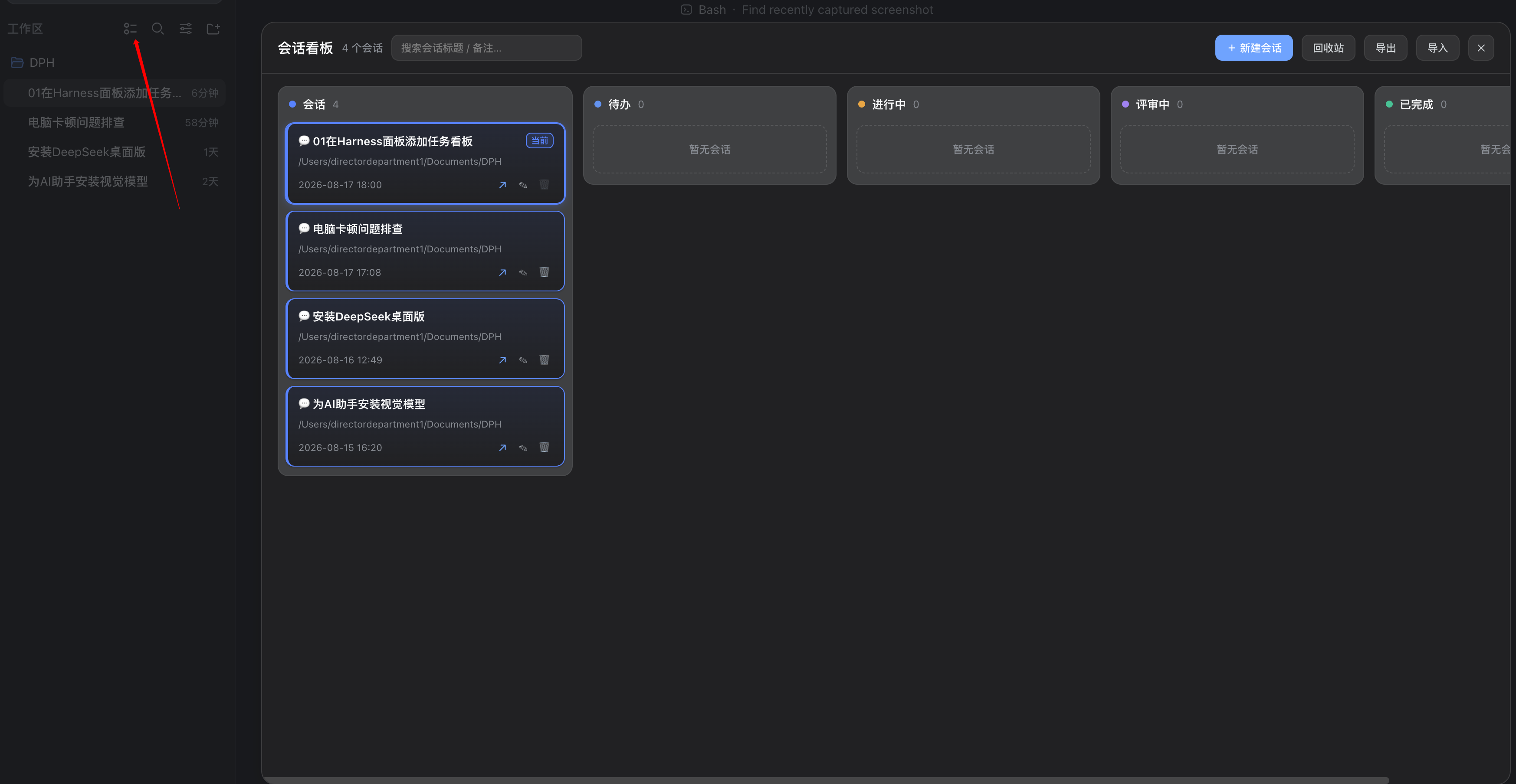
Managing multiple sessions in DeepSeek Harness can quickly become chaotic, with scattered conversations and unclear statuses. The dph-taskboard plugin addresses this by integrating a task board directly into the sidebar workspace, transforming each session into a visual card for easy oversight.
At its core, the plugin offers a fully session-oriented approach: cards represent actual sessions, and users can drag-and-drop them across four status columns—To Do, In Progress, Review, and Completed. It includes features like a session overview column for unclassified sessions, customizable session creation with model and grouping options, and per-session notes with priorities and tags. Additionally, it supports search, export/import, and provides a machine-readable snapshot for Agent analysis.
dph-taskboard is ideal for DeepSeek Harness users who need to manage numerous sessions efficiently, such as developers handling complex projects or researchers exploring various dialogues. By visualizing tasks, it streamlines workflows and enhances productivity.
Screenshots
Use Cases
- Manage multiple sessions in development projects and track task statuses.
- Organize research dialogues by categorizing key information with notes and tags.
- In team collaboration, export and import session data to maintain consistency.
Best For
- Developers who need to efficiently manage code sessions and task progress.
- Project managers tracking team workflows and statuses.
- Researchers organizing and analyzing experimental dialogue records.
Related Plugins
A service-oriented sidebar framework for DSH, offering a full workbench with file explorer, embedded browser, real terminal, Git panel, and extensible plugin services.

A beautiful, practical Claude Code-style TUI plugin with pixel whale top bar, flowing glow title, real-time status line, streaming thought expansion, time rewind, context progress bar and TPS gauge — zero core changes.

The plugin market for DeepSeek Harness: browse/search/one-click install community plugins and themes, with updates, backup/restore, hot disable, diagnostics, and AI fix.

A persistent whale widget on the DSH web UI that shows DeepSeek balance, today's usage, and per-turn cost, with drag-and-snap and sound effects.