dsh-chat-avatar
Run the following command in DeepSeek Harness:
dsh plugin install Rabbit-bot-No-002/dsh-chat-avatar
Paste the following prompt into your AI chat to install this plugin:
Run dsh plugin install Rabbit-bot-No-002/dsh-chat-avatar inside your DeepSeek Harness terminal to install the plugin; the source is available at https://github.com/Rabbit-bot-No-002/dsh-chat-avatar . Refresh your browser after installation.
About this plugin
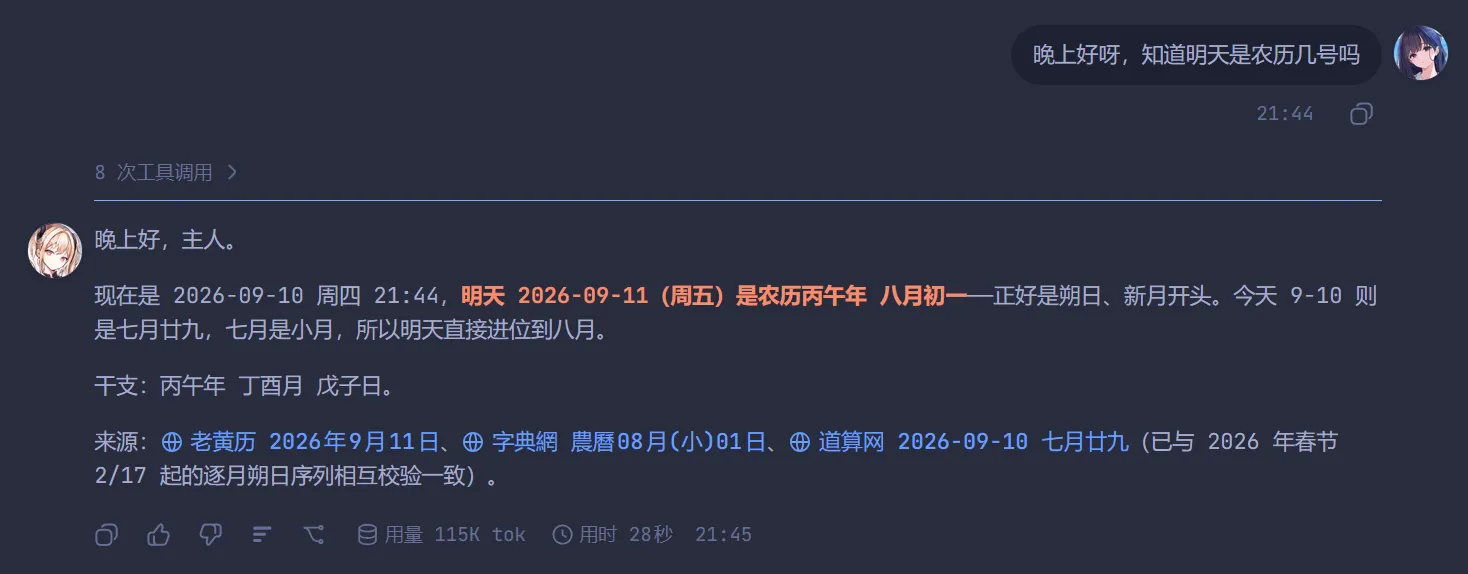
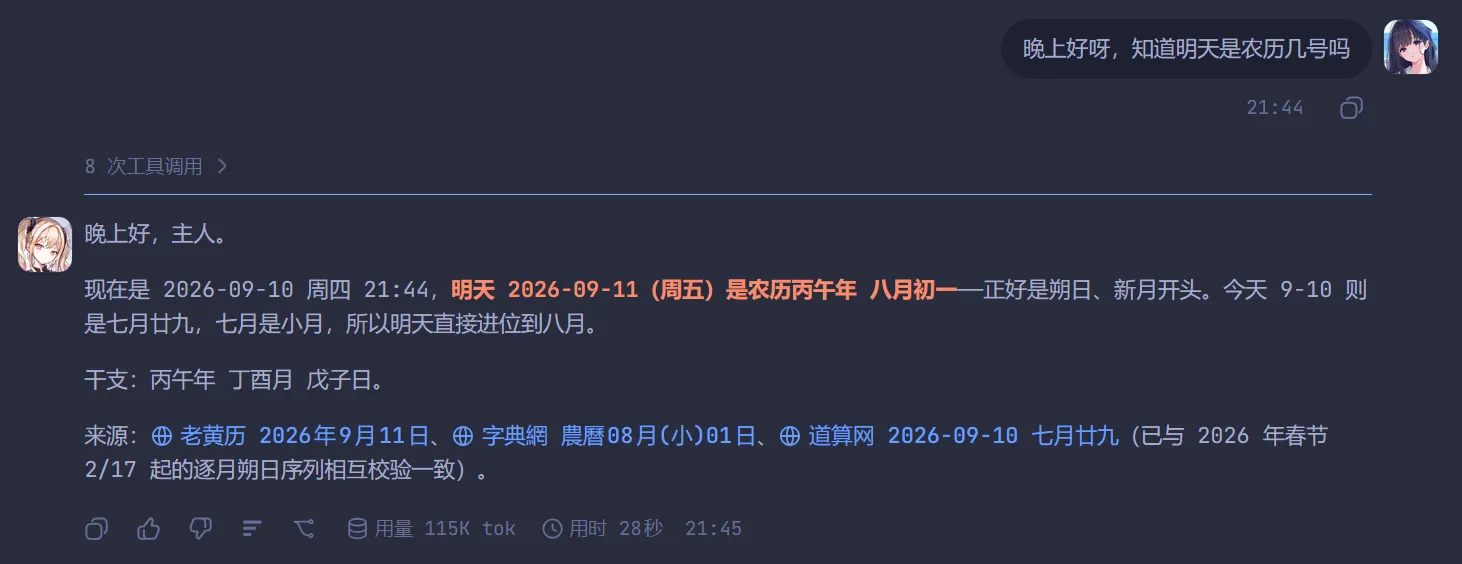
When you run long conversations in the dsh Web UI, every turn—yours and the AI's—looks like the same flat block of text on a white background. It is hard to tell speakers apart at a glance, and the interface feels a little impersonal. dsh-chat-avatar fixes exactly that: it pins a small avatar to the left side of each turn's final AI reply and to the right side of every message you send, giving the chat an instant "you vs AI" visual rhythm.
The plugin does three things well. First, avatar placement follows the conversation automatically—within a single turn the assistant may emit several intermediate steps, and the avatar always settles on the final reply; on the user side each input (including mid-run follow-ups) gets its own avatar anchored to the top-right of its first line. Second, both sides are independently configurable: show or hide, upload an image (PNG, JPG, WebP, or even an animated GIF), pick a size between 16 and 128 pixels, and choose a round or square frame. Third, if no image is uploaded nothing is rendered—no empty frames, no built-in defaults. Settings live under Settings → Sidebar → Avatars, and the whole plugin is client-side only (slots + webServer, no @deepseek-ai peer dependencies).
Who is it for? If you are the type who customizes desktop wallpapers, terminal color schemes, or email signatures, this is a five-minute upgrade that makes the dsh chat feel like yours. It is also handy for anyone debugging or collaborating in multi-turn sessions who wants a quick visual separator between their own messages and the model's output. Lightweight, zero backend dependencies, MIT licensed—install, refresh, and start swapping avatars.
Screenshots
Use Cases
- Distinguish your messages from AI replies at a glance in the dsh Web UI
- Add a layer of personal style to your daily dsh chat window
- Visually separate both sides during debugging or multi-turn collaboration
Best For
- Users who enjoy personalizing tool interfaces
- Frequent multi-turn collaborators or debuggers in dsh
- People looking for a lightweight, zero-dependency UI touch
Related Plugins

whale-girl is a desktop pet in the DSH Web GUI (bottom-right for instant companionship) — draggable, feedable, playable; completed tasks, sessions and companionship time accrue into seniority levels, titles, and memories.

Renders your local Wallpaper Engine wallpapers as the DSH web background, supporting video, web, and scene wallpapers with a liquid-glass effect and rich customization.

A WebGPU ocean skin for DeepSeek Harness with five-wave Gerstner waves, translucent theme, day/night cycle, and quick controls, installable as plugin or extension.

A Galgame-style conversation view and visual scene editor for DSH web sessions, with a real-time editing mode.