dsh-tui
Run the following command in DeepSeek Harness:
dsh plugin install xp266/dsh-tui
Paste the following prompt into your AI chat to install this plugin:
Run dsh plugin install xp266/dsh-tui within DeepSeek Harness to install the plugin into the current profile; the full source is at https://github.com/xp266/dsh-tui
About this plugin
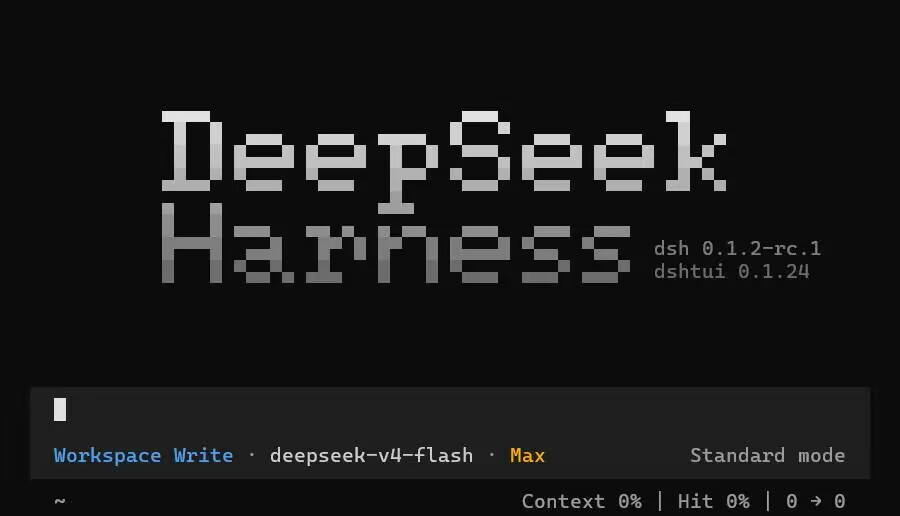
By default, DeepSeek Harness renders a flat wall of CLI text, mixing tool calls, streaming tokens, and system notices together. Over long sessions this becomes hard to parse at a glance. dsh-tui mounts as a bundle plugin inside a dsh profile and takes over the entire terminal window, upgrading the interaction to a modern TUI style inspired by opencode. The result is a layered, card-based, dialog-driven interface that keeps every element visually distinct.
Built on Ink, its core capabilities cover character-by-character streaming chat, collapsible tool-call cards that prevent lengthy JSON from flooding the screen, system-level dialogs, and a plugin contribution API that reaches every visible surface of the interface. Developers register custom components through the tui service keyed contribution registry, extending any UI region without modifying dsh core code.
It is best suited for heavy dsh CLI users who want a richer terminal experience without switching to a browser, as well as developers who wish to contribute custom TUI components to the dsh ecosystem.
Screenshots
Use Cases
- Stream AI chat in the terminal while collapsing verbose tool-call output
- Run a complete AI-agent workflow without switching to a browser
- Build custom terminal UI components for dsh via the tui service API
Best For
- Heavy-duty dsh CLI users seeking a richer visual terminal experience
- Developers building Ink-based terminal apps and integrating them into the dsh ecosystem
- Engineering leads who need to tailor the terminal AI-agent workflow for their team
Related Plugins
A service-oriented sidebar framework for DSH, offering a full workbench with file explorer, embedded browser, real terminal, Git panel, and extensible plugin services.

A beautiful, practical Claude Code-style TUI plugin with pixel whale top bar, flowing glow title, real-time status line, streaming thought expansion, time rewind, context progress bar and TPS gauge — zero core changes.

The plugin market for DeepSeek Harness: browse/search/one-click install community plugins and themes, with updates, backup/restore, hot disable, diagnostics, and AI fix.

A persistent whale widget on the DSH web UI that shows DeepSeek balance, today's usage, and per-turn cost, with drag-and-snap and sound effects.