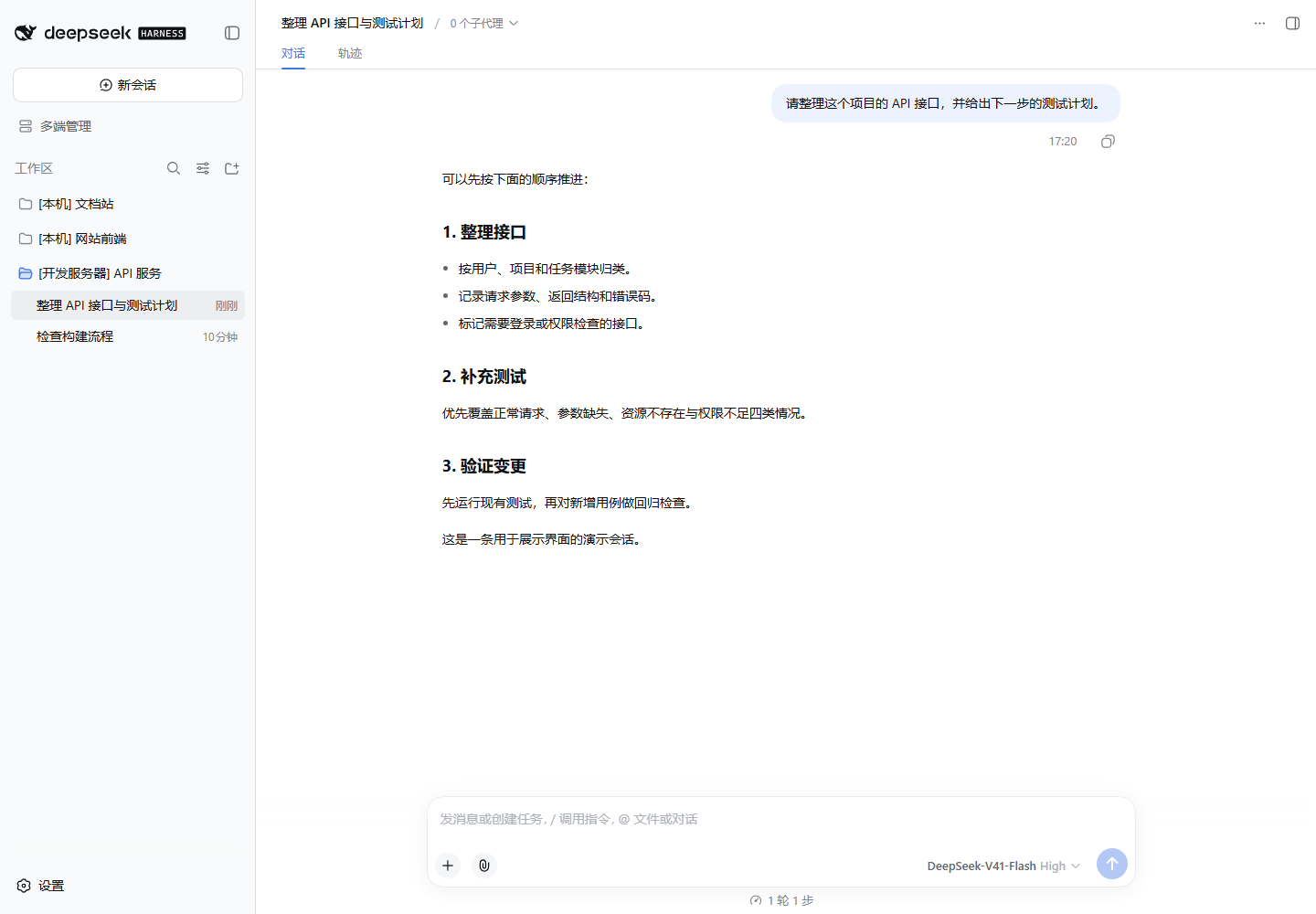
dsh-multi-end
Run the following command in DeepSeek Harness:
dsh plugin install Wazzfhaha/dsh-multi-end
Paste the following prompt into your AI chat to install this plugin:
Run dsh plugin install Wazzfhaha/dsh-multi-end in the DeepSeek Harness terminal to complete the installation; the plugin source is at https://github.com/Wazzfhaha/dsh-multi-end
About this plugin
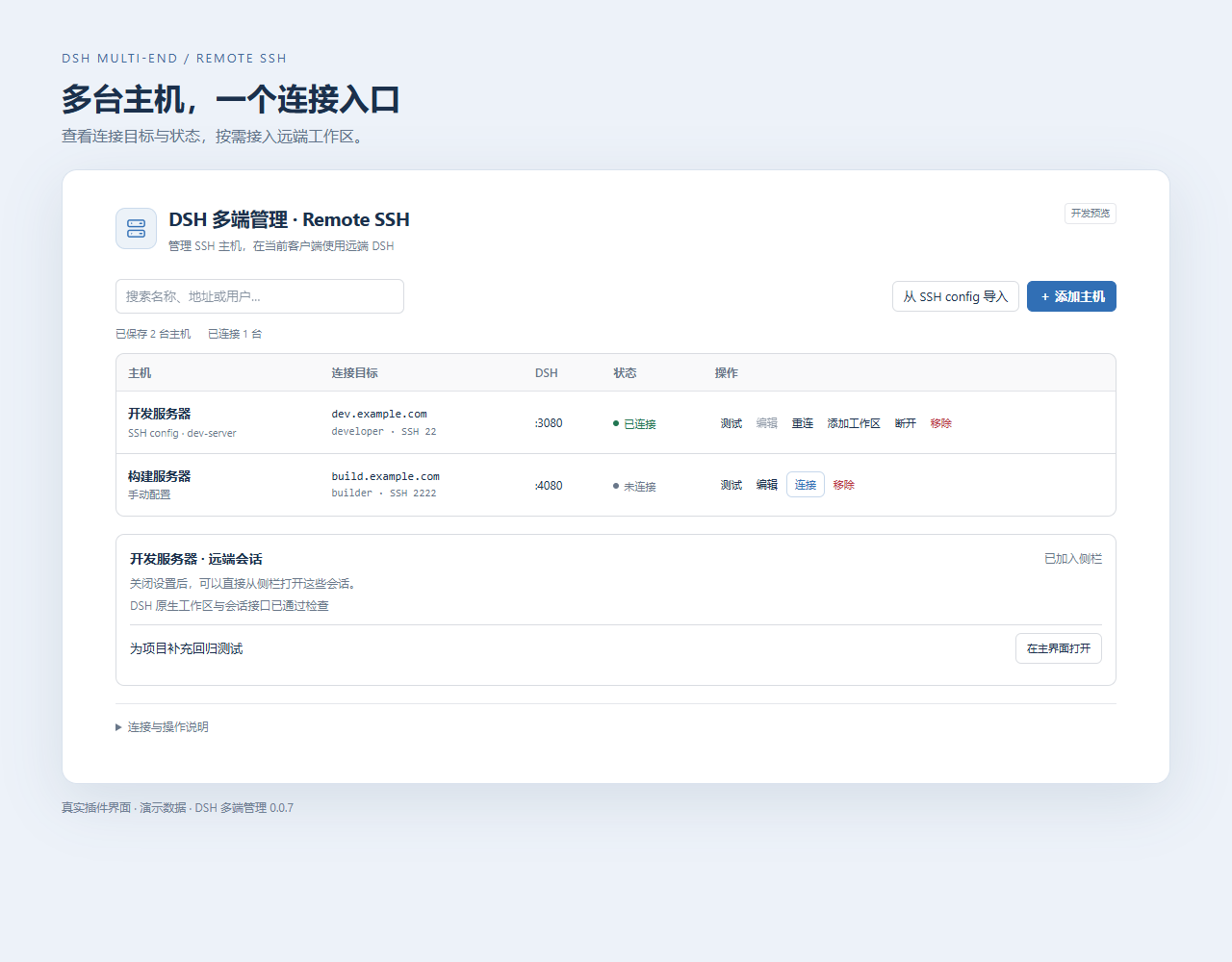
Running DSH workspaces on two or three remote boxes means shuffling between separate management tabs, and the friction compounds fast. dsh-multi-end folds all of those scattered sidebars into a single native DSH panel, so you can browse and manage workspaces and sessions across every host from one place. Each task still executes on its original machine, with no local proxy or relay in between.
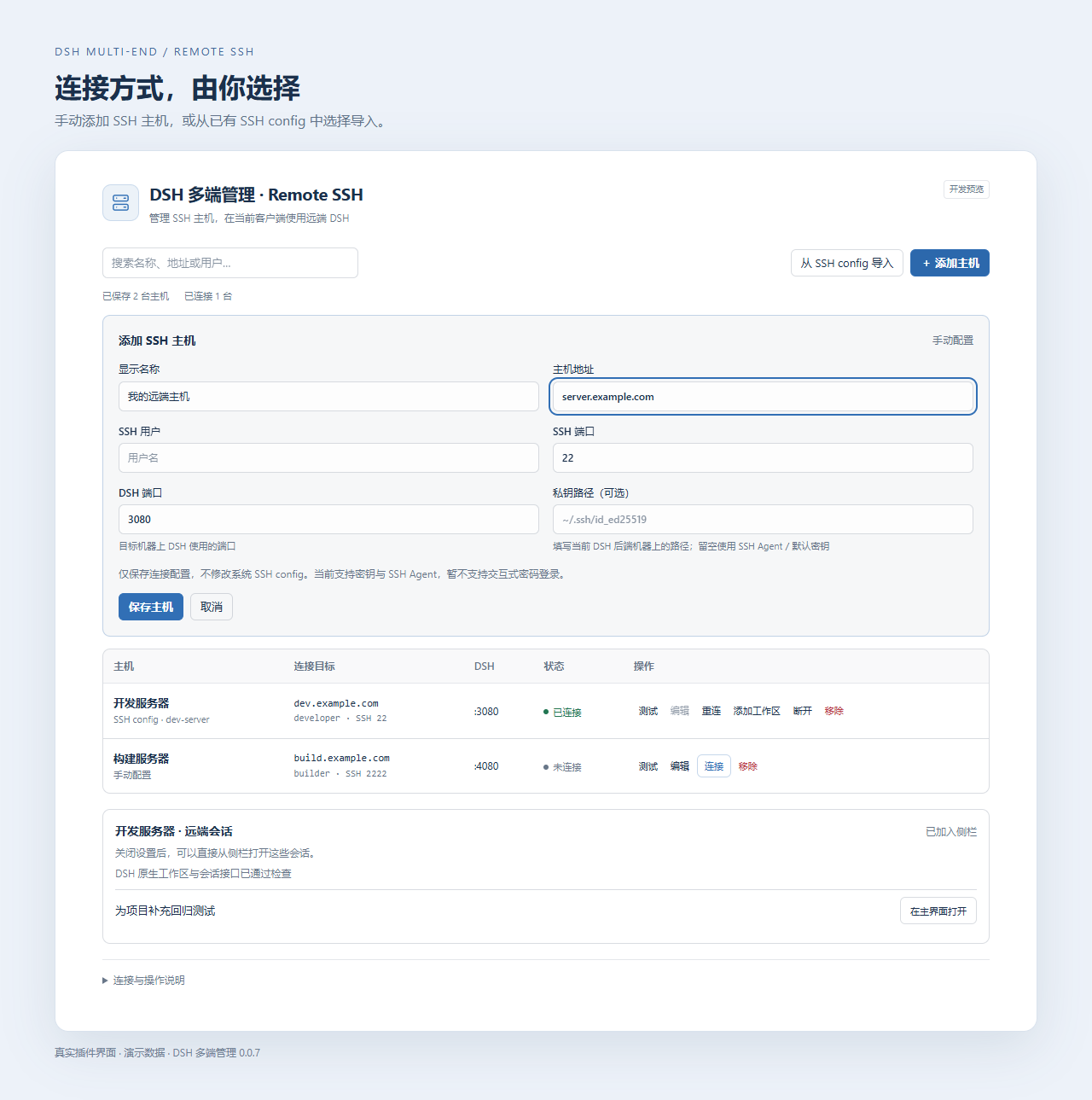
Add SSH hosts one by one or import them straight from an existing SSH config in one click; SSH and DSH ports are independently configurable. The aggregated sidebar tags every session with its source backend, and you can browse remote directories, create new workspaces, and open sessions inside them. Daily operations such as renaming, archiving, and reordering are all supported, while dialogue routing, history, forking, attachments, and the message queue are explicitly forwarded to the correct backend. On a dropped connection the plugin retries a limited number of times, preserves unsent drafts, and never re-sends a failed message.
This is built for developers who keep two or more remote dev boxes and want a single mission-control view of every DSH environment. Remote machines only need to run DSH itself; the plugin is not installed on the other side. The current release is a 0.0.x development preview—Windows and macOS remotes have not yet been validated on real hardware, so please review the compatibility notes before putting it into daily production use.
Screenshots
Use Cases
- Browsing workspaces and sessions across multiple remote dev boxes from a single sidebar
- Bulk-importing hosts from an existing SSH config with independently configurable SSH and DSH ports
- Auto-retrying after a dropped connection, preserving unsent drafts, and resuming the conversation
Best For
- Developers maintaining two or more remote DSH environments
- Ops engineers who want a consolidated sidebar instead of tab-hopping between hosts
- Independent developers running DSH across multiple machines
Related Plugins
A service-oriented sidebar framework for DSH, offering a full workbench with file explorer, embedded browser, real terminal, Git panel, and extensible plugin services.

A beautiful, practical Claude Code-style TUI plugin with pixel whale top bar, flowing glow title, real-time status line, streaming thought expansion, time rewind, context progress bar and TPS gauge — zero core changes.

The plugin market for DeepSeek Harness: browse/search/one-click install community plugins and themes, with updates, backup/restore, hot disable, diagnostics, and AI fix.

A persistent whale widget on the DSH web UI that shows DeepSeek balance, today's usage, and per-turn cost, with drag-and-snap and sound effects.