dsh-session-title-pattern
Run the following command in DeepSeek Harness:
dsh plugin install cq-guojia/dsh-session-title-pattern
Paste the following prompt into your AI chat to install this plugin:
Run dsh plugin install cq-guojia/dsh-session-title-pattern in DeepSeek Harness to install this plugin. The source code is available at https://github.com/cq-guojia/dsh-session-title-pattern
About this plugin
You open dsh and the sidebar already carries a dozen sessions, each stamped with a random sentence the model happened to produce. You cannot tell which day a conversation started, whether it was a debugging session or a documentation pass, and finding a specific one means scrolling through blur after blur. The platform's only decluttering tool is archiving, which is a one-way door, and you rarely want to delete a session you might still need.
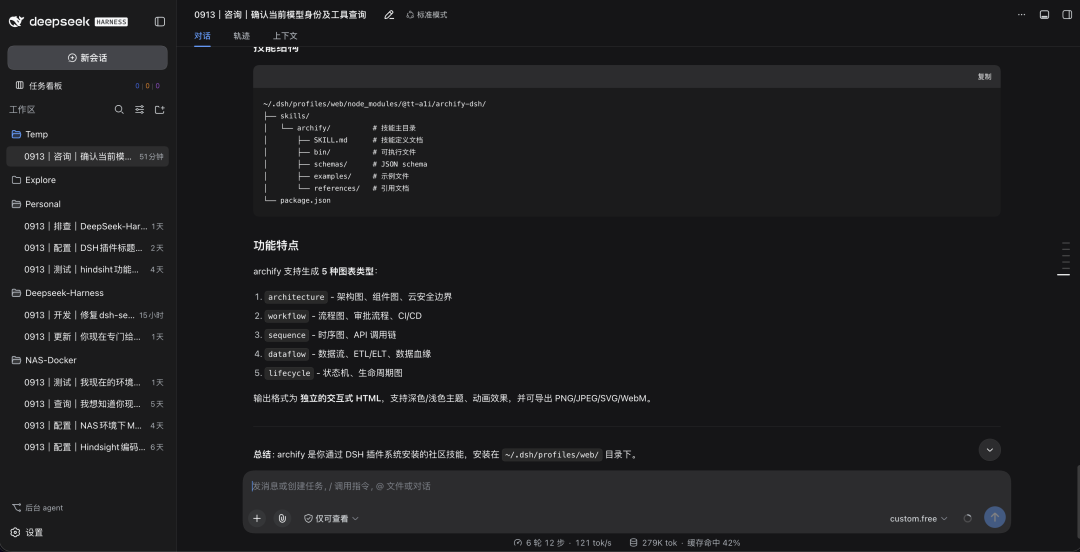
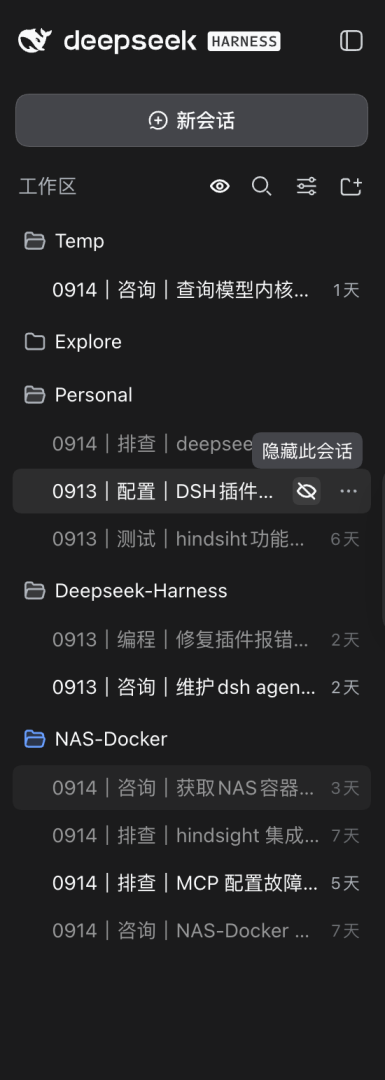
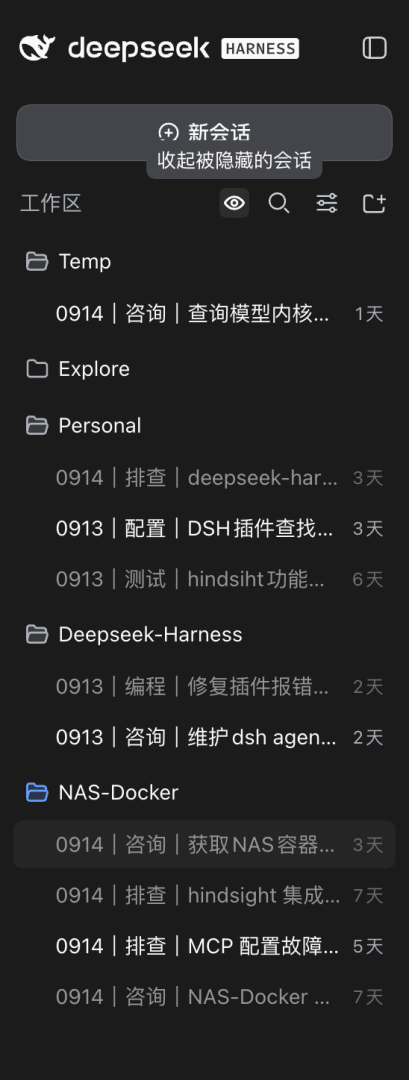
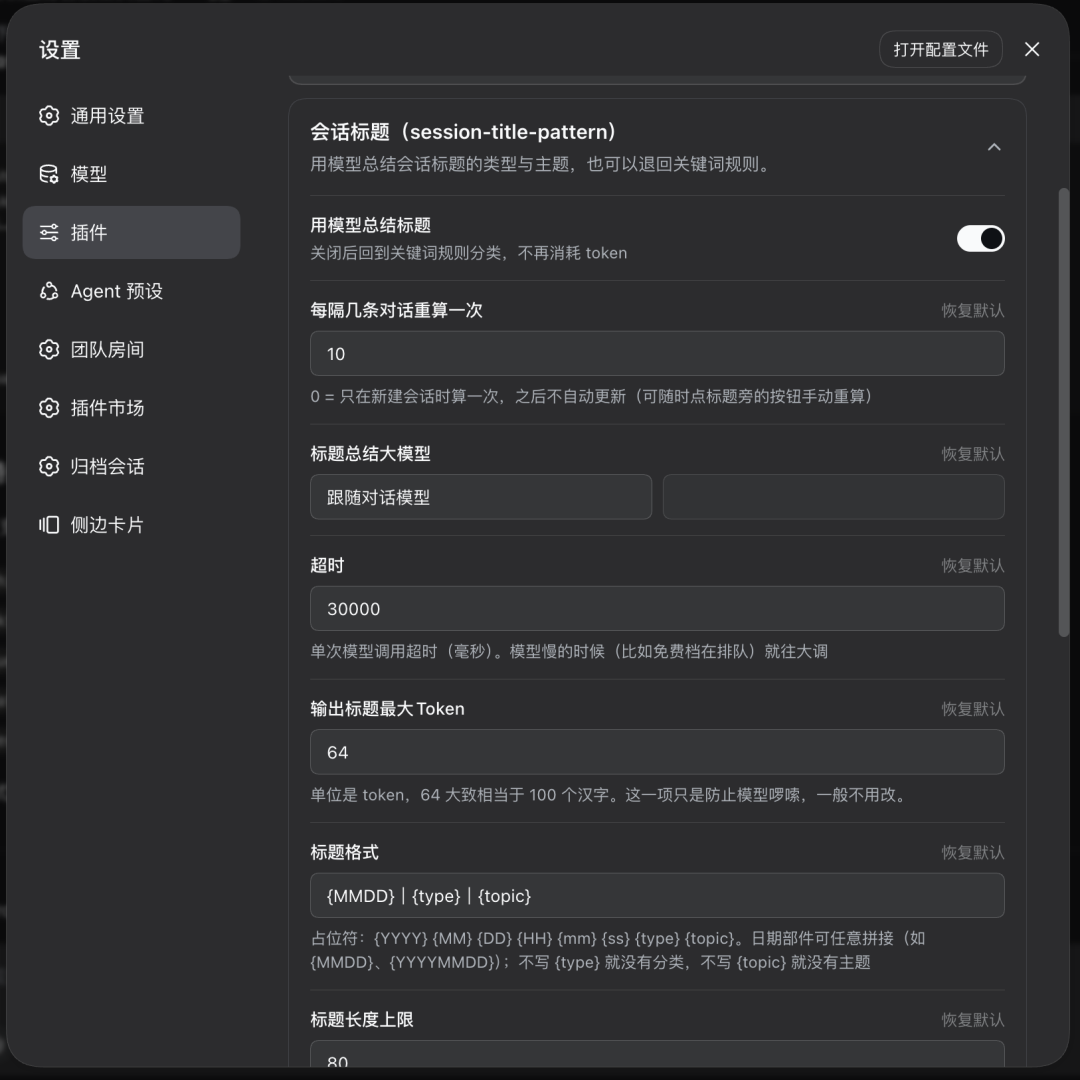
This plugin tackles both problems at once. First, it rewrites every session title into a three-part format: a four-digit MMDD date anchored to the creation moment, a short type label that follows your interface language (two Chinese characters or a single English word), and a topic summarizing the full conversation. The template is fully customizable, failed model calls preserve the previous title, and you can rename by hand or trigger /retitle at any time. Second, it adds a reversible hide mechanism: sessions you are not using right now can be tucked away with one click, leaving the sidebar clean, and brought back just as easily. Nothing is ever deleted, the session currently in focus stays visible, and the entire feature can be switched off from the settings card.
It is built for anyone who keeps a dozen or more sessions open in dsh and wants the sidebar to stay readable at a glance. Type labels adapt automatically to whether you use a Chinese or English interface, all settings live in the plugin card under dsh Settings, and there is no local build or extra dependency to worry about.
Screenshots


Use Cases
- Sidebar has too many sessions and is hard to navigate
- Session titles are unclear, making it hard to tell dates and work types apart
- Temporarily hide unused sessions without deleting any data
Best For
- Heavy dsh users with a dozen or more concurrent sessions
- Users who want a clean, at-a-glance sidebar
- Developers who need to quickly find past sessions by date and type
Related Plugins
A service-oriented sidebar framework for DSH, offering a full workbench with file explorer, embedded browser, real terminal, Git panel, and extensible plugin services.

A beautiful, practical Claude Code-style TUI plugin with pixel whale top bar, flowing glow title, real-time status line, streaming thought expansion, time rewind, context progress bar and TPS gauge — zero core changes.

The plugin market for DeepSeek Harness: browse/search/one-click install community plugins and themes, with updates, backup/restore, hot disable, diagnostics, and AI fix.

A persistent whale widget on the DSH web UI that shows DeepSeek balance, today's usage, and per-turn cost, with drag-and-snap and sound effects.