dsh-ide-git
Run the following command in DeepSeek Harness:
dsh plugin install KannaKuron/dsh-ide-git
Paste the following prompt into your AI chat to install this plugin:
Run dsh plugin install KannaKuron/dsh-ide-git in the DeepSeek Harness terminal to install; the source code is available at https://github.com/KannaKuron/dsh-ide-git .
About this plugin
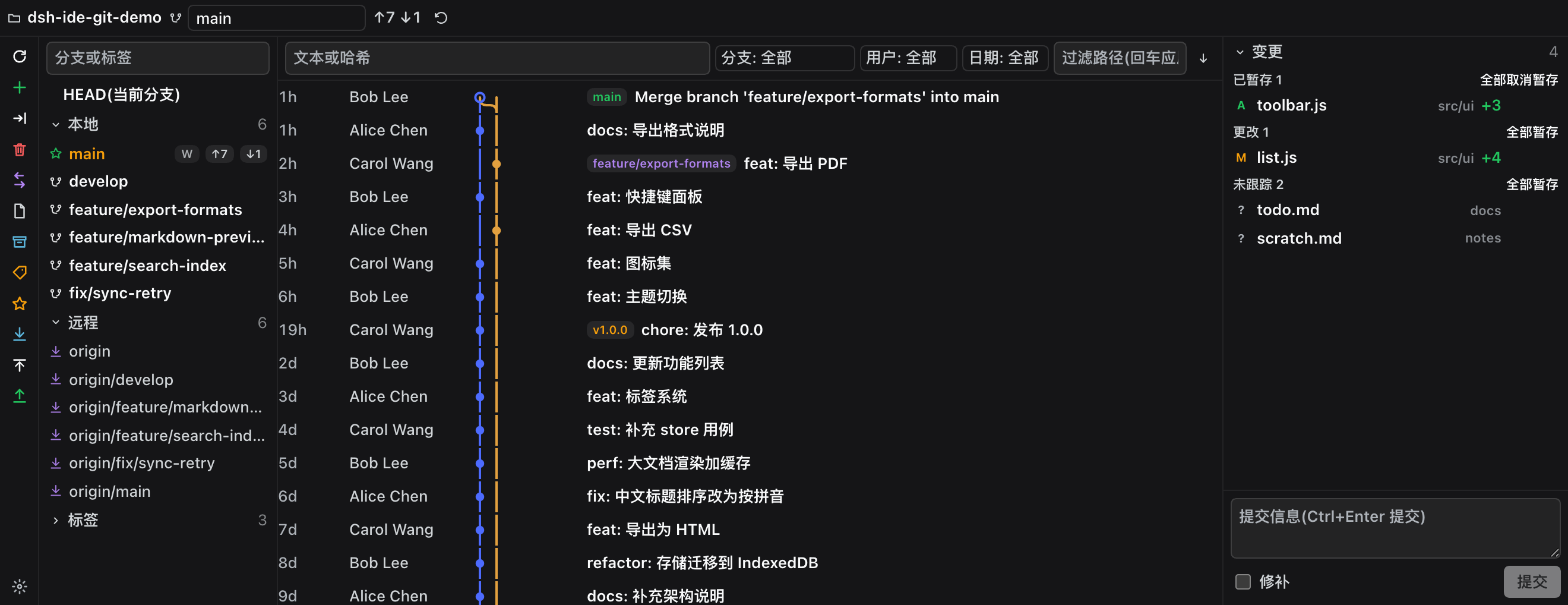
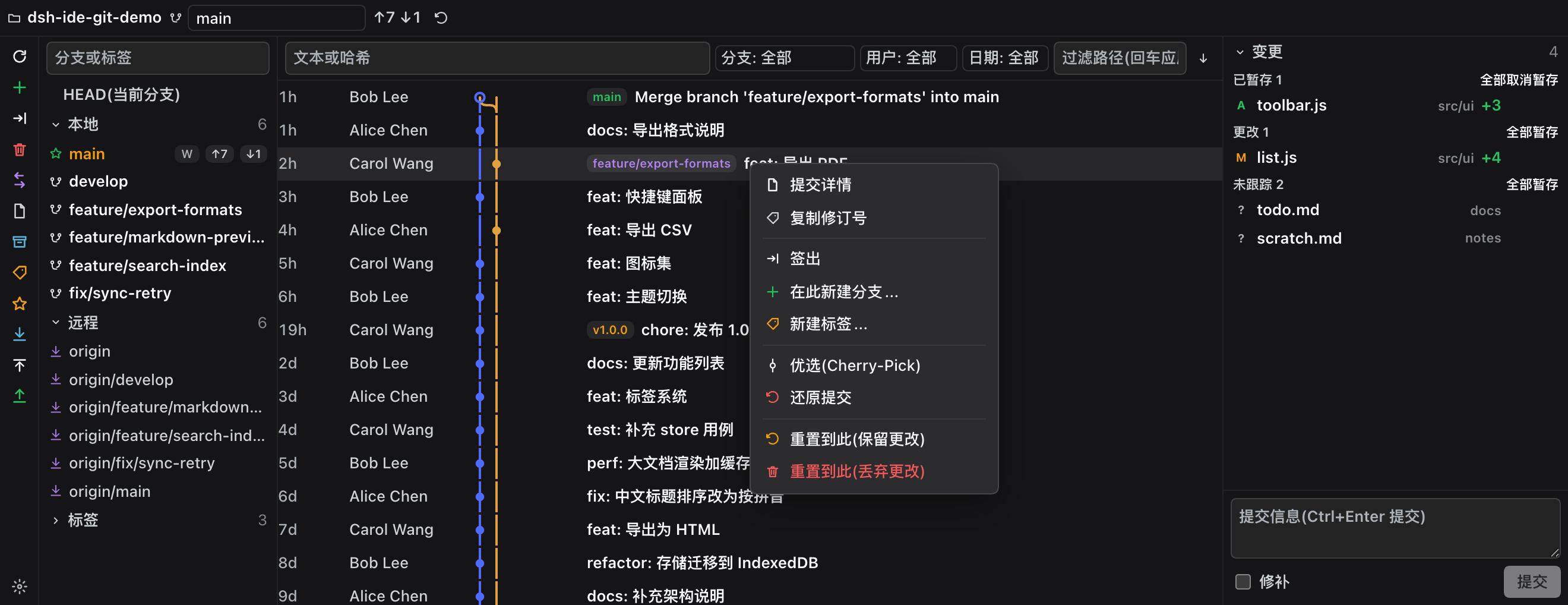
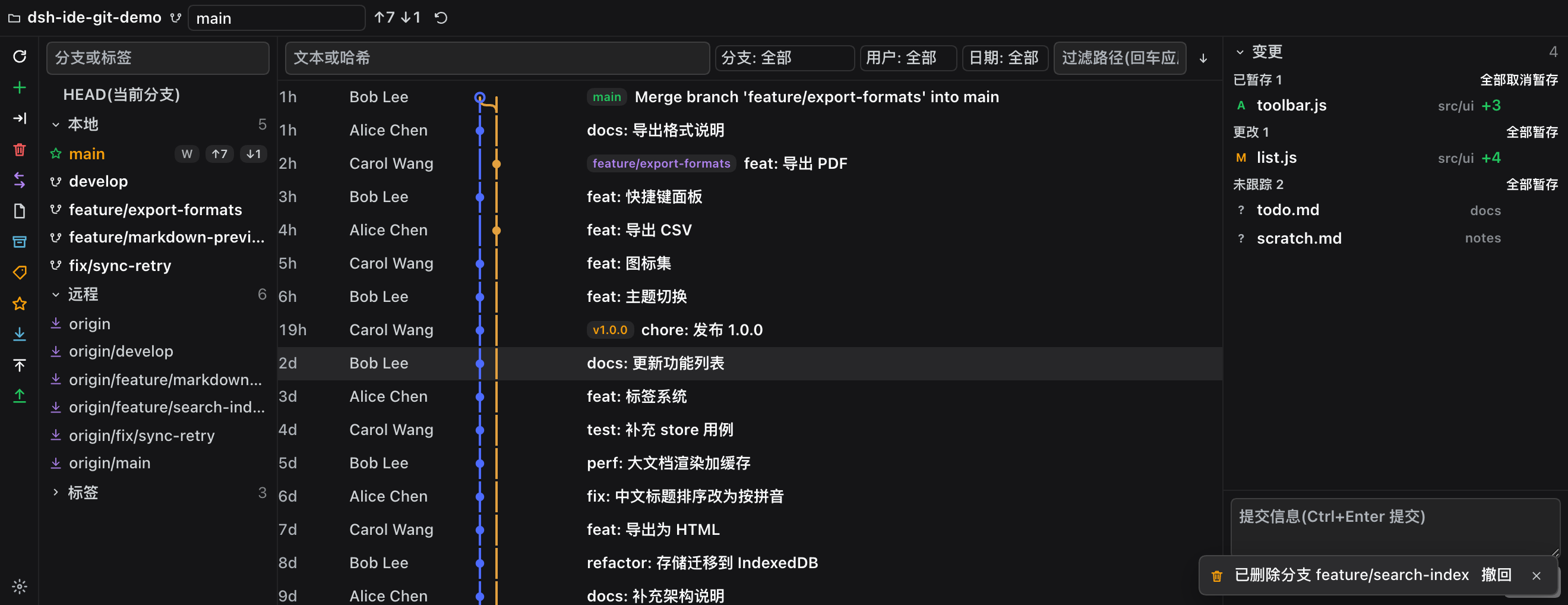
The built-in Git panel in DSH handles staging, committing, and browsing history, but branches are limited to a single dropdown, history is a flat list, and there is no natural way to compare branches, rebase, cherry-pick, or inspect a specific commit line by line. dsh-ide-git brings a JetBrains-style Git tool window into the DSH sidebar: a grouped branch tree on the left (HEAD / local / remote / tags with ahead-behind badges and worktree markers), a lane-topology commit graph in the middle (filterable by text, hash, author, date, or path), and a four-group change list with a commit box on the right. Clicking any commit expands the full message, author, date, and a file-level change list with per-line diff (line numbers, hunk highlighting, red-green background). Right-clicking a branch offers checkout, merge, rebase, compare, rename, and delete; right-clicking a commit offers cherry-pick, revert, and reset (keep or discard). Destructive actions always require explicit confirmation, and branch or stash deletion can be undone within thirty minutes from a floating toast.
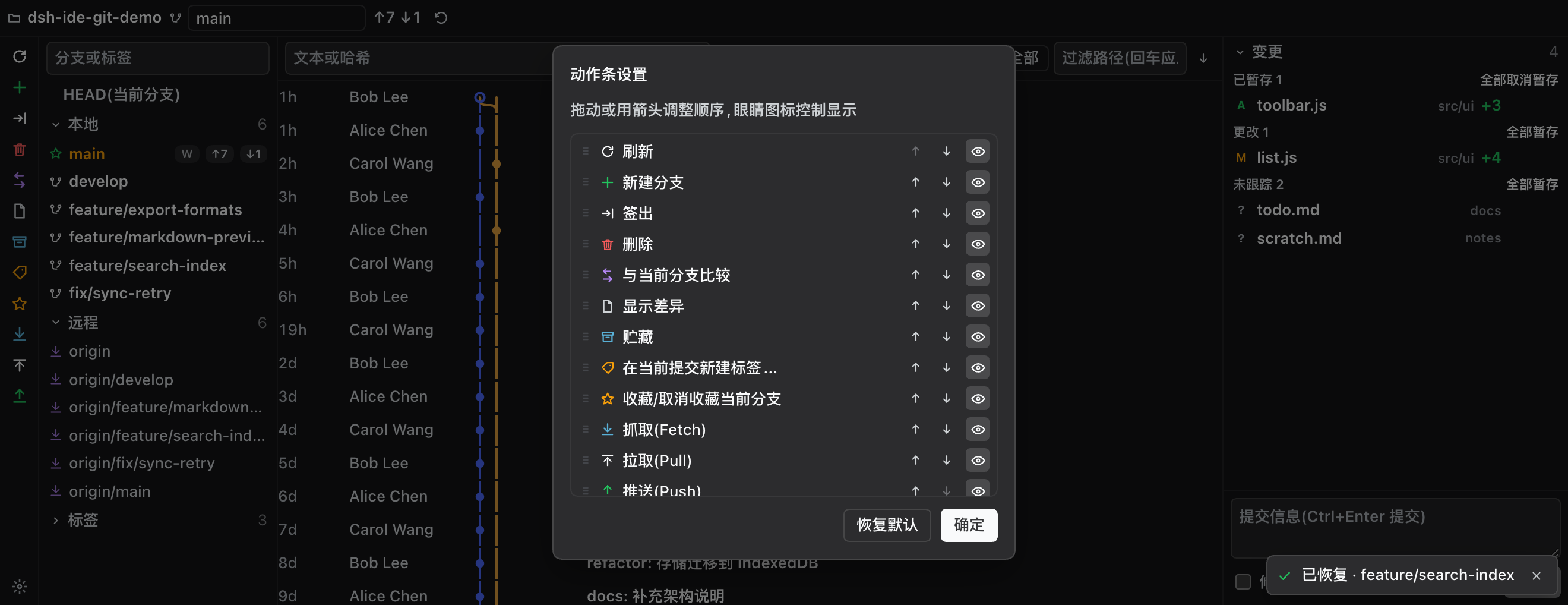
The panel measures its own container with ResizeObserver and adapts automatically: wide surfaces get a three-column layout (branch tree, commit graph, changes), narrow surfaces get a vertical stack. It works on the native right sidebar, the bottom dock, or standalone with no prerequisite plugin. Twenty-one locale dictionaries switch in real time with the DSH language setting, and all icons are self-contained SVGs so they are immune to host-side icon changes.
Best suited for developers who manage branches, review commits, and rebase frequently inside DSH, especially those migrating from IntelliJ or CLion and want their Git panel to match existing muscle memory.
Screenshots
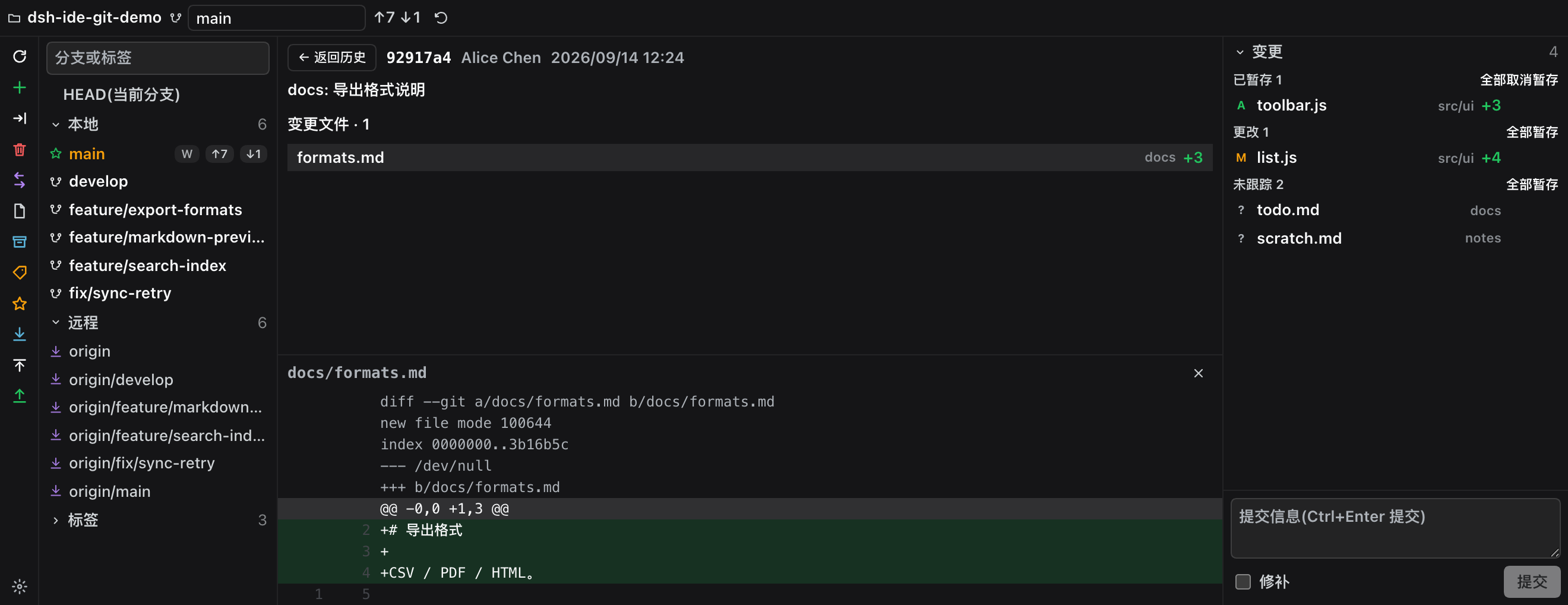
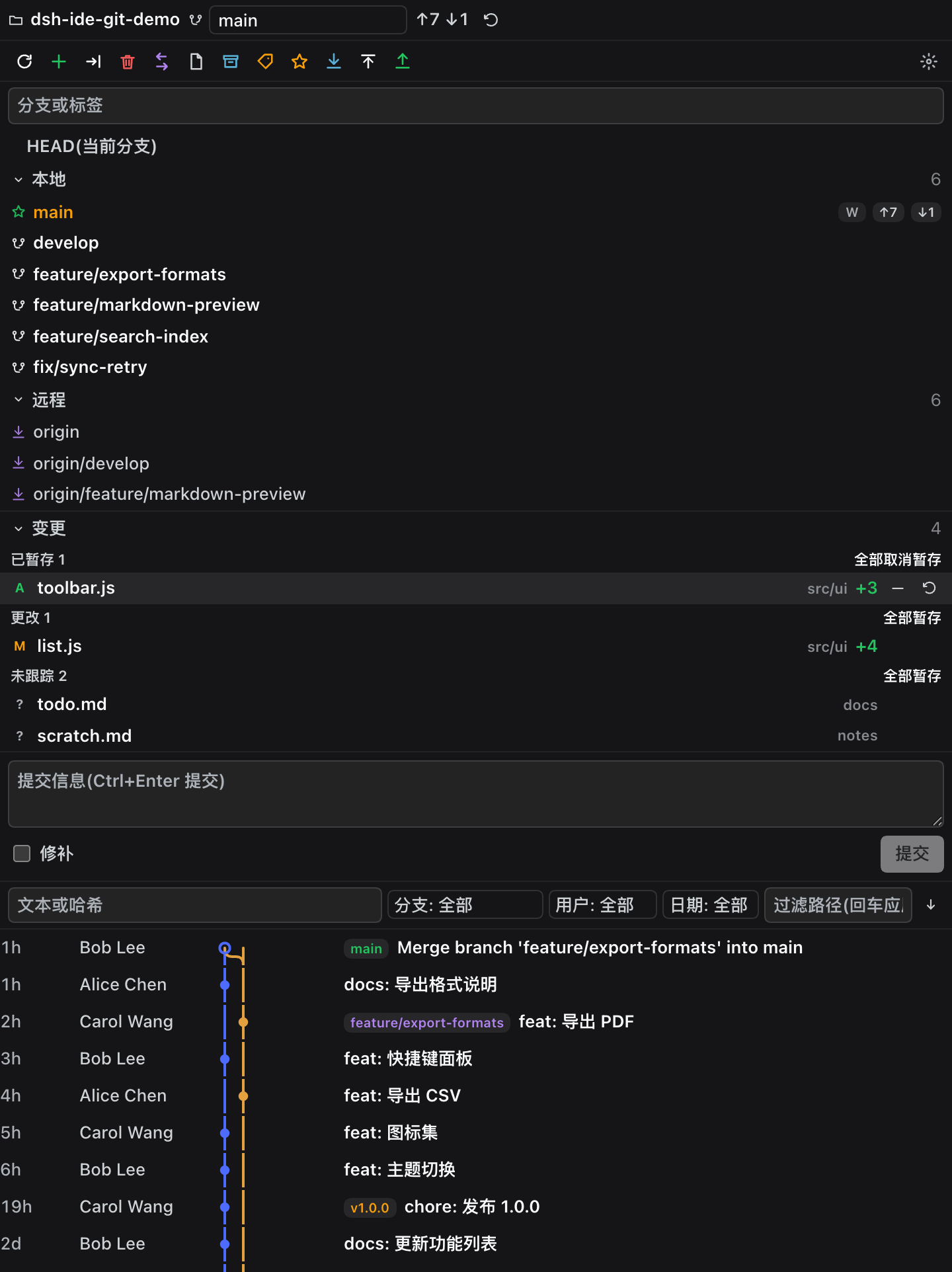
Use Cases
- Manage local and remote branches in the DSH sidebar with checkout, merge, and rebase
- Click any commit to inspect line-by-line diffs and compare two branches by file count and commit count
- Filter and sort commit history by text, hash, author, date, or file path
Best For
- Developers accustomed to the JetBrains Git tool window who want identical muscle memory
- Users who manage branches, review commits, and rebase frequently inside DSH
- Developers who need line-by-line diffs and branch comparison beyond what the built-in panel offers
Related Plugins
A service-oriented sidebar framework for DSH, offering a full workbench with file explorer, embedded browser, real terminal, Git panel, and extensible plugin services.

A beautiful, practical Claude Code-style TUI plugin with pixel whale top bar, flowing glow title, real-time status line, streaming thought expansion, time rewind, context progress bar and TPS gauge — zero core changes.

The plugin market for DeepSeek Harness: browse/search/one-click install community plugins and themes, with updates, backup/restore, hot disable, diagnostics, and AI fix.

A persistent whale widget on the DSH web UI that shows DeepSeek balance, today's usage, and per-turn cost, with drag-and-snap and sound effects.