
dsh-improve-prompt
Run the following command in DeepSeek Harness:
dsh plugin install hoyyang/dsh-improve-prompt
Paste the following prompt into your AI chat to install this plugin:
Run dsh plugin install hoyyang/dsh-improve-prompt inside DeepSeek Harness to install this plugin; the source repository is at https://github.com/hoyyang/dsh-improve-prompt. After restarting dsh web, the ✦ button will appear in the input toolbar and is ready to use.
About this plugin
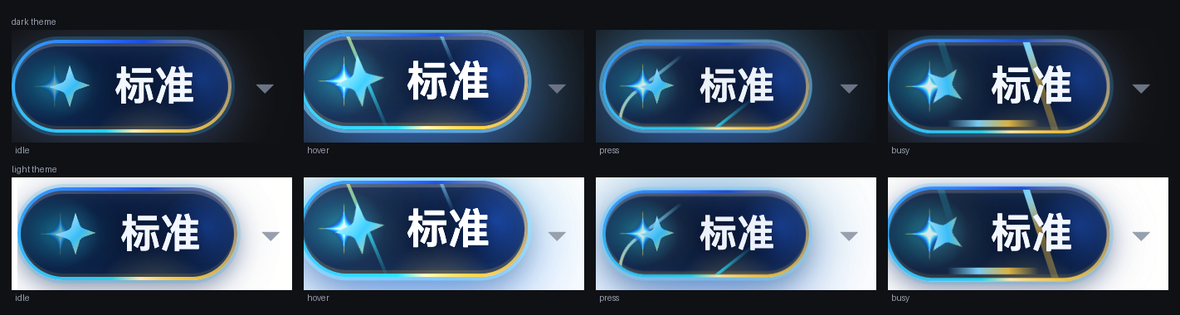
The hardest part of prompting an agent is rarely the wording itself. It is the gap between the fuzzy idea in your head and a structured instruction the agent can actually execute. A casual draft is full of file paths, function names, version numbers, URLs, and backtick-wrapped code; the moment you try to make it sound professional, those hard facts are the first things lost to synonym substitution. dsh-improve-prompt exists for exactly this step: a ✦ button beside the input bar rewrites your draft in place within 1–3 seconds into a clearer, agent-ready version—no preview panel, no interruption to your flow.
What sets it apart is the discipline baked into the rewrite pipeline. A fidelity gate mechanically extracts every file path, identifier, numeric version, URL, backtick code snippet, and @reference from the draft, then verifies each one survives in the output. A missing item triggers a targeted repair call; if it is still absent, a deterministic backfill block is appended—zero loss of hard facts. A length gate keeps the result within a tier-specific ratio and an absolute 200-character floor, preventing a one-line ask from ballooning into a thirty-line spec. The rewrite can be undone with one click within 8 seconds; if you have manually edited the text, the undo bar vanishes so your new input is never overwritten. Two tiers—light (≤1.2×, noise removal) and standard (≤2.5×, structured rephrase)—switch instantly via the ⇄ control on the chip.
It is built for developers who use dsh web agents day-to-day and type casual, path-laden one-liners. No preview comparison panel, no multi-stage LLM pipeline, no voice recognition, no memory chain. Just one click, a better prompt, and a visible quality receipt showing fidelity count, length ratio, and latency so you can judge trustworthiness at a glance. Zero configuration: no extra API key, it rides the harness model service out of the box. All prompt templates live in the prompts directory, so you can override discipline rules or tier wording by dropping a same-named file—no code changes required.
Screenshots
Use Cases
- Rewrite a casual draft with file paths and identifiers into a precise agent-ready instruction
- Compress a verbose English sentence into a concise one-line request via light tier
- Auto-attach recent session context for anaphoric follow-ups like "add rate limiting to that endpoint"
Best For
- Engineers who type casual one-liners with file paths daily in dsh web agents
- Tech leads who want consistent prompt quality across the team without a multi-stage pipeline
- Plugin users who want zero-config usage and override rewrite discipline by dropping a template file
Related Plugins
A service-oriented sidebar framework for DSH, offering a full workbench with file explorer, embedded browser, real terminal, Git panel, and extensible plugin services.

A beautiful, practical Claude Code-style TUI plugin with pixel whale top bar, flowing glow title, real-time status line, streaming thought expansion, time rewind, context progress bar and TPS gauge — zero core changes.

The plugin market for DeepSeek Harness: browse/search/one-click install community plugins and themes, with updates, backup/restore, hot disable, diagnostics, and AI fix.

A persistent whale widget on the DSH web UI that shows DeepSeek balance, today's usage, and per-turn cost, with drag-and-snap and sound effects.