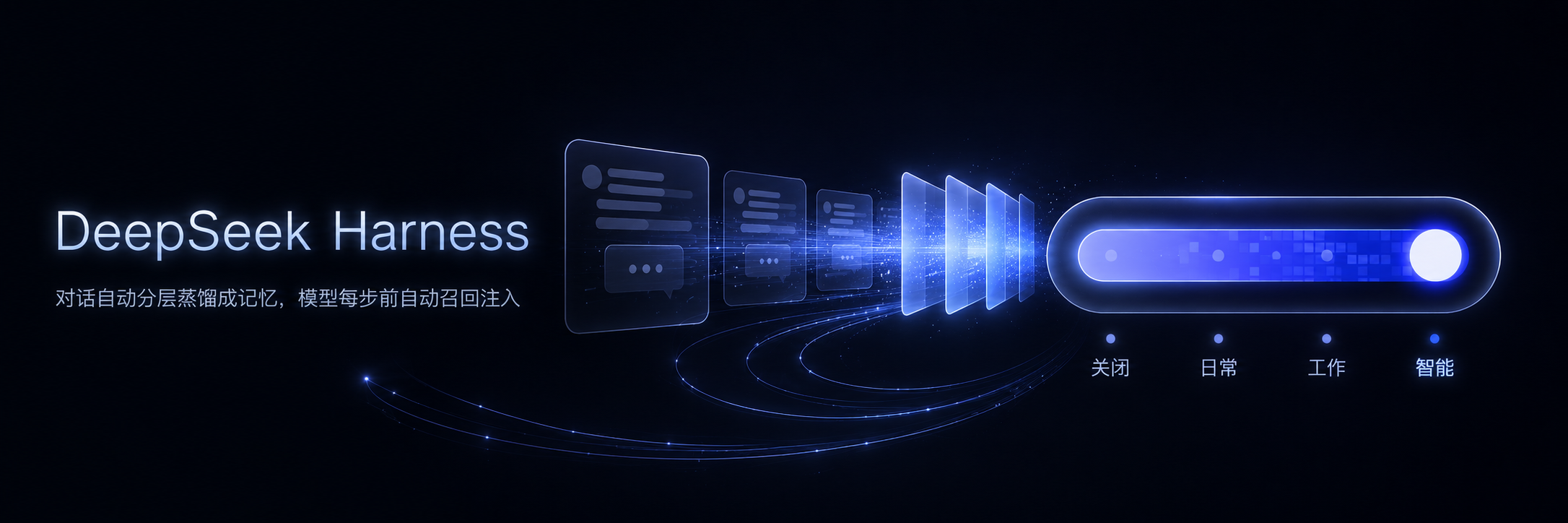
dsh-prime-memory
Run the following command in DeepSeek Harness:
dsh plugin install drscrewdriver/dsh-prime-memory
Paste the following prompt into your AI chat to install this plugin:
Run dsh plugin install drscrewdriver/dsh-prime-memory inside DeepSeek Harness to install this plugin; source code is available at https://github.com/drscrewdriver/dsh-prime-memory .
About this plugin
Every new session starts with amnesia. The preferences you already stated, the workflow your team agreed on, the project context from last week - all gone. Without memory, agents re-explore the same territory, reverse-engineer scripts, and re-guess conventions, burning multiples of the tokens and steps a remembered run would need. dsh-prime-memory distills conversations into layered memories in the background and injects the right ones before every model step, so long dialogs and multi-turn workflows no longer start from scratch.
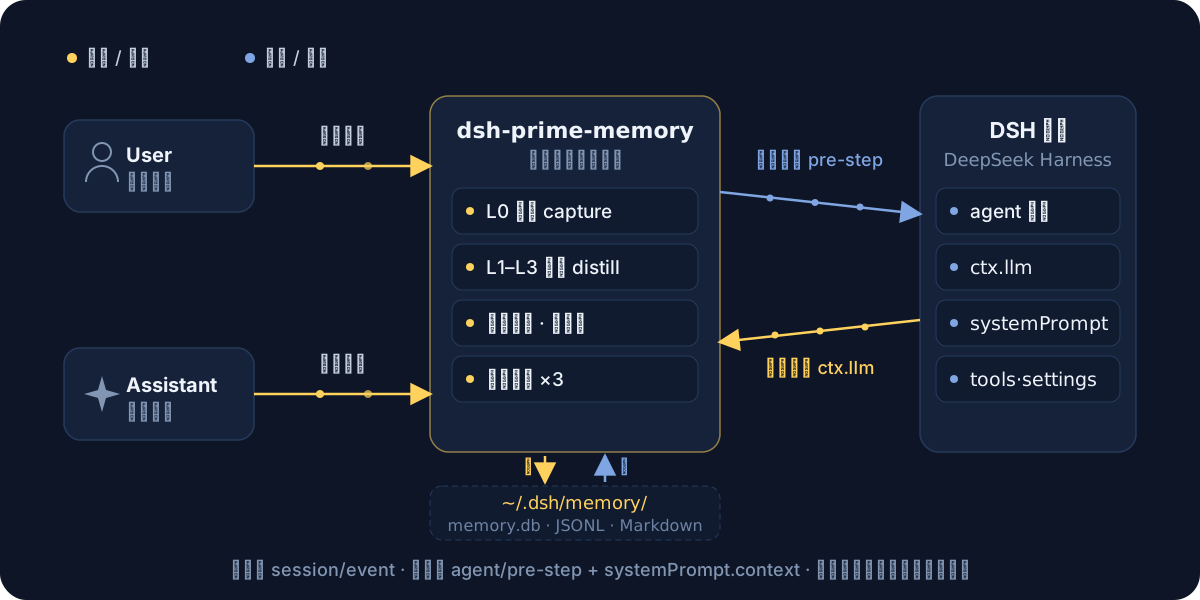
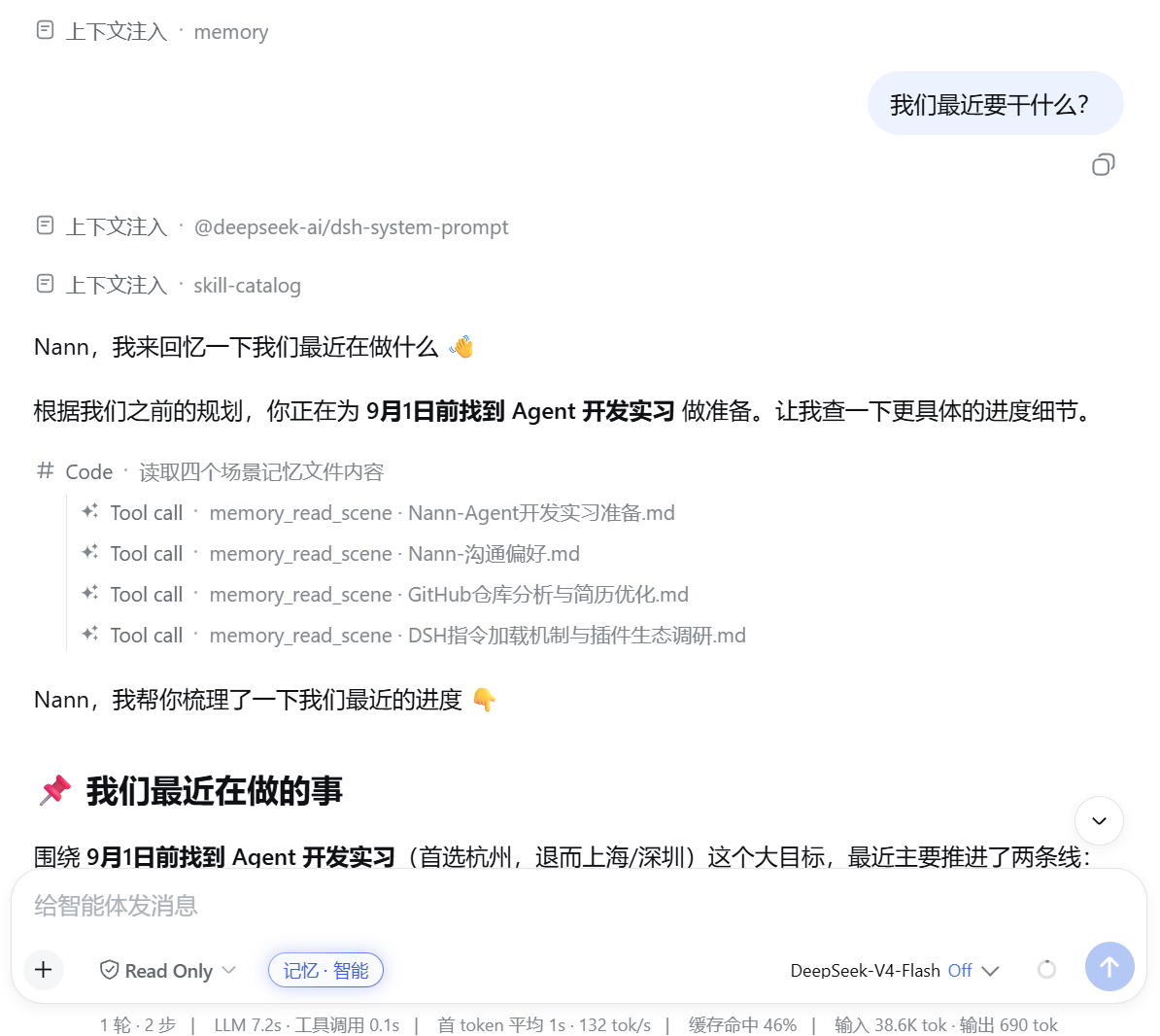
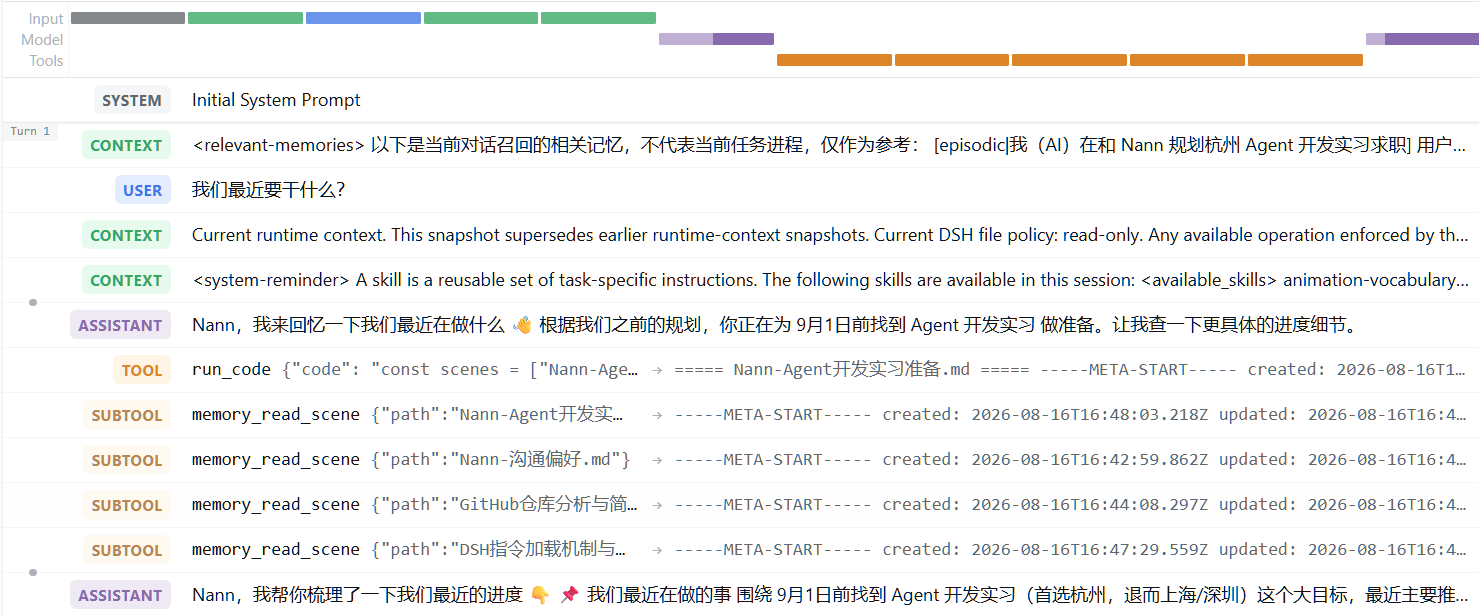
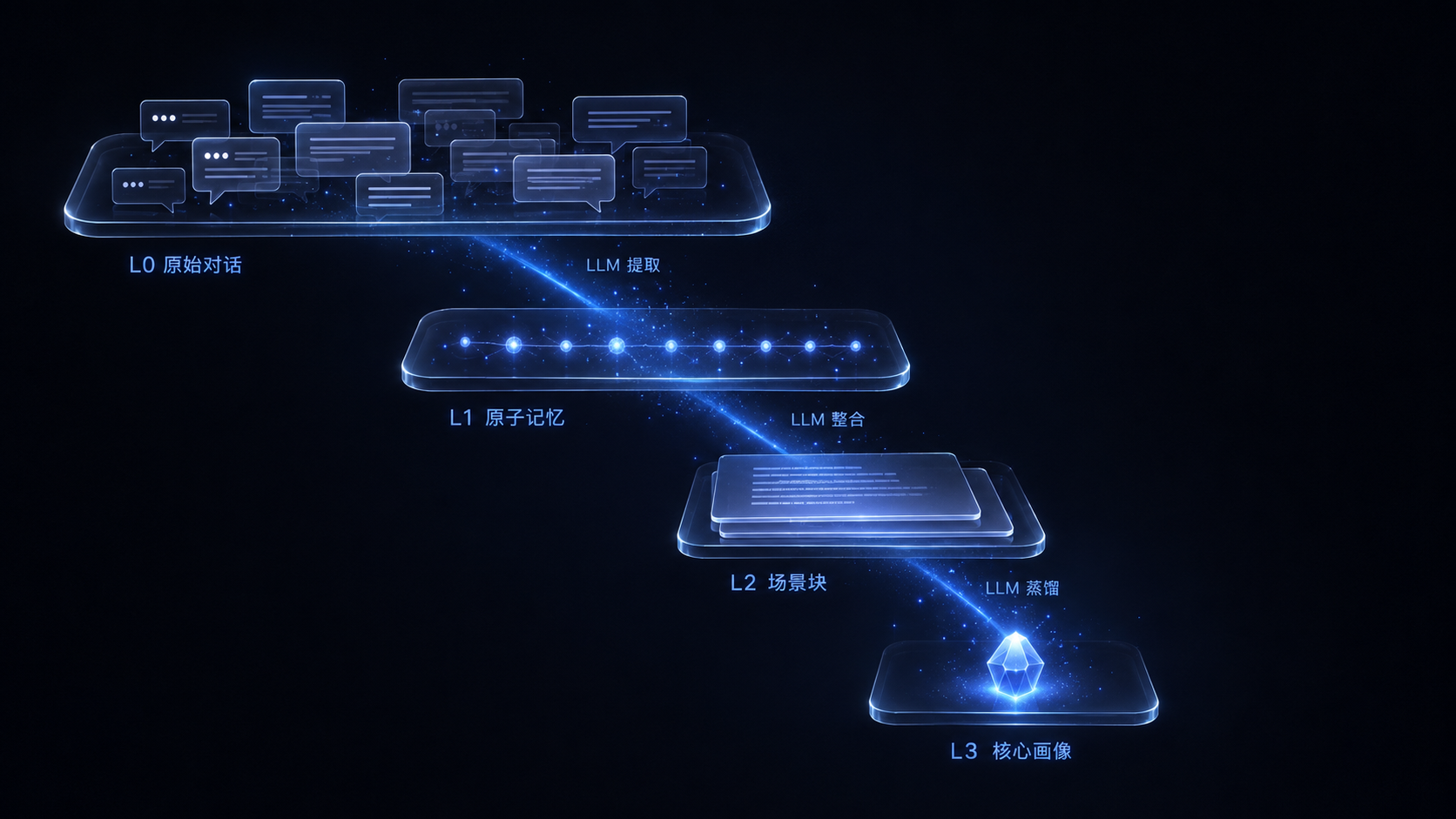
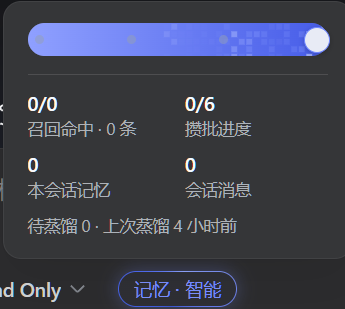
Distillation runs through four tiers: L0 raw capture, L1 atomic memory, L2 scene integration, and L3 profile distillation, all reusing the host ctx.llm with no extra API keys required. Recall is dual-channel: passive injection places relevant memories as a synthetic message just before the user prompt (visible in the session stream as a context-injection row), while active queries use three tools - memory_search, conversation_search, and memory_read_scene - to pull specific scene blocks on demand. Injections carry length and time budgets, per-session dedup prevents repeated tokens, and a soft time-decay ranking lets fresh memories rotate forward without burying long-standing facts. Every distillation LLM call is logged with per-provider and per-model token costs into a local SQLite ledger, visualized in the settings panel as trend lines and tier tables.
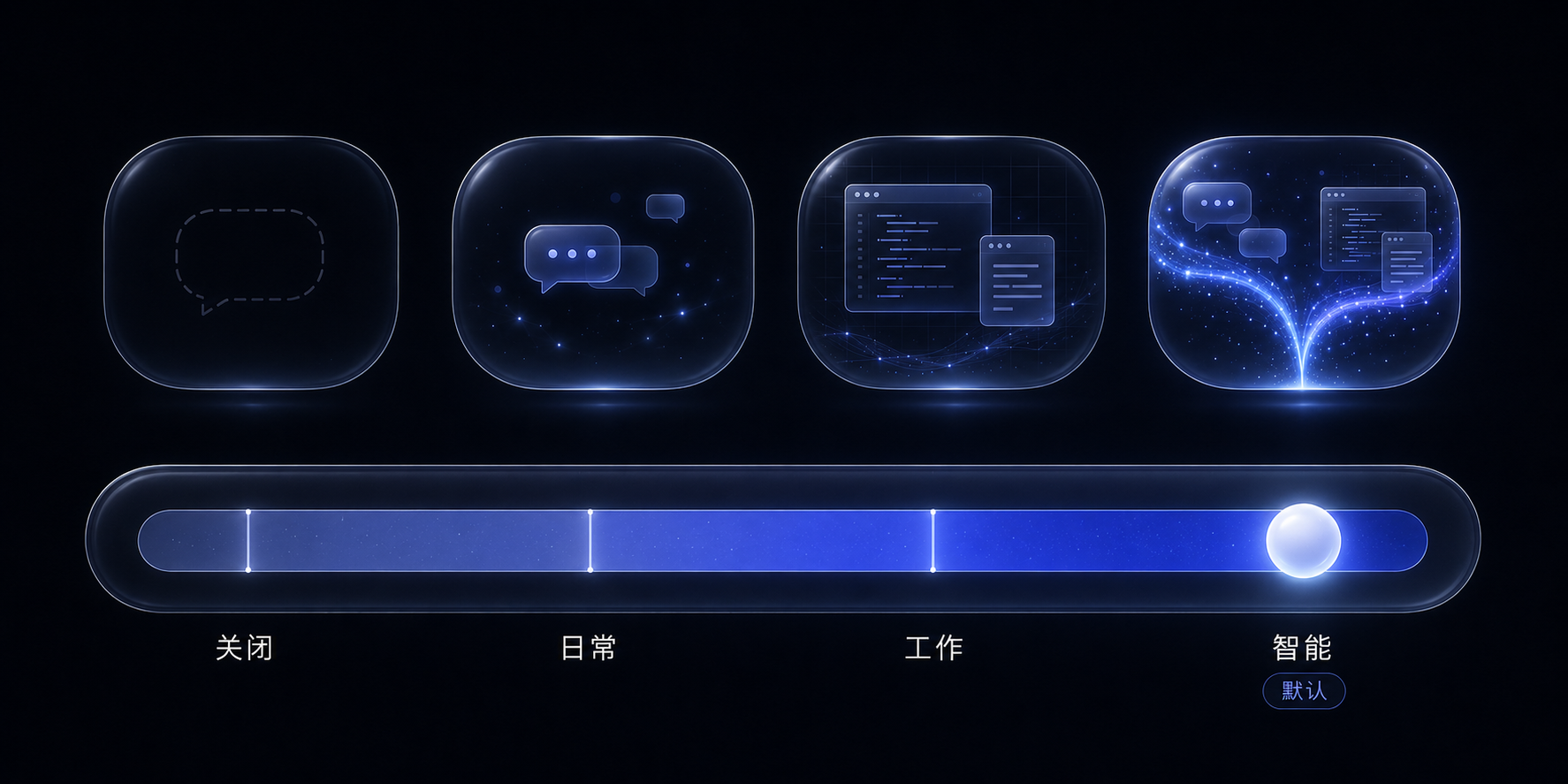
Semantic search is off by default (pure BM25). One click switches to a remote OpenAI-compatible embeddings endpoint or a built-in ONNX-quantized local model running CPU inference on a dedicated worker thread, with data staying on-device. Switching triggers a background full re-embedding with live progress and automatic keyword-only fallback, never blocking conversation. Session-level family modes (auto / chat / work) and a write-only mode cover debugging, evaluation, and sensitive contexts. It suits anyone running Harness long dialogs, agent workflow pipelines, or any scenario where the model should remember what has already been shared. MIT license, SQLite storage, drop-in plugin.
Screenshots
Use Cases
- Keeping multi-turn conversations contextually coherent without repeating yourself
- Resuming agent workflows across sessions instead of re-exploring the same territory
- Isolating memory effects in debugging and evaluation via write-only mode
Best For
- Developers running long Harness dialogs and multi-turn workflows
- Teams building agent pipelines that need cross-session state
- Individual users who want the model to remember context instead of re-pasting history
Related Plugins
A service-oriented sidebar framework for DSH, offering a full workbench with file explorer, embedded browser, real terminal, Git panel, and extensible plugin services.

A beautiful, practical Claude Code-style TUI plugin with pixel whale top bar, flowing glow title, real-time status line, streaming thought expansion, time rewind, context progress bar and TPS gauge — zero core changes.

The plugin market for DeepSeek Harness: browse/search/one-click install community plugins and themes, with updates, backup/restore, hot disable, diagnostics, and AI fix.

A persistent whale widget on the DSH web UI that shows DeepSeek balance, today's usage, and per-turn cost, with drag-and-snap and sound effects.