dsh-navbar
Run the following command in DeepSeek Harness:
dsh plugin install vlln/dsh-navbar
Paste the following prompt into your AI chat to install this plugin:
Run dsh plugin install vlln/dsh-navbar in DeepSeek Harness to install dsh-navbar from the source repository https://github.com/vlln/dsh-navbar.
About this plugin
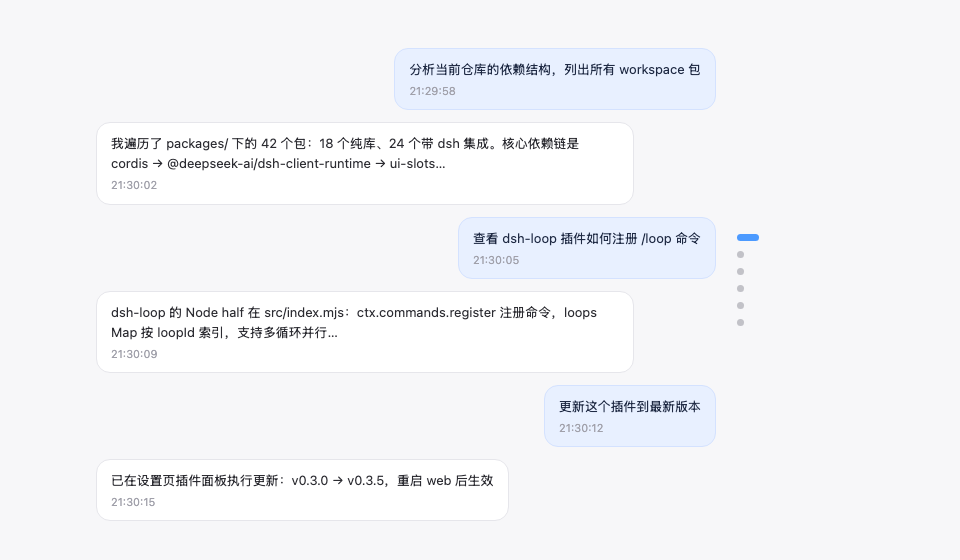
Reviewing an earlier user message in a long conversation often means a lot of scrolling and searching. dsh-navbar solves this by adding a node navigation rail along the right edge of the conversation: each user message gets a node, the current reading position is highlighted with a blue capsule, hovering shows a preview of the message content (truncated to 6 lines), and clicking smoothly jumps to that point. The rail has no hover dead zones, and the scroll wheel can move between nodes, making navigation feel effortless.
Beyond basic node navigation, the plugin is designed for real long-conversation use: when there are more than 11 nodes, it automatically switches to a sliding window to avoid overflow; the "load earlier history" button at the top seamlessly loads older messages without losing your current reading position; and the message pin feature lets you keep important assistant replies fixed in the rail for one-click jumps, with a pin badge shown on the preview card.
It's for anyone who needs to return to specific points in a conversation frequently—whether reviewing, excerpting, tracking discussion threads, or repeatedly referencing a particular reply. It works out of the box with no commands or tools, and animations are automatically disabled under the prefers-reduced-motion setting.
Screenshots
Use Cases
- Quickly revisit earlier user messages in a long conversation without repeated scrolling.
- Hover over nodes to preview message content and precisely locate replies of interest.
- Pin important assistant replies in the rail for one-click jumps back to them.
Best For
- Users who frequently work with long conversations and need to revisit specific messages.
- Readers who need to review, excerpt, or track discussion threads.
- Users who want to reduce scrolling and browse conversations more efficiently.
Related Plugins
A service-oriented sidebar framework for DSH, offering a full workbench with file explorer, embedded browser, real terminal, Git panel, and extensible plugin services.

A beautiful, practical Claude Code-style TUI plugin with pixel whale top bar, flowing glow title, real-time status line, streaming thought expansion, time rewind, context progress bar and TPS gauge — zero core changes.

The plugin market for DeepSeek Harness: browse/search/one-click install community plugins and themes, with updates, backup/restore, hot disable, diagnostics, and AI fix.

A persistent whale widget on the DSH web UI that shows DeepSeek balance, today's usage, and per-turn cost, with drag-and-snap and sound effects.