dsh-skill-market
Run the following command in DeepSeek Harness:
dsh plugin install pn1024/dsh-skill-market
Paste the following prompt into your AI chat to install this plugin:
Run dsh plugin install pn1024/dsh-skill-market in your DeepSeek Harness terminal to install; the source is hosted at https://github.com/pn1024/dsh-skill-market
About this plugin
Using skills in DeepSeek Harness often means bouncing between external sites: search on SkillHub, preview details on ClawHub, then manually download and drop files into your local directory. Reading a README requires leaving the chat window, and a freshly installed skill sits inert until the filesystem picks it up. The workflow is fragmented and breaks your flow.
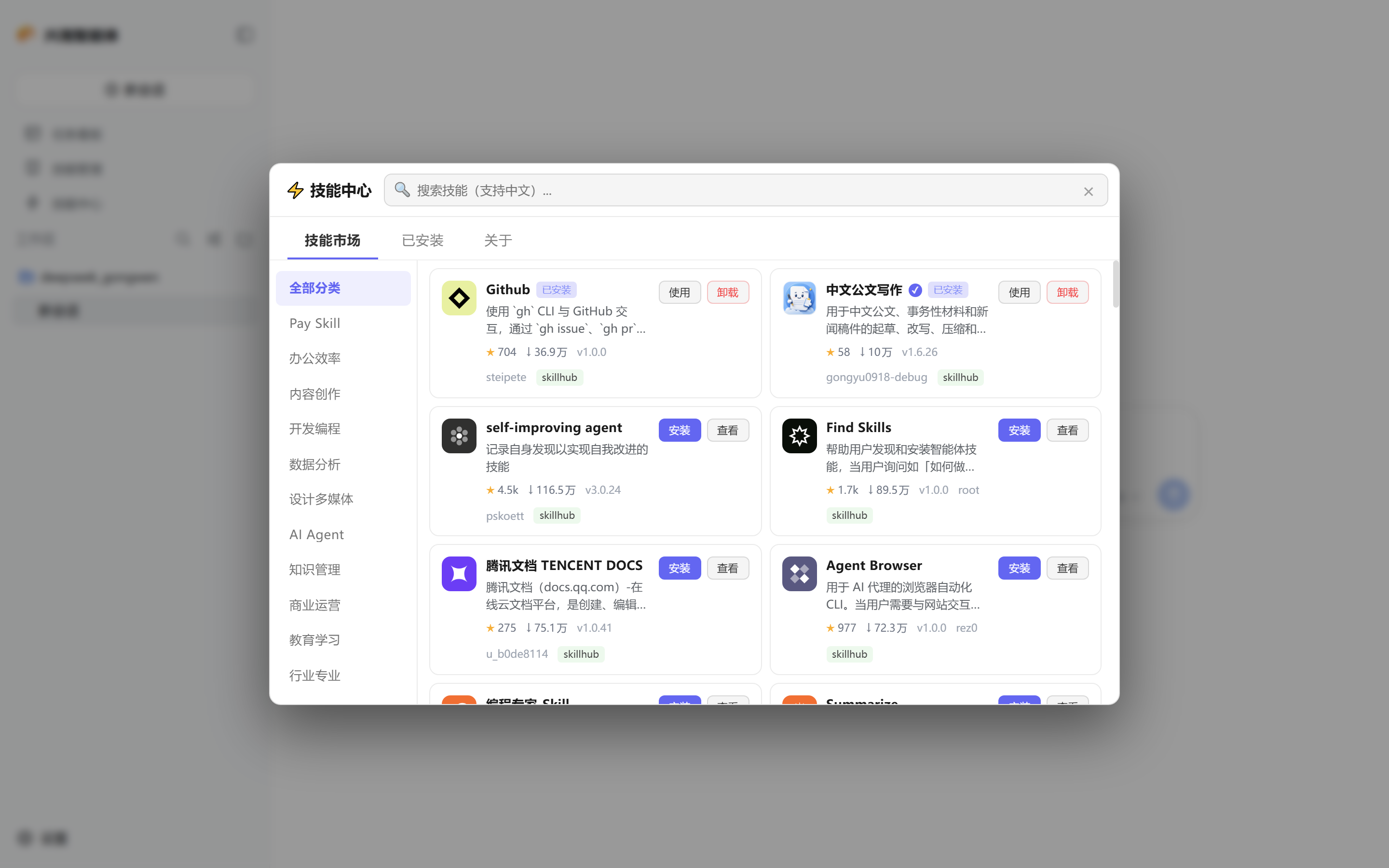
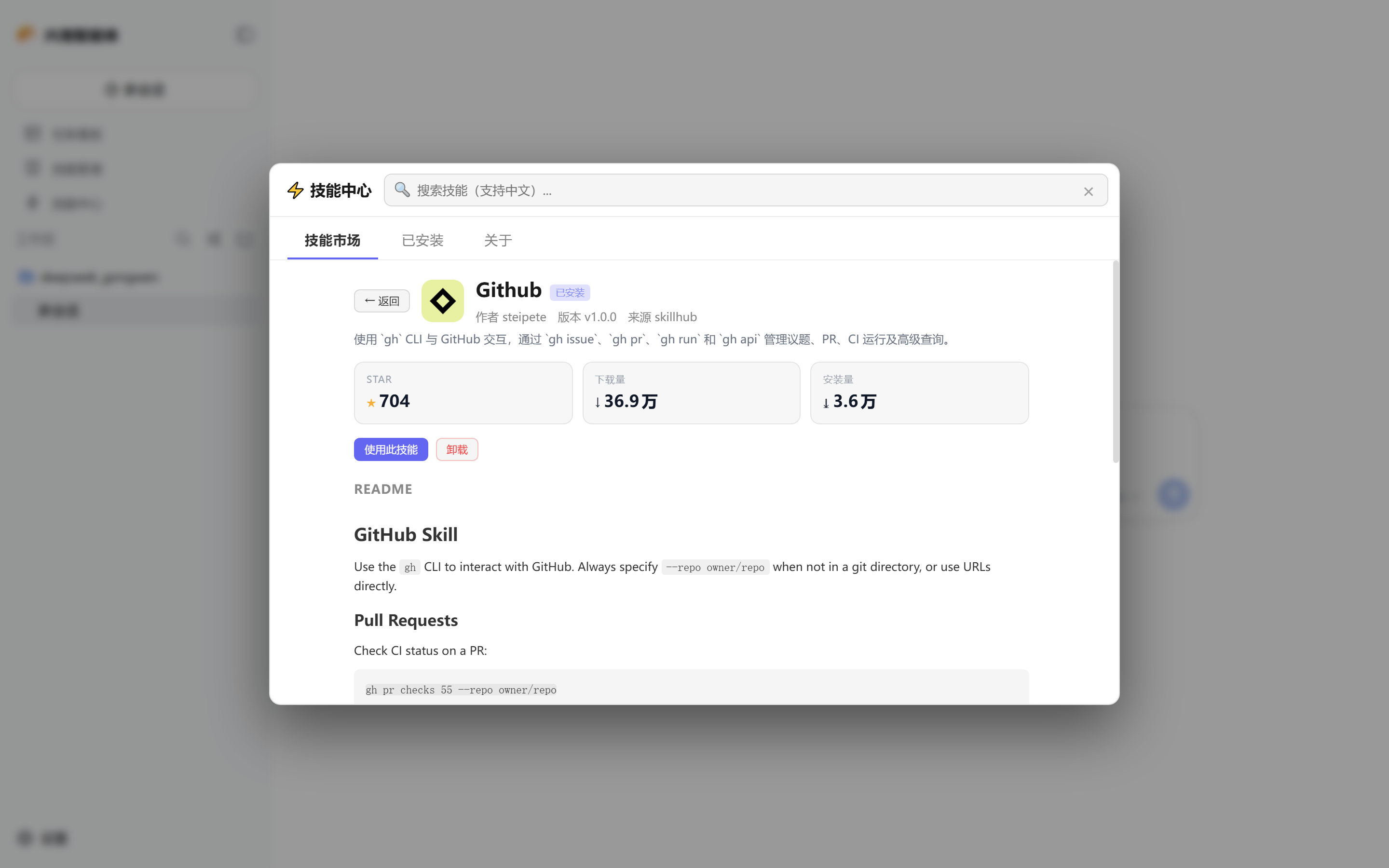
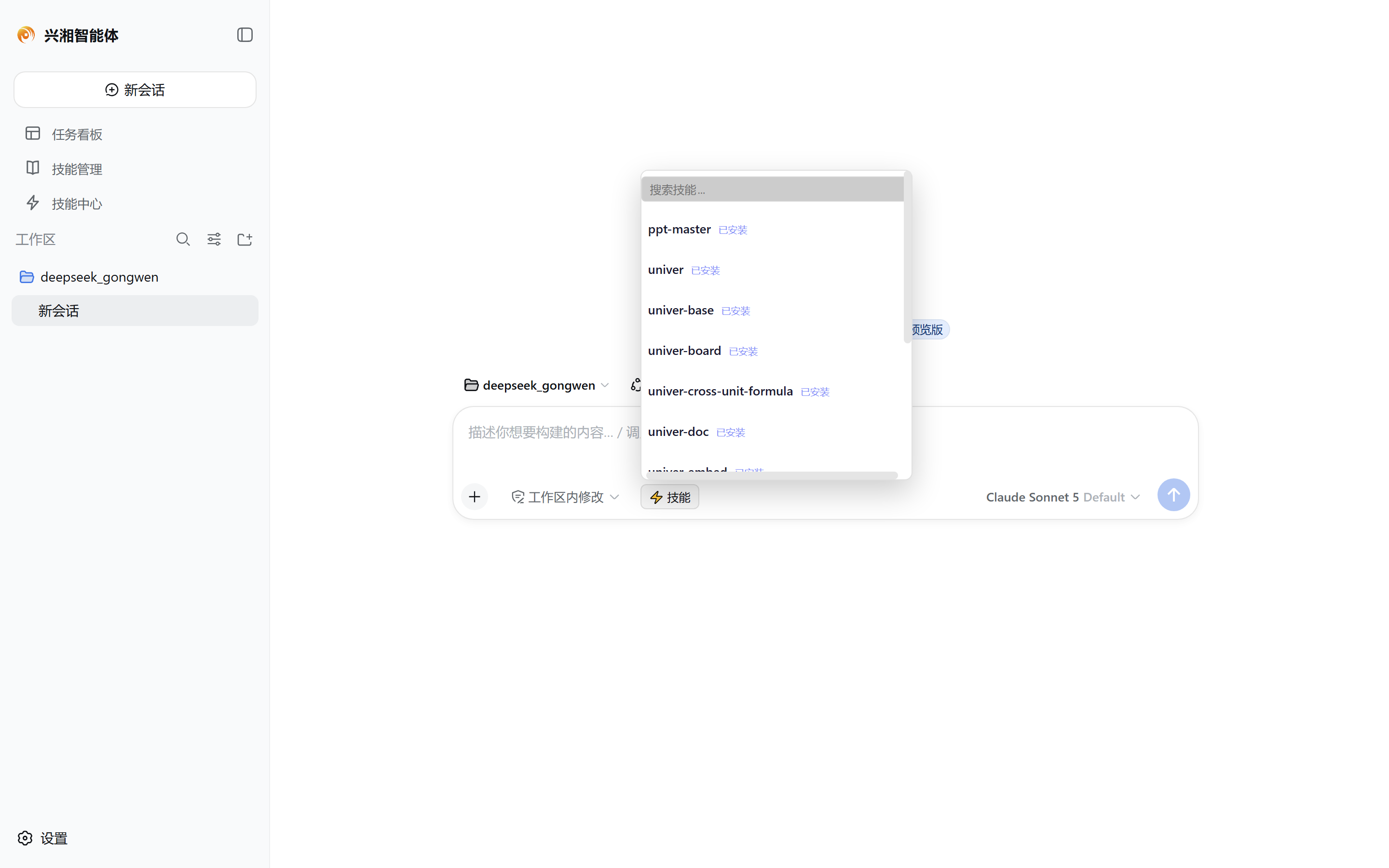
dsh-skill-market compresses that entire loop into the client itself. It queries both SkillHub (Tencent Cloud China mirror with native Chinese search) and ClawHub (OpenClaw official community) simultaneously, merges the results, and auto-falls-back to the other source if one is unavailable. Skill detail pages render Markdown natively so you never need a new tab. One-click install writes directly into your local skills directory with automatic hot discovery via skill-filesystem; uninstall is equally one step. The sidebar Skill Center opens a full-screen panel for searching, browsing, and checking Star and download statistics in one place. A lightning-bolt button in the chat input lets you pick an installed skill and auto-fill the slash command, saving you from hunting through the command list.
If you run day-to-day AI workflows on DeepSeek Harness and need to discover new skills, compare sources, keep your local skill set tidy, or handle the full discover-preview-install-invoke cycle without ever leaving the client, this plugin was built for you.
Screenshots
Use Cases
- Search and compare skills across SkillHub and ClawHub, preview the README in-app, then install with one click
- Quick-pick an installed skill via the lightning button in the chat input and auto-fill the slash command
- Open the sidebar Skill Center panel to browse, check stats, and uninstall local skills in one place
Best For
- DeepSeek Harness users who regularly discover and manage new skills
- AI workflow users who prefer a fully in-client install flow without opening external sites
- Chinese-speaking developers who rely on Tencent Cloud mirror for faster access
Related Plugins
A service-oriented sidebar framework for DSH, offering a full workbench with file explorer, embedded browser, real terminal, Git panel, and extensible plugin services.

A beautiful, practical Claude Code-style TUI plugin with pixel whale top bar, flowing glow title, real-time status line, streaming thought expansion, time rewind, context progress bar and TPS gauge — zero core changes.

The plugin market for DeepSeek Harness: browse/search/one-click install community plugins and themes, with updates, backup/restore, hot disable, diagnostics, and AI fix.

A persistent whale widget on the DSH web UI that shows DeepSeek balance, today's usage, and per-turn cost, with drag-and-snap and sound effects.