dsh-harness-chat-control
Run the following command in DeepSeek Harness:
dsh plugin install 1985899182/dsh-harness-chat-control
Paste the following prompt into your AI chat to install this plugin:
Fully exit DSH Desktop, then run dsh plugin install 1985899182/dsh-harness-chat-control in Windows PowerShell; the source code is at https://github.com/1985899182/dsh-harness-chat-control .
About this plugin
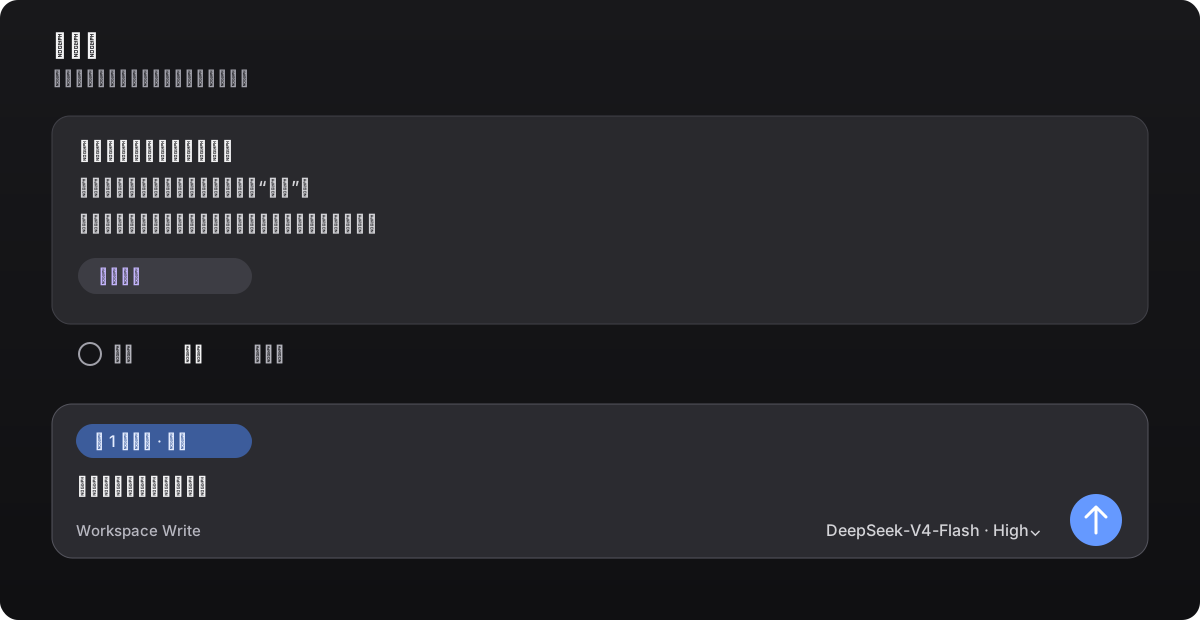
DSH Desktop handles conversations well, yet it lacks a key interaction pattern: quoting a previous answer to keep the thread going, or spinning off a side conversation without disturbing the main one. dsh-harness-chat-control fills both gaps in a single install.
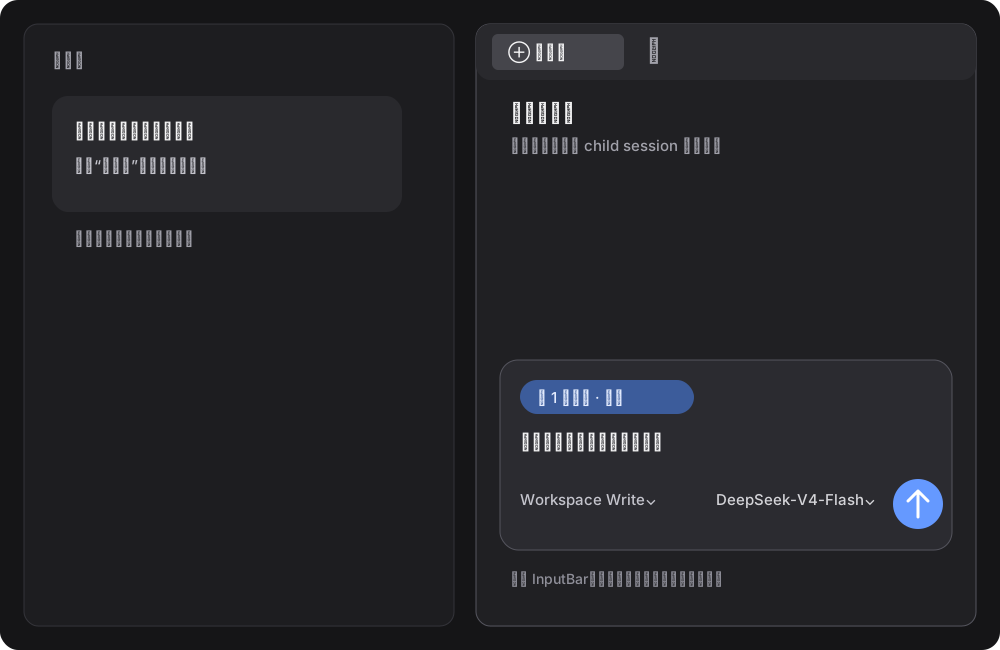
Main-thread quoting lets you select any fragment of a reply, which surfaces as a compact annotation capsule in the input box. You refine your follow-up question and send it right where the conversation already lives, with no Markdown noise leaking into the text. Sidebar quoting carries that same reference into a dedicated Better Sidebar panel, so your main thread stays untouched. The sidebar ships with a locked copy of dsh-better-sidebar 0.17.1, meaning no version drift, no separate install, and no conflicts with other plugins. Model switching, stop, and send states all run through the native event path. Editing and resending a user message overwrites the response in place rather than spawning duplicate sessions.
If you often loop back on a specific answer in DSH Desktop and want to spin off branch questions into the sidebar without muddying the main thread, this plugin makes that workflow noticeably smoother. It only injects quoting capsules, entry points, and session routing; the DSH core remains unmodified. It targets DSH Desktop 0.7.2 and Harness 0.1.2-alpha.1.
Screenshots
Use Cases
- Quote a reply fragment and continue asking in the same thread
- Carry a quote into an isolated sidebar conversation without disturbing the main thread
- Edit and resend a user message, overwriting the response in place
Best For
- Users who frequently follow up on specific answers in DSH Desktop
- Users who need to isolate branch questions into sidebar sessions
- DSH users who prefer a ChatGPT-style quoting interaction
Related Plugins
A service-oriented sidebar framework for DSH, offering a full workbench with file explorer, embedded browser, real terminal, Git panel, and extensible plugin services.

A beautiful, practical Claude Code-style TUI plugin with pixel whale top bar, flowing glow title, real-time status line, streaming thought expansion, time rewind, context progress bar and TPS gauge — zero core changes.

The plugin market for DeepSeek Harness: browse/search/one-click install community plugins and themes, with updates, backup/restore, hot disable, diagnostics, and AI fix.

A persistent whale widget on the DSH web UI that shows DeepSeek balance, today's usage, and per-turn cost, with drag-and-snap and sound effects.