
dsh-fishpai
Run the following command in DeepSeek Harness:
dsh plugin install OMSociety/dsh-fishpai
Paste the following prompt into your AI chat to install this plugin:
Run dsh plugin install OMSociety/dsh-fishpai in DeepSeek Harness to install FishPai; the source code is available at https://github.com/OMSociety/dsh-fishpai, and refresh the page after installation to use the editor in the right sidebar.
About this plugin
Writing for WeChat Official Accounts is rarely about the words; it is about the layout. You finish a clean Markdown draft, paste it into the editor, and the formatting falls apart. Ask an AI to tweak a sentence, and it rewrites the whole piece, erasing your careful spacing, annotations, and theme choices. FishPai was built for exactly this friction: it renders Markdown into inline-style HTML so that a single copy-paste into the WeChat editor delivers publication-ready formatting with no intermediate conversion.
Where it truly stands out is the human-in-the-loop editing workflow. The panel and the model read the same document, and the model uses block-level diffs to see precisely which paragraph you changed, what your annotations request, and where placeholders sit. When it writes, it touches only the blocks that need updating and leaves every other edit intact. Pasted screenshots land in an assets folder with instant preview, images embed as base64 on copy so there is no manual re-upload, and eleven WeChat-tuned themes with a 375 px phone-width preview let you verify the final look before publishing. Conflict handling preserves your draft, and five well-scoped model tools (open, read, write, render, theme) keep the interaction predictable.
FishPai is built for creators and editors who work daily inside DeepSeek Harness and produce WeChat Official Account content, especially those who want the model to participate in revision without sacrificing their hand-tuned layout. It has zero runtime dependencies and no build step. Install it, refresh the page, and the editor appears in the right-hand sidebar, ready to open a Markdown file and start working.
Screenshots
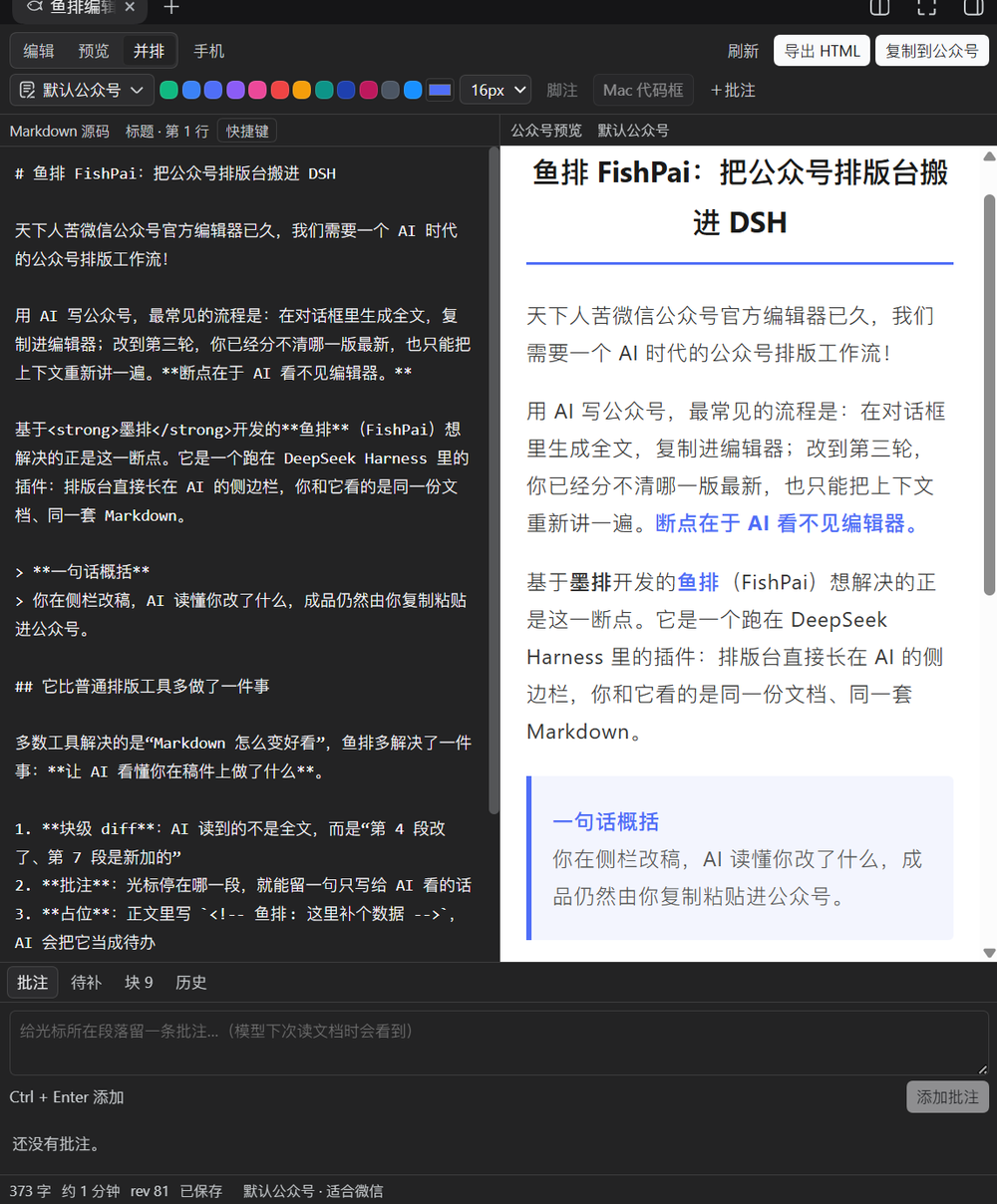
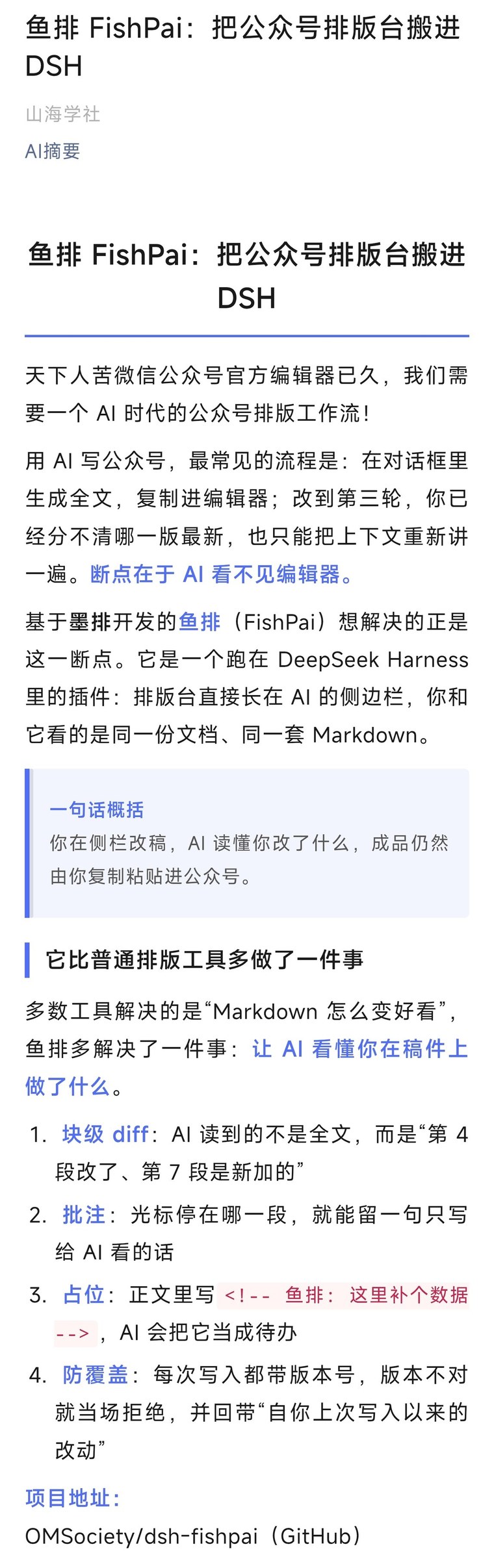
Use Cases
- Draft and preview WeChat article layouts in the Harness sidebar in real time
- Let the model edit specific blocks while preserving manual formatting and annotations
- Copy inline-style HTML in one click and paste straight into the WeChat editor
Best For
- Creators producing WeChat Official Account content daily inside DeepSeek Harness
- Editors who want AI-assisted revision without losing hand-tuned layout
- Teams or individuals extending the Harness workflow with a layout step
Related Plugins
A service-oriented sidebar framework for DSH, offering a full workbench with file explorer, embedded browser, real terminal, Git panel, and extensible plugin services.

A beautiful, practical Claude Code-style TUI plugin with pixel whale top bar, flowing glow title, real-time status line, streaming thought expansion, time rewind, context progress bar and TPS gauge — zero core changes.

The plugin market for DeepSeek Harness: browse/search/one-click install community plugins and themes, with updates, backup/restore, hot disable, diagnostics, and AI fix.

A persistent whale widget on the DSH web UI that shows DeepSeek balance, today's usage, and per-turn cost, with drag-and-snap and sound effects.